Paano Paikliin ang isang URL
Simulan ang pagpapaikli ng iyong mga URL


- Bakit Dapat Paikliin ang URL?
- Paano Paikliin ang isang URL
- How to Choose a Good Short Link
- How to Track Clicks
- How to Edit the Destination URL
- Long URL vs. Short URL
- Common Mistakes When Shortening URLs
- Practical Example: Shortening a Marketing URL
-
Mga Madalas Itanong
- Maaari ko bang paikliin ang isang URL na naglalaman na ng mga parameter ng UTM?
- Maaari ko bang piliin ang teksto sa dulo ng isang maikling URL?
- Maaari ko bang baguhin ang destinasyon pagkatapos paikliin ang isang URL?
- Paano ko masusubaybayan kung ilang tao ang nag-click sa aking maikling URL?
- Dapat ko bang subukan ang isang maikling link bago ito ibahagi?
- Mas mainam ba na gumamit ng custom short link o random lang?
Ang isang mahabang URL ay maaaring mahirap ibahagi, tandaan, i-type, o gamitin sa mga materyales sa marketing. Maaari itong maglaman ng maraming folder, pangalan ng produkto, mga parameter ng pagsubaybay, mga detalye ng sesyon, o iba pang impormasyon na nagpapakumplikado sa address. Ang mahahabang URL ay maaari ring kumuha ng mahalagang espasyo sa mga post sa social media, mga mensaheng SMS, mga email, mga advertisement, mga naka-print na materyales, at mga kampanya sa QR-code.
Ang pagpapaikli ng URL ay lumilikha ng mas malinis at mas maginhawang link na mas madaling kopyahin, i-publish, basahin, at ibahagi. Ang isang maikling link ay maaari ring gawing mas propesyonal ang isang kampanya at matulungan kang gamitin ang parehong destinasyon sa ilang mga channel. Depende sa serbisyo at mga feature na magagamit para sa pagpapaikli ng URL, maaari ring suportahan ng mga maikling link ang pagsubaybay sa pag-click, pag-oorganisa ng kampanya, pagbuo ng QR-code, pagbabahagi ng link, at pamamahala ng destinasyon.
Sa gabay na ito, matututunan mo kung ano ang isang pinaikling URL, kung paano paikliin ang isang URL nang paunti-unti, kung paano pumili ng isang kapaki-pakinabang na maikling link, kung kailan ka dapat gumamit ng custom na alias, kung paano subaybayan ang mga pag-click, kung paano i-edit ang destinasyon, at kung paano maiwasan ang mga karaniwang pagkakamali. Matututunan mo rin kung kailan hindi kinakailangan ang pagpapaikli ng isang URL at kung paano magpasya kung ang isang maikling link ay angkop para sa social media, email, SMS, mga nakalimbag na materyales, QR code, at mga kampanya sa marketing.

Bakit Dapat Paikliin ang URL?
Ang pagpapaikli ng URL ay ginagawang isang maliit na link ang isang mahabang web address na nagre-redirect sa mga bisita sa orihinal na destinasyon.
Halimbawa:
Mahabang URL: https://example.com/products/summer-collection?utm_source=instagram&utm_medium=social&utm_campaign=summer-sale
Maikling URL:https://short.example/pagbebenta-ng-tag-init
Pareho pa rin ang destinasyon, pero mas madaling gamitin ang link.
Ang mga maiikling URL ay kapaki-pakinabang para sa:
- Social media : Panatilihing mas malinis ang mga post at profile.
- Email: Iwasan ang pagpapakita ng mahahabang at kumplikadong mga URL.
- Mga nakalimbag na materyales: Gawing mas madaling i-type nang manu-mano ang mga link.
- Mga QR code: Gumamit ng madaling pamahalaang URL bilang destinasyon.
- Mga kampanya sa marketing : Gumawa ng magkakahiwalay na link para sa iba't ibang channel.
- Analytics: Subaybayan ang mga pag-click kapag may mga feature sa pagsubaybay na magagamit.
- Pagbabahagi: Gawing mas madaling kopyahin at tandaan ang mga URL.
Hindi mo kailangang paikliin ang bawat URL. Ang isang simpleng address tulad ng example.com/contact ay maaaring madali nang ibahagi. Ang pagpapaikli ng URL ay pinakakapaki-pakinabang kapag ang orihinal na address ay mahaba, naglalaman ng mga parameter ng pagsubaybay, o nangangailangan ng karagdagang pamamahala.
Paano Paikliin ang isang URL
Ang paggawa ng maikling link ay karaniwang tumatagal lamang ng ilang hakbang.
1. Kopyahin ang URL na gusto mong paikliin
Buksan ang web page na gusto mong bisitahin ng mga tao at kopyahin ang URL nito mula sa address bar ng browser.
Halimbawa: https://example.com/blog/how-to-create-a-website-for-your-business
Before shortening it, check that the original page opens correctly and is the page you want visitors to see.
2. Open a URL shortener
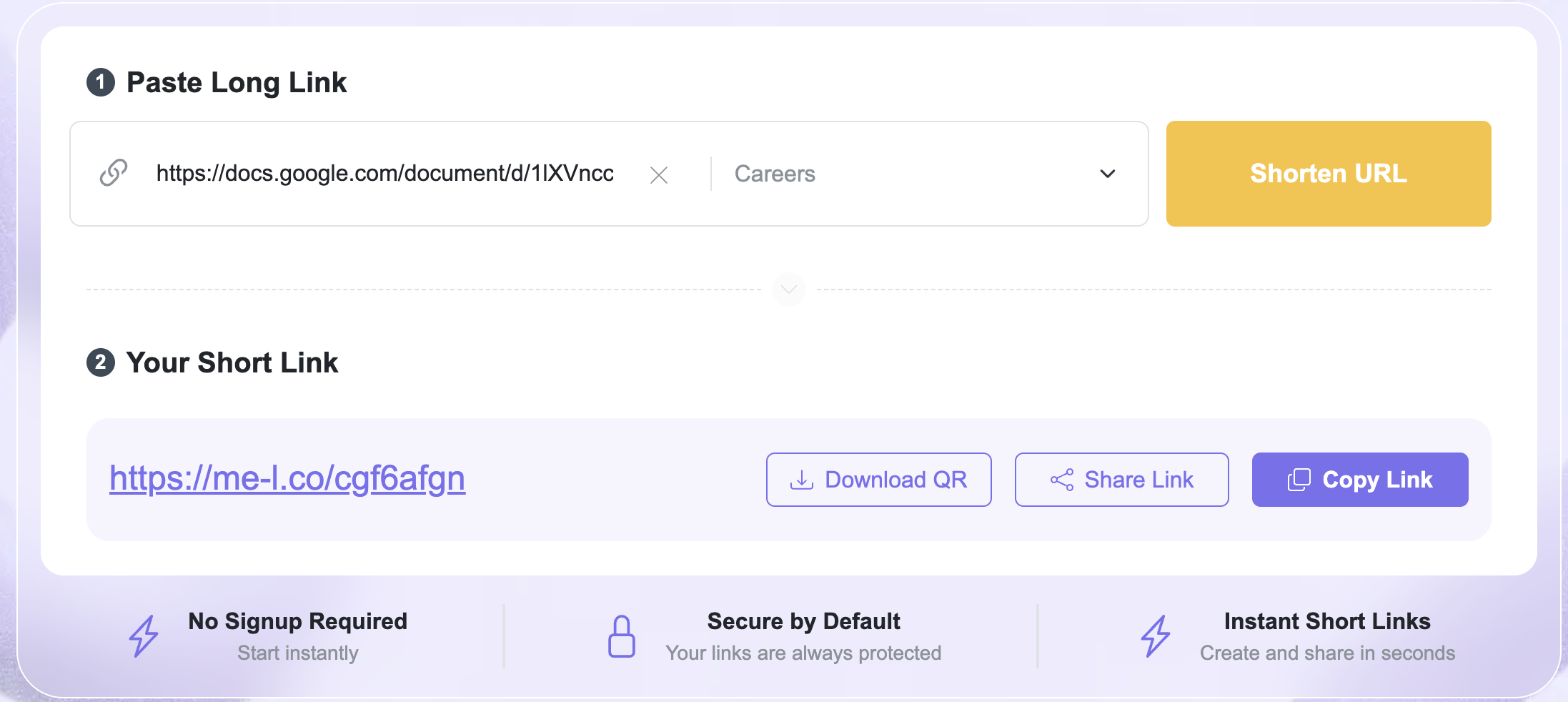
Open the ME-Short-Link URL Shortener page at /url-shortener.
This is where you can turn a long web address into a shorter link.
3. Paste the original URL
Paste your long URL into the URL field.
If your URL includes UTM parameters, check them before creating the short link. They can be important for campaign tracking.
For example: https://example.com/sale?utm_source=instagram&utm_medium=social
The short link should redirect to the complete URL, including the parameters you need for analytics.
4. Create the short link
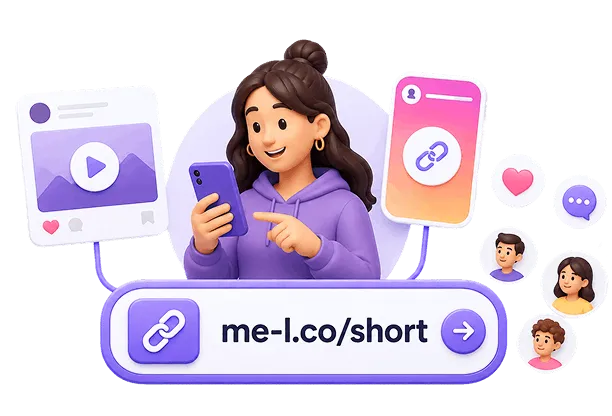
Submit the URL to generate your short link.
Instead of sharing the long address, you can now use the shortened version in your campaign, message, website, or printed material.
5. Test the short link
Always open the new short link before publishing it.
Check that:
- it redirects to the correct page;
- the destination page loads;
- important tracking parameters are preserved;
- the link works on different devices when possible.
Testing takes only a few seconds and can prevent a broken link from being distributed across multiple channels.
You can also use the Shorten URL option at /#shorten-url to quickly create a shortened link.
How to Choose a Good Short Link
A short link should be more than just shorter. When customization is available, choose a link that is easy to recognize and understand.
For example:
short.example/summer-sale
is more informative than:
short.example/a8Kx92
A descriptive ending can help you identify the purpose of the link later.
Keep it short
Avoid creating an unnecessarily complicated custom name.
Good:
short.example/pricing
Less useful:
short.example/my-new-pricing-page-for-2026
The purpose of shortening a URL is to make it easier to use, so the short version should remain compact.
Make it relevant
Use a word connected to the destination or campaign.
Examples:
- /menu
- /tickets
- /webinar
- /sale
- /contact
This makes the link easier to recognize when you see it in your analytics or campaign materials.

Avoid confusing characters
If you can customize the short URL, avoid combinations that are difficult to read or remember.
For example, characters such as 0, O, 1, and l can sometimes be confused when a link is typed manually.
Keep your naming consistent
If you create multiple links for the same campaign, use a consistent naming system.
For example:
- /summer-instagram
- /summer-email
- /summer-flyer
This makes the links easier to organize and compare.
How to Track Clicks
Shortening a URL can also help you measure how people interact with your links.
With link tracking, you may be able to see information such as:
- total clicks;
- when clicks occurred;
- traffic sources;
- devices used;
- geographic information;
- campaign performance.
For example, imagine that you promote the same product through Instagram and email.
You could create separate short links:
Instagram:
short.example/product-instagram
Email:
short.example/product-email
Both links can point to the same product page. Tracking can then help you compare how each channel performs.
For more information, visit the ME-Short-Link Link Tracking page at /link-tracking.
Use tracking consistently
If you're measuring a campaign, decide which information you want to track before creating your links.
For example, you might distinguish links by:
- campaign;
- source;
- medium;
- content;
- promotion.
This makes your analytics easier to interpret later.
If you're using UTM parameters, add them to the destination URL before shortening it unless your URL-shortening workflow specifically provides another way to add tracking parameters.

How to Edit the Destination URL
One useful feature of some short-link services is the ability to change the destination URL without changing the short link.
This is called an editable short link.
Imagine that you print this URL on a flyer:
short.example/summer
Initially, it sends visitors to:
https://me-l.co/summer-sale
After the promotion ends, you want the same short link to send visitors to:
https://example.com/new-offer
If your short-link service supports editable destinations, you can update the destination while keeping the original short URL.
This is especially useful for links that have already been:
- printed;
- published on social media;
- added to QR codes;
- included in marketing materials;
- shared with customers.
You can learn more about this feature on the Editable Short Links page at /features/editable-short-links.
When are editable links useful?
Editable links are particularly helpful for recurring campaigns.
For example, a restaurant could use:
short.example/menu
on a printed table card.
The restaurant can update the destination whenever the online menu changes without needing to reprint the card.
The same approach can work for:
- seasonal offers;
- event registrations;
- product promotions;
- weekly newsletters;
- booking pages;
- downloadable resources.
Sure. I’d add a practical comparison table after “Why Shorten a URL?” because it quickly shows the difference between a long URL and a shortened URL.
Long URL vs. Short URL
The right option depends on how you plan to use the URL. A short and simple address may not need shortening, while a long URL with tracking parameters or campaign information can benefit significantly from a short link.
Common Mistakes When Shortening URLs
URL shortening is simple, but a few mistakes can make your links less useful.
1. Shortening the wrong URL
Always check the original URL before creating the short link.
A typo in the destination can result in a short link that sends visitors to the wrong page.
Solution: Open the original URL in a separate browser tab and confirm that it works.
2. Not testing the short link
A generated link should be tested before you publish it.
Solution: Click the short link yourself and verify the destination.
3. Using random or confusing names
A custom short link that is difficult to understand can make your links harder to manage.
Solution: Use simple names related to the destination, campaign, or channel.


4. Forgetting tracking parameters
If you're measuring a campaign with UTM parameters, removing them accidentally can affect your analytics.
Solution: Check the final destination URL and make sure the required tracking parameters are present.
5. Creating separate links without a naming system
Creating many short links can become confusing if their names don't follow a consistent structure.
Solution: Establish a simple naming convention before creating multiple campaign links.
For example:
/campaign-source
or:
/campaign-channel-month
6. Changing a destination without checking the campaign
If you edit a destination URL, make sure the new page is relevant to people who click the existing short link.
For example, a short link printed on a "Summer Sale" flyer should not unexpectedly lead to an unrelated page.
Practical Example: Shortening a Marketing URL
Imagine an online store is promoting a new collection.
The original URL is:
https://shop.example.com/collections/summer?utm_source=instagram&utm_medium=social&utm_campaign=summer-collection
The store wants a cleaner link for Instagram.
Step 1: Check the destination
The store confirms that the product collection page works correctly.
Step 2: Create the short link
The long URL is entered into the URL shortener.
Step 3: Choose a recognizable short link
A suitable short link could be:
short.example/summer
Step 4: Test it
The store opens the short link and confirms that it redirects to the correct collection.
Step 5: Track performance
The store checks click data to understand how many people visit the collection through the link.
Step 6: Update the destination if needed
Kung magbabago ang kampanya at sinusuportahan ng serbisyo ng short-link ang mga nae-edit na destinasyon, maaaring i-update ng tindahan ang destinasyon habang patuloy na ginagamit ang parehong maikling URL.
Ginagawang kapaki-pakinabang ng daloy ng trabahong ito ang isang link sa buong kampanya sa halip na lumikha at mag-publish ng bagong URL sa tuwing nagbabago ang destinasyon.
Mga Madalas Itanong
Oo. Maaaring paikliin ang isang URL na naglalaman ng mga parameter ng UTM. Bago i-publish ang maikling link, tiyakin na ang mga parameter ng pagsubaybay ay nananatiling bahagi ng destination URL upang maitala nang tama ng iyong analytics ang kampanya.