How to Shorten a URL: Step-by-Step Guide
Start shortening your URLs


- Why Shorten a URL?
- How to Shorten a URL
- How to Choose a Good Short Link
- How to Track Clicks
- How to Edit the Destination URL
- Long URL vs. Short URL
- Common Mistakes When Shortening URLs
- Practical Example: Shortening a Marketing URL
-
Frequently Asked Questions
- Can I shorten a URL that already contains UTM parameters?
- Can I choose the text at the end of a short URL?
- Can I change the destination after shortening a URL?
- How can I track how many people clicked my short URL?
- Should I test a short link before sharing it?
- Is it better to use a custom short link or a random one?
A long URL can be difficult to share, remember, type, or use in marketing materials. It may contain multiple folders, product names, tracking parameters, session details, or other information that makes the address look complicated. Long URLs can also take up valuable space in social media posts, SMS messages, emails, advertisements, printed materials, and QR-code campaigns.
Shortening a URL creates a cleaner, more convenient link that is easier to copy, publish, read, and share. A short link can also make a campaign look more professional and help you use the same destination across several channels. Depending on the URL-shortening service and features available, short links may also support click tracking, campaign organization, QR-code generation, link sharing, and destination management.
In this guide, you’ll learn what a shortened URL is, how to shorten a URL step by step, how to choose a useful short link, when you should use a custom alias, how to track clicks, how to edit the destination, and how to avoid common mistakes. You’ll also learn when shortening a URL is unnecessary and how to decide whether a short link is appropriate for social media, email, SMS, printed materials, QR codes, and marketing campaigns.

Why Shorten a URL?
URL shortening turns a long web address into a compact link that redirects visitors to the original destination.
For example:
Long URL: https://example.com/products/summer-collection?utm_source=instagram&utm_medium=social&utm_campaign=summer-sale
Short URL: https://short.example/summer-sale
The destination stays the same, but the link is easier to use.
Short URLs are useful for:
- Social media: Keep posts and profiles cleaner.
- Email: Avoid displaying long, complicated URLs.
- Printed materials: Make links easier to type manually.
- QR codes: Use a manageable URL as the destination.
- Marketing campaigns: Create separate links for different channels.
- Analytics: Track clicks when tracking features are available.
- Sharing: Make URLs easier to copy and remember.
You don't need to shorten every URL. A simple address such as example.com/contact may already be easy enough to share. URL shortening is most useful when the original address is long, contains tracking parameters, or needs additional management.
How to Shorten a URL
Creating a short link usually takes only a few steps.
1. Copy the URL you want to shorten
Open the web page you want people to visit and copy its URL from the browser's address bar.
For example: https://example.com/blog/how-to-create-a-website-for-your-business
Before shortening it, check that the original page opens correctly and is the page you want visitors to see.
2. Open a URL shortener
Open the ME-Short-Link URL Shortener page at /url-shortener.
This is where you can turn a long web address into a shorter link.
3. Paste the original URL
Paste your long URL into the URL field.
If your URL includes UTM parameters, check them before creating the short link. They can be important for campaign tracking.
For example: https://example.com/sale?utm_source=instagram&utm_medium=social
The short link should redirect to the complete URL, including the parameters you need for analytics.
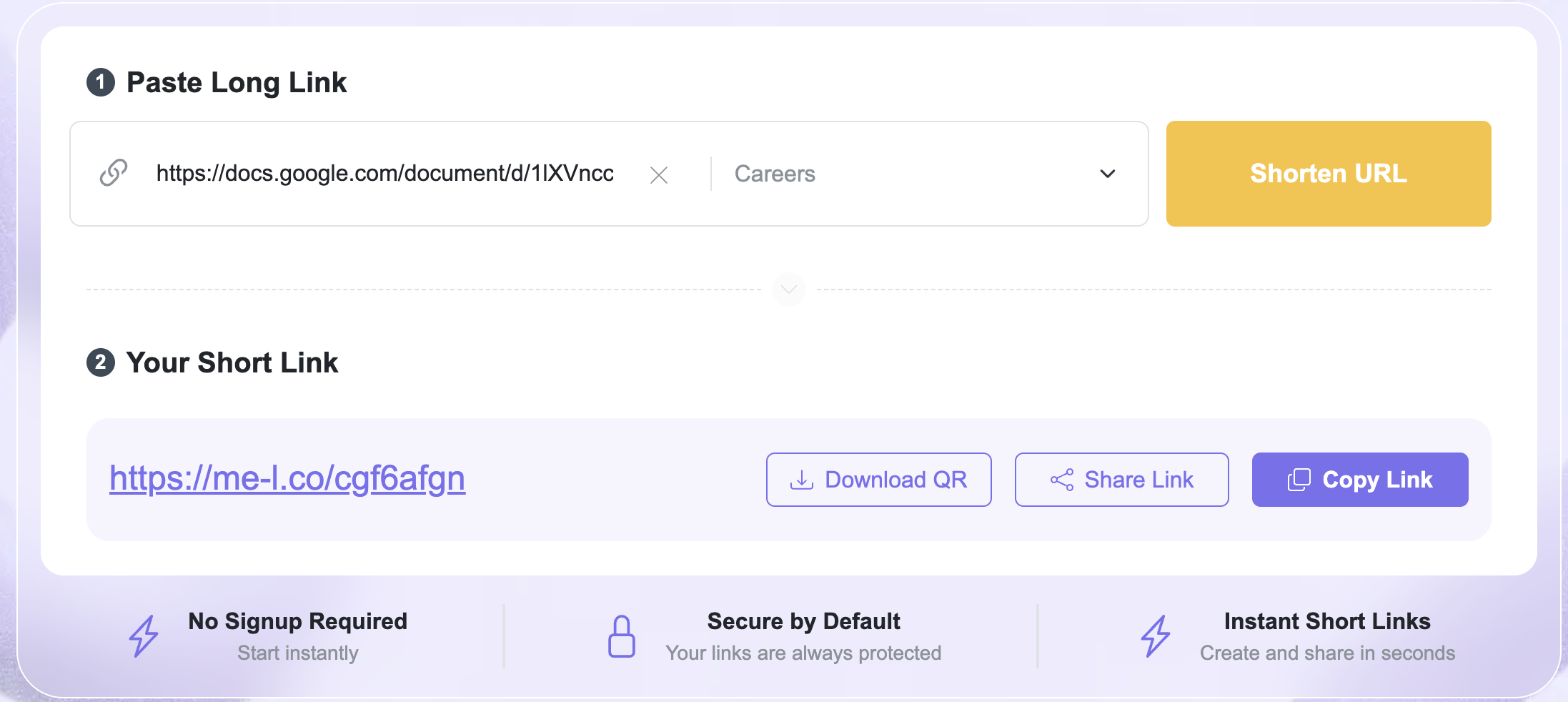
4. Create the short link
Submit the URL to generate your short link.
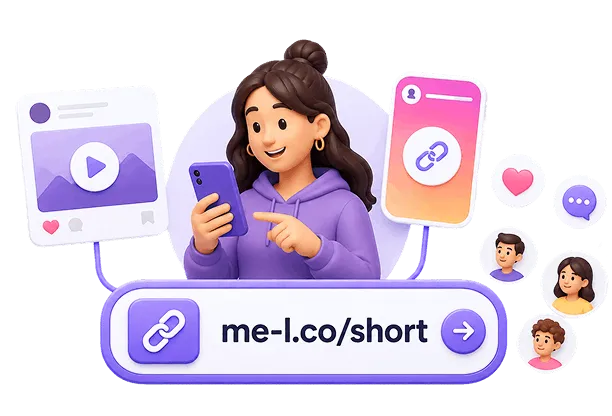
Instead of sharing the long address, you can now use the shortened version in your campaign, message, website, or printed material.
5. Test the short link
Always open the new short link before publishing it.
Check that:
- it redirects to the correct page;
- the destination page loads;
- important tracking parameters are preserved;
- the link works on different devices when possible.
Testing takes only a few seconds and can prevent a broken link from being distributed across multiple channels.
You can also use the Shorten URL option at /#shorten-url to quickly create a shortened link.
How to Choose a Good Short Link
A short link should be more than just shorter. When customization is available, choose a link that is easy to recognize and understand.
For example:
short.example/summer-sale
is more informative than:
short.example/a8Kx92
A descriptive ending can help you identify the purpose of the link later.
Keep it short
Avoid creating an unnecessarily complicated custom name.
Good:
short.example/pricing
Less useful:
short.example/my-new-pricing-page-for-2026
The purpose of shortening a URL is to make it easier to use, so the short version should remain compact.
Make it relevant
Use a word connected to the destination or campaign.
Examples:
- /menu
- /tickets
- /webinar
- /sale
- /contact
This makes the link easier to recognize when you see it in your analytics or campaign materials.

Avoid confusing characters
If you can customize the short URL, avoid combinations that are difficult to read or remember.
For example, characters such as 0, O, 1, and l can sometimes be confused when a link is typed manually.
Keep your naming consistent
If you create multiple links for the same campaign, use a consistent naming system.
For example:
- /summer-instagram
- /summer-email
- /summer-flyer
This makes the links easier to organize and compare.
How to Track Clicks
Shortening a URL can also help you measure how people interact with your links.
With link tracking, you may be able to see information such as:
- total clicks;
- when clicks occurred;
- traffic sources;
- devices used;
- geographic information;
- campaign performance.
For example, imagine that you promote the same product through Instagram and email.
You could create separate short links:
Instagram:
short.example/product-instagram
Email:
short.example/product-email
Both links can point to the same product page. Tracking can then help you compare how each channel performs.
For more information, visit the ME-Short-Link Link Tracking page at /link-tracking.

Use tracking consistently
If you're measuring a campaign, decide which information you want to track before creating your links.
For example, you might distinguish links by:
- campaign;
- source;
- medium;
- content;
- promotion.
This makes your analytics easier to interpret later.
If you're using UTM parameters, add them to the destination URL before shortening it unless your URL-shortening workflow specifically provides another way to add tracking parameters.

How to Edit the Destination URL
One useful feature of some short-link services is the ability to change the destination URL without changing the short link.
This is called an editable short link.
Imagine that you print this URL on a flyer:
short.example/summer
Initially, it sends visitors to:
https://me-l.co/summer-sale
After the promotion ends, you want the same short link to send visitors to:
https://example.com/new-offer
If your short-link service supports editable destinations, you can update the destination while keeping the original short URL.
This is especially useful for links that have already been:
- printed;
- published on social media;
- added to QR codes;
- included in marketing materials;
- shared with customers.
You can learn more about this feature on the Editable Short Links page at /features/editable-short-links.
When are editable links useful?
Editable links are particularly helpful for recurring campaigns.
For example, a restaurant could use:
short.example/menu
on a printed table card.
The restaurant can update the destination whenever the online menu changes without needing to reprint the card.
The same approach can work for:
- seasonal offers;
- event registrations;
- product promotions;
- weekly newsletters;
- booking pages;
- downloadable resources.
Sure. I’d add a practical comparison table after “Why Shorten a URL?” because it quickly shows the difference between a long URL and a shortened URL.
Long URL vs. Short URL
The right option depends on how you plan to use the URL. A short and simple address may not need shortening, while a long URL with tracking parameters or campaign information can benefit significantly from a short link.
Common Mistakes When Shortening URLs
URL shortening is simple, but a few mistakes can make your links less useful.
1. Shortening the wrong URL
Always check the original URL before creating the short link.
A typo in the destination can result in a short link that sends visitors to the wrong page.
Solution: Open the original URL in a separate browser tab and confirm that it works.
2. Not testing the short link
A generated link should be tested before you publish it.
Solution: Click the short link yourself and verify the destination.
3. Using random or confusing names
A custom short link that is difficult to understand can make your links harder to manage.
Solution: Use simple names related to the destination, campaign, or channel.


4. Forgetting tracking parameters
If you're measuring a campaign with UTM parameters, removing them accidentally can affect your analytics.
Solution: Check the final destination URL and make sure the required tracking parameters are present.
5. Creating separate links without a naming system
Creating many short links can become confusing if their names don't follow a consistent structure.
Solution: Establish a simple naming convention before creating multiple campaign links.
For example:
/campaign-source
or:
/campaign-channel-month
6. Changing a destination without checking the campaign
If you edit a destination URL, make sure the new page is relevant to people who click the existing short link.
For example, a short link printed on a "Summer Sale" flyer should not unexpectedly lead to an unrelated page.
Practical Example: Shortening a Marketing URL
Imagine an online store is promoting a new collection.
The original URL is:
https://shop.example.com/collections/summer?utm_source=instagram&utm_medium=social&utm_campaign=summer-collection
The store wants a cleaner link for Instagram.
Step 1: Check the destination
The store confirms that the product collection page works correctly.
Step 2: Create the short link
The long URL is entered into the URL shortener.
Step 3: Choose a recognizable short link
A suitable short link could be:
short.example/summer
Step 4: Test it
The store opens the short link and confirms that it redirects to the correct collection.
Step 5: Track performance
The store checks click data to understand how many people visit the collection through the link.
Step 6: Update the destination if needed
If the campaign changes and the short-link service supports editable destinations, the store can update the destination while continuing to use the same short URL.
This workflow makes one link useful throughout the campaign instead of creating and publishing a new URL every time the destination changes.
Frequently Asked Questions
Yes. A URL containing UTM parameters can be shortened. Before publishing the short link, verify that the tracking parameters remain part of the destination URL so your analytics can record the campaign correctly.