Short Links For LinkedIn
Use clean, trackable short links in LinkedIn posts, profiles, company pages, B2B outreach, messages, campaigns, and professional content.
Ad-free options • Advanced link tracking • Dynamic updates

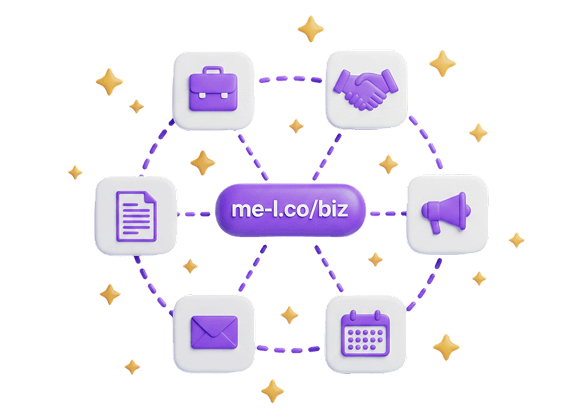
Why Use Short Links On LinkedIn?
LinkedIn content often points to company pages, reports, events, product pages, and professional resources. Short links make these destinations cleaner, easier to manage, and trackable.
Posts
Share clean, trackable links in LinkedIn posts that build trust and drive professional engagement.
Profile Links
Add a branded short link to your LinkedIn profile for better routing to portfolios, websites, or landing pages.

Company Pages
Share company page resources with clean links that are easy to track and update.

B2B Outreach
Include professional short links in cold outreach and business development messages.
Messages
Send clean, compact links in LinkedIn messages that are easy to open and track.
Campaign Links
Track LinkedIn ad and sponsored content campaigns with branded short links and UTM parameters.
Document Links
Share reports, whitepapers, and professional documents with clean, trackable short links.
Event Links
Promote webinars, conferences, and professional events with memorable short links.
Recommended Workflow
Follow these five straightforward steps to maximize your brand reach and analytic depth on LinkedIn.
Create a short link for your professional destination.
Input your long, complex destination URL into the ME-Link generator and generate a beautiful compact alternative.
Add it to a post, profile, message, or campaign.
Paste the generated short link directly where viewers can easily access it while engaging with your content.
Track clicks and audience activity.
Monitor real-time stats to see exactly who clicked, what devices they used, and the peak times of engagement.
Update the destination if the resource changes.
Change where the link points instantly from your dashboard, without needing to edit your published LinkedIn posts or profile tags.
Use UTM tracking with Premium for campaigns.
Attach customized tracking parameters seamlessly to measure referral success inside professional marketing matrices.
Features That Help Across Every Channel
Explore professional tools built specifically to optimize and secure your LinkedIn audience.


Best Practices
How to maximize conversion and engagement rates from your LinkedIn audience channels.
Use Short Links For Reports, Landing Pages, Events, And B2B Resources
Share professional documents, reports, and landing pages with clean branded links.

Use UTM Tracking With Premium For Campaign Attribution
Track LinkedIn campaign performance with custom UTM parameters in analytics tools.
Use Ad-Free Links For Professional Communication
Keep your professional and business communication paths completely ad-free.
Keep Destination Pages Relevant To The LinkedIn Post
Ensure your link destinations match the context of your LinkedIn post for better engagement.
Export Analytics With Premium For Business Reporting
Package link traffic and conversion data into professional reports for stakeholders.
Related Solutions & Tools
LinkedIn Short Links FAQ
Can I use short links on LinkedIn?
Yes. Short links can be used in LinkedIn posts, profiles, company pages, messages, B2B outreach, and campaigns.
Can I track LinkedIn link clicks?
Yes. ME-Short-Link analytics show activity for every short link, including clicks, devices, countries, and performance.
Can I use UTM tracking for LinkedIn campaigns?
Yes. UTM Tracking is available with Premium and helps track LinkedIn campaign traffic in analytics tools.
Can I use short links in LinkedIn messages?
Yes. Short links are useful in LinkedIn messages because they are clean, compact, and easy to open.
Should LinkedIn links be ad-free?
For professional and business communication, ad-free links are recommended. Lite removes ads from 1 selected link, while Premium removes ads from all links.
Can I export analytics for LinkedIn campaigns?
Yes. Analytics export is available with Premium and can help with campaign reports and business analysis.
Start Creating LinkedIn Short Links
Create your first short link in under 10 seconds. Start for free — no card or sign-up required. Upgrade any time to unlock advanced geotargeting, ad-removal, and detailed reports.