ME-Link / Channels
Short Links For Every Channel
Create clean, trackable short links for social media, video platforms, messengers, communities, business channels, and creator campaigns.
Social media • Messengers • Communities • Business channels

Why Use Short Links Across Channels?
Different channels have different formats, limits, and user behavior. Short links help keep URLs clean, easier to share, trackable, and easier to update after publishing.
Cleaner Links
Use short links instead of long, messy URLs across profiles, posts, messages, and descriptions.
Trackable Traffic
View clicks, devices, countries, QR activity, and link performance for every short link.
Editable Destinations
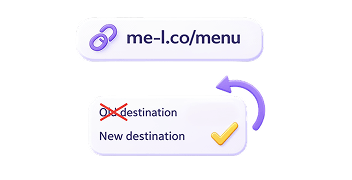
Update the destination URL without changing the short link you already shared.
Better User Experience
Use ad-free links for important channel links with Lite or Premium.
Campaign-Ready Links
Use UTM tracking and smart redirects with Premium for advanced campaigns.
Explore Channels
Choose a channel and learn how to use short links for profiles, posts, messages, campaigns, communities, and business communication.
Social media
Video and creator platforms
Messengers and communities

Professional channels
Features That Help Across Every Channel
Explore the professional tools designed to enhance your campaigns, from custom branding to deep geographical targeting.


What Can You Do With Channel Links?
Different workflows, same outstanding reliability. Find out how ME-Link scales to meet your specific industry demands.
Grow Audience
Send users from profiles, posts, videos, communities, and messages to the right destination.
Track Creator Links
Understand which channel links get clicks and where your audience comes from.

Share sponsor links
Use short links for brand deals, affiliate links, campaign pages, and sponsor reporting.

Promote Campaigns
Share campaign links across platforms and track traffic activity.
Drive Traffic From Communities
Use short links in groups, chats, servers, and announcements.
Improve Business Communication
Share clean links in business messages, customer updates, and professional content.
Start Free. Upgrade When You Need More Control.
Create short links, edit destinations, generate QR codes, and view analytics for free. Upgrade to Lite or Premium when you need ad-free links, UTM tracking, smart redirects, analytics export, and ME-QR Premium access.
Plan
Free
Lite
Premium
Best for
Basic link sharing
One clean important link
Advanced channel campaigns
Channel usage
Profiles, posts, messages, communities, basic analytics
Main bio link, sponsor link, business profile link
UTM tracking, smart redirects, analytics export, no ads on all links
Channels FAQ
Can I use short links on social media?
Yes. You can use ME-Short-Link links on social media platforms, profiles, posts, messages, descriptions, communities, and campaigns.
Can I track clicks from different channels?
Yes. Every short link includes analytics, so you can track clicks, devices, countries, QR activity, and link performance.
Can I use short links for creator campaigns?
Yes. Short links are useful for creator campaigns, sponsor links, bio links, video descriptions, pinned comments, community posts, and brand collaborations.
Can I remove ads from channel links?
Yes. Lite removes ads from 1 selected link, while Premium removes ads from all links.
Can I use UTM tracking for channel links?
Yes. UTM Tracking is available with Premium and helps track traffic from channels like Instagram, YouTube, TikTok, LinkedIn, Facebook, and paid campaigns.
Can I update a link after posting it?
Yes. You can update the destination URL of a short link without changing the short link itself.
Are analytics available for free?
Yes. Link analytics are available for all plans. Premium is needed only for analytics export and advanced marketing tools.
Create Your First Channel Short Link Today
Start for free — no account required. Upgrade any time to unlock UTM tracking, ad-free links, and analytics export.