Short Links for WhatsApp
Send clean, mobile-friendly short links in WhatsApp chats, WhatsApp Business messages, customer updates, support flows, and promotions.
Ad-free options • Advanced link tracking • Dynamic updates

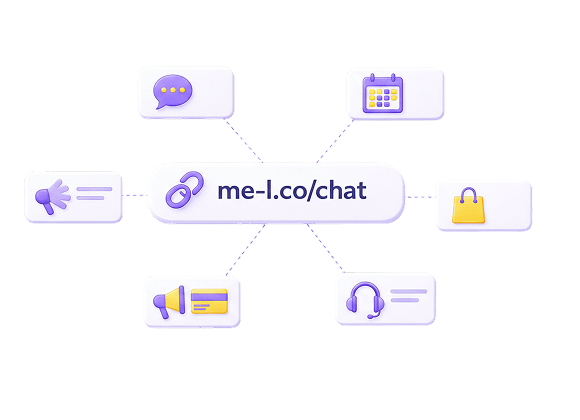
Why Use Short Links On WhatsApp?
WhatsApp messages are mobile-first and often used for direct customer communication. Short links keep messages cleaner, easier to open, and easier to track.

Customer Chats
Send clean, trackable links in direct WhatsApp conversations for better click-through and trust.

WhatsApp Business Messages
Include branded short links in business message templates for professional customer communication.

Support Flows
Share support article and help center links that are easy to tap and track on mobile.

Booking Links
Send booking confirmation and scheduling links that work perfectly on any mobile device.

Product Links
Share product page links in chats that are clean, memorable, and easy to track.
Payment Links
Send payment and invoice links that look professional and inspire trust in customer chats.

Promotion Links
Share promotional offers and discount links that are easy to remember and update when campaigns change.
Feedback Forms
Send feedback and survey links that are compact, mobile-friendly, and trackable.
Recommended Workflow
Follow these five straightforward steps to maximize your brand reach and analytic depth on WhatsApp.
Create a short link for the customer destination.
Input your long, complex destination URL into the ME-Link generator and generate a beautiful compact alternative.
Add it to a WhatsApp message or template.
Paste the generated short link directly where viewers can easily access it while engaging with your content.
Track clicks and mobile activity.
Monitor real-time stats to see exactly who clicked, what devices they used, and the peak times of engagement.
Update the destination if the page changes.
Change where the link points instantly from your dashboard, without needing to edit your published WhatsApp chats or templates.
Use ad-free links for customer-facing flows.
Unlock detailed reports and keep customer support pathways smooth and professional without secondary distractions.
Features That Help Across Every Channel
Explore professional tools built specifically to optimize and secure your WhatsApp audience.




Best Practices
How to maximize conversion and engagement rates from your WhatsApp audience channels.
Use Short Links With Clear Message Context.
Always include context in your message so recipients know what the link leads to before tapping.

Avoid Sending Unexplained Links.
Never send bare links without context — recipients may ignore or distrust them.

Use Ad-Free Links For Customer Communication.
Keep your customer-facing message paths completely ad-free to ensure perfect user experience.

Keep Destination Pages Mobile-Friendly.
Design your destination pages for mobile screens since WhatsApp traffic is predominantly mobile.

Use Editable Links For Support And Booking Flows That May Change.
Use editable short links for support and booking pages that may change over time.
Related Solutions & Tools




WhatsApp Short Links FAQ
Can I use short links in WhatsApp messages?
Yes. Short links are useful in WhatsApp chats, WhatsApp Business messages, customer updates, support flows, promotions, and booking links.
Are WhatsApp short links mobile-friendly?
Yes. ME-Short-Link creates compact links that are easy to open on mobile devices.
Can I track clicks from WhatsApp?
Yes. ME-Short-Link analytics show clicks, devices, countries, and activity for every short link.
Can I update a WhatsApp link after sending it?
Yes. You can update the destination URL without changing the short link itself.
Should WhatsApp links be ad-free?
For customer-facing messages, ad-free links are recommended. Lite removes ads from 1 selected link, while Premium removes ads from all links.
Can I use WhatsApp short links for support?
Yes. Short links are useful for support articles, forms, booking pages, instructions, feedback forms, and customer resources.
Start Creating WhatsApp Short Links
Create your first short link in under 10 seconds. Start for free — no card or sign-up required. Upgrade any time to unlock advanced geotargeting, ad-removal, and detailed reports.