ME-QR / קוד QR של API

קוד QR של API

רוצים ליצור קודי QR בקנה מידה גדול? שלבו את ממשק ה-API שלנו ליצירת קודי QR בעסק שלכם והפוך תהליכים לאוטומטיים. כל סוגי קודי ה-QR זמינים עבורכם עם ממשק ה-API של Me-QR.

צור את ה-QR הראשון שלך תוך 10 שניות

צור את קוד ה-QR הראשון שלך תוך שניות בעזרת בקשת API אחת.

קוד
curl -X POST https://me-qr.com/api/v2/qr/link/create \
  -H "Content-Type: application/json" \
  -H "X-AUTH-TOKEN: YOUR_API_TOKEN" \
  -d '{
    "qrFieldsData": {
      "link": "https://example.com"
    },
    "format": "png",
    "designType": "base"
  }'
import requests

url = "https://me-qr.com/api/v2/qr/link/create"
headers = {
    "Content-Type": "application/json",
    "X-AUTH-TOKEN": "YOUR_API_TOKEN"
}
payload = {
    "qrFieldsData": {
        "link": "https://example.com"
    },
    "format": "png",
    "designType": "base"
}

response = requests.post(url, json=payload, headers=headers)
print(response.json())
const response = await fetch(
  'https://me-qr.com/api/v2/qr/link/create',
  {
    method: 'POST',
    headers: {
      'Content-Type': 'application/json',
      'X-AUTH-TOKEN': 'YOUR_API_TOKEN'
    },
    body: JSON.stringify({
      qrFieldsData: { link: 'https://example.com' },
      format: 'png',
      designType: 'base'
    })
  }
);

const data = await response.json();
console.log(data);

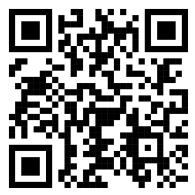
תצוגה מקדימה של קוד QR

QR code example generated via ME-QR API

אימות ומפתחות API

השתמש במפתח API כדי לאמת את הבקשות שלך.

קבל את מפתח ה-API שלך

מצא את זה בלוח המחוונים שלך:

לוּחַ מַחווָנִים אינטגרציות מפתחות API

השתמש בזה בבקשה שלך

הוסף את מפתח ה-API שלך לכותרת הבקשה:

Authorization: Bearer YOUR_API_KEY

שימוש, מגבלות וגישה

כל מה שצריך לדעת על שימוש, מגבלות וגישה ב-API.

תמחור שימוש

כולל עד 10,000 קודי QR לחודש.

$0.005 / בקשה

עד 100 אלף בקשות

$0.0025 / בקשה

100k+ requests

גישת API

Free

חינם

3 מפתחות API · תקף ל-3 ימים

Premium

פּרֶמיָה

מפתחות API ללא הגבלה · ללא תוקף

מגבלות API: ~בקשה אחת/שנייה · 50 בקשות/דקה (זהה עבור כל התוכניות)

צור קשר עם התמיכה כדי לאפשר שימוש נוסף.

פרמטרים של קוד QR

הגדירו את התוכן, המראה והפלט של קודי ה-QR שלכם באמצעות הפרמטרים הזמינים.

פָּרָמֶטֶר סוּג בְּרִירַת מֶחדָל תֵאוּר
tokenדָרוּשׁ string אסימון גישה לפונקציונליות API
qrType integer 1 QR type: 1=Link, 4=PDF, 5=Email, 7=VCard…
qrFieldsData object [] QR code content depending on the type (e.g. {"link": "https://…"})
title string "Qr Code" כותרת קוד ה-QR המוצגת בלוח המחוונים
format string "png" פורמט פלט: png, svg, jpg, jpeg, json
designType string "base" סוג עיצוב QR: בסיס או אמנות
qrFolderOptions object null Folder placement: {"folderName": "…", "subfolderName": "…"}
entryId integer null מזהה של QR קיים לעדכון במקום יצירת חדש

פרמטרים של צבע וצורה

הגדירו את התוכן, המראה והפלט של קודי ה-QR שלכם באמצעות הפרמטרים הזמינים.

פָּרָמֶטֶר סוּג בְּרִירַת מֶחדָל תֵאוּר
qrOptions
size integer 300 גודל תמונת ה-QR המוחזרת בפיקסלים
errorCorrectionLevel string "Q" תיקון שגיאות: L, M, Q, H
pattern string "square" סגנון נקודות: מרובע, נקודות, מעוגל, קלאסי, מעוין, ניצוץ...
patternColor string "#000000" צבע נקודות QR
patternBackground string "#ffffff" צבע הרקע של קוד ה-QR
cornetsOuter string "square" סגנון פינה חיצונית: מרובע, נקודות, קלאסי, גלגל שיניים, מעוגל במיוחד...
cornetsOuterColor string "#000000" צבע הפינות החיצוניות
cornetsInterior string "square" סגנון פינה פנימית: מרובע, נקודה, קלאסי, מעוין, כוכב...
cornetsInteriorColor string "#000000" צבע הפינות הפנימיות
logotype string null לוגו מרכזי: enum מוגדר מראש, כתובת URL או תמונת base64
logotypeSize number 0.3 מקדם גודל לוגו 0–1 (מומלץ מקסימום 0.5)
logotypeMargin number 0 שולי לוגו בפיקסלים
logotypeHideBackground boolean true הסתר נקודות מכוסות על ידי הלוגו
gradientPattern object null גרדיאנט לנקודות: {type, rotation, colors[]}
gradientCornetsOuter object null גרדיאנט לפינות חיצוניות
gradientCornetsInterior object null גרדיאנט לפינות פנימיות
gradientBackground object null גרדיאנט לרקע
qrFrame
name string "noFrame" עיצוב מסגרת (200+ אפשרויות או ללא מסגרת)
color string "#000000" צבע המסגרת
backgroundColor string "#ffffff" צבע רקע המסגרת
text string "" טקסט תווית מסגרת (מקסימום 20 תווים)
textSize integer null גודל גופן בפיקסלים (1–50)
textColor string "#9C3AAF" צבע טקסט המסגרת
textFont string "Roboto" גופן: Arial, Roboto, Georgia, Verdana…

בקשות ותוצאות לדוגמה

גלה בקשות API לדוגמה וקודי ה-QR שהן מייצרות.

קוד QR בסיסי

בקשת כתובת URL
https://me-qr.com/api/v2/qr/link/create

שיטת בקשה
POST

קוד
curl -X POST https://me-qr.com/api/v2/qr/link/create \
  -H "Content-Type: application/json" \
  -H "X-AUTH-TOKEN: YOUR_API_TOKEN" \
  -d '{
    "qrFieldsData": {
      "link": "https://example.com"
    },
    "format": "png"
  }'

תצוגה מקדימה של קוד QR
Basic QR code generated via ME-QR API

קוד QR עם צבעים

בקשת כתובת URL
https://me-qr.com/api/v2/qr/link/create

שיטת בקשה
POST

קוד
curl -X POST https://me-qr.com/api/v2/qr/link/create \
  -H "Content-Type: application/json" \
  -H "X-AUTH-TOKEN: YOUR_API_TOKEN" \
  -d '{
    "qrFieldsData": {
      "link": "https://example.com"
    },
    "format": "png",
    "qrOptions": {
      "patternColor": "#FFFFFF",
      "patternBackground": "#173782",
      "cornetsOuterColor": "#0281fb",
      "cornetsInteriorColor": "#0281fb"
    }
  }'

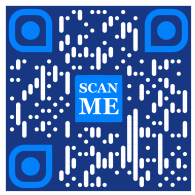
תצוגה מקדימה של קוד QR
Colored QR code generated via ME-QR API

קוד QR עם מסגרות

בקשת כתובת URL
https://me-qr.com/api/v2/qr/link/create

שיטת בקשה
POST

קוד
curl -X POST https://me-qr.com/api/v2/qr/link/create \
  -H "Content-Type: application/json" \
  -H "X-AUTH-TOKEN: YOUR_API_TOKEN" \
  -d '{
    "qrFieldsData": {
      "link": "https://example.com"
    },
    "format": "png",
    "qrOptions": {
      "logotype": "youTubeLogotype",
      "logotypeSize": 0.3,
      "logotypeMargin": 5,
      "logotypeHideBackground": true
    },
    "qrFrame": {
      "name": "frame1",
      "color": "ff0000",
      "backgroundColor": "#ffffff",
      "text": "Scan me!",
      "textColor": "#FFFFFF"
    }
  }'

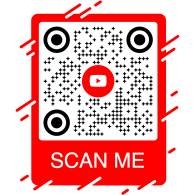
תצוגה מקדימה של קוד QR
QR code with frame generated via ME-QR API

קוד QR API: מחולל QR API למטרות שונות

קוד QR של API הוא כלי רב עוצמה שנועד ליצירת קודי QR באצווה ושילוב חלק בתהליכים עסקיים, המאפשר אוטומציה באמצעות טכנולוגיית QR. API זה מוכיח את עצמו כגורם מרכזי בייעול פעולות, שיפור היעילות ומספק פתרון חזק לעסקים המעוניינים לשלב קודי QR בתהליכי העבודה שלהם.

דוגמה בולטת לפונקציונליות של ה-API מוצגת דרך נקודת הקצה /api/qr/create/, המאפשרת לך ליצור קודי QR באופן תכנותי:

Post /api/qr/create/ צור קוד QR לפי סוג

מאפשר לך ליצור קוד QR באמצעות אחד מהסוגים הזמינים ב-me-qr. כל בקשה תיצור קוד QR חדש.

פרמטרים

אין פרמטרים

גוף הבקשה
application/json
{
  "token": "string",
  "qrType": 1,
  "qrFieldsData": {
    "link": "https://example.com"
  },
  "entryId": null,
  "title": "Qr Code",
  "format": "png",
  "designType": "base",
  "qrFolderOptions": {
    "folderName": null,
    "subfolderName": null
  },
  "qrOptions": {
    "size": 300,
    "errorCorrectionLevel": "Q",
    "pattern": "square",
    "patternColor": "#000000",
    "patternBackground": "#ffffff",
    "cornetsOuter": "square",
    "cornetsOuterColor": "#000000",
    "cornetsInterior": "square",
    "cornetsInteriorColor": "#000000",
    "logotype": null,
    "logotypeSize": 0.3,
    "logotypeMargin": 0,
    "logotypeHideBackground": true,
    "gradientPattern": null,
    "gradientCornetsOuter": null,
    "gradientCornetsInterior": null,
    "gradientBackground": null
  },
  "qrFrame": {
    "name": "noFrame",
    "color": "#000000",
    "backgroundColor": "#ffffff",
    "text": "",
    "textSize": null,
    "textColor": "#9C3AAF",
    "textFont": "Roboto"
  }
}
תגובות
קוד תֵאוּר קישורים
default אין קישורים

שליטה מלאה ב-API של מחולל QR

ממשק ה-API של Me-QR Generator מציע שליטה מקיפה על יצירת קודי QR, ומספק לכם מגוון תכונות להתאמת קודי QR לצרכים הספציפיים שלכם:

מדינות API

אחזור רשימה של מדינות נתמכות עבור API של קוד QR מותאם אישית

Get /api/v2/countries/ רשימת מדינות

אחזור רשימת המדינות הזמינות.

פרמטרים
שֵׁם תֵאוּר
country
string
(query)

חיפוש לפי שם מדינה.

תגובות
קוד תֵאוּר קישורים
200

תגובה מוצלחת

application/json
[
  {
    "id": 0,
    "name": "string"
  }
]
אין קישורים

נקודת קצה זו מאפשרת לך לאחזר רשימה של מדינות זמינות, מה שמקל על לוקליזציה והתאמה אישית בהתבסס על העדפות גיאוגרפיות.

ערי API

גש לרשימת ערים נתמכות כדי לכוונן את פרטי קוד ה-QR.

Get /api/v2/cities/ רשימת ערים

אחזור רשימת הערים הזמינות.

פרמטרים
שֵׁם תֵאוּר
country
string
(query)

חיפוש לפי שם מדינה.

תגובות
קוד תֵאוּר קישורים
200

תגובה מוצלחת

application/json
[
  {
    "id": 0,
    "name": "string"
  }
]
אין קישורים

ניתן להשתמש בתכונה זו כדי לבחור ערים ספציפיות, ובכך לשפר את הרלוונטיות של קודי QR עבור קמפיינים ספציפיים למיקום או הפצת מידע.

אזורי זמן של API

קבל רשימה של אזורי זמן נתמכים כדי לשלב מידע רגיש לזמן בקודי QR.

Get /api/v2/timezones/ רשימת אזורי זמן

אחזור רשימת אזורי הזמן הזמינים.

פרמטרים
שֵׁם תֵאוּר
timezone
string
(query)

חיפוש לפי שם אזור זמן.

תגובות
קוד תֵאוּר קישורים
200

תגובה מוצלחת

application/json
[
  {
    "id": 0,
    "name": "string"
  }
]
אין קישורים

פונקציונליות זו מאפשרת לך ליישר קודי QR עם נתונים ספציפיים לזמן, תוך הבטחת רלוונטיות ועיתוי.

שפות API

גש לרשימת שפות נתמכות להתאמה אישית של טקסט ותוכן של קוד QR.

Get /api/v2/languages/ רשימת שפות

אחזור רשימת השפות הזמינות.

פרמטרים
שֵׁם תֵאוּר
language
string
(query)

חיפוש לפי שם שפה.

תגובות
קוד תֵאוּר קישורים
200

תגובה מוצלחת

application/json
[
  {
    "id": 0,
    "name": "string"
  }
]
אין קישורים

ניתן להשתמש בתכונה זו כדי להתאים את עצמה להעדפות שפה מגוונות, מה שהופך את קודי ה-QR לנגישים וידידותיים יותר למשתמש בהקשרים רב-לשוניים.

הגמישות שמספקות תכונות אלו מאפשרת לך ליצור API דינמי של קוד QR המותאם לאזורים, ערים, אזורי זמן ושפות ספציפיים, ובכך לשפר את האפקטיביות של אסטרטגיות התקשורת והאינטראקציה מבוססות QR שלך.

סוגי API של מחולל QR

ממשק ה-API שלנו ליצירת קודי QR מציע מגוון רחב של סוגים ליצירת קודי QR, המתאימים לצרכים ופונקציונליות שונים. בואו נחקור כמה מהסוגים הללו בפירוט.

ממשק API לתשלום קוד QR

ממשק API חינמי לקוד QR מוכיח את עצמו כיקר ערך בתחום התשלומים בזכות אופיו החלק והיעיל. הוא מפשט עסקאות, משפר את האבטחה ומזרז את התשלום החודשי באמצעות קוד QR. הנה דוגמה פשוטה לקוד המדגימה את השימוש בו:

Post /api/v2/qr/payment/create ממשק API לתשלום קוד QR
ממשק API לתשלום קוד QR

ממשק API חינמי של קוד QR מוכיח את עצמו כיקר ערך בתחום התשלומים בכך שהוא מאפשר לעסקים וליחידים לייעל עסקאות. על ידי הטמעת כתובת URL לתשלום בקוד QR, לקוחות יכולים לסרוק את הקוד במהירות באמצעות הסמארטפונים שלהם ולהשלים עסקאות בצורה חלקה.

גוף הבקשה application/json
{
  "qrFieldsData": {
    "link"*: "https://example.com/pay"
  }
}
שָׂדֶה סוּג דָרוּשׁ תֵאוּר
link string($hostname) required כתובת דף התשלום

צור API של קוד QR וחולל מהפכה בתהליכי התשלום שלך איתנו, תוך הפיכת עסקאות לחוויות חלקות ויעילות.

צור API של קוד QR וחולל מהפכה בתהליכי התשלום שלך איתנו. שלב בצורה חלקה עסקאות מאובטחות ויעילות ביישומים שלך.

ממשק API של קוד QR של PayPal

דוגמה אחת ל-API לתשלום באמצעות קוד QR היא קוד QR של PayPal. שילוב ה-API של PayPal, הידוע כמוביל בתשלומים מקוונים, מייעל עסקאות בצורה מאובטחת. הנה דוגמה בסיסית של יישומו:

Post /api/v2/qr/paypal/create קוד QR של PayPal API
קוד QR של PayPal API

ממשק ה-API של קוד ה-QR של PayPal מאפשר שילוב חלק של קישורי תשלום של PayPal לתוך קודי QR. משתמשים יכולים לסרוק את קוד ה-QR כדי להגיע באופן מיידי לדף תשלום של PayPal, מה שהופך עסקאות למהירות ונוחות הן לעסקים והן ללקוחות.

גוף הבקשה application/json
{
  "qrFieldsData": {
    "link"*: "https://paypal.me/username"
  }
}
שָׂדֶה סוּג דָרוּשׁ תֵאוּר
link string($hostname) required PayPal.me או כתובת אינטרנט לתשלום

נצלו את ממשק ה-API של קוד ה-QR של PayPal כדי לפשט ולהאיץ את זרימת התשלום שלכם, ולהציע חוויית תשלום מודרנית למשתמשים שלכם.

שדרגו את חוויית התשלום המקוון שלכם בעזרת ממשק ה-API של קוד ה-QR של PayPal של Me-QR. שלבו בקלות עסקאות PayPal מאובטחות ויעילות באפליקציות שלכם.

כיצד ליצור קוד QR בוואטסאפ באמצעות API

קוד ה-QR של API של WhatsApp מחזיק במעמד מכובד בקרב ממשקי ה-QR של מסנג'ר. מינוף API זה מאפשר אינטראקציה חלקה על ידי מתן אפשרות לגישה מהירה לוואטסאפ, מה שהופך אותו למובילה בתחום פונקציונליות ה-QR מבוססת המסנג'ר. הנה דוגמה:

Post /api/v2/qr/whatsapp/create קוד QR של WhatsApp API
קוד QR של WhatsApp API

ממשק ה-API של קוד ה-QR של WhatsApp מאפשר לך ליצור קודי QR שפותחים שיחת WhatsApp עם הודעה מלאה מראש. פשוט ספק מספר טלפון והודעה אופציונלית - אידיאלי לתמיכת לקוחות, קמפיינים שיווקיים ומעורבות מיידית.

גוף הבקשה application/json
{
  "qrFieldsData": {
    "phone"*: "+1234567890",
    "message"*: "Hello!"
  }
}
שָׂדֶה סוּג דָרוּשׁ תֵאוּר
phone string required מספר הטלפון של הנמען בפורמט בינלאומי
message string required טקסט הודעה מולא מראש

שלבו את ממשק ה-API של קוד ה-QR של WhatsApp כדי לקדם שיחות ישירות ולהגביר את המעורבות בסריקה אחת.

התחברו לקהל שלכם בצורה חלקה באמצעות קוד QR של WhatsApp. אפשרו גישה מהירה לשיחות בסריקה אחת בלבד, ושפרו את חוויית ההודעות שלכם.

גלה עוד סוגי API של QR עם Me-QR

QR code API free מציע חבילה מקיפה של סוגי יוצרי API לקוד QR כדי לענות על צרכים מגוונים. גלו את סוגי ה-QR API הנתמכים יותר ודוגמאות קוד עבור כל אחד מהם:

Instagram

התחברו לפרופילים באינסטגרם באמצעות קודי QR.

Post /api/v2/qr/instagram/create

צור קוד QR המקשר ישירות לפרופיל או פוסט באינסטגרם.

גוף הבקשה application/json
{
  "qrFieldsData": {
    "link": "https://www.instagram.com/username"
  },
  "title": "Qr Code",
                        "format": "png",
                        "designType": "base",
                        "qrFolderOptions": {
                        "folderName": null,
                        "subfolderName": null
                        },
                        "qrOptions": {
                        "size": 300,
                        "errorCorrectionLevel": "Q",
                        "pattern": "square",
                        "patternColor": "#000000",
                        "patternBackground": "#ffffff",
                        "cornetsOuter": "square",
                        "cornetsOuterColor": "#000000",
                        "cornetsInterior": "square",
                        "cornetsInteriorColor": "#000000",
                        "logotype": null,
                        "logotypeSize": 0.3,
                        "logotypeMargin": 0,
                        "logotypeHideBackground": true,
                        "gradientPattern": null,
                        "gradientCornetsOuter": null,
                        "gradientCornetsInterior": null,
                        "gradientBackground": null
                        },
                        "qrFrame": {
                        "name": "noFrame",
                        "color": "#000000",
                        "backgroundColor": "#ffffff",
                        "text": "",
                        "textSize": null,
                        "textColor": "#9C3AAF",
                        "textFont": "Roboto"
                        }
                        }
Put /api/v2/qr/instagram/update/{entryUID}

שינוי נתונים ופרמטרי עיצוב של קוד QR.

פרמטרים

entryUIDpath  מזהה או מפתח כניסה ייחודי (קוד QR)

גוף הבקשה application/json
{
  "qrFieldsData": {
    "link": "https://www.instagram.com/username"
  },
  "title": "Qr Code",
                        "format": "png",
                        "designType": "base",
                        "qrFolderOptions": {
                        "folderName": null,
                        "subfolderName": null
                        },
                        "qrOptions": {
                        "size": 300,
                        "errorCorrectionLevel": "Q",
                        "pattern": "square",
                        "patternColor": "#000000",
                        "patternBackground": "#ffffff",
                        "cornetsOuter": "square",
                        "cornetsOuterColor": "#000000",
                        "cornetsInterior": "square",
                        "cornetsInteriorColor": "#000000",
                        "logotype": null,
                        "logotypeSize": 0.3,
                        "logotypeMargin": 0,
                        "logotypeHideBackground": true,
                        "gradientPattern": null,
                        "gradientCornetsOuter": null,
                        "gradientCornetsInterior": null,
                        "gradientBackground": null
                        },
                        "qrFrame": {
                        "name": "noFrame",
                        "color": "#000000",
                        "backgroundColor": "#ffffff",
                        "text": "",
                        "textSize": null,
                        "textColor": "#9C3AAF",
                        "textFont": "Roboto"
                        }
                        }
Get /api/v2/qr/instagram/{entryUID}

צפה בנתונים ובהגדרות ההתאמה האישית או בתמונה עצמה של קוד ה-QR שנוצר.

פרמטרים

entryUID path  מזהה או מפתח כניסה ייחודי (קוד QR)

format query  פורמט תמונה. ערכים זמינים: png, svg, jpg, jpeg, json. ברירת מחדל: null

תגובה 200 application/json
{
  "qrFieldsData": {
    "link": "https://www.instagram.com/username"
  },
  "title": "Qr Code",
                        "format": "png",
                        "designType": "base",
                        "qrFolderOptions": {
                        "folderName": null,
                        "subfolderName": null
                        },
                        "qrOptions": {
                        "size": 300,
                        "errorCorrectionLevel": "Q",
                        "pattern": "square",
                        "patternColor": "#000000",
                        "patternBackground": "#ffffff",
                        "cornetsOuter": "square",
                        "cornetsOuterColor": "#000000",
                        "cornetsInterior": "square",
                        "cornetsInteriorColor": "#000000",
                        "logotype": null,
                        "logotypeSize": 0.3,
                        "logotypeMargin": 0,
                        "logotypeHideBackground": true,
                        "gradientPattern": null,
                        "gradientCornetsOuter": null,
                        "gradientCornetsInterior": null,
                        "gradientBackground": null
                        },
                        "qrFrame": {
                        "name": "noFrame",
                        "color": "#000000",
                        "backgroundColor": "#ffffff",
                        "text": "",
                        "textSize": null,
                        "textColor": "#9C3AAF",
                        "textFont": "Roboto"
                        }
                        }

Facebook

קישור לפרופילים או דפי פייסבוק באמצעות מחולל קוד QR של rest API.

Post /api/v2/qr/facebook/create

צור קוד QR המקשר לדף, קבוצה או פרופיל בפייסבוק.

גוף הבקשה application/json
{
  "qrFieldsData": {
    "link": "https://www.facebook.com/pagename"
  },
  "title": "Qr Code",
                        "format": "png",
                        "designType": "base",
                        "qrFolderOptions": {
                        "folderName": null,
                        "subfolderName": null
                        },
                        "qrOptions": {
                        "size": 300,
                        "errorCorrectionLevel": "Q",
                        "pattern": "square",
                        "patternColor": "#000000",
                        "patternBackground": "#ffffff",
                        "cornetsOuter": "square",
                        "cornetsOuterColor": "#000000",
                        "cornetsInterior": "square",
                        "cornetsInteriorColor": "#000000",
                        "logotype": null,
                        "logotypeSize": 0.3,
                        "logotypeMargin": 0,
                        "logotypeHideBackground": true,
                        "gradientPattern": null,
                        "gradientCornetsOuter": null,
                        "gradientCornetsInterior": null,
                        "gradientBackground": null
                        },
                        "qrFrame": {
                        "name": "noFrame",
                        "color": "#000000",
                        "backgroundColor": "#ffffff",
                        "text": "",
                        "textSize": null,
                        "textColor": "#9C3AAF",
                        "textFont": "Roboto"
                        }
                        }
Put /api/v2/qr/facebook/update/{entryUID}

שינוי נתונים ופרמטרי עיצוב של קוד QR.

פרמטרים

entryUIDpath  מזהה או מפתח כניסה ייחודי (קוד QR)

גוף הבקשה application/json
{
  "qrFieldsData": {
    "link": "https://www.facebook.com/pagename"
  },
  "title": "Qr Code",
                        "format": "png",
                        "designType": "base",
                        "qrFolderOptions": {
                        "folderName": null,
                        "subfolderName": null
                        },
                        "qrOptions": {
                        "size": 300,
                        "errorCorrectionLevel": "Q",
                        "pattern": "square",
                        "patternColor": "#000000",
                        "patternBackground": "#ffffff",
                        "cornetsOuter": "square",
                        "cornetsOuterColor": "#000000",
                        "cornetsInterior": "square",
                        "cornetsInteriorColor": "#000000",
                        "logotype": null,
                        "logotypeSize": 0.3,
                        "logotypeMargin": 0,
                        "logotypeHideBackground": true,
                        "gradientPattern": null,
                        "gradientCornetsOuter": null,
                        "gradientCornetsInterior": null,
                        "gradientBackground": null
                        },
                        "qrFrame": {
                        "name": "noFrame",
                        "color": "#000000",
                        "backgroundColor": "#ffffff",
                        "text": "",
                        "textSize": null,
                        "textColor": "#9C3AAF",
                        "textFont": "Roboto"
                        }
                        }
Get /api/v2/qr/facebook/{entryUID}

צפה בנתונים ובהגדרות ההתאמה האישית או בתמונה עצמה של קוד ה-QR שנוצר.

פרמטרים

entryUID path  מזהה או מפתח כניסה ייחודי (קוד QR)

format query  פורמט תמונה. ערכים זמינים: png, svg, jpg, jpeg, json. ברירת מחדל: null

תגובה 200 application/json
{
  "qrFieldsData": {
    "link": "https://www.facebook.com/pagename"
  },
  "title": "Qr Code",
                        "format": "png",
                        "designType": "base",
                        "qrFolderOptions": {
                        "folderName": null,
                        "subfolderName": null
                        },
                        "qrOptions": {
                        "size": 300,
                        "errorCorrectionLevel": "Q",
                        "pattern": "square",
                        "patternColor": "#000000",
                        "patternBackground": "#ffffff",
                        "cornetsOuter": "square",
                        "cornetsOuterColor": "#000000",
                        "cornetsInterior": "square",
                        "cornetsInteriorColor": "#000000",
                        "logotype": null,
                        "logotypeSize": 0.3,
                        "logotypeMargin": 0,
                        "logotypeHideBackground": true,
                        "gradientPattern": null,
                        "gradientCornetsOuter": null,
                        "gradientCornetsInterior": null,
                        "gradientBackground": null
                        },
                        "qrFrame": {
                        "name": "noFrame",
                        "color": "#000000",
                        "backgroundColor": "#ffffff",
                        "text": "",
                        "textSize": null,
                        "textColor": "#9C3AAF",
                        "textFont": "Roboto"
                        }
                        }

Twitter

גישה לפרופילים או ציוצים בטוויטר באמצעות קודי QR.

Post /api/v2/qr/twitter/create

צור קוד QR שמפנה משתמשים לפרופיל או ציוץ בטוויטר/X.

גוף הבקשה application/json
{
  "qrFieldsData": {
    "link": "https://twitter.com/username"
  },
  "title": "Qr Code",
                        "format": "png",
                        "designType": "base",
                        "qrFolderOptions": {
                        "folderName": null,
                        "subfolderName": null
                        },
                        "qrOptions": {
                        "size": 300,
                        "errorCorrectionLevel": "Q",
                        "pattern": "square",
                        "patternColor": "#000000",
                        "patternBackground": "#ffffff",
                        "cornetsOuter": "square",
                        "cornetsOuterColor": "#000000",
                        "cornetsInterior": "square",
                        "cornetsInteriorColor": "#000000",
                        "logotype": null,
                        "logotypeSize": 0.3,
                        "logotypeMargin": 0,
                        "logotypeHideBackground": true,
                        "gradientPattern": null,
                        "gradientCornetsOuter": null,
                        "gradientCornetsInterior": null,
                        "gradientBackground": null
                        },
                        "qrFrame": {
                        "name": "noFrame",
                        "color": "#000000",
                        "backgroundColor": "#ffffff",
                        "text": "",
                        "textSize": null,
                        "textColor": "#9C3AAF",
                        "textFont": "Roboto"
                        }
                        }
Put /api/v2/qr/twitter/update/{entryUID}

שינוי נתונים ופרמטרי עיצוב של קוד QR.

פרמטרים

entryUIDpath  מזהה או מפתח כניסה ייחודי (קוד QR)

גוף הבקשה application/json
{
  "qrFieldsData": {
    "link": "https://twitter.com/username"
  },
  "title": "Qr Code",
                        "format": "png",
                        "designType": "base",
                        "qrFolderOptions": {
                        "folderName": null,
                        "subfolderName": null
                        },
                        "qrOptions": {
                        "size": 300,
                        "errorCorrectionLevel": "Q",
                        "pattern": "square",
                        "patternColor": "#000000",
                        "patternBackground": "#ffffff",
                        "cornetsOuter": "square",
                        "cornetsOuterColor": "#000000",
                        "cornetsInterior": "square",
                        "cornetsInteriorColor": "#000000",
                        "logotype": null,
                        "logotypeSize": 0.3,
                        "logotypeMargin": 0,
                        "logotypeHideBackground": true,
                        "gradientPattern": null,
                        "gradientCornetsOuter": null,
                        "gradientCornetsInterior": null,
                        "gradientBackground": null
                        },
                        "qrFrame": {
                        "name": "noFrame",
                        "color": "#000000",
                        "backgroundColor": "#ffffff",
                        "text": "",
                        "textSize": null,
                        "textColor": "#9C3AAF",
                        "textFont": "Roboto"
                        }
                        }
Get /api/v2/qr/twitter/{entryUID}

צפה בנתונים ובהגדרות ההתאמה האישית או בתמונה עצמה של קוד ה-QR שנוצר.

פרמטרים

entryUID path  מזהה או מפתח כניסה ייחודי (קוד QR)

format query  פורמט תמונה. ערכים זמינים: png, svg, jpg, jpeg, json. ברירת מחדל: null

תגובה 200 application/json
{
  "qrFieldsData": {
    "link": "https://twitter.com/username"
  },
  "title": "Qr Code",
                        "format": "png",
                        "designType": "base",
                        "qrFolderOptions": {
                        "folderName": null,
                        "subfolderName": null
                        },
                        "qrOptions": {
                        "size": 300,
                        "errorCorrectionLevel": "Q",
                        "pattern": "square",
                        "patternColor": "#000000",
                        "patternBackground": "#ffffff",
                        "cornetsOuter": "square",
                        "cornetsOuterColor": "#000000",
                        "cornetsInterior": "square",
                        "cornetsInteriorColor": "#000000",
                        "logotype": null,
                        "logotypeSize": 0.3,
                        "logotypeMargin": 0,
                        "logotypeHideBackground": true,
                        "gradientPattern": null,
                        "gradientCornetsOuter": null,
                        "gradientCornetsInterior": null,
                        "gradientBackground": null
                        },
                        "qrFrame": {
                        "name": "noFrame",
                        "color": "#000000",
                        "backgroundColor": "#ffffff",
                        "text": "",
                        "textSize": null,
                        "textColor": "#9C3AAF",
                        "textFont": "Roboto"
                        }
                        }

TikTok

גלו פרופילים בטיקטוק באמצעות קודי QR.

Post /api/v2/qr/tiktok/create

צור קוד QR המקשר לפרופיל או סרטון בטיקטוק.

גוף הבקשה application/json
{
  "qrFieldsData": {
    "link": "https://www.tiktok.com/@username"
  },
  "title": "Qr Code",
                        "format": "png",
                        "designType": "base",
                        "qrFolderOptions": {
                        "folderName": null,
                        "subfolderName": null
                        },
                        "qrOptions": {
                        "size": 300,
                        "errorCorrectionLevel": "Q",
                        "pattern": "square",
                        "patternColor": "#000000",
                        "patternBackground": "#ffffff",
                        "cornetsOuter": "square",
                        "cornetsOuterColor": "#000000",
                        "cornetsInterior": "square",
                        "cornetsInteriorColor": "#000000",
                        "logotype": null,
                        "logotypeSize": 0.3,
                        "logotypeMargin": 0,
                        "logotypeHideBackground": true,
                        "gradientPattern": null,
                        "gradientCornetsOuter": null,
                        "gradientCornetsInterior": null,
                        "gradientBackground": null
                        },
                        "qrFrame": {
                        "name": "noFrame",
                        "color": "#000000",
                        "backgroundColor": "#ffffff",
                        "text": "",
                        "textSize": null,
                        "textColor": "#9C3AAF",
                        "textFont": "Roboto"
                        }
                        }
Put /api/v2/qr/tiktok/update/{entryUID}

שינוי נתונים ופרמטרי עיצוב של קוד QR.

פרמטרים

entryUIDpath  מזהה או מפתח כניסה ייחודי (קוד QR)

גוף הבקשה application/json
{
  "qrFieldsData": {
    "link": "https://www.tiktok.com/@username"
  },
  "title": "Qr Code",
                        "format": "png",
                        "designType": "base",
                        "qrFolderOptions": {
                        "folderName": null,
                        "subfolderName": null
                        },
                        "qrOptions": {
                        "size": 300,
                        "errorCorrectionLevel": "Q",
                        "pattern": "square",
                        "patternColor": "#000000",
                        "patternBackground": "#ffffff",
                        "cornetsOuter": "square",
                        "cornetsOuterColor": "#000000",
                        "cornetsInterior": "square",
                        "cornetsInteriorColor": "#000000",
                        "logotype": null,
                        "logotypeSize": 0.3,
                        "logotypeMargin": 0,
                        "logotypeHideBackground": true,
                        "gradientPattern": null,
                        "gradientCornetsOuter": null,
                        "gradientCornetsInterior": null,
                        "gradientBackground": null
                        },
                        "qrFrame": {
                        "name": "noFrame",
                        "color": "#000000",
                        "backgroundColor": "#ffffff",
                        "text": "",
                        "textSize": null,
                        "textColor": "#9C3AAF",
                        "textFont": "Roboto"
                        }
                        }
Get /api/v2/qr/tiktok/{entryUID}

צפה בנתונים ובהגדרות ההתאמה האישית או בתמונה עצמה של קוד ה-QR שנוצר.

פרמטרים

entryUID path  מזהה או מפתח כניסה ייחודי (קוד QR)

format query  פורמט תמונה. ערכים זמינים: png, svg, jpg, jpeg, json. ברירת מחדל: null

תגובה 200 application/json
{
  "qrFieldsData": {
    "link": "https://www.tiktok.com/@username"
  },
  "title": "Qr Code",
                        "format": "png",
                        "designType": "base",
                        "qrFolderOptions": {
                        "folderName": null,
                        "subfolderName": null
                        },
                        "qrOptions": {
                        "size": 300,
                        "errorCorrectionLevel": "Q",
                        "pattern": "square",
                        "patternColor": "#000000",
                        "patternBackground": "#ffffff",
                        "cornetsOuter": "square",
                        "cornetsOuterColor": "#000000",
                        "cornetsInterior": "square",
                        "cornetsInteriorColor": "#000000",
                        "logotype": null,
                        "logotypeSize": 0.3,
                        "logotypeMargin": 0,
                        "logotypeHideBackground": true,
                        "gradientPattern": null,
                        "gradientCornetsOuter": null,
                        "gradientCornetsInterior": null,
                        "gradientBackground": null
                        },
                        "qrFrame": {
                        "name": "noFrame",
                        "color": "#000000",
                        "backgroundColor": "#ffffff",
                        "text": "",
                        "textSize": null,
                        "textColor": "#9C3AAF",
                        "textFont": "Roboto"
                        }
                        }

Snapchat

התחברו לפרופילים דרך סנאפצ'ט QR.

Post /api/v2/qr/snapchat/create

צור קוד QR המקשר ישירות לפרופיל בסנאפצ'ט.

גוף הבקשה application/json
{
  "qrFieldsData": {
    "link": "https://www.snapchat.com/add/username"
  },
  "title": "Qr Code",
                        "format": "png",
                        "designType": "base",
                        "qrFolderOptions": {
                        "folderName": null,
                        "subfolderName": null
                        },
                        "qrOptions": {
                        "size": 300,
                        "errorCorrectionLevel": "Q",
                        "pattern": "square",
                        "patternColor": "#000000",
                        "patternBackground": "#ffffff",
                        "cornetsOuter": "square",
                        "cornetsOuterColor": "#000000",
                        "cornetsInterior": "square",
                        "cornetsInteriorColor": "#000000",
                        "logotype": null,
                        "logotypeSize": 0.3,
                        "logotypeMargin": 0,
                        "logotypeHideBackground": true,
                        "gradientPattern": null,
                        "gradientCornetsOuter": null,
                        "gradientCornetsInterior": null,
                        "gradientBackground": null
                        },
                        "qrFrame": {
                        "name": "noFrame",
                        "color": "#000000",
                        "backgroundColor": "#ffffff",
                        "text": "",
                        "textSize": null,
                        "textColor": "#9C3AAF",
                        "textFont": "Roboto"
                        }
                        }
Put /api/v2/qr/snapchat/update/{entryUID}

שינוי נתונים ופרמטרי עיצוב של קוד QR.

פרמטרים

entryUIDpath  מזהה או מפתח כניסה ייחודי (קוד QR)

גוף הבקשה application/json
{
  "qrFieldsData": {
    "link": "https://www.snapchat.com/add/username"
  },
  "title": "Qr Code",
                        "format": "png",
                        "designType": "base",
                        "qrFolderOptions": {
                        "folderName": null,
                        "subfolderName": null
                        },
                        "qrOptions": {
                        "size": 300,
                        "errorCorrectionLevel": "Q",
                        "pattern": "square",
                        "patternColor": "#000000",
                        "patternBackground": "#ffffff",
                        "cornetsOuter": "square",
                        "cornetsOuterColor": "#000000",
                        "cornetsInterior": "square",
                        "cornetsInteriorColor": "#000000",
                        "logotype": null,
                        "logotypeSize": 0.3,
                        "logotypeMargin": 0,
                        "logotypeHideBackground": true,
                        "gradientPattern": null,
                        "gradientCornetsOuter": null,
                        "gradientCornetsInterior": null,
                        "gradientBackground": null
                        },
                        "qrFrame": {
                        "name": "noFrame",
                        "color": "#000000",
                        "backgroundColor": "#ffffff",
                        "text": "",
                        "textSize": null,
                        "textColor": "#9C3AAF",
                        "textFont": "Roboto"
                        }
                        }
Get /api/v2/qr/snapchat/{entryUID}

צפה בנתונים ובהגדרות ההתאמה האישית או בתמונה עצמה של קוד ה-QR שנוצר.

פרמטרים

entryUID path  מזהה או מפתח כניסה ייחודי (קוד QR)

format query  פורמט תמונה. ערכים זמינים: png, svg, jpg, jpeg, json. ברירת מחדל: null

תגובה 200 application/json
{
  "qrFieldsData": {
    "link": "https://www.snapchat.com/add/username"
  },
  "title": "Qr Code",
                        "format": "png",
                        "designType": "base",
                        "qrFolderOptions": {
                        "folderName": null,
                        "subfolderName": null
                        },
                        "qrOptions": {
                        "size": 300,
                        "errorCorrectionLevel": "Q",
                        "pattern": "square",
                        "patternColor": "#000000",
                        "patternBackground": "#ffffff",
                        "cornetsOuter": "square",
                        "cornetsOuterColor": "#000000",
                        "cornetsInterior": "square",
                        "cornetsInteriorColor": "#000000",
                        "logotype": null,
                        "logotypeSize": 0.3,
                        "logotypeMargin": 0,
                        "logotypeHideBackground": true,
                        "gradientPattern": null,
                        "gradientCornetsOuter": null,
                        "gradientCornetsInterior": null,
                        "gradientBackground": null
                        },
                        "qrFrame": {
                        "name": "noFrame",
                        "color": "#000000",
                        "backgroundColor": "#ffffff",
                        "text": "",
                        "textSize": null,
                        "textColor": "#9C3AAF",
                        "textFont": "Roboto"
                        }
                        }

Telegram

צור קשר עם ערוצי או קבוצות טלגרם באמצעות קודי QR.

Post /api/v2/qr/telegram/create

צור קוד QR המקשר לערוץ, בוט או איש קשר בטלגרם.

גוף הבקשה application/json
{
  "qrFieldsData": {
    "link": "https://t.me/username"
  },
  "title": "Qr Code",
                        "format": "png",
                        "designType": "base",
                        "qrFolderOptions": {
                        "folderName": null,
                        "subfolderName": null
                        },
                        "qrOptions": {
                        "size": 300,
                        "errorCorrectionLevel": "Q",
                        "pattern": "square",
                        "patternColor": "#000000",
                        "patternBackground": "#ffffff",
                        "cornetsOuter": "square",
                        "cornetsOuterColor": "#000000",
                        "cornetsInterior": "square",
                        "cornetsInteriorColor": "#000000",
                        "logotype": null,
                        "logotypeSize": 0.3,
                        "logotypeMargin": 0,
                        "logotypeHideBackground": true,
                        "gradientPattern": null,
                        "gradientCornetsOuter": null,
                        "gradientCornetsInterior": null,
                        "gradientBackground": null
                        },
                        "qrFrame": {
                        "name": "noFrame",
                        "color": "#000000",
                        "backgroundColor": "#ffffff",
                        "text": "",
                        "textSize": null,
                        "textColor": "#9C3AAF",
                        "textFont": "Roboto"
                        }
                        }
Put /api/v2/qr/telegram/update/{entryUID}

שינוי נתונים ופרמטרי עיצוב של קוד QR.

פרמטרים

entryUIDpath  מזהה או מפתח כניסה ייחודי (קוד QR)

גוף הבקשה application/json
{
  "qrFieldsData": {
    "link": "https://t.me/username"
  },
  "title": "Qr Code",
                        "format": "png",
                        "designType": "base",
                        "qrFolderOptions": {
                        "folderName": null,
                        "subfolderName": null
                        },
                        "qrOptions": {
                        "size": 300,
                        "errorCorrectionLevel": "Q",
                        "pattern": "square",
                        "patternColor": "#000000",
                        "patternBackground": "#ffffff",
                        "cornetsOuter": "square",
                        "cornetsOuterColor": "#000000",
                        "cornetsInterior": "square",
                        "cornetsInteriorColor": "#000000",
                        "logotype": null,
                        "logotypeSize": 0.3,
                        "logotypeMargin": 0,
                        "logotypeHideBackground": true,
                        "gradientPattern": null,
                        "gradientCornetsOuter": null,
                        "gradientCornetsInterior": null,
                        "gradientBackground": null
                        },
                        "qrFrame": {
                        "name": "noFrame",
                        "color": "#000000",
                        "backgroundColor": "#ffffff",
                        "text": "",
                        "textSize": null,
                        "textColor": "#9C3AAF",
                        "textFont": "Roboto"
                        }
                        }
Get /api/v2/qr/telegram/{entryUID}

צפה בנתונים ובהגדרות ההתאמה האישית או בתמונה עצמה של קוד ה-QR שנוצר.

פרמטרים

entryUID path  מזהה או מפתח כניסה ייחודי (קוד QR)

format query  פורמט תמונה. ערכים זמינים: png, svg, jpg, jpeg, json. ברירת מחדל: null

תגובה 200 application/json
{
  "qrFieldsData": {
    "link": "https://t.me/username"
  },
  "title": "Qr Code",
                        "format": "png",
                        "designType": "base",
                        "qrFolderOptions": {
                        "folderName": null,
                        "subfolderName": null
                        },
                        "qrOptions": {
                        "size": 300,
                        "errorCorrectionLevel": "Q",
                        "pattern": "square",
                        "patternColor": "#000000",
                        "patternBackground": "#ffffff",
                        "cornetsOuter": "square",
                        "cornetsOuterColor": "#000000",
                        "cornetsInterior": "square",
                        "cornetsInteriorColor": "#000000",
                        "logotype": null,
                        "logotypeSize": 0.3,
                        "logotypeMargin": 0,
                        "logotypeHideBackground": true,
                        "gradientPattern": null,
                        "gradientCornetsOuter": null,
                        "gradientCornetsInterior": null,
                        "gradientBackground": null
                        },
                        "qrFrame": {
                        "name": "noFrame",
                        "color": "#000000",
                        "backgroundColor": "#ffffff",
                        "text": "",
                        "textSize": null,
                        "textColor": "#9C3AAF",
                        "textFont": "Roboto"
                        }
                        }

Spotify

גישה לשירים, אלבומים או אמנים ספציפיים בספוטיפיי באמצעות קודי QR.

Post /api/v2/qr/spotify/create

צור קוד QR שפותח דף של שיר, אלבום או אמן בספוטיפיי.

גוף הבקשה application/json
{
  "qrFieldsData": {
    "link": "https://open.spotify.com/track/..."
  },
  "title": "Qr Code",
                        "format": "png",
                        "designType": "base",
                        "qrFolderOptions": {
                        "folderName": null,
                        "subfolderName": null
                        },
                        "qrOptions": {
                        "size": 300,
                        "errorCorrectionLevel": "Q",
                        "pattern": "square",
                        "patternColor": "#000000",
                        "patternBackground": "#ffffff",
                        "cornetsOuter": "square",
                        "cornetsOuterColor": "#000000",
                        "cornetsInterior": "square",
                        "cornetsInteriorColor": "#000000",
                        "logotype": null,
                        "logotypeSize": 0.3,
                        "logotypeMargin": 0,
                        "logotypeHideBackground": true,
                        "gradientPattern": null,
                        "gradientCornetsOuter": null,
                        "gradientCornetsInterior": null,
                        "gradientBackground": null
                        },
                        "qrFrame": {
                        "name": "noFrame",
                        "color": "#000000",
                        "backgroundColor": "#ffffff",
                        "text": "",
                        "textSize": null,
                        "textColor": "#9C3AAF",
                        "textFont": "Roboto"
                        }
                        }
Put /api/v2/qr/spotify/update/{entryUID}

שינוי נתונים ופרמטרי עיצוב של קוד QR.

פרמטרים

entryUIDpath  מזהה או מפתח כניסה ייחודי (קוד QR)

גוף הבקשה application/json
{
  "qrFieldsData": {
    "link": "https://open.spotify.com/track/..."
  },
  "title": "Qr Code",
                        "format": "png",
                        "designType": "base",
                        "qrFolderOptions": {
                        "folderName": null,
                        "subfolderName": null
                        },
                        "qrOptions": {
                        "size": 300,
                        "errorCorrectionLevel": "Q",
                        "pattern": "square",
                        "patternColor": "#000000",
                        "patternBackground": "#ffffff",
                        "cornetsOuter": "square",
                        "cornetsOuterColor": "#000000",
                        "cornetsInterior": "square",
                        "cornetsInteriorColor": "#000000",
                        "logotype": null,
                        "logotypeSize": 0.3,
                        "logotypeMargin": 0,
                        "logotypeHideBackground": true,
                        "gradientPattern": null,
                        "gradientCornetsOuter": null,
                        "gradientCornetsInterior": null,
                        "gradientBackground": null
                        },
                        "qrFrame": {
                        "name": "noFrame",
                        "color": "#000000",
                        "backgroundColor": "#ffffff",
                        "text": "",
                        "textSize": null,
                        "textColor": "#9C3AAF",
                        "textFont": "Roboto"
                        }
                        }
Get /api/v2/qr/spotify/{entryUID}

צפה בנתונים ובהגדרות ההתאמה האישית או בתמונה עצמה של קוד ה-QR שנוצר.

פרמטרים

entryUID path  מזהה או מפתח כניסה ייחודי (קוד QR)

format query  פורמט תמונה. ערכים זמינים: png, svg, jpg, jpeg, json. ברירת מחדל: null

תגובה 200 application/json
{
  "qrFieldsData": {
    "link": "https://open.spotify.com/track/..."
  },
  "title": "Qr Code",
                        "format": "png",
                        "designType": "base",
                        "qrFolderOptions": {
                        "folderName": null,
                        "subfolderName": null
                        },
                        "qrOptions": {
                        "size": 300,
                        "errorCorrectionLevel": "Q",
                        "pattern": "square",
                        "patternColor": "#000000",
                        "patternBackground": "#ffffff",
                        "cornetsOuter": "square",
                        "cornetsOuterColor": "#000000",
                        "cornetsInterior": "square",
                        "cornetsInteriorColor": "#000000",
                        "logotype": null,
                        "logotypeSize": 0.3,
                        "logotypeMargin": 0,
                        "logotypeHideBackground": true,
                        "gradientPattern": null,
                        "gradientCornetsOuter": null,
                        "gradientCornetsInterior": null,
                        "gradientBackground": null
                        },
                        "qrFrame": {
                        "name": "noFrame",
                        "color": "#000000",
                        "backgroundColor": "#ffffff",
                        "text": "",
                        "textSize": null,
                        "textColor": "#9C3AAF",
                        "textFont": "Roboto"
                        }
                        }

Youtube

צפה בערוצי יוטיוב או בסרטונים באמצעות קודי QR.

Post /api/v2/qr/youtube/create

צור קוד QR המקשר לערוץ או סרטון יוטיוב.

גוף הבקשה application/json
{
  "qrFieldsData": {
    "link": "https://www.youtube.com/watch?v=dQw4w9WgXcQ"
  },
  "title": "Qr Code",
                        "format": "png",
                        "designType": "base",
                        "qrFolderOptions": {
                        "folderName": null,
                        "subfolderName": null
                        },
                        "qrOptions": {
                        "size": 300,
                        "errorCorrectionLevel": "Q",
                        "pattern": "square",
                        "patternColor": "#000000",
                        "patternBackground": "#ffffff",
                        "cornetsOuter": "square",
                        "cornetsOuterColor": "#000000",
                        "cornetsInterior": "square",
                        "cornetsInteriorColor": "#000000",
                        "logotype": null,
                        "logotypeSize": 0.3,
                        "logotypeMargin": 0,
                        "logotypeHideBackground": true,
                        "gradientPattern": null,
                        "gradientCornetsOuter": null,
                        "gradientCornetsInterior": null,
                        "gradientBackground": null
                        },
                        "qrFrame": {
                        "name": "noFrame",
                        "color": "#000000",
                        "backgroundColor": "#ffffff",
                        "text": "",
                        "textSize": null,
                        "textColor": "#9C3AAF",
                        "textFont": "Roboto"
                        }
                        }
Put /api/v2/qr/youtube/update/{entryUID}

שינוי נתונים ופרמטרי עיצוב של קוד QR.

פרמטרים

entryUIDpath  מזהה או מפתח כניסה ייחודי (קוד QR)

גוף הבקשה application/json
{
  "qrFieldsData": {
    "link": "https://www.youtube.com/watch?v=dQw4w9WgXcQ"
  },
  "title": "Qr Code",
                        "format": "png",
                        "designType": "base",
                        "qrFolderOptions": {
                        "folderName": null,
                        "subfolderName": null
                        },
                        "qrOptions": {
                        "size": 300,
                        "errorCorrectionLevel": "Q",
                        "pattern": "square",
                        "patternColor": "#000000",
                        "patternBackground": "#ffffff",
                        "cornetsOuter": "square",
                        "cornetsOuterColor": "#000000",
                        "cornetsInterior": "square",
                        "cornetsInteriorColor": "#000000",
                        "logotype": null,
                        "logotypeSize": 0.3,
                        "logotypeMargin": 0,
                        "logotypeHideBackground": true,
                        "gradientPattern": null,
                        "gradientCornetsOuter": null,
                        "gradientCornetsInterior": null,
                        "gradientBackground": null
                        },
                        "qrFrame": {
                        "name": "noFrame",
                        "color": "#000000",
                        "backgroundColor": "#ffffff",
                        "text": "",
                        "textSize": null,
                        "textColor": "#9C3AAF",
                        "textFont": "Roboto"
                        }
                        }
Get /api/v2/qr/youtube/{entryUID}

צפה בנתונים ובהגדרות ההתאמה האישית או בתמונה עצמה של קוד ה-QR שנוצר.

פרמטרים

entryUID path  מזהה או מפתח כניסה ייחודי (קוד QR)

format query  פורמט תמונה. ערכים זמינים: png, svg, jpg, jpeg, json. ברירת מחדל: null

תגובה 200 application/json
{
  "qrFieldsData": {
    "link": "https://www.youtube.com/watch?v=dQw4w9WgXcQ"
  },
  "title": "Qr Code",
                        "format": "png",
                        "designType": "base",
                        "qrFolderOptions": {
                        "folderName": null,
                        "subfolderName": null
                        },
                        "qrOptions": {
                        "size": 300,
                        "errorCorrectionLevel": "Q",
                        "pattern": "square",
                        "patternColor": "#000000",
                        "patternBackground": "#ffffff",
                        "cornetsOuter": "square",
                        "cornetsOuterColor": "#000000",
                        "cornetsInterior": "square",
                        "cornetsInteriorColor": "#000000",
                        "logotype": null,
                        "logotypeSize": 0.3,
                        "logotypeMargin": 0,
                        "logotypeHideBackground": true,
                        "gradientPattern": null,
                        "gradientCornetsOuter": null,
                        "gradientCornetsInterior": null,
                        "gradientBackground": null
                        },
                        "qrFrame": {
                        "name": "noFrame",
                        "color": "#000000",
                        "backgroundColor": "#ffffff",
                        "text": "",
                        "textSize": null,
                        "textColor": "#9C3AAF",
                        "textFont": "Roboto"
                        }
                        }

וִידֵאוֹ

תהנו מהפעלת וידאו במכשירים ניידים באמצעות קודי QR המוטמעים בסרטונים.

Post /api/v2/qr/video/create

צור קוד QR שמקשר לכל משאב וידאו מקוון.

גוף הבקשה application/json
{
  "qrFieldsData": {
    "link": "https://example.com/video.mp4"
  },
  "title": "Qr Code",
                        "format": "png",
                        "designType": "base",
                        "qrFolderOptions": {
                        "folderName": null,
                        "subfolderName": null
                        },
                        "qrOptions": {
                        "size": 300,
                        "errorCorrectionLevel": "Q",
                        "pattern": "square",
                        "patternColor": "#000000",
                        "patternBackground": "#ffffff",
                        "cornetsOuter": "square",
                        "cornetsOuterColor": "#000000",
                        "cornetsInterior": "square",
                        "cornetsInteriorColor": "#000000",
                        "logotype": null,
                        "logotypeSize": 0.3,
                        "logotypeMargin": 0,
                        "logotypeHideBackground": true,
                        "gradientPattern": null,
                        "gradientCornetsOuter": null,
                        "gradientCornetsInterior": null,
                        "gradientBackground": null
                        },
                        "qrFrame": {
                        "name": "noFrame",
                        "color": "#000000",
                        "backgroundColor": "#ffffff",
                        "text": "",
                        "textSize": null,
                        "textColor": "#9C3AAF",
                        "textFont": "Roboto"
                        }
                        }
Put /api/v2/qr/video/update/{entryUID}

שינוי נתונים ופרמטרי עיצוב של קוד QR.

פרמטרים

entryUIDpath  מזהה או מפתח כניסה ייחודי (קוד QR)

גוף הבקשה application/json
{
  "qrFieldsData": {
    "link": "https://example.com/video.mp4"
  },
  "title": "Qr Code",
                        "format": "png",
                        "designType": "base",
                        "qrFolderOptions": {
                        "folderName": null,
                        "subfolderName": null
                        },
                        "qrOptions": {
                        "size": 300,
                        "errorCorrectionLevel": "Q",
                        "pattern": "square",
                        "patternColor": "#000000",
                        "patternBackground": "#ffffff",
                        "cornetsOuter": "square",
                        "cornetsOuterColor": "#000000",
                        "cornetsInterior": "square",
                        "cornetsInteriorColor": "#000000",
                        "logotype": null,
                        "logotypeSize": 0.3,
                        "logotypeMargin": 0,
                        "logotypeHideBackground": true,
                        "gradientPattern": null,
                        "gradientCornetsOuter": null,
                        "gradientCornetsInterior": null,
                        "gradientBackground": null
                        },
                        "qrFrame": {
                        "name": "noFrame",
                        "color": "#000000",
                        "backgroundColor": "#ffffff",
                        "text": "",
                        "textSize": null,
                        "textColor": "#9C3AAF",
                        "textFont": "Roboto"
                        }
                        }
Get /api/v2/qr/video/{entryUID}

צפה בנתונים ובהגדרות ההתאמה האישית או בתמונה עצמה של קוד ה-QR שנוצר.

פרמטרים

entryUID path  מזהה או מפתח כניסה ייחודי (קוד QR)

format query  פורמט תמונה. ערכים זמינים: png, svg, jpg, jpeg, json. ברירת מחדל: null

תגובה 200 application/json
{
  "qrFieldsData": {
    "link": "https://example.com/video.mp4"
  },
  "title": "Qr Code",
                        "format": "png",
                        "designType": "base",
                        "qrFolderOptions": {
                        "folderName": null,
                        "subfolderName": null
                        },
                        "qrOptions": {
                        "size": 300,
                        "errorCorrectionLevel": "Q",
                        "pattern": "square",
                        "patternColor": "#000000",
                        "patternBackground": "#ffffff",
                        "cornetsOuter": "square",
                        "cornetsOuterColor": "#000000",
                        "cornetsInterior": "square",
                        "cornetsInteriorColor": "#000000",
                        "logotype": null,
                        "logotypeSize": 0.3,
                        "logotypeMargin": 0,
                        "logotypeHideBackground": true,
                        "gradientPattern": null,
                        "gradientCornetsOuter": null,
                        "gradientCornetsInterior": null,
                        "gradientBackground": null
                        },
                        "qrFrame": {
                        "name": "noFrame",
                        "color": "#000000",
                        "backgroundColor": "#ffffff",
                        "text": "",
                        "textSize": null,
                        "textColor": "#9C3AAF",
                        "textFont": "Roboto"
                        }
                        }

Etsy

עיין במוצרים ספציפיים ב-Etsy באמצעות קודי QR.

Post /api/v2/qr/etsy/create

צור קוד QR המקשר לחנות או לרשימת מוצרים ב-Etsy.

גוף הבקשה application/json
{
  "qrFieldsData": {
    "link": "https://www.etsy.com/shop/storename"
  },
  "title": "Qr Code",
                        "format": "png",
                        "designType": "base",
                        "qrFolderOptions": {
                        "folderName": null,
                        "subfolderName": null
                        },
                        "qrOptions": {
                        "size": 300,
                        "errorCorrectionLevel": "Q",
                        "pattern": "square",
                        "patternColor": "#000000",
                        "patternBackground": "#ffffff",
                        "cornetsOuter": "square",
                        "cornetsOuterColor": "#000000",
                        "cornetsInterior": "square",
                        "cornetsInteriorColor": "#000000",
                        "logotype": null,
                        "logotypeSize": 0.3,
                        "logotypeMargin": 0,
                        "logotypeHideBackground": true,
                        "gradientPattern": null,
                        "gradientCornetsOuter": null,
                        "gradientCornetsInterior": null,
                        "gradientBackground": null
                        },
                        "qrFrame": {
                        "name": "noFrame",
                        "color": "#000000",
                        "backgroundColor": "#ffffff",
                        "text": "",
                        "textSize": null,
                        "textColor": "#9C3AAF",
                        "textFont": "Roboto"
                        }
                        }
Put /api/v2/qr/etsy/update/{entryUID}

שינוי נתונים ופרמטרי עיצוב של קוד QR.

פרמטרים

entryUIDpath  מזהה או מפתח כניסה ייחודי (קוד QR)

גוף הבקשה application/json
{
  "qrFieldsData": {
    "link": "https://www.etsy.com/shop/storename"
  },
  "title": "Qr Code",
                        "format": "png",
                        "designType": "base",
                        "qrFolderOptions": {
                        "folderName": null,
                        "subfolderName": null
                        },
                        "qrOptions": {
                        "size": 300,
                        "errorCorrectionLevel": "Q",
                        "pattern": "square",
                        "patternColor": "#000000",
                        "patternBackground": "#ffffff",
                        "cornetsOuter": "square",
                        "cornetsOuterColor": "#000000",
                        "cornetsInterior": "square",
                        "cornetsInteriorColor": "#000000",
                        "logotype": null,
                        "logotypeSize": 0.3,
                        "logotypeMargin": 0,
                        "logotypeHideBackground": true,
                        "gradientPattern": null,
                        "gradientCornetsOuter": null,
                        "gradientCornetsInterior": null,
                        "gradientBackground": null
                        },
                        "qrFrame": {
                        "name": "noFrame",
                        "color": "#000000",
                        "backgroundColor": "#ffffff",
                        "text": "",
                        "textSize": null,
                        "textColor": "#9C3AAF",
                        "textFont": "Roboto"
                        }
                        }
Get /api/v2/qr/etsy/{entryUID}

צפה בנתונים ובהגדרות ההתאמה האישית או בתמונה עצמה של קוד ה-QR שנוצר.

פרמטרים

entryUID path  מזהה או מפתח כניסה ייחודי (קוד QR)

format query  פורמט תמונה. ערכים זמינים: png, svg, jpg, jpeg, json. ברירת מחדל: null

תגובה 200 application/json
{
  "qrFieldsData": {
    "link": "https://www.etsy.com/shop/storename"
  },
  "title": "Qr Code",
                        "format": "png",
                        "designType": "base",
                        "qrFolderOptions": {
                        "folderName": null,
                        "subfolderName": null
                        },
                        "qrOptions": {
                        "size": 300,
                        "errorCorrectionLevel": "Q",
                        "pattern": "square",
                        "patternColor": "#000000",
                        "patternBackground": "#ffffff",
                        "cornetsOuter": "square",
                        "cornetsOuterColor": "#000000",
                        "cornetsInterior": "square",
                        "cornetsInteriorColor": "#000000",
                        "logotype": null,
                        "logotypeSize": 0.3,
                        "logotypeMargin": 0,
                        "logotypeHideBackground": true,
                        "gradientPattern": null,
                        "gradientCornetsOuter": null,
                        "gradientCornetsInterior": null,
                        "gradientBackground": null
                        },
                        "qrFrame": {
                        "name": "noFrame",
                        "color": "#000000",
                        "backgroundColor": "#ffffff",
                        "text": "",
                        "textSize": null,
                        "textColor": "#9C3AAF",
                        "textFont": "Roboto"
                        }
                        }

Shaped

צור קודי QR עם צורות ועיצובים ייחודיים לשיפור המיתוג.

Post /api/v2/qr/shaped/create

צור קוד QR המקשר לכל משאב אינטרנט עם עיצוב מותאם אישית.

גוף הבקשה application/json
{
  "qrFieldsData": {
    "link": "https://example.com"
  },
  "title": "Qr Code",
                        "format": "png",
                        "designType": "base",
                        "qrFolderOptions": {
                        "folderName": null,
                        "subfolderName": null
                        },
                        "qrOptions": {
                        "size": 300,
                        "errorCorrectionLevel": "Q",
                        "pattern": "square",
                        "patternColor": "#000000",
                        "patternBackground": "#ffffff",
                        "cornetsOuter": "square",
                        "cornetsOuterColor": "#000000",
                        "cornetsInterior": "square",
                        "cornetsInteriorColor": "#000000",
                        "logotype": null,
                        "logotypeSize": 0.3,
                        "logotypeMargin": 0,
                        "logotypeHideBackground": true,
                        "gradientPattern": null,
                        "gradientCornetsOuter": null,
                        "gradientCornetsInterior": null,
                        "gradientBackground": null
                        },
                        "qrFrame": {
                        "name": "noFrame",
                        "color": "#000000",
                        "backgroundColor": "#ffffff",
                        "text": "",
                        "textSize": null,
                        "textColor": "#9C3AAF",
                        "textFont": "Roboto"
                        }
                        }
Put /api/v2/qr/shaped/update/{entryUID}

שינוי נתונים ופרמטרי עיצוב של קוד QR.

פרמטרים

entryUIDpath  מזהה או מפתח כניסה ייחודי (קוד QR)

גוף הבקשה application/json
{
  "qrFieldsData": {
    "link": "https://example.com"
  },
  "title": "Qr Code",
                        "format": "png",
                        "designType": "base",
                        "qrFolderOptions": {
                        "folderName": null,
                        "subfolderName": null
                        },
                        "qrOptions": {
                        "size": 300,
                        "errorCorrectionLevel": "Q",
                        "pattern": "square",
                        "patternColor": "#000000",
                        "patternBackground": "#ffffff",
                        "cornetsOuter": "square",
                        "cornetsOuterColor": "#000000",
                        "cornetsInterior": "square",
                        "cornetsInteriorColor": "#000000",
                        "logotype": null,
                        "logotypeSize": 0.3,
                        "logotypeMargin": 0,
                        "logotypeHideBackground": true,
                        "gradientPattern": null,
                        "gradientCornetsOuter": null,
                        "gradientCornetsInterior": null,
                        "gradientBackground": null
                        },
                        "qrFrame": {
                        "name": "noFrame",
                        "color": "#000000",
                        "backgroundColor": "#ffffff",
                        "text": "",
                        "textSize": null,
                        "textColor": "#9C3AAF",
                        "textFont": "Roboto"
                        }
                        }
Get /api/v2/qr/shaped/{entryUID}

צפה בנתונים ובהגדרות ההתאמה האישית או בתמונה עצמה של קוד ה-QR שנוצר.

פרמטרים

entryUID path  מזהה או מפתח כניסה ייחודי (קוד QR)

format query  פורמט תמונה. ערכים זמינים: png, svg, jpg, jpeg, json. ברירת מחדל: null

תגובה 200 application/json
{
  "qrFieldsData": {
    "link": "https://example.com"
  },
  "title": "Qr Code",
                        "format": "png",
                        "designType": "base",
                        "qrFolderOptions": {
                        "folderName": null,
                        "subfolderName": null
                        },
                        "qrOptions": {
                        "size": 300,
                        "errorCorrectionLevel": "Q",
                        "pattern": "square",
                        "patternColor": "#000000",
                        "patternBackground": "#ffffff",
                        "cornetsOuter": "square",
                        "cornetsOuterColor": "#000000",
                        "cornetsInterior": "square",
                        "cornetsInteriorColor": "#000000",
                        "logotype": null,
                        "logotypeSize": 0.3,
                        "logotypeMargin": 0,
                        "logotypeHideBackground": true,
                        "gradientPattern": null,
                        "gradientCornetsOuter": null,
                        "gradientCornetsInterior": null,
                        "gradientBackground": null
                        },
                        "qrFrame": {
                        "name": "noFrame",
                        "color": "#000000",
                        "backgroundColor": "#ffffff",
                        "text": "",
                        "textSize": null,
                        "textColor": "#9C3AAF",
                        "textFont": "Roboto"
                        }
                        }

גיליונות גוגל

פתחו גיליונות אלקטרוניים ספציפיים של GoogleSheets ישירות באמצעות קודי QR.

Post /api/v2/qr/google-sheets/create

צור קוד QR המקשר למסמך משותף של Google Sheets.

גוף הבקשה application/json
{
  "qrFieldsData": {
    "link": "https://docs.google.com/spreadsheets/d/..."
  },
  "title": "Qr Code",
                        "format": "png",
                        "designType": "base",
                        "qrFolderOptions": {
                        "folderName": null,
                        "subfolderName": null
                        },
                        "qrOptions": {
                        "size": 300,
                        "errorCorrectionLevel": "Q",
                        "pattern": "square",
                        "patternColor": "#000000",
                        "patternBackground": "#ffffff",
                        "cornetsOuter": "square",
                        "cornetsOuterColor": "#000000",
                        "cornetsInterior": "square",
                        "cornetsInteriorColor": "#000000",
                        "logotype": null,
                        "logotypeSize": 0.3,
                        "logotypeMargin": 0,
                        "logotypeHideBackground": true,
                        "gradientPattern": null,
                        "gradientCornetsOuter": null,
                        "gradientCornetsInterior": null,
                        "gradientBackground": null
                        },
                        "qrFrame": {
                        "name": "noFrame",
                        "color": "#000000",
                        "backgroundColor": "#ffffff",
                        "text": "",
                        "textSize": null,
                        "textColor": "#9C3AAF",
                        "textFont": "Roboto"
                        }
                        }
Put /api/v2/qr/google-sheets/update/{entryUID}

שינוי נתונים ופרמטרי עיצוב של קוד QR.

פרמטרים

entryUIDpath  מזהה או מפתח כניסה ייחודי (קוד QR)

גוף הבקשה application/json
{
  "qrFieldsData": {
    "link": "https://docs.google.com/spreadsheets/d/..."
  },
  "title": "Qr Code",
                        "format": "png",
                        "designType": "base",
                        "qrFolderOptions": {
                        "folderName": null,
                        "subfolderName": null
                        },
                        "qrOptions": {
                        "size": 300,
                        "errorCorrectionLevel": "Q",
                        "pattern": "square",
                        "patternColor": "#000000",
                        "patternBackground": "#ffffff",
                        "cornetsOuter": "square",
                        "cornetsOuterColor": "#000000",
                        "cornetsInterior": "square",
                        "cornetsInteriorColor": "#000000",
                        "logotype": null,
                        "logotypeSize": 0.3,
                        "logotypeMargin": 0,
                        "logotypeHideBackground": true,
                        "gradientPattern": null,
                        "gradientCornetsOuter": null,
                        "gradientCornetsInterior": null,
                        "gradientBackground": null
                        },
                        "qrFrame": {
                        "name": "noFrame",
                        "color": "#000000",
                        "backgroundColor": "#ffffff",
                        "text": "",
                        "textSize": null,
                        "textColor": "#9C3AAF",
                        "textFont": "Roboto"
                        }
                        }
Get /api/v2/qr/google-sheets/{entryUID}

צפה בנתונים ובהגדרות ההתאמה האישית או בתמונה עצמה של קוד ה-QR שנוצר.

פרמטרים

entryUID path  מזהה או מפתח כניסה ייחודי (קוד QR)

format query  פורמט תמונה. ערכים זמינים: png, svg, jpg, jpeg, json. ברירת מחדל: null

תגובה 200 application/json
{
  "qrFieldsData": {
    "link": "https://docs.google.com/spreadsheets/d/..."
  },
  "title": "Qr Code",
                        "format": "png",
                        "designType": "base",
                        "qrFolderOptions": {
                        "folderName": null,
                        "subfolderName": null
                        },
                        "qrOptions": {
                        "size": 300,
                        "errorCorrectionLevel": "Q",
                        "pattern": "square",
                        "patternColor": "#000000",
                        "patternBackground": "#ffffff",
                        "cornetsOuter": "square",
                        "cornetsOuterColor": "#000000",
                        "cornetsInterior": "square",
                        "cornetsInteriorColor": "#000000",
                        "logotype": null,
                        "logotypeSize": 0.3,
                        "logotypeMargin": 0,
                        "logotypeHideBackground": true,
                        "gradientPattern": null,
                        "gradientCornetsOuter": null,
                        "gradientCornetsInterior": null,
                        "gradientBackground": null
                        },
                        "qrFrame": {
                        "name": "noFrame",
                        "color": "#000000",
                        "backgroundColor": "#ffffff",
                        "text": "",
                        "textSize": null,
                        "textColor": "#9C3AAF",
                        "textFont": "Roboto"
                        }
                        }

גוגל דוקס

גישה למסמכי GoogleDocs ספציפיים באמצעות קודי QR.

Post /api/v2/qr/google-doc/create

צור קוד QR שפותח מסמך משותף של גוגל דוקס.

גוף הבקשה application/json
{
  "qrFieldsData": {
    "link": "https://docs.google.com/document/d/..."
  },
  "title": "Qr Code",
                        "format": "png",
                        "designType": "base",
                        "qrFolderOptions": {
                        "folderName": null,
                        "subfolderName": null
                        },
                        "qrOptions": {
                        "size": 300,
                        "errorCorrectionLevel": "Q",
                        "pattern": "square",
                        "patternColor": "#000000",
                        "patternBackground": "#ffffff",
                        "cornetsOuter": "square",
                        "cornetsOuterColor": "#000000",
                        "cornetsInterior": "square",
                        "cornetsInteriorColor": "#000000",
                        "logotype": null,
                        "logotypeSize": 0.3,
                        "logotypeMargin": 0,
                        "logotypeHideBackground": true,
                        "gradientPattern": null,
                        "gradientCornetsOuter": null,
                        "gradientCornetsInterior": null,
                        "gradientBackground": null
                        },
                        "qrFrame": {
                        "name": "noFrame",
                        "color": "#000000",
                        "backgroundColor": "#ffffff",
                        "text": "",
                        "textSize": null,
                        "textColor": "#9C3AAF",
                        "textFont": "Roboto"
                        }
                        }
Put /api/v2/qr/google-doc/update/{entryUID}

שינוי נתונים ופרמטרי עיצוב של קוד QR.

פרמטרים

entryUIDpath  מזהה או מפתח כניסה ייחודי (קוד QR)

גוף הבקשה application/json
{
  "qrFieldsData": {
    "link": "https://docs.google.com/document/d/..."
  },
  "title": "Qr Code",
                        "format": "png",
                        "designType": "base",
                        "qrFolderOptions": {
                        "folderName": null,
                        "subfolderName": null
                        },
                        "qrOptions": {
                        "size": 300,
                        "errorCorrectionLevel": "Q",
                        "pattern": "square",
                        "patternColor": "#000000",
                        "patternBackground": "#ffffff",
                        "cornetsOuter": "square",
                        "cornetsOuterColor": "#000000",
                        "cornetsInterior": "square",
                        "cornetsInteriorColor": "#000000",
                        "logotype": null,
                        "logotypeSize": 0.3,
                        "logotypeMargin": 0,
                        "logotypeHideBackground": true,
                        "gradientPattern": null,
                        "gradientCornetsOuter": null,
                        "gradientCornetsInterior": null,
                        "gradientBackground": null
                        },
                        "qrFrame": {
                        "name": "noFrame",
                        "color": "#000000",
                        "backgroundColor": "#ffffff",
                        "text": "",
                        "textSize": null,
                        "textColor": "#9C3AAF",
                        "textFont": "Roboto"
                        }
                        }
Get /api/v2/qr/google-doc/{entryUID}

צפה בנתונים ובהגדרות ההתאמה האישית או בתמונה עצמה של קוד ה-QR שנוצר.

פרמטרים

entryUID path  מזהה או מפתח כניסה ייחודי (קוד QR)

format query  פורמט תמונה. ערכים זמינים: png, svg, jpg, jpeg, json. ברירת מחדל: null

תגובה 200 application/json
{
  "qrFieldsData": {
    "link": "https://docs.google.com/document/d/..."
  },
  "title": "Qr Code",
                        "format": "png",
                        "designType": "base",
                        "qrFolderOptions": {
                        "folderName": null,
                        "subfolderName": null
                        },
                        "qrOptions": {
                        "size": 300,
                        "errorCorrectionLevel": "Q",
                        "pattern": "square",
                        "patternColor": "#000000",
                        "patternBackground": "#ffffff",
                        "cornetsOuter": "square",
                        "cornetsOuterColor": "#000000",
                        "cornetsInterior": "square",
                        "cornetsInteriorColor": "#000000",
                        "logotype": null,
                        "logotypeSize": 0.3,
                        "logotypeMargin": 0,
                        "logotypeHideBackground": true,
                        "gradientPattern": null,
                        "gradientCornetsOuter": null,
                        "gradientCornetsInterior": null,
                        "gradientBackground": null
                        },
                        "qrFrame": {
                        "name": "noFrame",
                        "color": "#000000",
                        "backgroundColor": "#ffffff",
                        "text": "",
                        "textSize": null,
                        "textColor": "#9C3AAF",
                        "textFont": "Roboto"
                        }
                        }

טופסי גוגל

השתתף בסקרים או בחנים באמצעות קודי QR המובילים לטופסי גוגל ספציפיים.

Post /api/v2/qr/google-forms/create

צור קוד QR המקשר לסקר או לחידון של טופסי גוגל.

גוף הבקשה application/json
{
  "qrFieldsData": {
    "link": "https://forms.google.com/..."
  },
  "title": "Qr Code",
                        "format": "png",
                        "designType": "base",
                        "qrFolderOptions": {
                        "folderName": null,
                        "subfolderName": null
                        },
                        "qrOptions": {
                        "size": 300,
                        "errorCorrectionLevel": "Q",
                        "pattern": "square",
                        "patternColor": "#000000",
                        "patternBackground": "#ffffff",
                        "cornetsOuter": "square",
                        "cornetsOuterColor": "#000000",
                        "cornetsInterior": "square",
                        "cornetsInteriorColor": "#000000",
                        "logotype": null,
                        "logotypeSize": 0.3,
                        "logotypeMargin": 0,
                        "logotypeHideBackground": true,
                        "gradientPattern": null,
                        "gradientCornetsOuter": null,
                        "gradientCornetsInterior": null,
                        "gradientBackground": null
                        },
                        "qrFrame": {
                        "name": "noFrame",
                        "color": "#000000",
                        "backgroundColor": "#ffffff",
                        "text": "",
                        "textSize": null,
                        "textColor": "#9C3AAF",
                        "textFont": "Roboto"
                        }
                        }
Put /api/v2/qr/google-forms/update/{entryUID}

שינוי נתונים ופרמטרי עיצוב של קוד QR.

פרמטרים

entryUIDpath  מזהה או מפתח כניסה ייחודי (קוד QR)

גוף הבקשה application/json
{
  "qrFieldsData": {
    "link": "https://forms.google.com/..."
  },
  "title": "Qr Code",
                        "format": "png",
                        "designType": "base",
                        "qrFolderOptions": {
                        "folderName": null,
                        "subfolderName": null
                        },
                        "qrOptions": {
                        "size": 300,
                        "errorCorrectionLevel": "Q",
                        "pattern": "square",
                        "patternColor": "#000000",
                        "patternBackground": "#ffffff",
                        "cornetsOuter": "square",
                        "cornetsOuterColor": "#000000",
                        "cornetsInterior": "square",
                        "cornetsInteriorColor": "#000000",
                        "logotype": null,
                        "logotypeSize": 0.3,
                        "logotypeMargin": 0,
                        "logotypeHideBackground": true,
                        "gradientPattern": null,
                        "gradientCornetsOuter": null,
                        "gradientCornetsInterior": null,
                        "gradientBackground": null
                        },
                        "qrFrame": {
                        "name": "noFrame",
                        "color": "#000000",
                        "backgroundColor": "#ffffff",
                        "text": "",
                        "textSize": null,
                        "textColor": "#9C3AAF",
                        "textFont": "Roboto"
                        }
                        }
Get /api/v2/qr/google-forms/{entryUID}

צפה בנתונים ובהגדרות ההתאמה האישית או בתמונה עצמה של קוד ה-QR שנוצר.

פרמטרים

entryUID path  מזהה או מפתח כניסה ייחודי (קוד QR)

format query  פורמט תמונה. ערכים זמינים: png, svg, jpg, jpeg, json. ברירת מחדל: null

תגובה 200 application/json
{
  "qrFieldsData": {
    "link": "https://forms.google.com/..."
  },
  "title": "Qr Code",
                        "format": "png",
                        "designType": "base",
                        "qrFolderOptions": {
                        "folderName": null,
                        "subfolderName": null
                        },
                        "qrOptions": {
                        "size": 300,
                        "errorCorrectionLevel": "Q",
                        "pattern": "square",
                        "patternColor": "#000000",
                        "patternBackground": "#ffffff",
                        "cornetsOuter": "square",
                        "cornetsOuterColor": "#000000",
                        "cornetsInterior": "square",
                        "cornetsInteriorColor": "#000000",
                        "logotype": null,
                        "logotypeSize": 0.3,
                        "logotypeMargin": 0,
                        "logotypeHideBackground": true,
                        "gradientPattern": null,
                        "gradientCornetsOuter": null,
                        "gradientCornetsInterior": null,
                        "gradientBackground": null
                        },
                        "qrFrame": {
                        "name": "noFrame",
                        "color": "#000000",
                        "backgroundColor": "#ffffff",
                        "text": "",
                        "textSize": null,
                        "textColor": "#9C3AAF",
                        "textFont": "Roboto"
                        }
                        }

גוגל סקירה

שתף ביקורות ב-Google My Business באמצעות קודי QR.

Post /api/v2/qr/google-review/create

צור קוד QR שיפנה לקוחות להשאיר ביקורת בגוגל על ​​העסק שלך.

גוף הבקשה application/json
{
  "qrFieldsData": {
    "link": "https://g.page/your-business/review"
  },
  "title": "Qr Code",
                        "format": "png",
                        "designType": "base",
                        "qrFolderOptions": {
                        "folderName": null,
                        "subfolderName": null
                        },
                        "qrOptions": {
                        "size": 300,
                        "errorCorrectionLevel": "Q",
                        "pattern": "square",
                        "patternColor": "#000000",
                        "patternBackground": "#ffffff",
                        "cornetsOuter": "square",
                        "cornetsOuterColor": "#000000",
                        "cornetsInterior": "square",
                        "cornetsInteriorColor": "#000000",
                        "logotype": null,
                        "logotypeSize": 0.3,
                        "logotypeMargin": 0,
                        "logotypeHideBackground": true,
                        "gradientPattern": null,
                        "gradientCornetsOuter": null,
                        "gradientCornetsInterior": null,
                        "gradientBackground": null
                        },
                        "qrFrame": {
                        "name": "noFrame",
                        "color": "#000000",
                        "backgroundColor": "#ffffff",
                        "text": "",
                        "textSize": null,
                        "textColor": "#9C3AAF",
                        "textFont": "Roboto"
                        }
                        }
Put /api/v2/qr/google-review/update/{entryUID}

שינוי נתונים ופרמטרי עיצוב של קוד QR.

פרמטרים

entryUIDpath  מזהה או מפתח כניסה ייחודי (קוד QR)

גוף הבקשה application/json
{
  "qrFieldsData": {
    "link": "https://g.page/your-business/review"
  },
  "title": "Qr Code",
                        "format": "png",
                        "designType": "base",
                        "qrFolderOptions": {
                        "folderName": null,
                        "subfolderName": null
                        },
                        "qrOptions": {
                        "size": 300,
                        "errorCorrectionLevel": "Q",
                        "pattern": "square",
                        "patternColor": "#000000",
                        "patternBackground": "#ffffff",
                        "cornetsOuter": "square",
                        "cornetsOuterColor": "#000000",
                        "cornetsInterior": "square",
                        "cornetsInteriorColor": "#000000",
                        "logotype": null,
                        "logotypeSize": 0.3,
                        "logotypeMargin": 0,
                        "logotypeHideBackground": true,
                        "gradientPattern": null,
                        "gradientCornetsOuter": null,
                        "gradientCornetsInterior": null,
                        "gradientBackground": null
                        },
                        "qrFrame": {
                        "name": "noFrame",
                        "color": "#000000",
                        "backgroundColor": "#ffffff",
                        "text": "",
                        "textSize": null,
                        "textColor": "#9C3AAF",
                        "textFont": "Roboto"
                        }
                        }
Get /api/v2/qr/google-review/{entryUID}

צפה בנתונים ובהגדרות ההתאמה האישית או בתמונה עצמה של קוד ה-QR שנוצר.

פרמטרים

entryUID path  מזהה או מפתח כניסה ייחודי (קוד QR)

format query  פורמט תמונה. ערכים זמינים: png, svg, jpg, jpeg, json. ברירת מחדל: null

תגובה 200 application/json
{
  "qrFieldsData": {
    "link": "https://g.page/your-business/review"
  },
  "title": "Qr Code",
                        "format": "png",
                        "designType": "base",
                        "qrFolderOptions": {
                        "folderName": null,
                        "subfolderName": null
                        },
                        "qrOptions": {
                        "size": 300,
                        "errorCorrectionLevel": "Q",
                        "pattern": "square",
                        "patternColor": "#000000",
                        "patternBackground": "#ffffff",
                        "cornetsOuter": "square",
                        "cornetsOuterColor": "#000000",
                        "cornetsInterior": "square",
                        "cornetsInteriorColor": "#000000",
                        "logotype": null,
                        "logotypeSize": 0.3,
                        "logotypeMargin": 0,
                        "logotypeHideBackground": true,
                        "gradientPattern": null,
                        "gradientCornetsOuter": null,
                        "gradientCornetsInterior": null,
                        "gradientBackground": null
                        },
                        "qrFrame": {
                        "name": "noFrame",
                        "color": "#000000",
                        "backgroundColor": "#ffffff",
                        "text": "",
                        "textSize": null,
                        "textColor": "#9C3AAF",
                        "textFont": "Roboto"
                        }
                        }

אופיס 365

קישור למסמכי Microsoft Office 365 באמצעות קודי QR.

Post /api/v2/qr/office365/create

צור קוד QR המקשר למסמך Microsoft Office 365 או למשאב SharePoint.

גוף הבקשה application/json
{
  "qrFieldsData": {
    "link": "https://office365.com/..."
  },
  "title": "Qr Code",
                        "format": "png",
                        "designType": "base",
                        "qrFolderOptions": {
                        "folderName": null,
                        "subfolderName": null
                        },
                        "qrOptions": {
                        "size": 300,
                        "errorCorrectionLevel": "Q",
                        "pattern": "square",
                        "patternColor": "#000000",
                        "patternBackground": "#ffffff",
                        "cornetsOuter": "square",
                        "cornetsOuterColor": "#000000",
                        "cornetsInterior": "square",
                        "cornetsInteriorColor": "#000000",
                        "logotype": null,
                        "logotypeSize": 0.3,
                        "logotypeMargin": 0,
                        "logotypeHideBackground": true,
                        "gradientPattern": null,
                        "gradientCornetsOuter": null,
                        "gradientCornetsInterior": null,
                        "gradientBackground": null
                        },
                        "qrFrame": {
                        "name": "noFrame",
                        "color": "#000000",
                        "backgroundColor": "#ffffff",
                        "text": "",
                        "textSize": null,
                        "textColor": "#9C3AAF",
                        "textFont": "Roboto"
                        }
                        }
Put /api/v2/qr/office365/update/{entryUID}

שינוי נתונים ופרמטרי עיצוב של קוד QR.

פרמטרים

entryUIDpath  מזהה או מפתח כניסה ייחודי (קוד QR)

גוף הבקשה application/json
{
  "qrFieldsData": {
    "link": "https://office365.com/..."
  },
  "title": "Qr Code",
                        "format": "png",
                        "designType": "base",
                        "qrFolderOptions": {
                        "folderName": null,
                        "subfolderName": null
                        },
                        "qrOptions": {
                        "size": 300,
                        "errorCorrectionLevel": "Q",
                        "pattern": "square",
                        "patternColor": "#000000",
                        "patternBackground": "#ffffff",
                        "cornetsOuter": "square",
                        "cornetsOuterColor": "#000000",
                        "cornetsInterior": "square",
                        "cornetsInteriorColor": "#000000",
                        "logotype": null,
                        "logotypeSize": 0.3,
                        "logotypeMargin": 0,
                        "logotypeHideBackground": true,
                        "gradientPattern": null,
                        "gradientCornetsOuter": null,
                        "gradientCornetsInterior": null,
                        "gradientBackground": null
                        },
                        "qrFrame": {
                        "name": "noFrame",
                        "color": "#000000",
                        "backgroundColor": "#ffffff",
                        "text": "",
                        "textSize": null,
                        "textColor": "#9C3AAF",
                        "textFont": "Roboto"
                        }
                        }
Get /api/v2/qr/office365/{entryUID}

צפה בנתונים ובהגדרות ההתאמה האישית או בתמונה עצמה של קוד ה-QR שנוצר.

פרמטרים

entryUID path  מזהה או מפתח כניסה ייחודי (קוד QR)

format query  פורמט תמונה. ערכים זמינים: png, svg, jpg, jpeg, json. ברירת מחדל: null

תגובה 200 application/json
{
  "qrFieldsData": {
    "link": "https://office365.com/..."
  },
  "title": "Qr Code",
                        "format": "png",
                        "designType": "base",
                        "qrFolderOptions": {
                        "folderName": null,
                        "subfolderName": null
                        },
                        "qrOptions": {
                        "size": 300,
                        "errorCorrectionLevel": "Q",
                        "pattern": "square",
                        "patternColor": "#000000",
                        "patternBackground": "#ffffff",
                        "cornetsOuter": "square",
                        "cornetsOuterColor": "#000000",
                        "cornetsInterior": "square",
                        "cornetsInteriorColor": "#000000",
                        "logotype": null,
                        "logotypeSize": 0.3,
                        "logotypeMargin": 0,
                        "logotypeHideBackground": true,
                        "gradientPattern": null,
                        "gradientCornetsOuter": null,
                        "gradientCornetsInterior": null,
                        "gradientBackground": null
                        },
                        "qrFrame": {
                        "name": "noFrame",
                        "color": "#000000",
                        "backgroundColor": "#ffffff",
                        "text": "",
                        "textSize": null,
                        "textColor": "#9C3AAF",
                        "textFont": "Roboto"
                        }
                        }

Email

הפעלת אימיילים בעת סריקת קודי QR, מה שמאפשר למשתמשים לחבר הודעות מבלי להקליד את הכתובת.

Post /api/v2/qr/email/create

צור קוד QR שפותח תוכנת דוא"ל עם נמען, נושא וגוף הודעה שמולאו מראש.

גוף הבקשה application/json
{
  "qrFieldsData": {
    "emailTo": "user@example.com",
    "subject": "Hello",
    "body": "Your message here"
  },
  "title": "Qr Code",
                        "format": "png",
                        "designType": "base",
                        "qrFolderOptions": {
                        "folderName": null,
                        "subfolderName": null
                        },
                        "qrOptions": {
                        "size": 300,
                        "errorCorrectionLevel": "Q",
                        "pattern": "square",
                        "patternColor": "#000000",
                        "patternBackground": "#ffffff",
                        "cornetsOuter": "square",
                        "cornetsOuterColor": "#000000",
                        "cornetsInterior": "square",
                        "cornetsInteriorColor": "#000000",
                        "logotype": null,
                        "logotypeSize": 0.3,
                        "logotypeMargin": 0,
                        "logotypeHideBackground": true,
                        "gradientPattern": null,
                        "gradientCornetsOuter": null,
                        "gradientCornetsInterior": null,
                        "gradientBackground": null
                        },
                        "qrFrame": {
                        "name": "noFrame",
                        "color": "#000000",
                        "backgroundColor": "#ffffff",
                        "text": "",
                        "textSize": null,
                        "textColor": "#9C3AAF",
                        "textFont": "Roboto"
                        }
                        }
Put /api/v2/qr/email/update/{entryUID}

שינוי נתונים ופרמטרי עיצוב של קוד QR.

פרמטרים

entryUIDpath  מזהה או מפתח כניסה ייחודי (קוד QR)

גוף הבקשה application/json
{
  "qrFieldsData": {
    "emailTo": "user@example.com",
    "subject": "Hello",
    "body": "Your message here"
  },
  "title": "Qr Code",
                        "format": "png",
                        "designType": "base",
                        "qrFolderOptions": {
                        "folderName": null,
                        "subfolderName": null
                        },
                        "qrOptions": {
                        "size": 300,
                        "errorCorrectionLevel": "Q",
                        "pattern": "square",
                        "patternColor": "#000000",
                        "patternBackground": "#ffffff",
                        "cornetsOuter": "square",
                        "cornetsOuterColor": "#000000",
                        "cornetsInterior": "square",
                        "cornetsInteriorColor": "#000000",
                        "logotype": null,
                        "logotypeSize": 0.3,
                        "logotypeMargin": 0,
                        "logotypeHideBackground": true,
                        "gradientPattern": null,
                        "gradientCornetsOuter": null,
                        "gradientCornetsInterior": null,
                        "gradientBackground": null
                        },
                        "qrFrame": {
                        "name": "noFrame",
                        "color": "#000000",
                        "backgroundColor": "#ffffff",
                        "text": "",
                        "textSize": null,
                        "textColor": "#9C3AAF",
                        "textFont": "Roboto"
                        }
                        }
Get /api/v2/qr/email/{entryUID}

צפה בנתונים ובהגדרות ההתאמה האישית או בתמונה עצמה של קוד ה-QR שנוצר.

פרמטרים

entryUID path  מזהה או מפתח כניסה ייחודי (קוד QR)

format query  פורמט תמונה. ערכים זמינים: png, svg, jpg, jpeg, json. ברירת מחדל: null

תגובה 200 application/json
{
  "qrFieldsData": {
    "emailTo": "user@example.com",
    "subject": "Hello",
    "body": "Your message here"
  },
  "title": "Qr Code",
                        "format": "png",
                        "designType": "base",
                        "qrFolderOptions": {
                        "folderName": null,
                        "subfolderName": null
                        },
                        "qrOptions": {
                        "size": 300,
                        "errorCorrectionLevel": "Q",
                        "pattern": "square",
                        "patternColor": "#000000",
                        "patternBackground": "#ffffff",
                        "cornetsOuter": "square",
                        "cornetsOuterColor": "#000000",
                        "cornetsInterior": "square",
                        "cornetsInteriorColor": "#000000",
                        "logotype": null,
                        "logotypeSize": 0.3,
                        "logotypeMargin": 0,
                        "logotypeHideBackground": true,
                        "gradientPattern": null,
                        "gradientCornetsOuter": null,
                        "gradientCornetsInterior": null,
                        "gradientBackground": null
                        },
                        "qrFrame": {
                        "name": "noFrame",
                        "color": "#000000",
                        "backgroundColor": "#ffffff",
                        "text": "",
                        "textSize": null,
                        "textColor": "#9C3AAF",
                        "textFont": "Roboto"
                        }
                        }

טלפון

חייג מספרי טלפון ישירות באמצעות קודי QR המקשרים למספרי טלפון.

Post /api/v2/qr/phone/create

צור קוד QR שמחייג אוטומטית למספר טלפון בעת ​​סריקה.

גוף הבקשה application/json
{
  "qrFieldsData": {
    "phoneTo": "+1234567890"
  },
  "title": "Qr Code",
                        "format": "png",
                        "designType": "base",
                        "qrFolderOptions": {
                        "folderName": null,
                        "subfolderName": null
                        },
                        "qrOptions": {
                        "size": 300,
                        "errorCorrectionLevel": "Q",
                        "pattern": "square",
                        "patternColor": "#000000",
                        "patternBackground": "#ffffff",
                        "cornetsOuter": "square",
                        "cornetsOuterColor": "#000000",
                        "cornetsInterior": "square",
                        "cornetsInteriorColor": "#000000",
                        "logotype": null,
                        "logotypeSize": 0.3,
                        "logotypeMargin": 0,
                        "logotypeHideBackground": true,
                        "gradientPattern": null,
                        "gradientCornetsOuter": null,
                        "gradientCornetsInterior": null,
                        "gradientBackground": null
                        },
                        "qrFrame": {
                        "name": "noFrame",
                        "color": "#000000",
                        "backgroundColor": "#ffffff",
                        "text": "",
                        "textSize": null,
                        "textColor": "#9C3AAF",
                        "textFont": "Roboto"
                        }
                        }
Put /api/v2/qr/phone/update/{entryUID}

שינוי נתונים ופרמטרי עיצוב של קוד QR.

פרמטרים

entryUIDpath  מזהה או מפתח כניסה ייחודי (קוד QR)

גוף הבקשה application/json
{
  "qrFieldsData": {
    "phoneTo": "+1234567890"
  },
  "title": "Qr Code",
                        "format": "png",
                        "designType": "base",
                        "qrFolderOptions": {
                        "folderName": null,
                        "subfolderName": null
                        },
                        "qrOptions": {
                        "size": 300,
                        "errorCorrectionLevel": "Q",
                        "pattern": "square",
                        "patternColor": "#000000",
                        "patternBackground": "#ffffff",
                        "cornetsOuter": "square",
                        "cornetsOuterColor": "#000000",
                        "cornetsInterior": "square",
                        "cornetsInteriorColor": "#000000",
                        "logotype": null,
                        "logotypeSize": 0.3,
                        "logotypeMargin": 0,
                        "logotypeHideBackground": true,
                        "gradientPattern": null,
                        "gradientCornetsOuter": null,
                        "gradientCornetsInterior": null,
                        "gradientBackground": null
                        },
                        "qrFrame": {
                        "name": "noFrame",
                        "color": "#000000",
                        "backgroundColor": "#ffffff",
                        "text": "",
                        "textSize": null,
                        "textColor": "#9C3AAF",
                        "textFont": "Roboto"
                        }
                        }
Get /api/v2/qr/phone/{entryUID}

צפה בנתונים ובהגדרות ההתאמה האישית או בתמונה עצמה של קוד ה-QR שנוצר.

פרמטרים

entryUID path  מזהה או מפתח כניסה ייחודי (קוד QR)

format query  פורמט תמונה. ערכים זמינים: png, svg, jpg, jpeg, json. ברירת מחדל: null

תגובה 200 application/json
{
  "qrFieldsData": {
    "phoneTo": "+1234567890"
  },
  "title": "Qr Code",
                        "format": "png",
                        "designType": "base",
                        "qrFolderOptions": {
                        "folderName": null,
                        "subfolderName": null
                        },
                        "qrOptions": {
                        "size": 300,
                        "errorCorrectionLevel": "Q",
                        "pattern": "square",
                        "patternColor": "#000000",
                        "patternBackground": "#ffffff",
                        "cornetsOuter": "square",
                        "cornetsOuterColor": "#000000",
                        "cornetsInterior": "square",
                        "cornetsInteriorColor": "#000000",
                        "logotype": null,
                        "logotypeSize": 0.3,
                        "logotypeMargin": 0,
                        "logotypeHideBackground": true,
                        "gradientPattern": null,
                        "gradientCornetsOuter": null,
                        "gradientCornetsInterior": null,
                        "gradientBackground": null
                        },
                        "qrFrame": {
                        "name": "noFrame",
                        "color": "#000000",
                        "backgroundColor": "#ffffff",
                        "text": "",
                        "textSize": null,
                        "textColor": "#9C3AAF",
                        "textFont": "Roboto"
                        }
                        }

WiFi

צור קודי QR עבור רשתות Wi-Fi, כולל SSID, סיסמה וסוג אבטחה.

Post /api/v2/qr/wifi/create

צור קוד QR שמחבר משתמשים לרשת WiFi באופן אוטומטי.

גוף הבקשה application/json
{
  "qrFieldsData": {
    "ssid": "NetworkName",
    "encryption": "wpa/wpa2",
    "password": "secret123"
  },
  "title": "Qr Code",
                        "format": "png",
                        "designType": "base",
                        "qrFolderOptions": {
                        "folderName": null,
                        "subfolderName": null
                        },
                        "qrOptions": {
                        "size": 300,
                        "errorCorrectionLevel": "Q",
                        "pattern": "square",
                        "patternColor": "#000000",
                        "patternBackground": "#ffffff",
                        "cornetsOuter": "square",
                        "cornetsOuterColor": "#000000",
                        "cornetsInterior": "square",
                        "cornetsInteriorColor": "#000000",
                        "logotype": null,
                        "logotypeSize": 0.3,
                        "logotypeMargin": 0,
                        "logotypeHideBackground": true,
                        "gradientPattern": null,
                        "gradientCornetsOuter": null,
                        "gradientCornetsInterior": null,
                        "gradientBackground": null
                        },
                        "qrFrame": {
                        "name": "noFrame",
                        "color": "#000000",
                        "backgroundColor": "#ffffff",
                        "text": "",
                        "textSize": null,
                        "textColor": "#9C3AAF",
                        "textFont": "Roboto"
                        }
                        }
Put /api/v2/qr/wifi/update/{entryUID}

שינוי נתונים ופרמטרי עיצוב של קוד QR.

פרמטרים

entryUIDpath  מזהה או מפתח כניסה ייחודי (קוד QR)

גוף הבקשה application/json
{
  "qrFieldsData": {
    "ssid": "NetworkName",
    "encryption": "wpa/wpa2",
    "password": "secret123"
  },
  "title": "Qr Code",
                        "format": "png",
                        "designType": "base",
                        "qrFolderOptions": {
                        "folderName": null,
                        "subfolderName": null
                        },
                        "qrOptions": {
                        "size": 300,
                        "errorCorrectionLevel": "Q",
                        "pattern": "square",
                        "patternColor": "#000000",
                        "patternBackground": "#ffffff",
                        "cornetsOuter": "square",
                        "cornetsOuterColor": "#000000",
                        "cornetsInterior": "square",
                        "cornetsInteriorColor": "#000000",
                        "logotype": null,
                        "logotypeSize": 0.3,
                        "logotypeMargin": 0,
                        "logotypeHideBackground": true,
                        "gradientPattern": null,
                        "gradientCornetsOuter": null,
                        "gradientCornetsInterior": null,
                        "gradientBackground": null
                        },
                        "qrFrame": {
                        "name": "noFrame",
                        "color": "#000000",
                        "backgroundColor": "#ffffff",
                        "text": "",
                        "textSize": null,
                        "textColor": "#9C3AAF",
                        "textFont": "Roboto"
                        }
                        }
Get /api/v2/qr/wifi/{entryUID}

צפה בנתונים ובהגדרות ההתאמה האישית או בתמונה עצמה של קוד ה-QR שנוצר.

פרמטרים

entryUID path  מזהה או מפתח כניסה ייחודי (קוד QR)

format query  פורמט תמונה. ערכים זמינים: png, svg, jpg, jpeg, json. ברירת מחדל: null

תגובה 200 application/json
{
  "qrFieldsData": {
    "ssid": "NetworkName",
    "encryption": "wpa/wpa2",
    "password": "secret123"
  },
  "title": "Qr Code",
                        "format": "png",
                        "designType": "base",
                        "qrFolderOptions": {
                        "folderName": null,
                        "subfolderName": null
                        },
                        "qrOptions": {
                        "size": 300,
                        "errorCorrectionLevel": "Q",
                        "pattern": "square",
                        "patternColor": "#000000",
                        "patternBackground": "#ffffff",
                        "cornetsOuter": "square",
                        "cornetsOuterColor": "#000000",
                        "cornetsInterior": "square",
                        "cornetsInteriorColor": "#000000",
                        "logotype": null,
                        "logotypeSize": 0.3,
                        "logotypeMargin": 0,
                        "logotypeHideBackground": true,
                        "gradientPattern": null,
                        "gradientCornetsOuter": null,
                        "gradientCornetsInterior": null,
                        "gradientBackground": null
                        },
                        "qrFrame": {
                        "name": "noFrame",
                        "color": "#000000",
                        "backgroundColor": "#ffffff",
                        "text": "",
                        "textSize": null,
                        "textColor": "#9C3AAF",
                        "textFont": "Roboto"
                        }
                        }

Text

שתף הודעות או מידע באמצעות קודי QR המכילים טקסט רגיל.

Post /api/v2/qr/text/create

צור קוד QR המציג טקסט רגיל או תוכן HTML בעת הסריקה.

גוף הבקשה application/json
{
  "qrFieldsData": {
    "text": "Your custom text here"
  },
  "title": "Qr Code",
                        "format": "png",
                        "designType": "base",
                        "qrFolderOptions": {
                        "folderName": null,
                        "subfolderName": null
                        },
                        "qrOptions": {
                        "size": 300,
                        "errorCorrectionLevel": "Q",
                        "pattern": "square",
                        "patternColor": "#000000",
                        "patternBackground": "#ffffff",
                        "cornetsOuter": "square",
                        "cornetsOuterColor": "#000000",
                        "cornetsInterior": "square",
                        "cornetsInteriorColor": "#000000",
                        "logotype": null,
                        "logotypeSize": 0.3,
                        "logotypeMargin": 0,
                        "logotypeHideBackground": true,
                        "gradientPattern": null,
                        "gradientCornetsOuter": null,
                        "gradientCornetsInterior": null,
                        "gradientBackground": null
                        },
                        "qrFrame": {
                        "name": "noFrame",
                        "color": "#000000",
                        "backgroundColor": "#ffffff",
                        "text": "",
                        "textSize": null,
                        "textColor": "#9C3AAF",
                        "textFont": "Roboto"
                        }
                        }
Put /api/v2/qr/text/update/{entryUID}

שינוי נתונים ופרמטרי עיצוב של קוד QR.

פרמטרים

entryUIDpath  מזהה או מפתח כניסה ייחודי (קוד QR)

גוף הבקשה application/json
{
  "qrFieldsData": {
    "text": "Your custom text here"
  },
  "title": "Qr Code",
                        "format": "png",
                        "designType": "base",
                        "qrFolderOptions": {
                        "folderName": null,
                        "subfolderName": null
                        },
                        "qrOptions": {
                        "size": 300,
                        "errorCorrectionLevel": "Q",
                        "pattern": "square",
                        "patternColor": "#000000",
                        "patternBackground": "#ffffff",
                        "cornetsOuter": "square",
                        "cornetsOuterColor": "#000000",
                        "cornetsInterior": "square",
                        "cornetsInteriorColor": "#000000",
                        "logotype": null,
                        "logotypeSize": 0.3,
                        "logotypeMargin": 0,
                        "logotypeHideBackground": true,
                        "gradientPattern": null,
                        "gradientCornetsOuter": null,
                        "gradientCornetsInterior": null,
                        "gradientBackground": null
                        },
                        "qrFrame": {
                        "name": "noFrame",
                        "color": "#000000",
                        "backgroundColor": "#ffffff",
                        "text": "",
                        "textSize": null,
                        "textColor": "#9C3AAF",
                        "textFont": "Roboto"
                        }
                        }
Get /api/v2/qr/text/{entryUID}

צפה בנתונים ובהגדרות ההתאמה האישית או בתמונה עצמה של קוד ה-QR שנוצר.

פרמטרים

entryUID path  מזהה או מפתח כניסה ייחודי (קוד QR)

format query  פורמט תמונה. ערכים זמינים: png, svg, jpg, jpeg, json. ברירת מחדל: null

תגובה 200 application/json
{
  "qrFieldsData": {
    "text": "Your custom text here"
  },
  "title": "Qr Code",
                        "format": "png",
                        "designType": "base",
                        "qrFolderOptions": {
                        "folderName": null,
                        "subfolderName": null
                        },
                        "qrOptions": {
                        "size": 300,
                        "errorCorrectionLevel": "Q",
                        "pattern": "square",
                        "patternColor": "#000000",
                        "patternBackground": "#ffffff",
                        "cornetsOuter": "square",
                        "cornetsOuterColor": "#000000",
                        "cornetsInterior": "square",
                        "cornetsInteriorColor": "#000000",
                        "logotype": null,
                        "logotypeSize": 0.3,
                        "logotypeMargin": 0,
                        "logotypeHideBackground": true,
                        "gradientPattern": null,
                        "gradientCornetsOuter": null,
                        "gradientCornetsInterior": null,
                        "gradientBackground": null
                        },
                        "qrFrame": {
                        "name": "noFrame",
                        "color": "#000000",
                        "backgroundColor": "#ffffff",
                        "text": "",
                        "textSize": null,
                        "textColor": "#9C3AAF",
                        "textFont": "Roboto"
                        }
                        }

Map

גישה למיקומים ספציפיים, כגון כתובות, ציוני דרך או נקודות עניין, באמצעות API עבור קוד QR.

Post /api/v2/qr/map/create

צור קוד QR שפותח מיקום ספציפי במפות גוגל.

גוף הבקשה application/json
{
  "qrFieldsData": {
    "latitude": "48.8566",
    "longitude": "2.3522"
  },
  "title": "Qr Code",
                        "format": "png",
                        "designType": "base",
                        "qrFolderOptions": {
                        "folderName": null,
                        "subfolderName": null
                        },
                        "qrOptions": {
                        "size": 300,
                        "errorCorrectionLevel": "Q",
                        "pattern": "square",
                        "patternColor": "#000000",
                        "patternBackground": "#ffffff",
                        "cornetsOuter": "square",
                        "cornetsOuterColor": "#000000",
                        "cornetsInterior": "square",
                        "cornetsInteriorColor": "#000000",
                        "logotype": null,
                        "logotypeSize": 0.3,
                        "logotypeMargin": 0,
                        "logotypeHideBackground": true,
                        "gradientPattern": null,
                        "gradientCornetsOuter": null,
                        "gradientCornetsInterior": null,
                        "gradientBackground": null
                        },
                        "qrFrame": {
                        "name": "noFrame",
                        "color": "#000000",
                        "backgroundColor": "#ffffff",
                        "text": "",
                        "textSize": null,
                        "textColor": "#9C3AAF",
                        "textFont": "Roboto"
                        }
                        }
Put /api/v2/qr/map/update/{entryUID}

שינוי נתונים ופרמטרי עיצוב של קוד QR.

פרמטרים

entryUIDpath  מזהה או מפתח כניסה ייחודי (קוד QR)

גוף הבקשה application/json
{
  "qrFieldsData": {
    "latitude": "48.8566",
    "longitude": "2.3522"
  },
  "title": "Qr Code",
                        "format": "png",
                        "designType": "base",
                        "qrFolderOptions": {
                        "folderName": null,
                        "subfolderName": null
                        },
                        "qrOptions": {
                        "size": 300,
                        "errorCorrectionLevel": "Q",
                        "pattern": "square",
                        "patternColor": "#000000",
                        "patternBackground": "#ffffff",
                        "cornetsOuter": "square",
                        "cornetsOuterColor": "#000000",
                        "cornetsInterior": "square",
                        "cornetsInteriorColor": "#000000",
                        "logotype": null,
                        "logotypeSize": 0.3,
                        "logotypeMargin": 0,
                        "logotypeHideBackground": true,
                        "gradientPattern": null,
                        "gradientCornetsOuter": null,
                        "gradientCornetsInterior": null,
                        "gradientBackground": null
                        },
                        "qrFrame": {
                        "name": "noFrame",
                        "color": "#000000",
                        "backgroundColor": "#ffffff",
                        "text": "",
                        "textSize": null,
                        "textColor": "#9C3AAF",
                        "textFont": "Roboto"
                        }
                        }
Get /api/v2/qr/map/{entryUID}

צפה בנתונים ובהגדרות ההתאמה האישית או בתמונה עצמה של קוד ה-QR שנוצר.

פרמטרים

entryUID path  מזהה או מפתח כניסה ייחודי (קוד QR)

format query  פורמט תמונה. ערכים זמינים: png, svg, jpg, jpeg, json. ברירת מחדל: null

תגובה 200 application/json
{
  "qrFieldsData": {
    "latitude": "48.8566",
    "longitude": "2.3522"
  },
  "title": "Qr Code",
                        "format": "png",
                        "designType": "base",
                        "qrFolderOptions": {
                        "folderName": null,
                        "subfolderName": null
                        },
                        "qrOptions": {
                        "size": 300,
                        "errorCorrectionLevel": "Q",
                        "pattern": "square",
                        "patternColor": "#000000",
                        "patternBackground": "#ffffff",
                        "cornetsOuter": "square",
                        "cornetsOuterColor": "#000000",
                        "cornetsInterior": "square",
                        "cornetsInteriorColor": "#000000",
                        "logotype": null,
                        "logotypeSize": 0.3,
                        "logotypeMargin": 0,
                        "logotypeHideBackground": true,
                        "gradientPattern": null,
                        "gradientCornetsOuter": null,
                        "gradientCornetsInterior": null,
                        "gradientBackground": null
                        },
                        "qrFrame": {
                        "name": "noFrame",
                        "color": "#000000",
                        "backgroundColor": "#ffffff",
                        "text": "",
                        "textSize": null,
                        "textColor": "#9C3AAF",
                        "textFont": "Roboto"
                        }
                        }

חנות האפליקציות

התקינו אפליקציות מחנות האפליקציות ישירות על ידי סריקת קודי ה-QR המתאימים להן.

Post /api/v2/qr/store/create

צור קוד QR חכם שמפנה לחנות האפליקציות או לגוגל פליי בהתבסס על מכשיר המשתמש.

גוף הבקשה application/json
{
  "qrFieldsData": {
    "iosLink": "https://apps.apple.com/app/...",
    "androidLink": "https://play.google.com/store/apps/..."
  },
  "title": "Qr Code",
                        "format": "png",
                        "designType": "base",
                        "qrFolderOptions": {
                        "folderName": null,
                        "subfolderName": null
                        },
                        "qrOptions": {
                        "size": 300,
                        "errorCorrectionLevel": "Q",
                        "pattern": "square",
                        "patternColor": "#000000",
                        "patternBackground": "#ffffff",
                        "cornetsOuter": "square",
                        "cornetsOuterColor": "#000000",
                        "cornetsInterior": "square",
                        "cornetsInteriorColor": "#000000",
                        "logotype": null,
                        "logotypeSize": 0.3,
                        "logotypeMargin": 0,
                        "logotypeHideBackground": true,
                        "gradientPattern": null,
                        "gradientCornetsOuter": null,
                        "gradientCornetsInterior": null,
                        "gradientBackground": null
                        },
                        "qrFrame": {
                        "name": "noFrame",
                        "color": "#000000",
                        "backgroundColor": "#ffffff",
                        "text": "",
                        "textSize": null,
                        "textColor": "#9C3AAF",
                        "textFont": "Roboto"
                        }
                        }
Put /api/v2/qr/store/update/{entryUID}

שינוי נתונים ופרמטרי עיצוב של קוד QR.

פרמטרים

entryUIDpath  מזהה או מפתח כניסה ייחודי (קוד QR)

גוף הבקשה application/json
{
  "qrFieldsData": {
    "iosLink": "https://apps.apple.com/app/...",
    "androidLink": "https://play.google.com/store/apps/..."
  },
  "title": "Qr Code",
                        "format": "png",
                        "designType": "base",
                        "qrFolderOptions": {
                        "folderName": null,
                        "subfolderName": null
                        },
                        "qrOptions": {
                        "size": 300,
                        "errorCorrectionLevel": "Q",
                        "pattern": "square",
                        "patternColor": "#000000",
                        "patternBackground": "#ffffff",
                        "cornetsOuter": "square",
                        "cornetsOuterColor": "#000000",
                        "cornetsInterior": "square",
                        "cornetsInteriorColor": "#000000",
                        "logotype": null,
                        "logotypeSize": 0.3,
                        "logotypeMargin": 0,
                        "logotypeHideBackground": true,
                        "gradientPattern": null,
                        "gradientCornetsOuter": null,
                        "gradientCornetsInterior": null,
                        "gradientBackground": null
                        },
                        "qrFrame": {
                        "name": "noFrame",
                        "color": "#000000",
                        "backgroundColor": "#ffffff",
                        "text": "",
                        "textSize": null,
                        "textColor": "#9C3AAF",
                        "textFont": "Roboto"
                        }
                        }
Get /api/v2/qr/store/{entryUID}

צפה בנתונים ובהגדרות ההתאמה האישית או בתמונה עצמה של קוד ה-QR שנוצר.

פרמטרים

entryUID path  מזהה או מפתח כניסה ייחודי (קוד QR)

format query  פורמט תמונה. ערכים זמינים: png, svg, jpg, jpeg, json. ברירת מחדל: null

תגובה 200 application/json
{
  "qrFieldsData": {
    "iosLink": "https://apps.apple.com/app/...",
    "androidLink": "https://play.google.com/store/apps/..."
  },
  "title": "Qr Code",
                        "format": "png",
                        "designType": "base",
                        "qrFolderOptions": {
                        "folderName": null,
                        "subfolderName": null
                        },
                        "qrOptions": {
                        "size": 300,
                        "errorCorrectionLevel": "Q",
                        "pattern": "square",
                        "patternColor": "#000000",
                        "patternBackground": "#ffffff",
                        "cornetsOuter": "square",
                        "cornetsOuterColor": "#000000",
                        "cornetsInterior": "square",
                        "cornetsInteriorColor": "#000000",
                        "logotype": null,
                        "logotypeSize": 0.3,
                        "logotypeMargin": 0,
                        "logotypeHideBackground": true,
                        "gradientPattern": null,
                        "gradientCornetsOuter": null,
                        "gradientCornetsInterior": null,
                        "gradientBackground": null
                        },
                        "qrFrame": {
                        "name": "noFrame",
                        "color": "#000000",
                        "backgroundColor": "#ffffff",
                        "text": "",
                        "textSize": null,
                        "textColor": "#9C3AAF",
                        "textFont": "Roboto"
                        }
                        }

VCard

שתף פרטי קשר בצורה חלקה באמצעות קודי QR בפורמט VCard.

Post /api/v2/qr/vcard/create

צור כרטיס ביקור דיגיטלי עם קוד QR. משתמשים יכולים לשמור את פרטי הקשר שלך ישירות בטלפון שלהם.

גוף הבקשה application/json
{
  "qrFieldsData": {
    "name": "John",
    "lastName": "Doe",
    "organization": "Acme Corp",
    "position": "CEO",
    "phones": [{ "phone": "+1234567890", "type": "mobile" }],
    "emails": [{ "email": "john@example.com" }],
    "websites": [{ "url": "https://example.com" }]
  },
  "title": "Qr Code",
                        "format": "png",
                        "designType": "base",
                        "qrFolderOptions": {
                        "folderName": null,
                        "subfolderName": null
                        },
                        "qrOptions": {
                        "size": 300,
                        "errorCorrectionLevel": "Q",
                        "pattern": "square",
                        "patternColor": "#000000",
                        "patternBackground": "#ffffff",
                        "cornetsOuter": "square",
                        "cornetsOuterColor": "#000000",
                        "cornetsInterior": "square",
                        "cornetsInteriorColor": "#000000",
                        "logotype": null,
                        "logotypeSize": 0.3,
                        "logotypeMargin": 0,
                        "logotypeHideBackground": true,
                        "gradientPattern": null,
                        "gradientCornetsOuter": null,
                        "gradientCornetsInterior": null,
                        "gradientBackground": null
                        },
                        "qrFrame": {
                        "name": "noFrame",
                        "color": "#000000",
                        "backgroundColor": "#ffffff",
                        "text": "",
                        "textSize": null,
                        "textColor": "#9C3AAF",
                        "textFont": "Roboto"
                        }
                        }
Put /api/v2/qr/vcard/update/{entryUID}

שינוי נתונים ופרמטרי עיצוב של קוד QR.

פרמטרים

entryUIDpath  מזהה או מפתח כניסה ייחודי (קוד QR)

גוף הבקשה application/json
{
  "qrFieldsData": {
    "name": "John",
    "lastName": "Doe",
    "organization": "Acme Corp",
    "position": "CEO",
    "phones": [{ "phone": "+1234567890", "type": "mobile" }],
    "emails": [{ "email": "john@example.com" }],
    "websites": [{ "url": "https://example.com" }]
  },
  "title": "Qr Code",
                        "format": "png",
                        "designType": "base",
                        "qrFolderOptions": {
                        "folderName": null,
                        "subfolderName": null
                        },
                        "qrOptions": {
                        "size": 300,
                        "errorCorrectionLevel": "Q",
                        "pattern": "square",
                        "patternColor": "#000000",
                        "patternBackground": "#ffffff",
                        "cornetsOuter": "square",
                        "cornetsOuterColor": "#000000",
                        "cornetsInterior": "square",
                        "cornetsInteriorColor": "#000000",
                        "logotype": null,
                        "logotypeSize": 0.3,
                        "logotypeMargin": 0,
                        "logotypeHideBackground": true,
                        "gradientPattern": null,
                        "gradientCornetsOuter": null,
                        "gradientCornetsInterior": null,
                        "gradientBackground": null
                        },
                        "qrFrame": {
                        "name": "noFrame",
                        "color": "#000000",
                        "backgroundColor": "#ffffff",
                        "text": "",
                        "textSize": null,
                        "textColor": "#9C3AAF",
                        "textFont": "Roboto"
                        }
                        }
Get /api/v2/qr/vcard/{entryUID}

צפה בנתונים ובהגדרות ההתאמה האישית או בתמונה עצמה של קוד ה-QR שנוצר.

פרמטרים

entryUID path  מזהה או מפתח כניסה ייחודי (קוד QR)

format query  פורמט תמונה. ערכים זמינים: png, svg, jpg, jpeg, json. ברירת מחדל: null

תגובה 200 application/json
{
  "qrFieldsData": {
    "name": "John",
    "lastName": "Doe",
    "organization": "Acme Corp",
    "position": "CEO",
    "phones": [{ "phone": "+1234567890", "type": "mobile" }],
    "emails": [{ "email": "john@example.com" }],
    "websites": [{ "url": "https://example.com" }]
  },
  "title": "Qr Code",
                        "format": "png",
                        "designType": "base",
                        "qrFolderOptions": {
                        "folderName": null,
                        "subfolderName": null
                        },
                        "qrOptions": {
                        "size": 300,
                        "errorCorrectionLevel": "Q",
                        "pattern": "square",
                        "patternColor": "#000000",
                        "patternBackground": "#ffffff",
                        "cornetsOuter": "square",
                        "cornetsOuterColor": "#000000",
                        "cornetsInterior": "square",
                        "cornetsInteriorColor": "#000000",
                        "logotype": null,
                        "logotypeSize": 0.3,
                        "logotypeMargin": 0,
                        "logotypeHideBackground": true,
                        "gradientPattern": null,
                        "gradientCornetsOuter": null,
                        "gradientCornetsInterior": null,
                        "gradientBackground": null
                        },
                        "qrFrame": {
                        "name": "noFrame",
                        "color": "#000000",
                        "backgroundColor": "#ffffff",
                        "text": "",
                        "textSize": null,
                        "textColor": "#9C3AAF",
                        "textFont": "Roboto"
                        }
                        }

Image

צפה בתמונות ישירות במכשירים ניידים באמצעות קודי QR המטמיעים תמונות.

Post /api/v2/qr/gallery/create

צור קוד QR שפותח גלריית תמונות. העלה 1-20 תמונות כקובץ base64 או ספק כתובות URL.

גוף הבקשה application/json
{
  "qrFieldsData": {
    "images": [
      {
        "file": "https://example.com/photo.jpg",
        "fileName": "photo.jpg"
      }
    ]
  },
  "title": "Qr Code",
                        "format": "png",
                        "designType": "base",
                        "qrFolderOptions": {
                        "folderName": null,
                        "subfolderName": null
                        },
                        "qrOptions": {
                        "size": 300,
                        "errorCorrectionLevel": "Q",
                        "pattern": "square",
                        "patternColor": "#000000",
                        "patternBackground": "#ffffff",
                        "cornetsOuter": "square",
                        "cornetsOuterColor": "#000000",
                        "cornetsInterior": "square",
                        "cornetsInteriorColor": "#000000",
                        "logotype": null,
                        "logotypeSize": 0.3,
                        "logotypeMargin": 0,
                        "logotypeHideBackground": true,
                        "gradientPattern": null,
                        "gradientCornetsOuter": null,
                        "gradientCornetsInterior": null,
                        "gradientBackground": null
                        },
                        "qrFrame": {
                        "name": "noFrame",
                        "color": "#000000",
                        "backgroundColor": "#ffffff",
                        "text": "",
                        "textSize": null,
                        "textColor": "#9C3AAF",
                        "textFont": "Roboto"
                        }
                        }
Put /api/v2/qr/gallery/update/{entryUID}

שינוי נתונים ופרמטרי עיצוב של קוד QR.

פרמטרים

entryUIDpath  מזהה או מפתח כניסה ייחודי (קוד QR)

גוף הבקשה application/json
{
  "qrFieldsData": {
    "images": [
      {
        "file": "https://example.com/photo.jpg",
        "fileName": "photo.jpg"
      }
    ]
  },
  "title": "Qr Code",
                        "format": "png",
                        "designType": "base",
                        "qrFolderOptions": {
                        "folderName": null,
                        "subfolderName": null
                        },
                        "qrOptions": {
                        "size": 300,
                        "errorCorrectionLevel": "Q",
                        "pattern": "square",
                        "patternColor": "#000000",
                        "patternBackground": "#ffffff",
                        "cornetsOuter": "square",
                        "cornetsOuterColor": "#000000",
                        "cornetsInterior": "square",
                        "cornetsInteriorColor": "#000000",
                        "logotype": null,
                        "logotypeSize": 0.3,
                        "logotypeMargin": 0,
                        "logotypeHideBackground": true,
                        "gradientPattern": null,
                        "gradientCornetsOuter": null,
                        "gradientCornetsInterior": null,
                        "gradientBackground": null
                        },
                        "qrFrame": {
                        "name": "noFrame",
                        "color": "#000000",
                        "backgroundColor": "#ffffff",
                        "text": "",
                        "textSize": null,
                        "textColor": "#9C3AAF",
                        "textFont": "Roboto"
                        }
                        }
Get /api/v2/qr/gallery/{entryUID}

צפה בנתונים ובהגדרות ההתאמה האישית או בתמונה עצמה של קוד ה-QR שנוצר.

פרמטרים

entryUID path  מזהה או מפתח כניסה ייחודי (קוד QR)

format query  פורמט תמונה. ערכים זמינים: png, svg, jpg, jpeg, json. ברירת מחדל: null

תגובה 200 application/json
{
  "qrFieldsData": {
    "images": [
      {
        "file": "https://example.com/photo.jpg",
        "fileName": "photo.jpg"
      }
    ]
  },
  "title": "Qr Code",
                        "format": "png",
                        "designType": "base",
                        "qrFolderOptions": {
                        "folderName": null,
                        "subfolderName": null
                        },
                        "qrOptions": {
                        "size": 300,
                        "errorCorrectionLevel": "Q",
                        "pattern": "square",
                        "patternColor": "#000000",
                        "patternBackground": "#ffffff",
                        "cornetsOuter": "square",
                        "cornetsOuterColor": "#000000",
                        "cornetsInterior": "square",
                        "cornetsInteriorColor": "#000000",
                        "logotype": null,
                        "logotypeSize": 0.3,
                        "logotypeMargin": 0,
                        "logotypeHideBackground": true,
                        "gradientPattern": null,
                        "gradientCornetsOuter": null,
                        "gradientCornetsInterior": null,
                        "gradientBackground": null
                        },
                        "qrFrame": {
                        "name": "noFrame",
                        "color": "#000000",
                        "backgroundColor": "#ffffff",
                        "text": "",
                        "textSize": null,
                        "textColor": "#9C3AAF",
                        "textFont": "Roboto"
                        }
                        }

File

שתף קבצים מכל פורמט על ידי הטמעת קישור הורדה בקוד QR לגישה מיידית בנייד.

Post /api/v2/qr/file/create

צור קוד QR המקשר לקובץ להורדה. ספק כ-base64 או כתובת URL ישירה.

גוף הבקשה application/json
{
  "qrFieldsData": {
    "file": "https://example.com/document.pdf",
    "fileName": "document.pdf"
  },
  "title": "Qr Code",
                        "format": "png",
                        "designType": "base",
                        "qrFolderOptions": {
                        "folderName": null,
                        "subfolderName": null
                        },
                        "qrOptions": {
                        "size": 300,
                        "errorCorrectionLevel": "Q",
                        "pattern": "square",
                        "patternColor": "#000000",
                        "patternBackground": "#ffffff",
                        "cornetsOuter": "square",
                        "cornetsOuterColor": "#000000",
                        "cornetsInterior": "square",
                        "cornetsInteriorColor": "#000000",
                        "logotype": null,
                        "logotypeSize": 0.3,
                        "logotypeMargin": 0,
                        "logotypeHideBackground": true,
                        "gradientPattern": null,
                        "gradientCornetsOuter": null,
                        "gradientCornetsInterior": null,
                        "gradientBackground": null
                        },
                        "qrFrame": {
                        "name": "noFrame",
                        "color": "#000000",
                        "backgroundColor": "#ffffff",
                        "text": "",
                        "textSize": null,
                        "textColor": "#9C3AAF",
                        "textFont": "Roboto"
                        }
                        }
Put /api/v2/qr/file/update/{entryUID}

שינוי נתונים ופרמטרי עיצוב של קוד QR.

פרמטרים

entryUIDpath  מזהה או מפתח כניסה ייחודי (קוד QR)

גוף הבקשה application/json
{
  "qrFieldsData": {
    "file": "https://example.com/document.pdf",
    "fileName": "document.pdf"
  },
  "title": "Qr Code",
                        "format": "png",
                        "designType": "base",
                        "qrFolderOptions": {
                        "folderName": null,
                        "subfolderName": null
                        },
                        "qrOptions": {
                        "size": 300,
                        "errorCorrectionLevel": "Q",
                        "pattern": "square",
                        "patternColor": "#000000",
                        "patternBackground": "#ffffff",
                        "cornetsOuter": "square",
                        "cornetsOuterColor": "#000000",
                        "cornetsInterior": "square",
                        "cornetsInteriorColor": "#000000",
                        "logotype": null,
                        "logotypeSize": 0.3,
                        "logotypeMargin": 0,
                        "logotypeHideBackground": true,
                        "gradientPattern": null,
                        "gradientCornetsOuter": null,
                        "gradientCornetsInterior": null,
                        "gradientBackground": null
                        },
                        "qrFrame": {
                        "name": "noFrame",
                        "color": "#000000",
                        "backgroundColor": "#ffffff",
                        "text": "",
                        "textSize": null,
                        "textColor": "#9C3AAF",
                        "textFont": "Roboto"
                        }
                        }
Get /api/v2/qr/file/{entryUID}

צפה בנתונים ובהגדרות ההתאמה האישית או בתמונה עצמה של קוד ה-QR שנוצר.

פרמטרים

entryUID path  מזהה או מפתח כניסה ייחודי (קוד QR)

format query  פורמט תמונה. ערכים זמינים: png, svg, jpg, jpeg, json. ברירת מחדל: null

תגובה 200 application/json
{
  "qrFieldsData": {
    "file": "https://example.com/document.pdf",
    "fileName": "document.pdf"
  },
  "title": "Qr Code",
                        "format": "png",
                        "designType": "base",
                        "qrFolderOptions": {
                        "folderName": null,
                        "subfolderName": null
                        },
                        "qrOptions": {
                        "size": 300,
                        "errorCorrectionLevel": "Q",
                        "pattern": "square",
                        "patternColor": "#000000",
                        "patternBackground": "#ffffff",
                        "cornetsOuter": "square",
                        "cornetsOuterColor": "#000000",
                        "cornetsInterior": "square",
                        "cornetsInteriorColor": "#000000",
                        "logotype": null,
                        "logotypeSize": 0.3,
                        "logotypeMargin": 0,
                        "logotypeHideBackground": true,
                        "gradientPattern": null,
                        "gradientCornetsOuter": null,
                        "gradientCornetsInterior": null,
                        "gradientBackground": null
                        },
                        "qrFrame": {
                        "name": "noFrame",
                        "color": "#000000",
                        "backgroundColor": "#ffffff",
                        "text": "",
                        "textSize": null,
                        "textColor": "#9C3AAF",
                        "textFont": "Roboto"
                        }
                        }

PDF

הטמע מסמכי PDF לתוך קודי QR לגישה נוחה במכשירים ניידים.

Post /api/v2/qr/pdf/create

צור קוד QR שפותח מסמך PDF בדפדפן לאחר הסריקה.

גוף הבקשה application/json
{
  "qrFieldsData": {
    "file": "https://example.com/document.pdf",
    "fileName": "document.pdf"
  },
  "title": "Qr Code",
                        "format": "png",
                        "designType": "base",
                        "qrFolderOptions": {
                        "folderName": null,
                        "subfolderName": null
                        },
                        "qrOptions": {
                        "size": 300,
                        "errorCorrectionLevel": "Q",
                        "pattern": "square",
                        "patternColor": "#000000",
                        "patternBackground": "#ffffff",
                        "cornetsOuter": "square",
                        "cornetsOuterColor": "#000000",
                        "cornetsInterior": "square",
                        "cornetsInteriorColor": "#000000",
                        "logotype": null,
                        "logotypeSize": 0.3,
                        "logotypeMargin": 0,
                        "logotypeHideBackground": true,
                        "gradientPattern": null,
                        "gradientCornetsOuter": null,
                        "gradientCornetsInterior": null,
                        "gradientBackground": null
                        },
                        "qrFrame": {
                        "name": "noFrame",
                        "color": "#000000",
                        "backgroundColor": "#ffffff",
                        "text": "",
                        "textSize": null,
                        "textColor": "#9C3AAF",
                        "textFont": "Roboto"
                        }
                        }
Put /api/v2/qr/pdf/update/{entryUID}

שינוי נתונים ופרמטרי עיצוב של קוד QR.

פרמטרים

entryUIDpath  מזהה או מפתח כניסה ייחודי (קוד QR)

גוף הבקשה application/json
{
  "qrFieldsData": {
    "file": "https://example.com/document.pdf",
    "fileName": "document.pdf"
  },
  "title": "Qr Code",
                        "format": "png",
                        "designType": "base",
                        "qrFolderOptions": {
                        "folderName": null,
                        "subfolderName": null
                        },
                        "qrOptions": {
                        "size": 300,
                        "errorCorrectionLevel": "Q",
                        "pattern": "square",
                        "patternColor": "#000000",
                        "patternBackground": "#ffffff",
                        "cornetsOuter": "square",
                        "cornetsOuterColor": "#000000",
                        "cornetsInterior": "square",
                        "cornetsInteriorColor": "#000000",
                        "logotype": null,
                        "logotypeSize": 0.3,
                        "logotypeMargin": 0,
                        "logotypeHideBackground": true,
                        "gradientPattern": null,
                        "gradientCornetsOuter": null,
                        "gradientCornetsInterior": null,
                        "gradientBackground": null
                        },
                        "qrFrame": {
                        "name": "noFrame",
                        "color": "#000000",
                        "backgroundColor": "#ffffff",
                        "text": "",
                        "textSize": null,
                        "textColor": "#9C3AAF",
                        "textFont": "Roboto"
                        }
                        }
Get /api/v2/qr/pdf/{entryUID}

צפה בנתונים ובהגדרות ההתאמה האישית או בתמונה עצמה של קוד ה-QR שנוצר.

פרמטרים

entryUID path  מזהה או מפתח כניסה ייחודי (קוד QR)

format query  פורמט תמונה. ערכים זמינים: png, svg, jpg, jpeg, json. ברירת מחדל: null

תגובה 200 application/json
{
  "qrFieldsData": {
    "file": "https://example.com/document.pdf",
    "fileName": "document.pdf"
  },
  "title": "Qr Code",
                        "format": "png",
                        "designType": "base",
                        "qrFolderOptions": {
                        "folderName": null,
                        "subfolderName": null
                        },
                        "qrOptions": {
                        "size": 300,
                        "errorCorrectionLevel": "Q",
                        "pattern": "square",
                        "patternColor": "#000000",
                        "patternBackground": "#ffffff",
                        "cornetsOuter": "square",
                        "cornetsOuterColor": "#000000",
                        "cornetsInterior": "square",
                        "cornetsInteriorColor": "#000000",
                        "logotype": null,
                        "logotypeSize": 0.3,
                        "logotypeMargin": 0,
                        "logotypeHideBackground": true,
                        "gradientPattern": null,
                        "gradientCornetsOuter": null,
                        "gradientCornetsInterior": null,
                        "gradientBackground": null
                        },
                        "qrFrame": {
                        "name": "noFrame",
                        "color": "#000000",
                        "backgroundColor": "#ffffff",
                        "text": "",
                        "textSize": null,
                        "textColor": "#9C3AAF",
                        "textFont": "Roboto"
                        }
                        }

Audio

תיהנו מהשמעת אודיו במכשירים ניידים באמצעות קודי QR המטמיעים קבצי אודיו.

Post /api/v2/qr/audio/create

צור קוד QR שמנגן קובץ שמע - מושלם למוזיקה, פודקאסטים או הודעות קוליות.

גוף הבקשה application/json
{
  "qrFieldsData": {
    "file": "https://example.com/audio.mp3",
    "fileName": "audio.mp3"
  },
  "title": "Qr Code",
                        "format": "png",
                        "designType": "base",
                        "qrFolderOptions": {
                        "folderName": null,
                        "subfolderName": null
                        },
                        "qrOptions": {
                        "size": 300,
                        "errorCorrectionLevel": "Q",
                        "pattern": "square",
                        "patternColor": "#000000",
                        "patternBackground": "#ffffff",
                        "cornetsOuter": "square",
                        "cornetsOuterColor": "#000000",
                        "cornetsInterior": "square",
                        "cornetsInteriorColor": "#000000",
                        "logotype": null,
                        "logotypeSize": 0.3,
                        "logotypeMargin": 0,
                        "logotypeHideBackground": true,
                        "gradientPattern": null,
                        "gradientCornetsOuter": null,
                        "gradientCornetsInterior": null,
                        "gradientBackground": null
                        },
                        "qrFrame": {
                        "name": "noFrame",
                        "color": "#000000",
                        "backgroundColor": "#ffffff",
                        "text": "",
                        "textSize": null,
                        "textColor": "#9C3AAF",
                        "textFont": "Roboto"
                        }
                        }
Put /api/v2/qr/audio/update/{entryUID}

שינוי נתונים ופרמטרי עיצוב של קוד QR.

פרמטרים

entryUIDpath  מזהה או מפתח כניסה ייחודי (קוד QR)

גוף הבקשה application/json
{
  "qrFieldsData": {
    "file": "https://example.com/audio.mp3",
    "fileName": "audio.mp3"
  },
  "title": "Qr Code",
                        "format": "png",
                        "designType": "base",
                        "qrFolderOptions": {
                        "folderName": null,
                        "subfolderName": null
                        },
                        "qrOptions": {
                        "size": 300,
                        "errorCorrectionLevel": "Q",
                        "pattern": "square",
                        "patternColor": "#000000",
                        "patternBackground": "#ffffff",
                        "cornetsOuter": "square",
                        "cornetsOuterColor": "#000000",
                        "cornetsInterior": "square",
                        "cornetsInteriorColor": "#000000",
                        "logotype": null,
                        "logotypeSize": 0.3,
                        "logotypeMargin": 0,
                        "logotypeHideBackground": true,
                        "gradientPattern": null,
                        "gradientCornetsOuter": null,
                        "gradientCornetsInterior": null,
                        "gradientBackground": null
                        },
                        "qrFrame": {
                        "name": "noFrame",
                        "color": "#000000",
                        "backgroundColor": "#ffffff",
                        "text": "",
                        "textSize": null,
                        "textColor": "#9C3AAF",
                        "textFont": "Roboto"
                        }
                        }
Get /api/v2/qr/audio/{entryUID}

צפה בנתונים ובהגדרות ההתאמה האישית או בתמונה עצמה של קוד ה-QR שנוצר.

פרמטרים

entryUID path  מזהה או מפתח כניסה ייחודי (קוד QR)

format query  פורמט תמונה. ערכים זמינים: png, svg, jpg, jpeg, json. ברירת מחדל: null

תגובה 200 application/json
{
  "qrFieldsData": {
    "file": "https://example.com/audio.mp3",
    "fileName": "audio.mp3"
  },
  "title": "Qr Code",
                        "format": "png",
                        "designType": "base",
                        "qrFolderOptions": {
                        "folderName": null,
                        "subfolderName": null
                        },
                        "qrOptions": {
                        "size": 300,
                        "errorCorrectionLevel": "Q",
                        "pattern": "square",
                        "patternColor": "#000000",
                        "patternBackground": "#ffffff",
                        "cornetsOuter": "square",
                        "cornetsOuterColor": "#000000",
                        "cornetsInterior": "square",
                        "cornetsInteriorColor": "#000000",
                        "logotype": null,
                        "logotypeSize": 0.3,
                        "logotypeMargin": 0,
                        "logotypeHideBackground": true,
                        "gradientPattern": null,
                        "gradientCornetsOuter": null,
                        "gradientCornetsInterior": null,
                        "gradientBackground": null
                        },
                        "qrFrame": {
                        "name": "noFrame",
                        "color": "#000000",
                        "backgroundColor": "#ffffff",
                        "text": "",
                        "textSize": null,
                        "textColor": "#9C3AAF",
                        "textFont": "Roboto"
                        }
                        }

PPTX

הציגו מצגות PowerPoint בקלות בעזרת הטמעת קוד QR.

Post /api/v2/qr/pptx/create

צור קוד QR שפותח או מוריד מצגת PowerPoint לאחר סריקה.

גוף הבקשה application/json
{
  "qrFieldsData": {
    "file": "https://example.com/presentation.pptx",
    "fileName": "presentation.pptx"
  },
  "title": "Qr Code",
                        "format": "png",
                        "designType": "base",
                        "qrFolderOptions": {
                        "folderName": null,
                        "subfolderName": null
                        },
                        "qrOptions": {
                        "size": 300,
                        "errorCorrectionLevel": "Q",
                        "pattern": "square",
                        "patternColor": "#000000",
                        "patternBackground": "#ffffff",
                        "cornetsOuter": "square",
                        "cornetsOuterColor": "#000000",
                        "cornetsInterior": "square",
                        "cornetsInteriorColor": "#000000",
                        "logotype": null,
                        "logotypeSize": 0.3,
                        "logotypeMargin": 0,
                        "logotypeHideBackground": true,
                        "gradientPattern": null,
                        "gradientCornetsOuter": null,
                        "gradientCornetsInterior": null,
                        "gradientBackground": null
                        },
                        "qrFrame": {
                        "name": "noFrame",
                        "color": "#000000",
                        "backgroundColor": "#ffffff",
                        "text": "",
                        "textSize": null,
                        "textColor": "#9C3AAF",
                        "textFont": "Roboto"
                        }
                        }
Put /api/v2/qr/pptx/update/{entryUID}

שינוי נתונים ופרמטרי עיצוב של קוד QR.

פרמטרים

entryUIDpath  מזהה או מפתח כניסה ייחודי (קוד QR)

גוף הבקשה application/json
{
  "qrFieldsData": {
    "file": "https://example.com/presentation.pptx",
    "fileName": "presentation.pptx"
  },
  "title": "Qr Code",
                        "format": "png",
                        "designType": "base",
                        "qrFolderOptions": {
                        "folderName": null,
                        "subfolderName": null
                        },
                        "qrOptions": {
                        "size": 300,
                        "errorCorrectionLevel": "Q",
                        "pattern": "square",
                        "patternColor": "#000000",
                        "patternBackground": "#ffffff",
                        "cornetsOuter": "square",
                        "cornetsOuterColor": "#000000",
                        "cornetsInterior": "square",
                        "cornetsInteriorColor": "#000000",
                        "logotype": null,
                        "logotypeSize": 0.3,
                        "logotypeMargin": 0,
                        "logotypeHideBackground": true,
                        "gradientPattern": null,
                        "gradientCornetsOuter": null,
                        "gradientCornetsInterior": null,
                        "gradientBackground": null
                        },
                        "qrFrame": {
                        "name": "noFrame",
                        "color": "#000000",
                        "backgroundColor": "#ffffff",
                        "text": "",
                        "textSize": null,
                        "textColor": "#9C3AAF",
                        "textFont": "Roboto"
                        }
                        }
Get /api/v2/qr/pptx/{entryUID}

צפה בנתונים ובהגדרות ההתאמה האישית או בתמונה עצמה של קוד ה-QR שנוצר.

פרמטרים

entryUID path  מזהה או מפתח כניסה ייחודי (קוד QR)

format query  פורמט תמונה. ערכים זמינים: png, svg, jpg, jpeg, json. ברירת מחדל: null

תגובה 200 application/json
{
  "qrFieldsData": {
    "file": "https://example.com/presentation.pptx",
    "fileName": "presentation.pptx"
  },
  "title": "Qr Code",
                        "format": "png",
                        "designType": "base",
                        "qrFolderOptions": {
                        "folderName": null,
                        "subfolderName": null
                        },
                        "qrOptions": {
                        "size": 300,
                        "errorCorrectionLevel": "Q",
                        "pattern": "square",
                        "patternColor": "#000000",
                        "patternBackground": "#ffffff",
                        "cornetsOuter": "square",
                        "cornetsOuterColor": "#000000",
                        "cornetsInterior": "square",
                        "cornetsInteriorColor": "#000000",
                        "logotype": null,
                        "logotypeSize": 0.3,
                        "logotypeMargin": 0,
                        "logotypeHideBackground": true,
                        "gradientPattern": null,
                        "gradientCornetsOuter": null,
                        "gradientCornetsInterior": null,
                        "gradientBackground": null
                        },
                        "qrFrame": {
                        "name": "noFrame",
                        "color": "#000000",
                        "backgroundColor": "#ffffff",
                        "text": "",
                        "textSize": null,
                        "textColor": "#9C3AAF",
                        "textFont": "Roboto"
                        }
                        }

PCR

שתף ואמת תוצאות בדיקת PCR בנוחות באמצעות קוד QR לבדיקת קורונה.

Post /api/v2/qr/pcr/create

צור קוד QR עבור תעודת בריאות או תאימות עם הגנה בסיסמה ותאריך תפוגה.

גוף הבקשה application/json
{
  "qrFieldsData": {
    "file": "https://example.com/certificate.pdf",
    "fileName": "certificate.pdf",
    "expireDate": "2025-12-31",
    "password": "secret"
  },
  "title": "Qr Code",
                        "format": "png",
                        "designType": "base",
                        "qrFolderOptions": {
                        "folderName": null,
                        "subfolderName": null
                        },
                        "qrOptions": {
                        "size": 300,
                        "errorCorrectionLevel": "Q",
                        "pattern": "square",
                        "patternColor": "#000000",
                        "patternBackground": "#ffffff",
                        "cornetsOuter": "square",
                        "cornetsOuterColor": "#000000",
                        "cornetsInterior": "square",
                        "cornetsInteriorColor": "#000000",
                        "logotype": null,
                        "logotypeSize": 0.3,
                        "logotypeMargin": 0,
                        "logotypeHideBackground": true,
                        "gradientPattern": null,
                        "gradientCornetsOuter": null,
                        "gradientCornetsInterior": null,
                        "gradientBackground": null
                        },
                        "qrFrame": {
                        "name": "noFrame",
                        "color": "#000000",
                        "backgroundColor": "#ffffff",
                        "text": "",
                        "textSize": null,
                        "textColor": "#9C3AAF",
                        "textFont": "Roboto"
                        }
                        }
Put /api/v2/qr/pcr/update/{entryUID}

שינוי נתונים ופרמטרי עיצוב של קוד QR.

פרמטרים

entryUIDpath  מזהה או מפתח כניסה ייחודי (קוד QR)

גוף הבקשה application/json
{
  "qrFieldsData": {
    "file": "https://example.com/certificate.pdf",
    "fileName": "certificate.pdf",
    "expireDate": "2025-12-31",
    "password": "secret"
  },
  "title": "Qr Code",
                        "format": "png",
                        "designType": "base",
                        "qrFolderOptions": {
                        "folderName": null,
                        "subfolderName": null
                        },
                        "qrOptions": {
                        "size": 300,
                        "errorCorrectionLevel": "Q",
                        "pattern": "square",
                        "patternColor": "#000000",
                        "patternBackground": "#ffffff",
                        "cornetsOuter": "square",
                        "cornetsOuterColor": "#000000",
                        "cornetsInterior": "square",
                        "cornetsInteriorColor": "#000000",
                        "logotype": null,
                        "logotypeSize": 0.3,
                        "logotypeMargin": 0,
                        "logotypeHideBackground": true,
                        "gradientPattern": null,
                        "gradientCornetsOuter": null,
                        "gradientCornetsInterior": null,
                        "gradientBackground": null
                        },
                        "qrFrame": {
                        "name": "noFrame",
                        "color": "#000000",
                        "backgroundColor": "#ffffff",
                        "text": "",
                        "textSize": null,
                        "textColor": "#9C3AAF",
                        "textFont": "Roboto"
                        }
                        }
Get /api/v2/qr/pcr/{entryUID}

צפה בנתונים ובהגדרות ההתאמה האישית או בתמונה עצמה של קוד ה-QR שנוצר.

פרמטרים

entryUID path  מזהה או מפתח כניסה ייחודי (קוד QR)

format query  פורמט תמונה. ערכים זמינים: png, svg, jpg, jpeg, json. ברירת מחדל: null

תגובה 200 application/json
{
  "qrFieldsData": {
    "file": "https://example.com/certificate.pdf",
    "fileName": "certificate.pdf",
    "expireDate": "2025-12-31",
    "password": "secret"
  },
  "title": "Qr Code",
                        "format": "png",
                        "designType": "base",
                        "qrFolderOptions": {
                        "folderName": null,
                        "subfolderName": null
                        },
                        "qrOptions": {
                        "size": 300,
                        "errorCorrectionLevel": "Q",
                        "pattern": "square",
                        "patternColor": "#000000",
                        "patternBackground": "#ffffff",
                        "cornetsOuter": "square",
                        "cornetsOuterColor": "#000000",
                        "cornetsInterior": "square",
                        "cornetsInteriorColor": "#000000",
                        "logotype": null,
                        "logotypeSize": 0.3,
                        "logotypeMargin": 0,
                        "logotypeHideBackground": true,
                        "gradientPattern": null,
                        "gradientCornetsOuter": null,
                        "gradientCornetsInterior": null,
                        "gradientBackground": null
                        },
                        "qrFrame": {
                        "name": "noFrame",
                        "color": "#000000",
                        "backgroundColor": "#ffffff",
                        "text": "",
                        "textSize": null,
                        "textColor": "#9C3AAF",
                        "textFont": "Roboto"
                        }
                        }

ממשק ה-API המקוון של מחולל קודי QR מספק מגוון רחב של סוגי API של QR כדי לענות על צרכים שונים. החל מהפניית משתמשים לאתרי אינטרנט, שיתוף פרטי קשר, גישה למיקומים ספציפיים, אינטראקציה עם פרופילים במדיה חברתית ועוד.

שדרגו את השגרה שלכם עם ממשק ה-API של Me-QR

שדרגו את יצירת קוד ה-QR שלכם לרמה חדשה לגמרי בעזרת מחולל קודי ה-QR שלנו, כלי פורץ דרך שמפשט ומייעל את תהליכי יצירת קוד QR. תכונה בלעדית זו, הזמינה רק בתוכנית הפרימיום שלנו, מאפשרת למפתחים ולעסקים לשלב בצורה חלקה את יצירת קוד ה-QR ביישומים ובזרימות העבודה שלהם, ובכך לשפר את היעילות והפרודוקטיביות.

ממשק ה-API של ME-QR משתלב בקלות עם המערכות הקיימות שלכם, ומאפשר לכם להפוך את יצירת קודי QR לאוטומטית ולהטמיע בקלות קודי QR ביישומים, באתרי האינטרנט ובזרימות העבודה שלכם. זה מבטל את הצורך ביצירה ידנית של קוד QR, חוסך לכם זמן ומאמץ יקרים תוך הבטחת מיתוג ופונקציונליות עקביים בכל הפלטפורמות.

עם תאימות חוצת פלטפורמות של API ME-QR, הכוללת את אנדרואיד, iOS ו-Windows, תוכלו ליצור קודי QR מכל מקום ולשלב אותם בצורה חלקה בנכסים הדיגיטליים שלכם.

אימצו את העוצמה של ממשק ה-QR Code Web API ושדרגו את יכולות יצירת קודי ה-QR שלכם. חוו את היעילות והפרודוקטיביות שאין שני לה שמציעה תוכנית הפרימיום שלנו. הירשמו עוד היום והתחילו להפוך את משימות יצירת קודי ה-QR שלכם לאוטומטיות!

שאלות נפוצות