ME-QR / API QR కోడ్

API QR కోడ్

పెద్ద ఎత్తున QR కోడ్‌లను సృష్టించాలనుకుంటున్నారా? మా QR కోడ్ జనరేటర్ APIని మీ వ్యాపారంలో ఇంటిగ్రేట్ చేసుకోండి మరియు ప్రక్రియలను ఆటోమేట్ చేయండి. Me-QR APIతో అన్ని రకాల QR కోడ్‌లు మీకు అందుబాటులో ఉన్నాయి.

10 సెకన్లలో మీ మొదటి QR కోడ్‌ను రూపొందించండి

ఒకే API అభ్యర్థనతో క్షణాల్లో మీ మొదటి QR కోడ్‌ను రూపొందించండి.

కోడ్
curl -X POST https://me-qr.com/api/v2/qr/link/create \
  -H "Content-Type: application/json" \
  -H "X-AUTH-TOKEN: YOUR_API_TOKEN" \
  -d '{
    "qrFieldsData": {
      "link": "https://example.com"
    },
    "format": "png",
    "designType": "base"
  }'
import requests

url = "https://me-qr.com/api/v2/qr/link/create"
headers = {
    "Content-Type": "application/json",
    "X-AUTH-TOKEN": "YOUR_API_TOKEN"
}
payload = {
    "qrFieldsData": {
        "link": "https://example.com"
    },
    "format": "png",
    "designType": "base"
}

response = requests.post(url, json=payload, headers=headers)
print(response.json())
const response = await fetch(
  'https://me-qr.com/api/v2/qr/link/create',
  {
    method: 'POST',
    headers: {
      'Content-Type': 'application/json',
      'X-AUTH-TOKEN': 'YOUR_API_TOKEN'
    },
    body: JSON.stringify({
      qrFieldsData: { link: 'https://example.com' },
      format: 'png',
      designType: 'base'
    })
  }
);

const data = await response.json();
console.log(data);

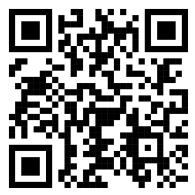
QR కోడ్ ప్రివ్యూ
QR code example generated via ME-QR API

ప్రమాణీకరణ & API కీలు

మీ అభ్యర్థనలను ప్రామాణీకరించడానికి API కీని ఉపయోగించండి.

మీ API కీని పొందండి

మీ డాష్‌బోర్డ్‌లో కనుగొనండి:

డాష్‌బోర్డ్ ఇంటిగ్రేషన్లు API కీలు

మీ అభ్యర్థనలో దీనిని ఉపయోగించండి

మీ API కీని రిక్వెస్ట్ హెడర్‌కు జోడించండి:

Authorization: Bearer YOUR_API_KEY

వినియోగం, పరిమితులు & యాక్సెస్

API వినియోగం, పరిమితులు మరియు యాక్సెస్ గురించి మీరు తెలుసుకోవలసినవన్నీ.

వినియోగ ధర

ప్రతి నెలా 10,000 వరకు QR కోడ్‌లను కలిగి ఉంటుంది.

$0.005 / అభ్యర్థన

100k వరకు అభ్యర్థనలు

$0.0025 / అభ్యర్థన

100k+ requests

API యాక్సెస్

Free

ఉచితం

3 API కీలు · 3 రోజుల పాటు చెల్లుబాటు అవుతాయి

Premium

ప్రీమియం

అపరిమిత API కీలు · గడువు లేదు

API పరిమితులు: ~1 అభ్యర్థన/సెకను · 50 అభ్యర్థనలు/నిమిషం (అన్ని ప్లాన్‌లకు ఒకే విధంగా ఉంటుంది)

అదనపు వినియోగాన్ని ప్రారంభించడానికి సపోర్ట్‌ను సంప్రదించండి.

QR కోడ్ పారామితులు

అందుబాటులో ఉన్న పారామీటర్‌లను ఉపయోగించి మీ QR కోడ్‌ల కంటెంట్, స్వరూపం మరియు అవుట్‌పుట్‌ను నిర్వచించండి.

పరామితి రకం డిఫాల్ట్ వివరణ
tokenఅవసరం string API కార్యాచరణ యాక్సెస్ టోకెన్
qrType integer 1 QR రకం: 1=లింక్, 4=PDF, 5=ఈమెయిల్, 7=VCard…
qrFieldsData object [] QR code content depending on the type (e.g. {"link": "https://…"})
title string "Qr Code" డాష్‌బోర్డ్‌లో చూపబడిన QR కోడ్ శీర్షిక
format string "png" అవుట్‌పుట్ ఫార్మాట్: png, svg, jpg, jpeg, json
designType string "base" QR డిజైన్ రకం: బేస్ లేదా ఆర్ట్
qrFolderOptions object null Folder placement: {"folderName": "…", "subfolderName": "…"}
entryId integer null కొత్తది సృష్టించడానికి బదులుగా ఇప్పటికే ఉన్న QR యొక్క IDని అప్‌డేట్ చేయాలి

రంగు & ఆకార పారామితులు

అందుబాటులో ఉన్న పారామీటర్‌లను ఉపయోగించి మీ QR కోడ్‌ల కంటెంట్, స్వరూపం మరియు అవుట్‌పుట్‌ను నిర్వచించండి.

పరామితి రకం డిఫాల్ట్ వివరణ
qrOptions
size integer 300 తిరిగి వచ్చిన QR చిత్రం యొక్క పరిమాణం పిక్సెల్స్‌లో
errorCorrectionLevel string "Q" దోష సవరణ: L, M, Q, H
pattern string "square" చుక్కల శైలి: చతురస్రం, చుక్కలు, గుండ్రని, క్లాసీ, రాంబస్, మెరుపు…
patternColor string "#000000" QR చుక్కల రంగు
patternBackground string "#ffffff" QR కోడ్ యొక్క నేపథ్య రంగు
cornetsOuter string "square" బయటి మూల శైలి: చతురస్రం, చుక్క, క్లాసీ, గేర్, బాగా గుండ్రంగా…
cornetsOuterColor string "#000000" బయటి మూలల రంగు
cornetsInterior string "square" లోపలి మూల శైలి: చతురస్రం, చుక్క, క్లాసీ, రాంబస్, నక్షత్రం…
cornetsInteriorColor string "#000000" లోపలి మూలల రంగు
logotype string null సెంటర్ లోగో: ముందుగా నిర్వచించిన ఎనమ్, URL, లేదా బేస్64 ఇమేజ్
logotypeSize number 0.3 లోగో పరిమాణ గుణకం 0–1 (గరిష్టంగా సిఫార్సు చేయబడినది 0.5)
logotypeMargin number 0 లోగో మార్జిన్ పిక్సెల్స్‌లో
logotypeHideBackground boolean true లోగోతో కప్పబడిన చుక్కలను దాచండి
gradientPattern object null చుక్కల కోసం గ్రేడియంట్: {రకం, భ్రమణం, రంగులు[]}
gradientCornetsOuter object null బయటి మూలల కోసం గ్రేడియంట్
gradientCornetsInterior object null లోపలి మూలల కోసం గ్రేడియంట్
gradientBackground object null నేపథ్యం కోసం గ్రేడియంట్
qrFrame
name string "noFrame" ఫ్రేమ్ డిజైన్ (200+ ఎంపికలు లేదా ఫ్రేమ్ లేకుండా)
color string "#000000" ఫ్రేమ్ రంగు
backgroundColor string "#ffffff" ఫ్రేమ్ నేపథ్య రంగు
text string "" ఫ్రేమ్ లేబుల్ టెక్స్ట్ (గరిష్టంగా 20 అక్షరాలు)
textSize integer null ఫాంట్ సైజు పిక్సెల్స్‌లో (1–50)
textColor string "#9C3AAF" ఫ్రేమ్ టెక్స్ట్ రంగు
textFont string "Roboto" ఫాంట్: ఏరియల్, రోబోటో, జార్జియా, వర్దానా...

ఉదాహరణ అభ్యర్థనలు & ఫలితాలు

నమూనా API అభ్యర్థనలను మరియు అవి రూపొందించే QR కోడ్‌లను పరిశీలించండి.

ప్రాథమిక QR కోడ్

అభ్యర్థన URL
https://me-qr.com/api/v2/qr/link/create

అభ్యర్థన పద్ధతి
POST

కోడ్
curl -X POST https://me-qr.com/api/v2/qr/link/create \
  -H "Content-Type: application/json" \
  -H "X-AUTH-TOKEN: YOUR_API_TOKEN" \
  -d '{
    "qrFieldsData": {
      "link": "https://example.com"
    },
    "format": "png"
  }'

QR కోడ్ ప్రివ్యూ
Basic QR code generated via ME-QR API

రంగులతో కూడిన QR కోడ్

అభ్యర్థన URL
https://me-qr.com/api/v2/qr/link/create

అభ్యర్థన పద్ధతి
POST

కోడ్
curl -X POST https://me-qr.com/api/v2/qr/link/create \
  -H "Content-Type: application/json" \
  -H "X-AUTH-TOKEN: YOUR_API_TOKEN" \
  -d '{
    "qrFieldsData": {
      "link": "https://example.com"
    },
    "format": "png",
    "qrOptions": {
      "patternColor": "#FFFFFF",
      "patternBackground": "#173782",
      "cornetsOuterColor": "#0281fb",
      "cornetsInteriorColor": "#0281fb"
    }
  }'

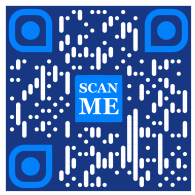
QR కోడ్ ప్రివ్యూ
Colored QR code generated via ME-QR API

ఫ్రేమ్‌లతో కూడిన QR కోడ్

అభ్యర్థన URL
https://me-qr.com/api/v2/qr/link/create

అభ్యర్థన పద్ధతి
POST

కోడ్
curl -X POST https://me-qr.com/api/v2/qr/link/create \
  -H "Content-Type: application/json" \
  -H "X-AUTH-TOKEN: YOUR_API_TOKEN" \
  -d '{
    "qrFieldsData": {
      "link": "https://example.com"
    },
    "format": "png",
    "qrOptions": {
      "logotype": "youTubeLogotype",
      "logotypeSize": 0.3,
      "logotypeMargin": 5,
      "logotypeHideBackground": true
    },
    "qrFrame": {
      "name": "frame1",
      "color": "ff0000",
      "backgroundColor": "#ffffff",
      "text": "Scan me!",
      "textColor": "#FFFFFF"
    }
  }'

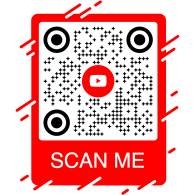
QR కోడ్ ప్రివ్యూ
QR code with frame generated via ME-QR API

API QR కోడ్: వివిధ ప్రయోజనాల కోసం QR జనరేటర్ API

API QR కోడ్ అనేది బ్యాచ్ QR కోడ్ సృష్టి కోసం మరియు వ్యాపార ప్రక్రియలలో సజావుగా అనుసంధానించడం కోసం రూపొందించబడిన ఒక శక్తివంతమైన సాధనం, ఇది QR సాంకేతికత ద్వారా ఆటోమేషన్‌ను సాధ్యం చేస్తుంది. ఈ API కార్యకలాపాలను క్రమబద్ధీకరించడంలో, సామర్థ్యాన్ని పెంచడంలో మరియు తమ వర్క్‌ఫ్లోలలో QR కోడ్‌లను చేర్చాలనుకునే వ్యాపారాలకు ఒక పటిష్టమైన పరిష్కారాన్ని అందించడంలో కీలక పాత్ర పోషిస్తుంది.

/api/qr/create/ ఎండ్‌పాయింట్ ద్వారా API యొక్క కార్యాచరణకు ఒక ముఖ్యమైన ఉదాహరణ ప్రదర్శించబడింది, ఇది ప్రోగ్రామాటిక్‌గా QR కోడ్‌లను రూపొందించడానికి మిమ్మల్ని అనుమతిస్తుంది:

Post /api/qr/create/ రకం వారీగా QR కోడ్‌ను సృష్టించండి

me-qr లో అందుబాటులో ఉన్న రకాలలో ఒకదాన్ని ఉపయోగించి QR కోడ్‌ను రూపొందించడానికి ఇది మిమ్మల్ని అనుమతిస్తుంది. ప్రతి అభ్యర్థన ఒక కొత్త QR కోడ్‌ను రూపొందిస్తుంది.

పారామితులు

పారామితులు లేవు

అభ్యర్థన బాడీ
application/json
{
  "token": "string",
  "qrType": 1,
  "qrFieldsData": {
    "link": "https://example.com"
  },
  "entryId": null,
  "title": "Qr Code",
  "format": "png",
  "designType": "base",
  "qrFolderOptions": {
    "folderName": null,
    "subfolderName": null
  },
  "qrOptions": {
    "size": 300,
    "errorCorrectionLevel": "Q",
    "pattern": "square",
    "patternColor": "#000000",
    "patternBackground": "#ffffff",
    "cornetsOuter": "square",
    "cornetsOuterColor": "#000000",
    "cornetsInterior": "square",
    "cornetsInteriorColor": "#000000",
    "logotype": null,
    "logotypeSize": 0.3,
    "logotypeMargin": 0,
    "logotypeHideBackground": true,
    "gradientPattern": null,
    "gradientCornetsOuter": null,
    "gradientCornetsInterior": null,
    "gradientBackground": null
  },
  "qrFrame": {
    "name": "noFrame",
    "color": "#000000",
    "backgroundColor": "#ffffff",
    "text": "",
    "textSize": null,
    "textColor": "#9C3AAF",
    "textFont": "Roboto"
  }
}
ప్రతిస్పందనలు
కోడ్ వివరణ లింకులు
default లింకులు లేవు

QR జనరేటర్ API పూర్తి నియంత్రణ

Me-QR జనరేటర్ API, QR కోడ్ జనరేషన్‌పై సమగ్రమైన నియంత్రణను అందిస్తుంది, అలాగే మీ నిర్దిష్ట అవసరాలకు అనుగుణంగా QR కోడ్‌లను రూపొందించుకోవడానికి మీకు అనేక రకాల ఫీచర్లను సమకూరుస్తుంది:

API దేశాలు

కస్టమ్ QR కోడ్ API కోసం మద్దతు ఉన్న దేశాల జాబితాను పొందండి

Get /api/v2/countries/ దేశాల జాబితా

అందుబాటులో ఉన్న దేశాల జాబితాను పొందండి.

పారామితులు
పేరు వివరణ
country
string
(query)

దేశం పేరు ద్వారా శోధించండి.

ప్రతిస్పందనలు
కోడ్ వివరణ లింకులు
200

విజయవంతమైన ప్రతిస్పందన

application/json
[
  {
    "id": 0,
    "name": "string"
  }
]
లింకులు లేవు

ఈ ఎండ్‌పాయింట్ అందుబాటులో ఉన్న దేశాల జాబితాను పొందడానికి మిమ్మల్ని అనుమతిస్తుంది, తద్వారా భౌగోళిక ప్రాధాన్యతల ఆధారంగా స్థానికీకరణ మరియు అనుకూలీకరణను సులభతరం చేస్తుంది.

API నగరాలు

QR కోడ్ వివరాలను మెరుగుపరచడానికి మద్దతు ఉన్న నగరాల జాబితాను పొందండి.

Get /api/v2/cities/ నగరాల జాబితా

అందుబాటులో ఉన్న నగరాల జాబితాను పొందండి.

పారామితులు
పేరు వివరణ
country
string
(query)

దేశం పేరు ద్వారా శోధించండి.

ప్రతిస్పందనలు
కోడ్ వివరణ లింకులు
200

విజయవంతమైన ప్రతిస్పందన

application/json
[
  {
    "id": 0,
    "name": "string"
  }
]
లింకులు లేవు

స్థాన-నిర్దిష్ట ప్రచారాలు లేదా సమాచార వ్యాప్తి కోసం QR కోడ్‌ల ప్రాసంగికతను పెంచుతూ, నిర్దిష్ట నగరాలను ఎంచుకోవడానికి మీరు ఈ ఫీచర్‌ను ఉపయోగించవచ్చు.

API టైమ్‌జోన్‌లు

QR కోడ్‌లలో సమయ-సున్నితమైన సమాచారాన్ని పొందుపరచడానికి, మద్దతు ఉన్న టైమ్‌జోన్‌ల జాబితాను పొందండి.

Get /api/v2/timezones/ సమయ మండలాల జాబితా

అందుబాటులో ఉన్న సమయ మండలాల జాబితాను పొందండి.

పారామితులు
పేరు వివరణ
timezone
string
(query)

సమయ మండలం పేరు ద్వారా శోధించండి.

ప్రతిస్పందనలు
కోడ్ వివరణ లింకులు
200

విజయవంతమైన ప్రతిస్పందన

application/json
[
  {
    "id": 0,
    "name": "string"
  }
]
లింకులు లేవు

ఈ ఫంక్షనాలిటీ, QR కోడ్ కంటెంట్‌ను సమయ-నిర్దిష్ట డేటాతో సమలేఖనం చేయడానికి మిమ్మల్ని అనుమతిస్తుంది, తద్వారా సంబంధితత మరియు సమయపాలనను నిర్ధారిస్తుంది.

API భాషలు

QR కోడ్ టెక్స్ట్ మరియు కంటెంట్ అనుకూలీకరణ కోసం మద్దతు ఉన్న భాషల జాబితాను యాక్సెస్ చేయండి.

Get /api/v2/languages/ భాషల జాబితా

అందుబాటులో ఉన్న భాషల జాబితాను పొందండి.

పారామితులు
పేరు వివరణ
language
string
(query)

భాష పేరు ద్వారా శోధించండి.

ప్రతిస్పందనలు
కోడ్ వివరణ లింకులు
200

విజయవంతమైన ప్రతిస్పందన

application/json
[
  {
    "id": 0,
    "name": "string"
  }
]
లింకులు లేవు

విభిన్న భాషా ప్రాధాన్యతలకు అనుగుణంగా ఈ ఫీచర్‌ను ఉపయోగించుకోవచ్చు, తద్వారా బహుభాషా సందర్భాలలో QR కోడ్‌లు మరింత అందుబాటులోకి మరియు యూజర్-ఫ్రెండ్లీగా మారతాయి.

ఈ ఫీచర్లు అందించే సౌలభ్యం, నిర్దిష్ట ప్రాంతాలు, నగరాలు, సమయ మండలాలు మరియు భాషలకు అనుగుణంగా డైనమిక్ క్యూఆర్ కోడ్ ఏపీఐని సృష్టించడానికి మీకు అధికారం ఇస్తుంది, తద్వారా మీ క్యూఆర్ ఆధారిత కమ్యూనికేషన్ మరియు ఇంటరాక్షన్ వ్యూహాల ప్రభావాన్ని మెరుగుపరుస్తుంది.

QR జనరేటర్ API రకాలు

మా క్యూఆర్ కోడ్ జనరేటర్ API, వివిధ అవసరాలు మరియు కార్యాచరణలకు అనుగుణంగా, క్యూఆర్ కోడ్ జనరేషన్ కోసం విభిన్న రకాలను అందిస్తుంది. ఈ రకాలలో కొన్నింటిని వివరంగా పరిశీలిద్దాం.

క్యూఆర్ కోడ్ చెల్లింపు ఏపీఐ

ఉచిత QR కోడ్ API దాని అతుకులు లేని మరియు సమర్థవంతమైన స్వభావం కారణంగా చెల్లింపుల రంగంలో విలువైనదిగా నిరూపించబడింది. ఇది లావాదేవీలను సులభతరం చేస్తుంది, భద్రతను పెంచుతుంది మరియు QR కోడ్ నెలవారీ చెల్లింపును వేగవంతం చేస్తుంది. దాని వినియోగాన్ని ప్రదర్శించే ఒక సాధారణ కోడ్ ఉదాహరణ ఇక్కడ ఉంది:

Post /api/v2/qr/payment/create క్యూఆర్ కోడ్ చెల్లింపు ఏపీఐ
క్యూఆర్ కోడ్ చెల్లింపు ఏపీఐ

ఉచిత క్యూఆర్ కోడ్ ఏపీఐ, వ్యాపారాలు మరియు వ్యక్తులు లావాదేవీలను క్రమబద్ధీకరించుకోవడానికి వీలు కల్పించడం ద్వారా చెల్లింపుల రంగంలో విలువైనదిగా నిరూపించుకుంటుంది. క్యూఆర్ కోడ్‌లో చెల్లింపు యూఆర్ఎల్‌ను పొందుపరచడం ద్వారా, వినియోగదారులు తమ స్మార్ట్‌ఫోన్‌లతో కోడ్‌ను త్వరగా స్కాన్ చేసి, లావాదేవీలను సజావుగా పూర్తి చేయవచ్చు.

అభ్యర్థన బాడీ application/json
{
  "qrFieldsData": {
    "link"*: "https://example.com/pay"
  }
}
ఫీల్డ్ రకం అవసరం వివరణ
link string($hostname) required చెల్లింపు పేజీ URL

మాతో కలిసి QR కోడ్ APIని రూపొందించి, మీ చెల్లింపు ప్రక్రియలలో విప్లవాత్మక మార్పులు తీసుకురండి, తద్వారా లావాదేవీలను అతుకులు లేని మరియు సమర్థవంతమైన అనుభవాలుగా మార్చండి.

మాతో QR కోడ్ APIని రూపొందించి, మీ చెల్లింపు ప్రక్రియలలో విప్లవాత్మక మార్పులు తీసుకురండి. సురక్షితమైన మరియు సమర్థవంతమైన లావాదేవీలను మీ అప్లికేషన్‌లలో సజావుగా అనుసంధానించండి.

పేపాల్ క్యూఆర్ కోడ్ ఏపీఐ

QR కోడ్ చెల్లింపు APIకి ఒక అద్భుతమైన ఉదాహరణ PayPal QR కోడ్. ఆన్‌లైన్ చెల్లింపులలో అగ్రగామిగా ప్రసిద్ధి చెందిన PayPal యొక్క API అనుసంధానం, లావాదేవీలను సురక్షితంగా క్రమబద్ధీకరిస్తుంది. దాని అమలుకు సంబంధించిన ఒక ప్రాథమిక ఉదాహరణ ఇక్కడ ఉంది:

Post /api/v2/qr/paypal/create క్యూఆర్ కోడ్ పేపాల్ ఏపీఐ
క్యూఆర్ కోడ్ పేపాల్ ఏపీఐ

PayPal QR కోడ్ API, PayPal చెల్లింపు లింక్‌లను QR కోడ్‌లలోకి సజావుగా అనుసంధానించడానికి వీలు కల్పిస్తుంది. వినియోగదారులు QR కోడ్‌ను స్కాన్ చేయడం ద్వారా తక్షణమే PayPal చెల్లింపు పేజీకి వెళ్లవచ్చు, దీనివల్ల వ్యాపారాలకు మరియు వినియోగదారులకు లావాదేవీలు వేగంగా మరియు సౌకర్యవంతంగా మారతాయి.

అభ్యర్థన బాడీ application/json
{
  "qrFieldsData": {
    "link"*: "https://paypal.me/username"
  }
}
ఫీల్డ్ రకం అవసరం వివరణ
link string($hostname) required PayPal.me లేదా చెల్లింపు URL

మీ చెల్లింపు ప్రక్రియను సులభతరం చేయడానికి మరియు వేగవంతం చేయడానికి PayPal QR కోడ్ APIని ఉపయోగించుకోండి, తద్వారా మీ వినియోగదారులకు ఆధునిక చెక్అవుట్ అనుభవాన్ని అందించండి.

Me-QR యొక్క PayPal QR కోడ్ APIతో మీ ఆన్‌లైన్ చెల్లింపు అనుభవాన్ని మెరుగుపరచుకోండి. సురక్షితమైన మరియు సమర్థవంతమైన PayPal లావాదేవీలను మీ అప్లికేషన్‌లలో సులభంగా అనుసంధానించుకోండి.

API ద్వారా వాట్సాప్ క్యూఆర్ కోడ్‌ను ఎలా రూపొందించాలి

మెసెంజర్ QR APIలలో వాట్సాప్ API QR కోడ్ ఒక విశిష్ట స్థానాన్ని కలిగి ఉంది. ఈ APIని ఉపయోగించడం ద్వారా వాట్సాప్‌ను త్వరగా యాక్సెస్ చేయడానికి వీలవుతుంది, తద్వారా ఇది మెసెంజర్ ఆధారిత QR ఫంక్షనాలిటీల రంగంలో అగ్రగామిగా నిలుస్తుంది. ఇక్కడ ఒక ఉదాహరణ:

Post /api/v2/qr/whatsapp/create QR కోడ్ వాట్సాప్ API
QR కోడ్ వాట్సాప్ API

వాట్సాప్ క్యూఆర్ కోడ్ ఏపీఐ, ముందుగా నింపిన సందేశంతో వాట్సాప్ సంభాషణను తెరిచే క్యూఆర్ కోడ్‌లను రూపొందించడానికి మిమ్మల్ని అనుమతిస్తుంది. కేవలం ఒక ఫోన్ నంబర్ మరియు ఐచ్ఛిక సందేశాన్ని అందించండి — ఇది కస్టమర్ సపోర్ట్, మార్కెటింగ్ ప్రచారాలు మరియు తక్షణ స్పందన కోసం ఆదర్శవంతమైనది.

అభ్యర్థన బాడీ application/json
{
  "qrFieldsData": {
    "phone"*: "+1234567890",
    "message"*: "Hello!"
  }
}
ఫీల్డ్ రకం అవసరం వివరణ
phone string required అంతర్జాతీయ ఫార్మాట్‌లో గ్రహీత ఫోన్ నంబర్
message string required ముందుగా నింపిన సందేశ వచనం

ఒకే స్కాన్‌తో ప్రత్యక్ష సంభాషణలను ప్రోత్సహించడానికి మరియు ఎంగేజ్‌మెంట్‌ను పెంచడానికి WhatsApp QR కోడ్ APIని ఇంటిగ్రేట్ చేయండి.

వాట్సాప్ క్యూఆర్ కోడ్ ద్వారా మీ ప్రేక్షకులతో సజావుగా కనెక్ట్ అవ్వండి. కేవలం ఒక స్కాన్‌తో సంభాషణలకు త్వరిత ప్రాప్యతను పొందండి, ఇది మీ సందేశ అనుభవాన్ని మెరుగుపరుస్తుంది.

Me-QRతో మరిన్ని QR API రకాలను కనుగొనండి

QR కోడ్ API ఫ్రీ, విభిన్న అవసరాలను తీర్చడానికి అనేక రకాల QR కోడ్ API జనరేటర్ రకాలను అందిస్తుంది. మద్దతు ఉన్న మరిన్ని QR API రకాలను మరియు ప్రతిదానికీ సంబంధించిన కోడ్ ఉదాహరణలను అన్వేషించండి:

ఇన్స్టాగ్రామ్

QR కోడ్‌లను ఉపయోగించి ఇన్‌స్టాగ్రామ్ ప్రొఫైల్‌లతో కనెక్ట్ అవ్వండి.

Post /api/v2/qr/instagram/create

ఇన్‌స్టాగ్రామ్ ప్రొఫైల్ లేదా పోస్ట్‌కు నేరుగా లింక్ చేసే QR కోడ్‌ను రూపొందించండి.

అభ్యర్థన బాడీ application/json
{
  "qrFieldsData": {
    "link": "https://www.instagram.com/username"
  },
  "title": "Qr Code",
                        "format": "png",
                        "designType": "base",
                        "qrFolderOptions": {
                        "folderName": null,
                        "subfolderName": null
                        },
                        "qrOptions": {
                        "size": 300,
                        "errorCorrectionLevel": "Q",
                        "pattern": "square",
                        "patternColor": "#000000",
                        "patternBackground": "#ffffff",
                        "cornetsOuter": "square",
                        "cornetsOuterColor": "#000000",
                        "cornetsInterior": "square",
                        "cornetsInteriorColor": "#000000",
                        "logotype": null,
                        "logotypeSize": 0.3,
                        "logotypeMargin": 0,
                        "logotypeHideBackground": true,
                        "gradientPattern": null,
                        "gradientCornetsOuter": null,
                        "gradientCornetsInterior": null,
                        "gradientBackground": null
                        },
                        "qrFrame": {
                        "name": "noFrame",
                        "color": "#000000",
                        "backgroundColor": "#ffffff",
                        "text": "",
                        "textSize": null,
                        "textColor": "#9C3AAF",
                        "textFont": "Roboto"
                        }
                        }
Put /api/v2/qr/instagram/update/{entryUID}

QR కోడ్ యొక్క డేటా మరియు స్టైలింగ్ పారామితులను మార్చడం.

పారామితులు

entryUIDpath  ఐడి లేదా ప్రత్యేక ప్రవేశ కీ (క్యూఆర్ కోడ్)

అభ్యర్థన బాడీ application/json
{
  "qrFieldsData": {
    "link": "https://www.instagram.com/username"
  },
  "title": "Qr Code",
                        "format": "png",
                        "designType": "base",
                        "qrFolderOptions": {
                        "folderName": null,
                        "subfolderName": null
                        },
                        "qrOptions": {
                        "size": 300,
                        "errorCorrectionLevel": "Q",
                        "pattern": "square",
                        "patternColor": "#000000",
                        "patternBackground": "#ffffff",
                        "cornetsOuter": "square",
                        "cornetsOuterColor": "#000000",
                        "cornetsInterior": "square",
                        "cornetsInteriorColor": "#000000",
                        "logotype": null,
                        "logotypeSize": 0.3,
                        "logotypeMargin": 0,
                        "logotypeHideBackground": true,
                        "gradientPattern": null,
                        "gradientCornetsOuter": null,
                        "gradientCornetsInterior": null,
                        "gradientBackground": null
                        },
                        "qrFrame": {
                        "name": "noFrame",
                        "color": "#000000",
                        "backgroundColor": "#ffffff",
                        "text": "",
                        "textSize": null,
                        "textColor": "#9C3AAF",
                        "textFont": "Roboto"
                        }
                        }
Get /api/v2/qr/instagram/{entryUID}

డేటా మరియు అనుకూలీకరణ సెట్టింగ్‌లను లేదా రూపొందించబడిన QR కోడ్ యొక్క చిత్రాన్ని వీక్షించండి.

పారామితులు

entryUID path  ఐడి లేదా ప్రత్యేక ప్రవేశ కీ (క్యూఆర్ కోడ్)

format query  చిత్ర ఫార్మాట్. అందుబాటులో ఉన్న విలువలు: png, svg, jpg, jpeg, json. డిఫాల్ట్: null

ప్రతిస్పందన 200 application/json
{
  "qrFieldsData": {
    "link": "https://www.instagram.com/username"
  },
  "title": "Qr Code",
                        "format": "png",
                        "designType": "base",
                        "qrFolderOptions": {
                        "folderName": null,
                        "subfolderName": null
                        },
                        "qrOptions": {
                        "size": 300,
                        "errorCorrectionLevel": "Q",
                        "pattern": "square",
                        "patternColor": "#000000",
                        "patternBackground": "#ffffff",
                        "cornetsOuter": "square",
                        "cornetsOuterColor": "#000000",
                        "cornetsInterior": "square",
                        "cornetsInteriorColor": "#000000",
                        "logotype": null,
                        "logotypeSize": 0.3,
                        "logotypeMargin": 0,
                        "logotypeHideBackground": true,
                        "gradientPattern": null,
                        "gradientCornetsOuter": null,
                        "gradientCornetsInterior": null,
                        "gradientBackground": null
                        },
                        "qrFrame": {
                        "name": "noFrame",
                        "color": "#000000",
                        "backgroundColor": "#ffffff",
                        "text": "",
                        "textSize": null,
                        "textColor": "#9C3AAF",
                        "textFont": "Roboto"
                        }
                        }

ఫేస్బుక్

QR కోడ్ జనరేటర్ రెస్ట్ API ద్వారా ఫేస్‌బుక్ ప్రొఫైల్‌లు లేదా పేజీలకు లింక్ చేయండి.

Post /api/v2/qr/facebook/create

ఫేస్‌బుక్ పేజీ, గ్రూప్ లేదా ప్రొఫైల్‌కు లింక్ చేసే QR కోడ్‌ను రూపొందించండి.

అభ్యర్థన బాడీ application/json
{
  "qrFieldsData": {
    "link": "https://www.facebook.com/pagename"
  },
  "title": "Qr Code",
                        "format": "png",
                        "designType": "base",
                        "qrFolderOptions": {
                        "folderName": null,
                        "subfolderName": null
                        },
                        "qrOptions": {
                        "size": 300,
                        "errorCorrectionLevel": "Q",
                        "pattern": "square",
                        "patternColor": "#000000",
                        "patternBackground": "#ffffff",
                        "cornetsOuter": "square",
                        "cornetsOuterColor": "#000000",
                        "cornetsInterior": "square",
                        "cornetsInteriorColor": "#000000",
                        "logotype": null,
                        "logotypeSize": 0.3,
                        "logotypeMargin": 0,
                        "logotypeHideBackground": true,
                        "gradientPattern": null,
                        "gradientCornetsOuter": null,
                        "gradientCornetsInterior": null,
                        "gradientBackground": null
                        },
                        "qrFrame": {
                        "name": "noFrame",
                        "color": "#000000",
                        "backgroundColor": "#ffffff",
                        "text": "",
                        "textSize": null,
                        "textColor": "#9C3AAF",
                        "textFont": "Roboto"
                        }
                        }
Put /api/v2/qr/facebook/update/{entryUID}

QR కోడ్ యొక్క డేటా మరియు స్టైలింగ్ పారామితులను మార్చడం.

పారామితులు

entryUIDpath  ఐడి లేదా ప్రత్యేక ప్రవేశ కీ (క్యూఆర్ కోడ్)

అభ్యర్థన బాడీ application/json
{
  "qrFieldsData": {
    "link": "https://www.facebook.com/pagename"
  },
  "title": "Qr Code",
                        "format": "png",
                        "designType": "base",
                        "qrFolderOptions": {
                        "folderName": null,
                        "subfolderName": null
                        },
                        "qrOptions": {
                        "size": 300,
                        "errorCorrectionLevel": "Q",
                        "pattern": "square",
                        "patternColor": "#000000",
                        "patternBackground": "#ffffff",
                        "cornetsOuter": "square",
                        "cornetsOuterColor": "#000000",
                        "cornetsInterior": "square",
                        "cornetsInteriorColor": "#000000",
                        "logotype": null,
                        "logotypeSize": 0.3,
                        "logotypeMargin": 0,
                        "logotypeHideBackground": true,
                        "gradientPattern": null,
                        "gradientCornetsOuter": null,
                        "gradientCornetsInterior": null,
                        "gradientBackground": null
                        },
                        "qrFrame": {
                        "name": "noFrame",
                        "color": "#000000",
                        "backgroundColor": "#ffffff",
                        "text": "",
                        "textSize": null,
                        "textColor": "#9C3AAF",
                        "textFont": "Roboto"
                        }
                        }
Get /api/v2/qr/facebook/{entryUID}

డేటా మరియు అనుకూలీకరణ సెట్టింగ్‌లను లేదా రూపొందించబడిన QR కోడ్ యొక్క చిత్రాన్ని వీక్షించండి.

పారామితులు

entryUID path  ఐడి లేదా ప్రత్యేక ప్రవేశ కీ (క్యూఆర్ కోడ్)

format query  చిత్ర ఫార్మాట్. అందుబాటులో ఉన్న విలువలు: png, svg, jpg, jpeg, json. డిఫాల్ట్: null

ప్రతిస్పందన 200 application/json
{
  "qrFieldsData": {
    "link": "https://www.facebook.com/pagename"
  },
  "title": "Qr Code",
                        "format": "png",
                        "designType": "base",
                        "qrFolderOptions": {
                        "folderName": null,
                        "subfolderName": null
                        },
                        "qrOptions": {
                        "size": 300,
                        "errorCorrectionLevel": "Q",
                        "pattern": "square",
                        "patternColor": "#000000",
                        "patternBackground": "#ffffff",
                        "cornetsOuter": "square",
                        "cornetsOuterColor": "#000000",
                        "cornetsInterior": "square",
                        "cornetsInteriorColor": "#000000",
                        "logotype": null,
                        "logotypeSize": 0.3,
                        "logotypeMargin": 0,
                        "logotypeHideBackground": true,
                        "gradientPattern": null,
                        "gradientCornetsOuter": null,
                        "gradientCornetsInterior": null,
                        "gradientBackground": null
                        },
                        "qrFrame": {
                        "name": "noFrame",
                        "color": "#000000",
                        "backgroundColor": "#ffffff",
                        "text": "",
                        "textSize": null,
                        "textColor": "#9C3AAF",
                        "textFont": "Roboto"
                        }
                        }

Twitter

QR కోడ్‌లను ఉపయోగించి ట్విట్టర్ ప్రొఫైల్‌లను లేదా ట్వీట్‌లను యాక్సెస్ చేయండి.

Post /api/v2/qr/twitter/create

వినియోగదారులను Twitter/X ప్రొఫైల్ లేదా ట్వీట్‌కు మళ్ళించే QR కోడ్‌ను సృష్టించండి.

అభ్యర్థన బాడీ application/json
{
  "qrFieldsData": {
    "link": "https://twitter.com/username"
  },
  "title": "Qr Code",
                        "format": "png",
                        "designType": "base",
                        "qrFolderOptions": {
                        "folderName": null,
                        "subfolderName": null
                        },
                        "qrOptions": {
                        "size": 300,
                        "errorCorrectionLevel": "Q",
                        "pattern": "square",
                        "patternColor": "#000000",
                        "patternBackground": "#ffffff",
                        "cornetsOuter": "square",
                        "cornetsOuterColor": "#000000",
                        "cornetsInterior": "square",
                        "cornetsInteriorColor": "#000000",
                        "logotype": null,
                        "logotypeSize": 0.3,
                        "logotypeMargin": 0,
                        "logotypeHideBackground": true,
                        "gradientPattern": null,
                        "gradientCornetsOuter": null,
                        "gradientCornetsInterior": null,
                        "gradientBackground": null
                        },
                        "qrFrame": {
                        "name": "noFrame",
                        "color": "#000000",
                        "backgroundColor": "#ffffff",
                        "text": "",
                        "textSize": null,
                        "textColor": "#9C3AAF",
                        "textFont": "Roboto"
                        }
                        }
Put /api/v2/qr/twitter/update/{entryUID}

QR కోడ్ యొక్క డేటా మరియు స్టైలింగ్ పారామితులను మార్చడం.

పారామితులు

entryUIDpath  ఐడి లేదా ప్రత్యేక ప్రవేశ కీ (క్యూఆర్ కోడ్)

అభ్యర్థన బాడీ application/json
{
  "qrFieldsData": {
    "link": "https://twitter.com/username"
  },
  "title": "Qr Code",
                        "format": "png",
                        "designType": "base",
                        "qrFolderOptions": {
                        "folderName": null,
                        "subfolderName": null
                        },
                        "qrOptions": {
                        "size": 300,
                        "errorCorrectionLevel": "Q",
                        "pattern": "square",
                        "patternColor": "#000000",
                        "patternBackground": "#ffffff",
                        "cornetsOuter": "square",
                        "cornetsOuterColor": "#000000",
                        "cornetsInterior": "square",
                        "cornetsInteriorColor": "#000000",
                        "logotype": null,
                        "logotypeSize": 0.3,
                        "logotypeMargin": 0,
                        "logotypeHideBackground": true,
                        "gradientPattern": null,
                        "gradientCornetsOuter": null,
                        "gradientCornetsInterior": null,
                        "gradientBackground": null
                        },
                        "qrFrame": {
                        "name": "noFrame",
                        "color": "#000000",
                        "backgroundColor": "#ffffff",
                        "text": "",
                        "textSize": null,
                        "textColor": "#9C3AAF",
                        "textFont": "Roboto"
                        }
                        }
Get /api/v2/qr/twitter/{entryUID}

డేటా మరియు అనుకూలీకరణ సెట్టింగ్‌లను లేదా రూపొందించబడిన QR కోడ్ యొక్క చిత్రాన్ని వీక్షించండి.

పారామితులు

entryUID path  ఐడి లేదా ప్రత్యేక ప్రవేశ కీ (క్యూఆర్ కోడ్)

format query  చిత్ర ఫార్మాట్. అందుబాటులో ఉన్న విలువలు: png, svg, jpg, jpeg, json. డిఫాల్ట్: null

ప్రతిస్పందన 200 application/json
{
  "qrFieldsData": {
    "link": "https://twitter.com/username"
  },
  "title": "Qr Code",
                        "format": "png",
                        "designType": "base",
                        "qrFolderOptions": {
                        "folderName": null,
                        "subfolderName": null
                        },
                        "qrOptions": {
                        "size": 300,
                        "errorCorrectionLevel": "Q",
                        "pattern": "square",
                        "patternColor": "#000000",
                        "patternBackground": "#ffffff",
                        "cornetsOuter": "square",
                        "cornetsOuterColor": "#000000",
                        "cornetsInterior": "square",
                        "cornetsInteriorColor": "#000000",
                        "logotype": null,
                        "logotypeSize": 0.3,
                        "logotypeMargin": 0,
                        "logotypeHideBackground": true,
                        "gradientPattern": null,
                        "gradientCornetsOuter": null,
                        "gradientCornetsInterior": null,
                        "gradientBackground": null
                        },
                        "qrFrame": {
                        "name": "noFrame",
                        "color": "#000000",
                        "backgroundColor": "#ffffff",
                        "text": "",
                        "textSize": null,
                        "textColor": "#9C3AAF",
                        "textFont": "Roboto"
                        }
                        }

టిక్‌టాక్

QR కోడ్‌లను ఉపయోగించి టిక్‌టాక్ ప్రొఫైల్‌లను కనుగొనండి.

Post /api/v2/qr/tiktok/create

టిక్‌టాక్ ప్రొఫైల్ లేదా వీడియోకు లింక్ చేసే క్యూఆర్ కోడ్‌ను రూపొందించండి.

అభ్యర్థన బాడీ application/json
{
  "qrFieldsData": {
    "link": "https://www.tiktok.com/@username"
  },
  "title": "Qr Code",
                        "format": "png",
                        "designType": "base",
                        "qrFolderOptions": {
                        "folderName": null,
                        "subfolderName": null
                        },
                        "qrOptions": {
                        "size": 300,
                        "errorCorrectionLevel": "Q",
                        "pattern": "square",
                        "patternColor": "#000000",
                        "patternBackground": "#ffffff",
                        "cornetsOuter": "square",
                        "cornetsOuterColor": "#000000",
                        "cornetsInterior": "square",
                        "cornetsInteriorColor": "#000000",
                        "logotype": null,
                        "logotypeSize": 0.3,
                        "logotypeMargin": 0,
                        "logotypeHideBackground": true,
                        "gradientPattern": null,
                        "gradientCornetsOuter": null,
                        "gradientCornetsInterior": null,
                        "gradientBackground": null
                        },
                        "qrFrame": {
                        "name": "noFrame",
                        "color": "#000000",
                        "backgroundColor": "#ffffff",
                        "text": "",
                        "textSize": null,
                        "textColor": "#9C3AAF",
                        "textFont": "Roboto"
                        }
                        }
Put /api/v2/qr/tiktok/update/{entryUID}

QR కోడ్ యొక్క డేటా మరియు స్టైలింగ్ పారామితులను మార్చడం.

పారామితులు

entryUIDpath  ఐడి లేదా ప్రత్యేక ప్రవేశ కీ (క్యూఆర్ కోడ్)

అభ్యర్థన బాడీ application/json
{
  "qrFieldsData": {
    "link": "https://www.tiktok.com/@username"
  },
  "title": "Qr Code",
                        "format": "png",
                        "designType": "base",
                        "qrFolderOptions": {
                        "folderName": null,
                        "subfolderName": null
                        },
                        "qrOptions": {
                        "size": 300,
                        "errorCorrectionLevel": "Q",
                        "pattern": "square",
                        "patternColor": "#000000",
                        "patternBackground": "#ffffff",
                        "cornetsOuter": "square",
                        "cornetsOuterColor": "#000000",
                        "cornetsInterior": "square",
                        "cornetsInteriorColor": "#000000",
                        "logotype": null,
                        "logotypeSize": 0.3,
                        "logotypeMargin": 0,
                        "logotypeHideBackground": true,
                        "gradientPattern": null,
                        "gradientCornetsOuter": null,
                        "gradientCornetsInterior": null,
                        "gradientBackground": null
                        },
                        "qrFrame": {
                        "name": "noFrame",
                        "color": "#000000",
                        "backgroundColor": "#ffffff",
                        "text": "",
                        "textSize": null,
                        "textColor": "#9C3AAF",
                        "textFont": "Roboto"
                        }
                        }
Get /api/v2/qr/tiktok/{entryUID}

డేటా మరియు అనుకూలీకరణ సెట్టింగ్‌లను లేదా రూపొందించబడిన QR కోడ్ యొక్క చిత్రాన్ని వీక్షించండి.

పారామితులు

entryUID path  ఐడి లేదా ప్రత్యేక ప్రవేశ కీ (క్యూఆర్ కోడ్)

format query  చిత్ర ఫార్మాట్. అందుబాటులో ఉన్న విలువలు: png, svg, jpg, jpeg, json. డిఫాల్ట్: null

ప్రతిస్పందన 200 application/json
{
  "qrFieldsData": {
    "link": "https://www.tiktok.com/@username"
  },
  "title": "Qr Code",
                        "format": "png",
                        "designType": "base",
                        "qrFolderOptions": {
                        "folderName": null,
                        "subfolderName": null
                        },
                        "qrOptions": {
                        "size": 300,
                        "errorCorrectionLevel": "Q",
                        "pattern": "square",
                        "patternColor": "#000000",
                        "patternBackground": "#ffffff",
                        "cornetsOuter": "square",
                        "cornetsOuterColor": "#000000",
                        "cornetsInterior": "square",
                        "cornetsInteriorColor": "#000000",
                        "logotype": null,
                        "logotypeSize": 0.3,
                        "logotypeMargin": 0,
                        "logotypeHideBackground": true,
                        "gradientPattern": null,
                        "gradientCornetsOuter": null,
                        "gradientCornetsInterior": null,
                        "gradientBackground": null
                        },
                        "qrFrame": {
                        "name": "noFrame",
                        "color": "#000000",
                        "backgroundColor": "#ffffff",
                        "text": "",
                        "textSize": null,
                        "textColor": "#9C3AAF",
                        "textFont": "Roboto"
                        }
                        }

స్నాప్‌చాట్

స్నాప్‌చాట్ క్యూఆర్ ద్వారా ప్రొఫైల్‌లతో కనెక్ట్ అవ్వండి.

Post /api/v2/qr/snapchat/create

స్నాప్‌చాట్ ప్రొఫైల్‌కు నేరుగా లింక్ చేసే QR కోడ్‌ను రూపొందించండి.

అభ్యర్థన బాడీ application/json
{
  "qrFieldsData": {
    "link": "https://www.snapchat.com/add/username"
  },
  "title": "Qr Code",
                        "format": "png",
                        "designType": "base",
                        "qrFolderOptions": {
                        "folderName": null,
                        "subfolderName": null
                        },
                        "qrOptions": {
                        "size": 300,
                        "errorCorrectionLevel": "Q",
                        "pattern": "square",
                        "patternColor": "#000000",
                        "patternBackground": "#ffffff",
                        "cornetsOuter": "square",
                        "cornetsOuterColor": "#000000",
                        "cornetsInterior": "square",
                        "cornetsInteriorColor": "#000000",
                        "logotype": null,
                        "logotypeSize": 0.3,
                        "logotypeMargin": 0,
                        "logotypeHideBackground": true,
                        "gradientPattern": null,
                        "gradientCornetsOuter": null,
                        "gradientCornetsInterior": null,
                        "gradientBackground": null
                        },
                        "qrFrame": {
                        "name": "noFrame",
                        "color": "#000000",
                        "backgroundColor": "#ffffff",
                        "text": "",
                        "textSize": null,
                        "textColor": "#9C3AAF",
                        "textFont": "Roboto"
                        }
                        }
Put /api/v2/qr/snapchat/update/{entryUID}

QR కోడ్ యొక్క డేటా మరియు స్టైలింగ్ పారామితులను మార్చడం.

పారామితులు

entryUIDpath  ఐడి లేదా ప్రత్యేక ప్రవేశ కీ (క్యూఆర్ కోడ్)

అభ్యర్థన బాడీ application/json
{
  "qrFieldsData": {
    "link": "https://www.snapchat.com/add/username"
  },
  "title": "Qr Code",
                        "format": "png",
                        "designType": "base",
                        "qrFolderOptions": {
                        "folderName": null,
                        "subfolderName": null
                        },
                        "qrOptions": {
                        "size": 300,
                        "errorCorrectionLevel": "Q",
                        "pattern": "square",
                        "patternColor": "#000000",
                        "patternBackground": "#ffffff",
                        "cornetsOuter": "square",
                        "cornetsOuterColor": "#000000",
                        "cornetsInterior": "square",
                        "cornetsInteriorColor": "#000000",
                        "logotype": null,
                        "logotypeSize": 0.3,
                        "logotypeMargin": 0,
                        "logotypeHideBackground": true,
                        "gradientPattern": null,
                        "gradientCornetsOuter": null,
                        "gradientCornetsInterior": null,
                        "gradientBackground": null
                        },
                        "qrFrame": {
                        "name": "noFrame",
                        "color": "#000000",
                        "backgroundColor": "#ffffff",
                        "text": "",
                        "textSize": null,
                        "textColor": "#9C3AAF",
                        "textFont": "Roboto"
                        }
                        }
Get /api/v2/qr/snapchat/{entryUID}

డేటా మరియు అనుకూలీకరణ సెట్టింగ్‌లను లేదా రూపొందించబడిన QR కోడ్ యొక్క చిత్రాన్ని వీక్షించండి.

పారామితులు

entryUID path  ఐడి లేదా ప్రత్యేక ప్రవేశ కీ (క్యూఆర్ కోడ్)

format query  చిత్ర ఫార్మాట్. అందుబాటులో ఉన్న విలువలు: png, svg, jpg, jpeg, json. డిఫాల్ట్: null

ప్రతిస్పందన 200 application/json
{
  "qrFieldsData": {
    "link": "https://www.snapchat.com/add/username"
  },
  "title": "Qr Code",
                        "format": "png",
                        "designType": "base",
                        "qrFolderOptions": {
                        "folderName": null,
                        "subfolderName": null
                        },
                        "qrOptions": {
                        "size": 300,
                        "errorCorrectionLevel": "Q",
                        "pattern": "square",
                        "patternColor": "#000000",
                        "patternBackground": "#ffffff",
                        "cornetsOuter": "square",
                        "cornetsOuterColor": "#000000",
                        "cornetsInterior": "square",
                        "cornetsInteriorColor": "#000000",
                        "logotype": null,
                        "logotypeSize": 0.3,
                        "logotypeMargin": 0,
                        "logotypeHideBackground": true,
                        "gradientPattern": null,
                        "gradientCornetsOuter": null,
                        "gradientCornetsInterior": null,
                        "gradientBackground": null
                        },
                        "qrFrame": {
                        "name": "noFrame",
                        "color": "#000000",
                        "backgroundColor": "#ffffff",
                        "text": "",
                        "textSize": null,
                        "textColor": "#9C3AAF",
                        "textFont": "Roboto"
                        }
                        }

టెలిగ్రామ్

QR కోడ్‌లను ఉపయోగించి టెలిగ్రామ్ ఛానెల్‌లు లేదా గ్రూపులతో సంభాషించండి.

Post /api/v2/qr/telegram/create

టెలిగ్రామ్ ఛానెల్, బాట్ లేదా కాంటాక్ట్‌కు లింక్ చేసే QR కోడ్‌ను సృష్టించండి.

అభ్యర్థన బాడీ application/json
{
  "qrFieldsData": {
    "link": "https://t.me/username"
  },
  "title": "Qr Code",
                        "format": "png",
                        "designType": "base",
                        "qrFolderOptions": {
                        "folderName": null,
                        "subfolderName": null
                        },
                        "qrOptions": {
                        "size": 300,
                        "errorCorrectionLevel": "Q",
                        "pattern": "square",
                        "patternColor": "#000000",
                        "patternBackground": "#ffffff",
                        "cornetsOuter": "square",
                        "cornetsOuterColor": "#000000",
                        "cornetsInterior": "square",
                        "cornetsInteriorColor": "#000000",
                        "logotype": null,
                        "logotypeSize": 0.3,
                        "logotypeMargin": 0,
                        "logotypeHideBackground": true,
                        "gradientPattern": null,
                        "gradientCornetsOuter": null,
                        "gradientCornetsInterior": null,
                        "gradientBackground": null
                        },
                        "qrFrame": {
                        "name": "noFrame",
                        "color": "#000000",
                        "backgroundColor": "#ffffff",
                        "text": "",
                        "textSize": null,
                        "textColor": "#9C3AAF",
                        "textFont": "Roboto"
                        }
                        }
Put /api/v2/qr/telegram/update/{entryUID}

QR కోడ్ యొక్క డేటా మరియు స్టైలింగ్ పారామితులను మార్చడం.

పారామితులు

entryUIDpath  ఐడి లేదా ప్రత్యేక ప్రవేశ కీ (క్యూఆర్ కోడ్)

అభ్యర్థన బాడీ application/json
{
  "qrFieldsData": {
    "link": "https://t.me/username"
  },
  "title": "Qr Code",
                        "format": "png",
                        "designType": "base",
                        "qrFolderOptions": {
                        "folderName": null,
                        "subfolderName": null
                        },
                        "qrOptions": {
                        "size": 300,
                        "errorCorrectionLevel": "Q",
                        "pattern": "square",
                        "patternColor": "#000000",
                        "patternBackground": "#ffffff",
                        "cornetsOuter": "square",
                        "cornetsOuterColor": "#000000",
                        "cornetsInterior": "square",
                        "cornetsInteriorColor": "#000000",
                        "logotype": null,
                        "logotypeSize": 0.3,
                        "logotypeMargin": 0,
                        "logotypeHideBackground": true,
                        "gradientPattern": null,
                        "gradientCornetsOuter": null,
                        "gradientCornetsInterior": null,
                        "gradientBackground": null
                        },
                        "qrFrame": {
                        "name": "noFrame",
                        "color": "#000000",
                        "backgroundColor": "#ffffff",
                        "text": "",
                        "textSize": null,
                        "textColor": "#9C3AAF",
                        "textFont": "Roboto"
                        }
                        }
Get /api/v2/qr/telegram/{entryUID}

డేటా మరియు అనుకూలీకరణ సెట్టింగ్‌లను లేదా రూపొందించబడిన QR కోడ్ యొక్క చిత్రాన్ని వీక్షించండి.

పారామితులు

entryUID path  ఐడి లేదా ప్రత్యేక ప్రవేశ కీ (క్యూఆర్ కోడ్)

format query  చిత్ర ఫార్మాట్. అందుబాటులో ఉన్న విలువలు: png, svg, jpg, jpeg, json. డిఫాల్ట్: null

ప్రతిస్పందన 200 application/json
{
  "qrFieldsData": {
    "link": "https://t.me/username"
  },
  "title": "Qr Code",
                        "format": "png",
                        "designType": "base",
                        "qrFolderOptions": {
                        "folderName": null,
                        "subfolderName": null
                        },
                        "qrOptions": {
                        "size": 300,
                        "errorCorrectionLevel": "Q",
                        "pattern": "square",
                        "patternColor": "#000000",
                        "patternBackground": "#ffffff",
                        "cornetsOuter": "square",
                        "cornetsOuterColor": "#000000",
                        "cornetsInterior": "square",
                        "cornetsInteriorColor": "#000000",
                        "logotype": null,
                        "logotypeSize": 0.3,
                        "logotypeMargin": 0,
                        "logotypeHideBackground": true,
                        "gradientPattern": null,
                        "gradientCornetsOuter": null,
                        "gradientCornetsInterior": null,
                        "gradientBackground": null
                        },
                        "qrFrame": {
                        "name": "noFrame",
                        "color": "#000000",
                        "backgroundColor": "#ffffff",
                        "text": "",
                        "textSize": null,
                        "textColor": "#9C3AAF",
                        "textFont": "Roboto"
                        }
                        }

స్పాటిఫై

QR కోడ్‌లను ఉపయోగించి నిర్దిష్ట Spotify పాటలు, ఆల్బమ్‌లు లేదా కళాకారులను యాక్సెస్ చేయండి.

Post /api/v2/qr/spotify/create

Spotify ట్రాక్, ఆల్బమ్ లేదా ఆర్టిస్ట్ పేజీని తెరిచే QR కోడ్‌ను రూపొందించండి.

అభ్యర్థన బాడీ application/json
{
  "qrFieldsData": {
    "link": "https://open.spotify.com/track/..."
  },
  "title": "Qr Code",
                        "format": "png",
                        "designType": "base",
                        "qrFolderOptions": {
                        "folderName": null,
                        "subfolderName": null
                        },
                        "qrOptions": {
                        "size": 300,
                        "errorCorrectionLevel": "Q",
                        "pattern": "square",
                        "patternColor": "#000000",
                        "patternBackground": "#ffffff",
                        "cornetsOuter": "square",
                        "cornetsOuterColor": "#000000",
                        "cornetsInterior": "square",
                        "cornetsInteriorColor": "#000000",
                        "logotype": null,
                        "logotypeSize": 0.3,
                        "logotypeMargin": 0,
                        "logotypeHideBackground": true,
                        "gradientPattern": null,
                        "gradientCornetsOuter": null,
                        "gradientCornetsInterior": null,
                        "gradientBackground": null
                        },
                        "qrFrame": {
                        "name": "noFrame",
                        "color": "#000000",
                        "backgroundColor": "#ffffff",
                        "text": "",
                        "textSize": null,
                        "textColor": "#9C3AAF",
                        "textFont": "Roboto"
                        }
                        }
Put /api/v2/qr/spotify/update/{entryUID}

QR కోడ్ యొక్క డేటా మరియు స్టైలింగ్ పారామితులను మార్చడం.

పారామితులు

entryUIDpath  ఐడి లేదా ప్రత్యేక ప్రవేశ కీ (క్యూఆర్ కోడ్)

అభ్యర్థన బాడీ application/json
{
  "qrFieldsData": {
    "link": "https://open.spotify.com/track/..."
  },
  "title": "Qr Code",
                        "format": "png",
                        "designType": "base",
                        "qrFolderOptions": {
                        "folderName": null,
                        "subfolderName": null
                        },
                        "qrOptions": {
                        "size": 300,
                        "errorCorrectionLevel": "Q",
                        "pattern": "square",
                        "patternColor": "#000000",
                        "patternBackground": "#ffffff",
                        "cornetsOuter": "square",
                        "cornetsOuterColor": "#000000",
                        "cornetsInterior": "square",
                        "cornetsInteriorColor": "#000000",
                        "logotype": null,
                        "logotypeSize": 0.3,
                        "logotypeMargin": 0,
                        "logotypeHideBackground": true,
                        "gradientPattern": null,
                        "gradientCornetsOuter": null,
                        "gradientCornetsInterior": null,
                        "gradientBackground": null
                        },
                        "qrFrame": {
                        "name": "noFrame",
                        "color": "#000000",
                        "backgroundColor": "#ffffff",
                        "text": "",
                        "textSize": null,
                        "textColor": "#9C3AAF",
                        "textFont": "Roboto"
                        }
                        }
Get /api/v2/qr/spotify/{entryUID}

డేటా మరియు అనుకూలీకరణ సెట్టింగ్‌లను లేదా రూపొందించబడిన QR కోడ్ యొక్క చిత్రాన్ని వీక్షించండి.

పారామితులు

entryUID path  ఐడి లేదా ప్రత్యేక ప్రవేశ కీ (క్యూఆర్ కోడ్)

format query  చిత్ర ఫార్మాట్. అందుబాటులో ఉన్న విలువలు: png, svg, jpg, jpeg, json. డిఫాల్ట్: null

ప్రతిస్పందన 200 application/json
{
  "qrFieldsData": {
    "link": "https://open.spotify.com/track/..."
  },
  "title": "Qr Code",
                        "format": "png",
                        "designType": "base",
                        "qrFolderOptions": {
                        "folderName": null,
                        "subfolderName": null
                        },
                        "qrOptions": {
                        "size": 300,
                        "errorCorrectionLevel": "Q",
                        "pattern": "square",
                        "patternColor": "#000000",
                        "patternBackground": "#ffffff",
                        "cornetsOuter": "square",
                        "cornetsOuterColor": "#000000",
                        "cornetsInterior": "square",
                        "cornetsInteriorColor": "#000000",
                        "logotype": null,
                        "logotypeSize": 0.3,
                        "logotypeMargin": 0,
                        "logotypeHideBackground": true,
                        "gradientPattern": null,
                        "gradientCornetsOuter": null,
                        "gradientCornetsInterior": null,
                        "gradientBackground": null
                        },
                        "qrFrame": {
                        "name": "noFrame",
                        "color": "#000000",
                        "backgroundColor": "#ffffff",
                        "text": "",
                        "textSize": null,
                        "textColor": "#9C3AAF",
                        "textFont": "Roboto"
                        }
                        }

Youtube

QR కోడ్‌లను ఉపయోగించి యూట్యూబ్ ఛానెల్‌లను లేదా వీడియోలను చూడండి.

Post /api/v2/qr/youtube/create

యూట్యూబ్ ఛానెల్ లేదా వీడియోకి లింక్ చేసే QR కోడ్‌ను సృష్టించండి.

అభ్యర్థన బాడీ application/json
{
  "qrFieldsData": {
    "link": "https://www.youtube.com/watch?v=dQw4w9WgXcQ"
  },
  "title": "Qr Code",
                        "format": "png",
                        "designType": "base",
                        "qrFolderOptions": {
                        "folderName": null,
                        "subfolderName": null
                        },
                        "qrOptions": {
                        "size": 300,
                        "errorCorrectionLevel": "Q",
                        "pattern": "square",
                        "patternColor": "#000000",
                        "patternBackground": "#ffffff",
                        "cornetsOuter": "square",
                        "cornetsOuterColor": "#000000",
                        "cornetsInterior": "square",
                        "cornetsInteriorColor": "#000000",
                        "logotype": null,
                        "logotypeSize": 0.3,
                        "logotypeMargin": 0,
                        "logotypeHideBackground": true,
                        "gradientPattern": null,
                        "gradientCornetsOuter": null,
                        "gradientCornetsInterior": null,
                        "gradientBackground": null
                        },
                        "qrFrame": {
                        "name": "noFrame",
                        "color": "#000000",
                        "backgroundColor": "#ffffff",
                        "text": "",
                        "textSize": null,
                        "textColor": "#9C3AAF",
                        "textFont": "Roboto"
                        }
                        }
Put /api/v2/qr/youtube/update/{entryUID}

QR కోడ్ యొక్క డేటా మరియు స్టైలింగ్ పారామితులను మార్చడం.

పారామితులు

entryUIDpath  ఐడి లేదా ప్రత్యేక ప్రవేశ కీ (క్యూఆర్ కోడ్)

అభ్యర్థన బాడీ application/json
{
  "qrFieldsData": {
    "link": "https://www.youtube.com/watch?v=dQw4w9WgXcQ"
  },
  "title": "Qr Code",
                        "format": "png",
                        "designType": "base",
                        "qrFolderOptions": {
                        "folderName": null,
                        "subfolderName": null
                        },
                        "qrOptions": {
                        "size": 300,
                        "errorCorrectionLevel": "Q",
                        "pattern": "square",
                        "patternColor": "#000000",
                        "patternBackground": "#ffffff",
                        "cornetsOuter": "square",
                        "cornetsOuterColor": "#000000",
                        "cornetsInterior": "square",
                        "cornetsInteriorColor": "#000000",
                        "logotype": null,
                        "logotypeSize": 0.3,
                        "logotypeMargin": 0,
                        "logotypeHideBackground": true,
                        "gradientPattern": null,
                        "gradientCornetsOuter": null,
                        "gradientCornetsInterior": null,
                        "gradientBackground": null
                        },
                        "qrFrame": {
                        "name": "noFrame",
                        "color": "#000000",
                        "backgroundColor": "#ffffff",
                        "text": "",
                        "textSize": null,
                        "textColor": "#9C3AAF",
                        "textFont": "Roboto"
                        }
                        }
Get /api/v2/qr/youtube/{entryUID}

డేటా మరియు అనుకూలీకరణ సెట్టింగ్‌లను లేదా రూపొందించబడిన QR కోడ్ యొక్క చిత్రాన్ని వీక్షించండి.

పారామితులు

entryUID path  ఐడి లేదా ప్రత్యేక ప్రవేశ కీ (క్యూఆర్ కోడ్)

format query  చిత్ర ఫార్మాట్. అందుబాటులో ఉన్న విలువలు: png, svg, jpg, jpeg, json. డిఫాల్ట్: null

ప్రతిస్పందన 200 application/json
{
  "qrFieldsData": {
    "link": "https://www.youtube.com/watch?v=dQw4w9WgXcQ"
  },
  "title": "Qr Code",
                        "format": "png",
                        "designType": "base",
                        "qrFolderOptions": {
                        "folderName": null,
                        "subfolderName": null
                        },
                        "qrOptions": {
                        "size": 300,
                        "errorCorrectionLevel": "Q",
                        "pattern": "square",
                        "patternColor": "#000000",
                        "patternBackground": "#ffffff",
                        "cornetsOuter": "square",
                        "cornetsOuterColor": "#000000",
                        "cornetsInterior": "square",
                        "cornetsInteriorColor": "#000000",
                        "logotype": null,
                        "logotypeSize": 0.3,
                        "logotypeMargin": 0,
                        "logotypeHideBackground": true,
                        "gradientPattern": null,
                        "gradientCornetsOuter": null,
                        "gradientCornetsInterior": null,
                        "gradientBackground": null
                        },
                        "qrFrame": {
                        "name": "noFrame",
                        "color": "#000000",
                        "backgroundColor": "#ffffff",
                        "text": "",
                        "textSize": null,
                        "textColor": "#9C3AAF",
                        "textFont": "Roboto"
                        }
                        }

వీడియో

వీడియోలలో పొందుపరిచిన క్యూఆర్ కోడ్‌లను ఉపయోగించి మొబైల్ పరికరాలలో వీడియో ప్లేబ్యాక్‌ను ఆస్వాదించండి.

Post /api/v2/qr/video/create

ఏదైనా ఆన్‌లైన్ వీడియో వనరుకు లింక్ చేసే QR కోడ్‌ను రూపొందించండి.

అభ్యర్థన బాడీ application/json
{
  "qrFieldsData": {
    "link": "https://example.com/video.mp4"
  },
  "title": "Qr Code",
                        "format": "png",
                        "designType": "base",
                        "qrFolderOptions": {
                        "folderName": null,
                        "subfolderName": null
                        },
                        "qrOptions": {
                        "size": 300,
                        "errorCorrectionLevel": "Q",
                        "pattern": "square",
                        "patternColor": "#000000",
                        "patternBackground": "#ffffff",
                        "cornetsOuter": "square",
                        "cornetsOuterColor": "#000000",
                        "cornetsInterior": "square",
                        "cornetsInteriorColor": "#000000",
                        "logotype": null,
                        "logotypeSize": 0.3,
                        "logotypeMargin": 0,
                        "logotypeHideBackground": true,
                        "gradientPattern": null,
                        "gradientCornetsOuter": null,
                        "gradientCornetsInterior": null,
                        "gradientBackground": null
                        },
                        "qrFrame": {
                        "name": "noFrame",
                        "color": "#000000",
                        "backgroundColor": "#ffffff",
                        "text": "",
                        "textSize": null,
                        "textColor": "#9C3AAF",
                        "textFont": "Roboto"
                        }
                        }
Put /api/v2/qr/video/update/{entryUID}

QR కోడ్ యొక్క డేటా మరియు స్టైలింగ్ పారామితులను మార్చడం.

పారామితులు

entryUIDpath  ఐడి లేదా ప్రత్యేక ప్రవేశ కీ (క్యూఆర్ కోడ్)

అభ్యర్థన బాడీ application/json
{
  "qrFieldsData": {
    "link": "https://example.com/video.mp4"
  },
  "title": "Qr Code",
                        "format": "png",
                        "designType": "base",
                        "qrFolderOptions": {
                        "folderName": null,
                        "subfolderName": null
                        },
                        "qrOptions": {
                        "size": 300,
                        "errorCorrectionLevel": "Q",
                        "pattern": "square",
                        "patternColor": "#000000",
                        "patternBackground": "#ffffff",
                        "cornetsOuter": "square",
                        "cornetsOuterColor": "#000000",
                        "cornetsInterior": "square",
                        "cornetsInteriorColor": "#000000",
                        "logotype": null,
                        "logotypeSize": 0.3,
                        "logotypeMargin": 0,
                        "logotypeHideBackground": true,
                        "gradientPattern": null,
                        "gradientCornetsOuter": null,
                        "gradientCornetsInterior": null,
                        "gradientBackground": null
                        },
                        "qrFrame": {
                        "name": "noFrame",
                        "color": "#000000",
                        "backgroundColor": "#ffffff",
                        "text": "",
                        "textSize": null,
                        "textColor": "#9C3AAF",
                        "textFont": "Roboto"
                        }
                        }
Get /api/v2/qr/video/{entryUID}

డేటా మరియు అనుకూలీకరణ సెట్టింగ్‌లను లేదా రూపొందించబడిన QR కోడ్ యొక్క చిత్రాన్ని వీక్షించండి.

పారామితులు

entryUID path  ఐడి లేదా ప్రత్యేక ప్రవేశ కీ (క్యూఆర్ కోడ్)

format query  చిత్ర ఫార్మాట్. అందుబాటులో ఉన్న విలువలు: png, svg, jpg, jpeg, json. డిఫాల్ట్: null

ప్రతిస్పందన 200 application/json
{
  "qrFieldsData": {
    "link": "https://example.com/video.mp4"
  },
  "title": "Qr Code",
                        "format": "png",
                        "designType": "base",
                        "qrFolderOptions": {
                        "folderName": null,
                        "subfolderName": null
                        },
                        "qrOptions": {
                        "size": 300,
                        "errorCorrectionLevel": "Q",
                        "pattern": "square",
                        "patternColor": "#000000",
                        "patternBackground": "#ffffff",
                        "cornetsOuter": "square",
                        "cornetsOuterColor": "#000000",
                        "cornetsInterior": "square",
                        "cornetsInteriorColor": "#000000",
                        "logotype": null,
                        "logotypeSize": 0.3,
                        "logotypeMargin": 0,
                        "logotypeHideBackground": true,
                        "gradientPattern": null,
                        "gradientCornetsOuter": null,
                        "gradientCornetsInterior": null,
                        "gradientBackground": null
                        },
                        "qrFrame": {
                        "name": "noFrame",
                        "color": "#000000",
                        "backgroundColor": "#ffffff",
                        "text": "",
                        "textSize": null,
                        "textColor": "#9C3AAF",
                        "textFont": "Roboto"
                        }
                        }

ఎట్సీ

QR కోడ్‌లను ఉపయోగించి నిర్దిష్ట Etsy ఉత్పత్తులను బ్రౌజ్ చేయండి.

Post /api/v2/qr/etsy/create

Etsy షాప్ లేదా ఉత్పత్తి జాబితాకు లింక్ చేసే QR కోడ్‌ను సృష్టించండి.

అభ్యర్థన బాడీ application/json
{
  "qrFieldsData": {
    "link": "https://www.etsy.com/shop/storename"
  },
  "title": "Qr Code",
                        "format": "png",
                        "designType": "base",
                        "qrFolderOptions": {
                        "folderName": null,
                        "subfolderName": null
                        },
                        "qrOptions": {
                        "size": 300,
                        "errorCorrectionLevel": "Q",
                        "pattern": "square",
                        "patternColor": "#000000",
                        "patternBackground": "#ffffff",
                        "cornetsOuter": "square",
                        "cornetsOuterColor": "#000000",
                        "cornetsInterior": "square",
                        "cornetsInteriorColor": "#000000",
                        "logotype": null,
                        "logotypeSize": 0.3,
                        "logotypeMargin": 0,
                        "logotypeHideBackground": true,
                        "gradientPattern": null,
                        "gradientCornetsOuter": null,
                        "gradientCornetsInterior": null,
                        "gradientBackground": null
                        },
                        "qrFrame": {
                        "name": "noFrame",
                        "color": "#000000",
                        "backgroundColor": "#ffffff",
                        "text": "",
                        "textSize": null,
                        "textColor": "#9C3AAF",
                        "textFont": "Roboto"
                        }
                        }
Put /api/v2/qr/etsy/update/{entryUID}

QR కోడ్ యొక్క డేటా మరియు స్టైలింగ్ పారామితులను మార్చడం.

పారామితులు

entryUIDpath  ఐడి లేదా ప్రత్యేక ప్రవేశ కీ (క్యూఆర్ కోడ్)

అభ్యర్థన బాడీ application/json
{
  "qrFieldsData": {
    "link": "https://www.etsy.com/shop/storename"
  },
  "title": "Qr Code",
                        "format": "png",
                        "designType": "base",
                        "qrFolderOptions": {
                        "folderName": null,
                        "subfolderName": null
                        },
                        "qrOptions": {
                        "size": 300,
                        "errorCorrectionLevel": "Q",
                        "pattern": "square",
                        "patternColor": "#000000",
                        "patternBackground": "#ffffff",
                        "cornetsOuter": "square",
                        "cornetsOuterColor": "#000000",
                        "cornetsInterior": "square",
                        "cornetsInteriorColor": "#000000",
                        "logotype": null,
                        "logotypeSize": 0.3,
                        "logotypeMargin": 0,
                        "logotypeHideBackground": true,
                        "gradientPattern": null,
                        "gradientCornetsOuter": null,
                        "gradientCornetsInterior": null,
                        "gradientBackground": null
                        },
                        "qrFrame": {
                        "name": "noFrame",
                        "color": "#000000",
                        "backgroundColor": "#ffffff",
                        "text": "",
                        "textSize": null,
                        "textColor": "#9C3AAF",
                        "textFont": "Roboto"
                        }
                        }
Get /api/v2/qr/etsy/{entryUID}

డేటా మరియు అనుకూలీకరణ సెట్టింగ్‌లను లేదా రూపొందించబడిన QR కోడ్ యొక్క చిత్రాన్ని వీక్షించండి.

పారామితులు

entryUID path  ఐడి లేదా ప్రత్యేక ప్రవేశ కీ (క్యూఆర్ కోడ్)

format query  చిత్ర ఫార్మాట్. అందుబాటులో ఉన్న విలువలు: png, svg, jpg, jpeg, json. డిఫాల్ట్: null

ప్రతిస్పందన 200 application/json
{
  "qrFieldsData": {
    "link": "https://www.etsy.com/shop/storename"
  },
  "title": "Qr Code",
                        "format": "png",
                        "designType": "base",
                        "qrFolderOptions": {
                        "folderName": null,
                        "subfolderName": null
                        },
                        "qrOptions": {
                        "size": 300,
                        "errorCorrectionLevel": "Q",
                        "pattern": "square",
                        "patternColor": "#000000",
                        "patternBackground": "#ffffff",
                        "cornetsOuter": "square",
                        "cornetsOuterColor": "#000000",
                        "cornetsInterior": "square",
                        "cornetsInteriorColor": "#000000",
                        "logotype": null,
                        "logotypeSize": 0.3,
                        "logotypeMargin": 0,
                        "logotypeHideBackground": true,
                        "gradientPattern": null,
                        "gradientCornetsOuter": null,
                        "gradientCornetsInterior": null,
                        "gradientBackground": null
                        },
                        "qrFrame": {
                        "name": "noFrame",
                        "color": "#000000",
                        "backgroundColor": "#ffffff",
                        "text": "",
                        "textSize": null,
                        "textColor": "#9C3AAF",
                        "textFont": "Roboto"
                        }
                        }

ఆకారంలో

బ్రాండింగ్‌ను మెరుగుపరచడానికి ప్రత్యేకమైన ఆకారాలు మరియు డిజైన్‌లతో QR కోడ్‌లను రూపొందించండి.

Post /api/v2/qr/shaped/create

కస్టమ్ ఆకారపు డిజైన్‌తో ఏదైనా వెబ్ రిసోర్స్‌కి లింక్ చేసే QR కోడ్‌ను రూపొందించండి.

అభ్యర్థన బాడీ application/json
{
  "qrFieldsData": {
    "link": "https://example.com"
  },
  "title": "Qr Code",
                        "format": "png",
                        "designType": "base",
                        "qrFolderOptions": {
                        "folderName": null,
                        "subfolderName": null
                        },
                        "qrOptions": {
                        "size": 300,
                        "errorCorrectionLevel": "Q",
                        "pattern": "square",
                        "patternColor": "#000000",
                        "patternBackground": "#ffffff",
                        "cornetsOuter": "square",
                        "cornetsOuterColor": "#000000",
                        "cornetsInterior": "square",
                        "cornetsInteriorColor": "#000000",
                        "logotype": null,
                        "logotypeSize": 0.3,
                        "logotypeMargin": 0,
                        "logotypeHideBackground": true,
                        "gradientPattern": null,
                        "gradientCornetsOuter": null,
                        "gradientCornetsInterior": null,
                        "gradientBackground": null
                        },
                        "qrFrame": {
                        "name": "noFrame",
                        "color": "#000000",
                        "backgroundColor": "#ffffff",
                        "text": "",
                        "textSize": null,
                        "textColor": "#9C3AAF",
                        "textFont": "Roboto"
                        }
                        }
Put /api/v2/qr/shaped/update/{entryUID}

QR కోడ్ యొక్క డేటా మరియు స్టైలింగ్ పారామితులను మార్చడం.

పారామితులు

entryUIDpath  ఐడి లేదా ప్రత్యేక ప్రవేశ కీ (క్యూఆర్ కోడ్)

అభ్యర్థన బాడీ application/json
{
  "qrFieldsData": {
    "link": "https://example.com"
  },
  "title": "Qr Code",
                        "format": "png",
                        "designType": "base",
                        "qrFolderOptions": {
                        "folderName": null,
                        "subfolderName": null
                        },
                        "qrOptions": {
                        "size": 300,
                        "errorCorrectionLevel": "Q",
                        "pattern": "square",
                        "patternColor": "#000000",
                        "patternBackground": "#ffffff",
                        "cornetsOuter": "square",
                        "cornetsOuterColor": "#000000",
                        "cornetsInterior": "square",
                        "cornetsInteriorColor": "#000000",
                        "logotype": null,
                        "logotypeSize": 0.3,
                        "logotypeMargin": 0,
                        "logotypeHideBackground": true,
                        "gradientPattern": null,
                        "gradientCornetsOuter": null,
                        "gradientCornetsInterior": null,
                        "gradientBackground": null
                        },
                        "qrFrame": {
                        "name": "noFrame",
                        "color": "#000000",
                        "backgroundColor": "#ffffff",
                        "text": "",
                        "textSize": null,
                        "textColor": "#9C3AAF",
                        "textFont": "Roboto"
                        }
                        }
Get /api/v2/qr/shaped/{entryUID}

డేటా మరియు అనుకూలీకరణ సెట్టింగ్‌లను లేదా రూపొందించబడిన QR కోడ్ యొక్క చిత్రాన్ని వీక్షించండి.

పారామితులు

entryUID path  ఐడి లేదా ప్రత్యేక ప్రవేశ కీ (క్యూఆర్ కోడ్)

format query  చిత్ర ఫార్మాట్. అందుబాటులో ఉన్న విలువలు: png, svg, jpg, jpeg, json. డిఫాల్ట్: null

ప్రతిస్పందన 200 application/json
{
  "qrFieldsData": {
    "link": "https://example.com"
  },
  "title": "Qr Code",
                        "format": "png",
                        "designType": "base",
                        "qrFolderOptions": {
                        "folderName": null,
                        "subfolderName": null
                        },
                        "qrOptions": {
                        "size": 300,
                        "errorCorrectionLevel": "Q",
                        "pattern": "square",
                        "patternColor": "#000000",
                        "patternBackground": "#ffffff",
                        "cornetsOuter": "square",
                        "cornetsOuterColor": "#000000",
                        "cornetsInterior": "square",
                        "cornetsInteriorColor": "#000000",
                        "logotype": null,
                        "logotypeSize": 0.3,
                        "logotypeMargin": 0,
                        "logotypeHideBackground": true,
                        "gradientPattern": null,
                        "gradientCornetsOuter": null,
                        "gradientCornetsInterior": null,
                        "gradientBackground": null
                        },
                        "qrFrame": {
                        "name": "noFrame",
                        "color": "#000000",
                        "backgroundColor": "#ffffff",
                        "text": "",
                        "textSize": null,
                        "textColor": "#9C3AAF",
                        "textFont": "Roboto"
                        }
                        }

GoogleSheets

QR కోడ్‌లను ఉపయోగించి నిర్దిష్ట GoogleSheets స్ప్రెడ్‌షీట్‌లను నేరుగా తెరవండి.

Post /api/v2/qr/google-sheets/create

షేర్ చేయబడిన Google Sheets డాక్యుమెంట్‌కు లింక్ చేసే QR కోడ్‌ను సృష్టించండి.

అభ్యర్థన బాడీ application/json
{
  "qrFieldsData": {
    "link": "https://docs.google.com/spreadsheets/d/..."
  },
  "title": "Qr Code",
                        "format": "png",
                        "designType": "base",
                        "qrFolderOptions": {
                        "folderName": null,
                        "subfolderName": null
                        },
                        "qrOptions": {
                        "size": 300,
                        "errorCorrectionLevel": "Q",
                        "pattern": "square",
                        "patternColor": "#000000",
                        "patternBackground": "#ffffff",
                        "cornetsOuter": "square",
                        "cornetsOuterColor": "#000000",
                        "cornetsInterior": "square",
                        "cornetsInteriorColor": "#000000",
                        "logotype": null,
                        "logotypeSize": 0.3,
                        "logotypeMargin": 0,
                        "logotypeHideBackground": true,
                        "gradientPattern": null,
                        "gradientCornetsOuter": null,
                        "gradientCornetsInterior": null,
                        "gradientBackground": null
                        },
                        "qrFrame": {
                        "name": "noFrame",
                        "color": "#000000",
                        "backgroundColor": "#ffffff",
                        "text": "",
                        "textSize": null,
                        "textColor": "#9C3AAF",
                        "textFont": "Roboto"
                        }
                        }
Put /api/v2/qr/google-sheets/update/{entryUID}

QR కోడ్ యొక్క డేటా మరియు స్టైలింగ్ పారామితులను మార్చడం.

పారామితులు

entryUIDpath  ఐడి లేదా ప్రత్యేక ప్రవేశ కీ (క్యూఆర్ కోడ్)

అభ్యర్థన బాడీ application/json
{
  "qrFieldsData": {
    "link": "https://docs.google.com/spreadsheets/d/..."
  },
  "title": "Qr Code",
                        "format": "png",
                        "designType": "base",
                        "qrFolderOptions": {
                        "folderName": null,
                        "subfolderName": null
                        },
                        "qrOptions": {
                        "size": 300,
                        "errorCorrectionLevel": "Q",
                        "pattern": "square",
                        "patternColor": "#000000",
                        "patternBackground": "#ffffff",
                        "cornetsOuter": "square",
                        "cornetsOuterColor": "#000000",
                        "cornetsInterior": "square",
                        "cornetsInteriorColor": "#000000",
                        "logotype": null,
                        "logotypeSize": 0.3,
                        "logotypeMargin": 0,
                        "logotypeHideBackground": true,
                        "gradientPattern": null,
                        "gradientCornetsOuter": null,
                        "gradientCornetsInterior": null,
                        "gradientBackground": null
                        },
                        "qrFrame": {
                        "name": "noFrame",
                        "color": "#000000",
                        "backgroundColor": "#ffffff",
                        "text": "",
                        "textSize": null,
                        "textColor": "#9C3AAF",
                        "textFont": "Roboto"
                        }
                        }
Get /api/v2/qr/google-sheets/{entryUID}

డేటా మరియు అనుకూలీకరణ సెట్టింగ్‌లను లేదా రూపొందించబడిన QR కోడ్ యొక్క చిత్రాన్ని వీక్షించండి.

పారామితులు

entryUID path  ఐడి లేదా ప్రత్యేక ప్రవేశ కీ (క్యూఆర్ కోడ్)

format query  చిత్ర ఫార్మాట్. అందుబాటులో ఉన్న విలువలు: png, svg, jpg, jpeg, json. డిఫాల్ట్: null

ప్రతిస్పందన 200 application/json
{
  "qrFieldsData": {
    "link": "https://docs.google.com/spreadsheets/d/..."
  },
  "title": "Qr Code",
                        "format": "png",
                        "designType": "base",
                        "qrFolderOptions": {
                        "folderName": null,
                        "subfolderName": null
                        },
                        "qrOptions": {
                        "size": 300,
                        "errorCorrectionLevel": "Q",
                        "pattern": "square",
                        "patternColor": "#000000",
                        "patternBackground": "#ffffff",
                        "cornetsOuter": "square",
                        "cornetsOuterColor": "#000000",
                        "cornetsInterior": "square",
                        "cornetsInteriorColor": "#000000",
                        "logotype": null,
                        "logotypeSize": 0.3,
                        "logotypeMargin": 0,
                        "logotypeHideBackground": true,
                        "gradientPattern": null,
                        "gradientCornetsOuter": null,
                        "gradientCornetsInterior": null,
                        "gradientBackground": null
                        },
                        "qrFrame": {
                        "name": "noFrame",
                        "color": "#000000",
                        "backgroundColor": "#ffffff",
                        "text": "",
                        "textSize": null,
                        "textColor": "#9C3AAF",
                        "textFont": "Roboto"
                        }
                        }

GoogleDoc

QR కోడ్‌లను ఉపయోగించి నిర్దిష్ట GoogleDocs పత్రాలను యాక్సెస్ చేయండి.

Post /api/v2/qr/google-doc/create

భాగస్వామ్యం చేయబడిన Google Docs పత్రాన్ని తెరిచే QR కోడ్‌ను రూపొందించండి.

అభ్యర్థన బాడీ application/json
{
  "qrFieldsData": {
    "link": "https://docs.google.com/document/d/..."
  },
  "title": "Qr Code",
                        "format": "png",
                        "designType": "base",
                        "qrFolderOptions": {
                        "folderName": null,
                        "subfolderName": null
                        },
                        "qrOptions": {
                        "size": 300,
                        "errorCorrectionLevel": "Q",
                        "pattern": "square",
                        "patternColor": "#000000",
                        "patternBackground": "#ffffff",
                        "cornetsOuter": "square",
                        "cornetsOuterColor": "#000000",
                        "cornetsInterior": "square",
                        "cornetsInteriorColor": "#000000",
                        "logotype": null,
                        "logotypeSize": 0.3,
                        "logotypeMargin": 0,
                        "logotypeHideBackground": true,
                        "gradientPattern": null,
                        "gradientCornetsOuter": null,
                        "gradientCornetsInterior": null,
                        "gradientBackground": null
                        },
                        "qrFrame": {
                        "name": "noFrame",
                        "color": "#000000",
                        "backgroundColor": "#ffffff",
                        "text": "",
                        "textSize": null,
                        "textColor": "#9C3AAF",
                        "textFont": "Roboto"
                        }
                        }
Put /api/v2/qr/google-doc/update/{entryUID}

QR కోడ్ యొక్క డేటా మరియు స్టైలింగ్ పారామితులను మార్చడం.

పారామితులు

entryUIDpath  ఐడి లేదా ప్రత్యేక ప్రవేశ కీ (క్యూఆర్ కోడ్)

అభ్యర్థన బాడీ application/json
{
  "qrFieldsData": {
    "link": "https://docs.google.com/document/d/..."
  },
  "title": "Qr Code",
                        "format": "png",
                        "designType": "base",
                        "qrFolderOptions": {
                        "folderName": null,
                        "subfolderName": null
                        },
                        "qrOptions": {
                        "size": 300,
                        "errorCorrectionLevel": "Q",
                        "pattern": "square",
                        "patternColor": "#000000",
                        "patternBackground": "#ffffff",
                        "cornetsOuter": "square",
                        "cornetsOuterColor": "#000000",
                        "cornetsInterior": "square",
                        "cornetsInteriorColor": "#000000",
                        "logotype": null,
                        "logotypeSize": 0.3,
                        "logotypeMargin": 0,
                        "logotypeHideBackground": true,
                        "gradientPattern": null,
                        "gradientCornetsOuter": null,
                        "gradientCornetsInterior": null,
                        "gradientBackground": null
                        },
                        "qrFrame": {
                        "name": "noFrame",
                        "color": "#000000",
                        "backgroundColor": "#ffffff",
                        "text": "",
                        "textSize": null,
                        "textColor": "#9C3AAF",
                        "textFont": "Roboto"
                        }
                        }
Get /api/v2/qr/google-doc/{entryUID}

డేటా మరియు అనుకూలీకరణ సెట్టింగ్‌లను లేదా రూపొందించబడిన QR కోడ్ యొక్క చిత్రాన్ని వీక్షించండి.

పారామితులు

entryUID path  ఐడి లేదా ప్రత్యేక ప్రవేశ కీ (క్యూఆర్ కోడ్)

format query  చిత్ర ఫార్మాట్. అందుబాటులో ఉన్న విలువలు: png, svg, jpg, jpeg, json. డిఫాల్ట్: null

ప్రతిస్పందన 200 application/json
{
  "qrFieldsData": {
    "link": "https://docs.google.com/document/d/..."
  },
  "title": "Qr Code",
                        "format": "png",
                        "designType": "base",
                        "qrFolderOptions": {
                        "folderName": null,
                        "subfolderName": null
                        },
                        "qrOptions": {
                        "size": 300,
                        "errorCorrectionLevel": "Q",
                        "pattern": "square",
                        "patternColor": "#000000",
                        "patternBackground": "#ffffff",
                        "cornetsOuter": "square",
                        "cornetsOuterColor": "#000000",
                        "cornetsInterior": "square",
                        "cornetsInteriorColor": "#000000",
                        "logotype": null,
                        "logotypeSize": 0.3,
                        "logotypeMargin": 0,
                        "logotypeHideBackground": true,
                        "gradientPattern": null,
                        "gradientCornetsOuter": null,
                        "gradientCornetsInterior": null,
                        "gradientBackground": null
                        },
                        "qrFrame": {
                        "name": "noFrame",
                        "color": "#000000",
                        "backgroundColor": "#ffffff",
                        "text": "",
                        "textSize": null,
                        "textColor": "#9C3AAF",
                        "textFont": "Roboto"
                        }
                        }

GoogleForms

నిర్దిష్ట GoogleFormsకు దారితీసే QR కోడ్‌లను ఉపయోగించి సర్వేలు లేదా క్విజ్‌లను తీసుకోండి.

Post /api/v2/qr/google-forms/create

Google Forms సర్వే లేదా క్విజ్‌కి లింక్ చేసే QR కోడ్‌ను సృష్టించండి.

అభ్యర్థన బాడీ application/json
{
  "qrFieldsData": {
    "link": "https://forms.google.com/..."
  },
  "title": "Qr Code",
                        "format": "png",
                        "designType": "base",
                        "qrFolderOptions": {
                        "folderName": null,
                        "subfolderName": null
                        },
                        "qrOptions": {
                        "size": 300,
                        "errorCorrectionLevel": "Q",
                        "pattern": "square",
                        "patternColor": "#000000",
                        "patternBackground": "#ffffff",
                        "cornetsOuter": "square",
                        "cornetsOuterColor": "#000000",
                        "cornetsInterior": "square",
                        "cornetsInteriorColor": "#000000",
                        "logotype": null,
                        "logotypeSize": 0.3,
                        "logotypeMargin": 0,
                        "logotypeHideBackground": true,
                        "gradientPattern": null,
                        "gradientCornetsOuter": null,
                        "gradientCornetsInterior": null,
                        "gradientBackground": null
                        },
                        "qrFrame": {
                        "name": "noFrame",
                        "color": "#000000",
                        "backgroundColor": "#ffffff",
                        "text": "",
                        "textSize": null,
                        "textColor": "#9C3AAF",
                        "textFont": "Roboto"
                        }
                        }
Put /api/v2/qr/google-forms/update/{entryUID}

QR కోడ్ యొక్క డేటా మరియు స్టైలింగ్ పారామితులను మార్చడం.

పారామితులు

entryUIDpath  ఐడి లేదా ప్రత్యేక ప్రవేశ కీ (క్యూఆర్ కోడ్)

అభ్యర్థన బాడీ application/json
{
  "qrFieldsData": {
    "link": "https://forms.google.com/..."
  },
  "title": "Qr Code",
                        "format": "png",
                        "designType": "base",
                        "qrFolderOptions": {
                        "folderName": null,
                        "subfolderName": null
                        },
                        "qrOptions": {
                        "size": 300,
                        "errorCorrectionLevel": "Q",
                        "pattern": "square",
                        "patternColor": "#000000",
                        "patternBackground": "#ffffff",
                        "cornetsOuter": "square",
                        "cornetsOuterColor": "#000000",
                        "cornetsInterior": "square",
                        "cornetsInteriorColor": "#000000",
                        "logotype": null,
                        "logotypeSize": 0.3,
                        "logotypeMargin": 0,
                        "logotypeHideBackground": true,
                        "gradientPattern": null,
                        "gradientCornetsOuter": null,
                        "gradientCornetsInterior": null,
                        "gradientBackground": null
                        },
                        "qrFrame": {
                        "name": "noFrame",
                        "color": "#000000",
                        "backgroundColor": "#ffffff",
                        "text": "",
                        "textSize": null,
                        "textColor": "#9C3AAF",
                        "textFont": "Roboto"
                        }
                        }
Get /api/v2/qr/google-forms/{entryUID}

డేటా మరియు అనుకూలీకరణ సెట్టింగ్‌లను లేదా రూపొందించబడిన QR కోడ్ యొక్క చిత్రాన్ని వీక్షించండి.

పారామితులు

entryUID path  ఐడి లేదా ప్రత్యేక ప్రవేశ కీ (క్యూఆర్ కోడ్)

format query  చిత్ర ఫార్మాట్. అందుబాటులో ఉన్న విలువలు: png, svg, jpg, jpeg, json. డిఫాల్ట్: null

ప్రతిస్పందన 200 application/json
{
  "qrFieldsData": {
    "link": "https://forms.google.com/..."
  },
  "title": "Qr Code",
                        "format": "png",
                        "designType": "base",
                        "qrFolderOptions": {
                        "folderName": null,
                        "subfolderName": null
                        },
                        "qrOptions": {
                        "size": 300,
                        "errorCorrectionLevel": "Q",
                        "pattern": "square",
                        "patternColor": "#000000",
                        "patternBackground": "#ffffff",
                        "cornetsOuter": "square",
                        "cornetsOuterColor": "#000000",
                        "cornetsInterior": "square",
                        "cornetsInteriorColor": "#000000",
                        "logotype": null,
                        "logotypeSize": 0.3,
                        "logotypeMargin": 0,
                        "logotypeHideBackground": true,
                        "gradientPattern": null,
                        "gradientCornetsOuter": null,
                        "gradientCornetsInterior": null,
                        "gradientBackground": null
                        },
                        "qrFrame": {
                        "name": "noFrame",
                        "color": "#000000",
                        "backgroundColor": "#ffffff",
                        "text": "",
                        "textSize": null,
                        "textColor": "#9C3AAF",
                        "textFont": "Roboto"
                        }
                        }

Google సమీక్ష

QR కోడ్‌లను ఉపయోగించి Google My Business సమీక్షలను పంచుకోండి.

Post /api/v2/qr/google-review/create

మీ వ్యాపారం కోసం Google సమీక్షను అందించడానికి వినియోగదారులను నిర్దేశించే QR కోడ్‌ను రూపొందించండి.

అభ్యర్థన బాడీ application/json
{
  "qrFieldsData": {
    "link": "https://g.page/your-business/review"
  },
  "title": "Qr Code",
                        "format": "png",
                        "designType": "base",
                        "qrFolderOptions": {
                        "folderName": null,
                        "subfolderName": null
                        },
                        "qrOptions": {
                        "size": 300,
                        "errorCorrectionLevel": "Q",
                        "pattern": "square",
                        "patternColor": "#000000",
                        "patternBackground": "#ffffff",
                        "cornetsOuter": "square",
                        "cornetsOuterColor": "#000000",
                        "cornetsInterior": "square",
                        "cornetsInteriorColor": "#000000",
                        "logotype": null,
                        "logotypeSize": 0.3,
                        "logotypeMargin": 0,
                        "logotypeHideBackground": true,
                        "gradientPattern": null,
                        "gradientCornetsOuter": null,
                        "gradientCornetsInterior": null,
                        "gradientBackground": null
                        },
                        "qrFrame": {
                        "name": "noFrame",
                        "color": "#000000",
                        "backgroundColor": "#ffffff",
                        "text": "",
                        "textSize": null,
                        "textColor": "#9C3AAF",
                        "textFont": "Roboto"
                        }
                        }
Put /api/v2/qr/google-review/update/{entryUID}

QR కోడ్ యొక్క డేటా మరియు స్టైలింగ్ పారామితులను మార్చడం.

పారామితులు

entryUIDpath  ఐడి లేదా ప్రత్యేక ప్రవేశ కీ (క్యూఆర్ కోడ్)

అభ్యర్థన బాడీ application/json
{
  "qrFieldsData": {
    "link": "https://g.page/your-business/review"
  },
  "title": "Qr Code",
                        "format": "png",
                        "designType": "base",
                        "qrFolderOptions": {
                        "folderName": null,
                        "subfolderName": null
                        },
                        "qrOptions": {
                        "size": 300,
                        "errorCorrectionLevel": "Q",
                        "pattern": "square",
                        "patternColor": "#000000",
                        "patternBackground": "#ffffff",
                        "cornetsOuter": "square",
                        "cornetsOuterColor": "#000000",
                        "cornetsInterior": "square",
                        "cornetsInteriorColor": "#000000",
                        "logotype": null,
                        "logotypeSize": 0.3,
                        "logotypeMargin": 0,
                        "logotypeHideBackground": true,
                        "gradientPattern": null,
                        "gradientCornetsOuter": null,
                        "gradientCornetsInterior": null,
                        "gradientBackground": null
                        },
                        "qrFrame": {
                        "name": "noFrame",
                        "color": "#000000",
                        "backgroundColor": "#ffffff",
                        "text": "",
                        "textSize": null,
                        "textColor": "#9C3AAF",
                        "textFont": "Roboto"
                        }
                        }
Get /api/v2/qr/google-review/{entryUID}

డేటా మరియు అనుకూలీకరణ సెట్టింగ్‌లను లేదా రూపొందించబడిన QR కోడ్ యొక్క చిత్రాన్ని వీక్షించండి.

పారామితులు

entryUID path  ఐడి లేదా ప్రత్యేక ప్రవేశ కీ (క్యూఆర్ కోడ్)

format query  చిత్ర ఫార్మాట్. అందుబాటులో ఉన్న విలువలు: png, svg, jpg, jpeg, json. డిఫాల్ట్: null

ప్రతిస్పందన 200 application/json
{
  "qrFieldsData": {
    "link": "https://g.page/your-business/review"
  },
  "title": "Qr Code",
                        "format": "png",
                        "designType": "base",
                        "qrFolderOptions": {
                        "folderName": null,
                        "subfolderName": null
                        },
                        "qrOptions": {
                        "size": 300,
                        "errorCorrectionLevel": "Q",
                        "pattern": "square",
                        "patternColor": "#000000",
                        "patternBackground": "#ffffff",
                        "cornetsOuter": "square",
                        "cornetsOuterColor": "#000000",
                        "cornetsInterior": "square",
                        "cornetsInteriorColor": "#000000",
                        "logotype": null,
                        "logotypeSize": 0.3,
                        "logotypeMargin": 0,
                        "logotypeHideBackground": true,
                        "gradientPattern": null,
                        "gradientCornetsOuter": null,
                        "gradientCornetsInterior": null,
                        "gradientBackground": null
                        },
                        "qrFrame": {
                        "name": "noFrame",
                        "color": "#000000",
                        "backgroundColor": "#ffffff",
                        "text": "",
                        "textSize": null,
                        "textColor": "#9C3AAF",
                        "textFont": "Roboto"
                        }
                        }

ఆఫీస్365

QR కోడ్‌లను ఉపయోగించి మైక్రోసాఫ్ట్ ఆఫీస్ 365 డాక్యుమెంట్‌లకు లింక్ చేయండి.

Post /api/v2/qr/office365/create

Microsoft Office 365 డాక్యుమెంట్ లేదా SharePoint రిసోర్స్‌కి లింక్ చేసే QR కోడ్‌ను సృష్టించండి.

అభ్యర్థన బాడీ application/json
{
  "qrFieldsData": {
    "link": "https://office365.com/..."
  },
  "title": "Qr Code",
                        "format": "png",
                        "designType": "base",
                        "qrFolderOptions": {
                        "folderName": null,
                        "subfolderName": null
                        },
                        "qrOptions": {
                        "size": 300,
                        "errorCorrectionLevel": "Q",
                        "pattern": "square",
                        "patternColor": "#000000",
                        "patternBackground": "#ffffff",
                        "cornetsOuter": "square",
                        "cornetsOuterColor": "#000000",
                        "cornetsInterior": "square",
                        "cornetsInteriorColor": "#000000",
                        "logotype": null,
                        "logotypeSize": 0.3,
                        "logotypeMargin": 0,
                        "logotypeHideBackground": true,
                        "gradientPattern": null,
                        "gradientCornetsOuter": null,
                        "gradientCornetsInterior": null,
                        "gradientBackground": null
                        },
                        "qrFrame": {
                        "name": "noFrame",
                        "color": "#000000",
                        "backgroundColor": "#ffffff",
                        "text": "",
                        "textSize": null,
                        "textColor": "#9C3AAF",
                        "textFont": "Roboto"
                        }
                        }
Put /api/v2/qr/office365/update/{entryUID}

QR కోడ్ యొక్క డేటా మరియు స్టైలింగ్ పారామితులను మార్చడం.

పారామితులు

entryUIDpath  ఐడి లేదా ప్రత్యేక ప్రవేశ కీ (క్యూఆర్ కోడ్)

అభ్యర్థన బాడీ application/json
{
  "qrFieldsData": {
    "link": "https://office365.com/..."
  },
  "title": "Qr Code",
                        "format": "png",
                        "designType": "base",
                        "qrFolderOptions": {
                        "folderName": null,
                        "subfolderName": null
                        },
                        "qrOptions": {
                        "size": 300,
                        "errorCorrectionLevel": "Q",
                        "pattern": "square",
                        "patternColor": "#000000",
                        "patternBackground": "#ffffff",
                        "cornetsOuter": "square",
                        "cornetsOuterColor": "#000000",
                        "cornetsInterior": "square",
                        "cornetsInteriorColor": "#000000",
                        "logotype": null,
                        "logotypeSize": 0.3,
                        "logotypeMargin": 0,
                        "logotypeHideBackground": true,
                        "gradientPattern": null,
                        "gradientCornetsOuter": null,
                        "gradientCornetsInterior": null,
                        "gradientBackground": null
                        },
                        "qrFrame": {
                        "name": "noFrame",
                        "color": "#000000",
                        "backgroundColor": "#ffffff",
                        "text": "",
                        "textSize": null,
                        "textColor": "#9C3AAF",
                        "textFont": "Roboto"
                        }
                        }
Get /api/v2/qr/office365/{entryUID}

డేటా మరియు అనుకూలీకరణ సెట్టింగ్‌లను లేదా రూపొందించబడిన QR కోడ్ యొక్క చిత్రాన్ని వీక్షించండి.

పారామితులు

entryUID path  ఐడి లేదా ప్రత్యేక ప్రవేశ కీ (క్యూఆర్ కోడ్)

format query  చిత్ర ఫార్మాట్. అందుబాటులో ఉన్న విలువలు: png, svg, jpg, jpeg, json. డిఫాల్ట్: null

ప్రతిస్పందన 200 application/json
{
  "qrFieldsData": {
    "link": "https://office365.com/..."
  },
  "title": "Qr Code",
                        "format": "png",
                        "designType": "base",
                        "qrFolderOptions": {
                        "folderName": null,
                        "subfolderName": null
                        },
                        "qrOptions": {
                        "size": 300,
                        "errorCorrectionLevel": "Q",
                        "pattern": "square",
                        "patternColor": "#000000",
                        "patternBackground": "#ffffff",
                        "cornetsOuter": "square",
                        "cornetsOuterColor": "#000000",
                        "cornetsInterior": "square",
                        "cornetsInteriorColor": "#000000",
                        "logotype": null,
                        "logotypeSize": 0.3,
                        "logotypeMargin": 0,
                        "logotypeHideBackground": true,
                        "gradientPattern": null,
                        "gradientCornetsOuter": null,
                        "gradientCornetsInterior": null,
                        "gradientBackground": null
                        },
                        "qrFrame": {
                        "name": "noFrame",
                        "color": "#000000",
                        "backgroundColor": "#ffffff",
                        "text": "",
                        "textSize": null,
                        "textColor": "#9C3AAF",
                        "textFont": "Roboto"
                        }
                        }

ఇ-మెయిల్

QR కోడ్‌లను స్కాన్ చేసినప్పుడు ఇమెయిల్‌లు ప్రారంభమవుతాయి, దీనివల్ల వినియోగదారులు చిరునామాను టైప్ చేయకుండానే సందేశాలను కంపోజ్ చేయవచ్చు.

Post /api/v2/qr/email/create

గ్రహీత, విషయం మరియు సందేశం ముందుగానే నింపబడి ఉన్న ఇమెయిల్ క్లయింట్‌ను తెరిచే QR కోడ్‌ను సృష్టించండి.

అభ్యర్థన బాడీ application/json
{
  "qrFieldsData": {
    "emailTo": "user@example.com",
    "subject": "Hello",
    "body": "Your message here"
  },
  "title": "Qr Code",
                        "format": "png",
                        "designType": "base",
                        "qrFolderOptions": {
                        "folderName": null,
                        "subfolderName": null
                        },
                        "qrOptions": {
                        "size": 300,
                        "errorCorrectionLevel": "Q",
                        "pattern": "square",
                        "patternColor": "#000000",
                        "patternBackground": "#ffffff",
                        "cornetsOuter": "square",
                        "cornetsOuterColor": "#000000",
                        "cornetsInterior": "square",
                        "cornetsInteriorColor": "#000000",
                        "logotype": null,
                        "logotypeSize": 0.3,
                        "logotypeMargin": 0,
                        "logotypeHideBackground": true,
                        "gradientPattern": null,
                        "gradientCornetsOuter": null,
                        "gradientCornetsInterior": null,
                        "gradientBackground": null
                        },
                        "qrFrame": {
                        "name": "noFrame",
                        "color": "#000000",
                        "backgroundColor": "#ffffff",
                        "text": "",
                        "textSize": null,
                        "textColor": "#9C3AAF",
                        "textFont": "Roboto"
                        }
                        }
Put /api/v2/qr/email/update/{entryUID}

QR కోడ్ యొక్క డేటా మరియు స్టైలింగ్ పారామితులను మార్చడం.

పారామితులు

entryUIDpath  ఐడి లేదా ప్రత్యేక ప్రవేశ కీ (క్యూఆర్ కోడ్)

అభ్యర్థన బాడీ application/json
{
  "qrFieldsData": {
    "emailTo": "user@example.com",
    "subject": "Hello",
    "body": "Your message here"
  },
  "title": "Qr Code",
                        "format": "png",
                        "designType": "base",
                        "qrFolderOptions": {
                        "folderName": null,
                        "subfolderName": null
                        },
                        "qrOptions": {
                        "size": 300,
                        "errorCorrectionLevel": "Q",
                        "pattern": "square",
                        "patternColor": "#000000",
                        "patternBackground": "#ffffff",
                        "cornetsOuter": "square",
                        "cornetsOuterColor": "#000000",
                        "cornetsInterior": "square",
                        "cornetsInteriorColor": "#000000",
                        "logotype": null,
                        "logotypeSize": 0.3,
                        "logotypeMargin": 0,
                        "logotypeHideBackground": true,
                        "gradientPattern": null,
                        "gradientCornetsOuter": null,
                        "gradientCornetsInterior": null,
                        "gradientBackground": null
                        },
                        "qrFrame": {
                        "name": "noFrame",
                        "color": "#000000",
                        "backgroundColor": "#ffffff",
                        "text": "",
                        "textSize": null,
                        "textColor": "#9C3AAF",
                        "textFont": "Roboto"
                        }
                        }
Get /api/v2/qr/email/{entryUID}

డేటా మరియు అనుకూలీకరణ సెట్టింగ్‌లను లేదా రూపొందించబడిన QR కోడ్ యొక్క చిత్రాన్ని వీక్షించండి.

పారామితులు

entryUID path  ఐడి లేదా ప్రత్యేక ప్రవేశ కీ (క్యూఆర్ కోడ్)

format query  చిత్ర ఫార్మాట్. అందుబాటులో ఉన్న విలువలు: png, svg, jpg, jpeg, json. డిఫాల్ట్: null

ప్రతిస్పందన 200 application/json
{
  "qrFieldsData": {
    "emailTo": "user@example.com",
    "subject": "Hello",
    "body": "Your message here"
  },
  "title": "Qr Code",
                        "format": "png",
                        "designType": "base",
                        "qrFolderOptions": {
                        "folderName": null,
                        "subfolderName": null
                        },
                        "qrOptions": {
                        "size": 300,
                        "errorCorrectionLevel": "Q",
                        "pattern": "square",
                        "patternColor": "#000000",
                        "patternBackground": "#ffffff",
                        "cornetsOuter": "square",
                        "cornetsOuterColor": "#000000",
                        "cornetsInterior": "square",
                        "cornetsInteriorColor": "#000000",
                        "logotype": null,
                        "logotypeSize": 0.3,
                        "logotypeMargin": 0,
                        "logotypeHideBackground": true,
                        "gradientPattern": null,
                        "gradientCornetsOuter": null,
                        "gradientCornetsInterior": null,
                        "gradientBackground": null
                        },
                        "qrFrame": {
                        "name": "noFrame",
                        "color": "#000000",
                        "backgroundColor": "#ffffff",
                        "text": "",
                        "textSize": null,
                        "textColor": "#9C3AAF",
                        "textFont": "Roboto"
                        }
                        }

ఫోన్

ఫోన్ నంబర్లకు లింక్ చేసే QR కోడ్‌లను ఉపయోగించి నేరుగా ఫోన్ నంబర్లకు డయల్ చేయండి.

Post /api/v2/qr/phone/create

స్కాన్ చేసినప్పుడు స్వయంచాలకంగా ఫోన్ నంబర్‌కు డయల్ చేసే QR కోడ్‌ను రూపొందించండి.

అభ్యర్థన బాడీ application/json
{
  "qrFieldsData": {
    "phoneTo": "+1234567890"
  },
  "title": "Qr Code",
                        "format": "png",
                        "designType": "base",
                        "qrFolderOptions": {
                        "folderName": null,
                        "subfolderName": null
                        },
                        "qrOptions": {
                        "size": 300,
                        "errorCorrectionLevel": "Q",
                        "pattern": "square",
                        "patternColor": "#000000",
                        "patternBackground": "#ffffff",
                        "cornetsOuter": "square",
                        "cornetsOuterColor": "#000000",
                        "cornetsInterior": "square",
                        "cornetsInteriorColor": "#000000",
                        "logotype": null,
                        "logotypeSize": 0.3,
                        "logotypeMargin": 0,
                        "logotypeHideBackground": true,
                        "gradientPattern": null,
                        "gradientCornetsOuter": null,
                        "gradientCornetsInterior": null,
                        "gradientBackground": null
                        },
                        "qrFrame": {
                        "name": "noFrame",
                        "color": "#000000",
                        "backgroundColor": "#ffffff",
                        "text": "",
                        "textSize": null,
                        "textColor": "#9C3AAF",
                        "textFont": "Roboto"
                        }
                        }
Put /api/v2/qr/phone/update/{entryUID}

QR కోడ్ యొక్క డేటా మరియు స్టైలింగ్ పారామితులను మార్చడం.

పారామితులు

entryUIDpath  ఐడి లేదా ప్రత్యేక ప్రవేశ కీ (క్యూఆర్ కోడ్)

అభ్యర్థన బాడీ application/json
{
  "qrFieldsData": {
    "phoneTo": "+1234567890"
  },
  "title": "Qr Code",
                        "format": "png",
                        "designType": "base",
                        "qrFolderOptions": {
                        "folderName": null,
                        "subfolderName": null
                        },
                        "qrOptions": {
                        "size": 300,
                        "errorCorrectionLevel": "Q",
                        "pattern": "square",
                        "patternColor": "#000000",
                        "patternBackground": "#ffffff",
                        "cornetsOuter": "square",
                        "cornetsOuterColor": "#000000",
                        "cornetsInterior": "square",
                        "cornetsInteriorColor": "#000000",
                        "logotype": null,
                        "logotypeSize": 0.3,
                        "logotypeMargin": 0,
                        "logotypeHideBackground": true,
                        "gradientPattern": null,
                        "gradientCornetsOuter": null,
                        "gradientCornetsInterior": null,
                        "gradientBackground": null
                        },
                        "qrFrame": {
                        "name": "noFrame",
                        "color": "#000000",
                        "backgroundColor": "#ffffff",
                        "text": "",
                        "textSize": null,
                        "textColor": "#9C3AAF",
                        "textFont": "Roboto"
                        }
                        }
Get /api/v2/qr/phone/{entryUID}

డేటా మరియు అనుకూలీకరణ సెట్టింగ్‌లను లేదా రూపొందించబడిన QR కోడ్ యొక్క చిత్రాన్ని వీక్షించండి.

పారామితులు

entryUID path  ఐడి లేదా ప్రత్యేక ప్రవేశ కీ (క్యూఆర్ కోడ్)

format query  చిత్ర ఫార్మాట్. అందుబాటులో ఉన్న విలువలు: png, svg, jpg, jpeg, json. డిఫాల్ట్: null

ప్రతిస్పందన 200 application/json
{
  "qrFieldsData": {
    "phoneTo": "+1234567890"
  },
  "title": "Qr Code",
                        "format": "png",
                        "designType": "base",
                        "qrFolderOptions": {
                        "folderName": null,
                        "subfolderName": null
                        },
                        "qrOptions": {
                        "size": 300,
                        "errorCorrectionLevel": "Q",
                        "pattern": "square",
                        "patternColor": "#000000",
                        "patternBackground": "#ffffff",
                        "cornetsOuter": "square",
                        "cornetsOuterColor": "#000000",
                        "cornetsInterior": "square",
                        "cornetsInteriorColor": "#000000",
                        "logotype": null,
                        "logotypeSize": 0.3,
                        "logotypeMargin": 0,
                        "logotypeHideBackground": true,
                        "gradientPattern": null,
                        "gradientCornetsOuter": null,
                        "gradientCornetsInterior": null,
                        "gradientBackground": null
                        },
                        "qrFrame": {
                        "name": "noFrame",
                        "color": "#000000",
                        "backgroundColor": "#ffffff",
                        "text": "",
                        "textSize": null,
                        "textColor": "#9C3AAF",
                        "textFont": "Roboto"
                        }
                        }

WiFi

వై-ఫై నెట్‌వర్క్‌ల కోసం SSID, పాస్‌వర్డ్ మరియు భద్రతా రకంతో సహా QR కోడ్‌లను రూపొందించండి.

Post /api/v2/qr/wifi/create

వినియోగదారులను ఆటోమేటిక్‌గా వైఫై నెట్‌వర్క్‌కు కనెక్ట్ చేసే క్యూఆర్ కోడ్‌ను సృష్టించండి.

అభ్యర్థన బాడీ application/json
{
  "qrFieldsData": {
    "ssid": "NetworkName",
    "encryption": "wpa/wpa2",
    "password": "secret123"
  },
  "title": "Qr Code",
                        "format": "png",
                        "designType": "base",
                        "qrFolderOptions": {
                        "folderName": null,
                        "subfolderName": null
                        },
                        "qrOptions": {
                        "size": 300,
                        "errorCorrectionLevel": "Q",
                        "pattern": "square",
                        "patternColor": "#000000",
                        "patternBackground": "#ffffff",
                        "cornetsOuter": "square",
                        "cornetsOuterColor": "#000000",
                        "cornetsInterior": "square",
                        "cornetsInteriorColor": "#000000",
                        "logotype": null,
                        "logotypeSize": 0.3,
                        "logotypeMargin": 0,
                        "logotypeHideBackground": true,
                        "gradientPattern": null,
                        "gradientCornetsOuter": null,
                        "gradientCornetsInterior": null,
                        "gradientBackground": null
                        },
                        "qrFrame": {
                        "name": "noFrame",
                        "color": "#000000",
                        "backgroundColor": "#ffffff",
                        "text": "",
                        "textSize": null,
                        "textColor": "#9C3AAF",
                        "textFont": "Roboto"
                        }
                        }
Put /api/v2/qr/wifi/update/{entryUID}

QR కోడ్ యొక్క డేటా మరియు స్టైలింగ్ పారామితులను మార్చడం.

పారామితులు

entryUIDpath  ఐడి లేదా ప్రత్యేక ప్రవేశ కీ (క్యూఆర్ కోడ్)

అభ్యర్థన బాడీ application/json
{
  "qrFieldsData": {
    "ssid": "NetworkName",
    "encryption": "wpa/wpa2",
    "password": "secret123"
  },
  "title": "Qr Code",
                        "format": "png",
                        "designType": "base",
                        "qrFolderOptions": {
                        "folderName": null,
                        "subfolderName": null
                        },
                        "qrOptions": {
                        "size": 300,
                        "errorCorrectionLevel": "Q",
                        "pattern": "square",
                        "patternColor": "#000000",
                        "patternBackground": "#ffffff",
                        "cornetsOuter": "square",
                        "cornetsOuterColor": "#000000",
                        "cornetsInterior": "square",
                        "cornetsInteriorColor": "#000000",
                        "logotype": null,
                        "logotypeSize": 0.3,
                        "logotypeMargin": 0,
                        "logotypeHideBackground": true,
                        "gradientPattern": null,
                        "gradientCornetsOuter": null,
                        "gradientCornetsInterior": null,
                        "gradientBackground": null
                        },
                        "qrFrame": {
                        "name": "noFrame",
                        "color": "#000000",
                        "backgroundColor": "#ffffff",
                        "text": "",
                        "textSize": null,
                        "textColor": "#9C3AAF",
                        "textFont": "Roboto"
                        }
                        }
Get /api/v2/qr/wifi/{entryUID}

డేటా మరియు అనుకూలీకరణ సెట్టింగ్‌లను లేదా రూపొందించబడిన QR కోడ్ యొక్క చిత్రాన్ని వీక్షించండి.

పారామితులు

entryUID path  ఐడి లేదా ప్రత్యేక ప్రవేశ కీ (క్యూఆర్ కోడ్)

format query  చిత్ర ఫార్మాట్. అందుబాటులో ఉన్న విలువలు: png, svg, jpg, jpeg, json. డిఫాల్ట్: null

ప్రతిస్పందన 200 application/json
{
  "qrFieldsData": {
    "ssid": "NetworkName",
    "encryption": "wpa/wpa2",
    "password": "secret123"
  },
  "title": "Qr Code",
                        "format": "png",
                        "designType": "base",
                        "qrFolderOptions": {
                        "folderName": null,
                        "subfolderName": null
                        },
                        "qrOptions": {
                        "size": 300,
                        "errorCorrectionLevel": "Q",
                        "pattern": "square",
                        "patternColor": "#000000",
                        "patternBackground": "#ffffff",
                        "cornetsOuter": "square",
                        "cornetsOuterColor": "#000000",
                        "cornetsInterior": "square",
                        "cornetsInteriorColor": "#000000",
                        "logotype": null,
                        "logotypeSize": 0.3,
                        "logotypeMargin": 0,
                        "logotypeHideBackground": true,
                        "gradientPattern": null,
                        "gradientCornetsOuter": null,
                        "gradientCornetsInterior": null,
                        "gradientBackground": null
                        },
                        "qrFrame": {
                        "name": "noFrame",
                        "color": "#000000",
                        "backgroundColor": "#ffffff",
                        "text": "",
                        "textSize": null,
                        "textColor": "#9C3AAF",
                        "textFont": "Roboto"
                        }
                        }

టెక్స్ట్

సాదా టెక్స్ట్ ఉన్న QR కోడ్‌లను ఉపయోగించి సందేశాలు లేదా సమాచారాన్ని పంచుకోండి.

Post /api/v2/qr/text/create

స్కాన్ చేసినప్పుడు సాదా టెక్స్ట్ లేదా HTML కంటెంట్‌ను ప్రదర్శించే QR కోడ్‌ను రూపొందించండి.

అభ్యర్థన బాడీ application/json
{
  "qrFieldsData": {
    "text": "Your custom text here"
  },
  "title": "Qr Code",
                        "format": "png",
                        "designType": "base",
                        "qrFolderOptions": {
                        "folderName": null,
                        "subfolderName": null
                        },
                        "qrOptions": {
                        "size": 300,
                        "errorCorrectionLevel": "Q",
                        "pattern": "square",
                        "patternColor": "#000000",
                        "patternBackground": "#ffffff",
                        "cornetsOuter": "square",
                        "cornetsOuterColor": "#000000",
                        "cornetsInterior": "square",
                        "cornetsInteriorColor": "#000000",
                        "logotype": null,
                        "logotypeSize": 0.3,
                        "logotypeMargin": 0,
                        "logotypeHideBackground": true,
                        "gradientPattern": null,
                        "gradientCornetsOuter": null,
                        "gradientCornetsInterior": null,
                        "gradientBackground": null
                        },
                        "qrFrame": {
                        "name": "noFrame",
                        "color": "#000000",
                        "backgroundColor": "#ffffff",
                        "text": "",
                        "textSize": null,
                        "textColor": "#9C3AAF",
                        "textFont": "Roboto"
                        }
                        }
Put /api/v2/qr/text/update/{entryUID}

QR కోడ్ యొక్క డేటా మరియు స్టైలింగ్ పారామితులను మార్చడం.

పారామితులు

entryUIDpath  ఐడి లేదా ప్రత్యేక ప్రవేశ కీ (క్యూఆర్ కోడ్)

అభ్యర్థన బాడీ application/json
{
  "qrFieldsData": {
    "text": "Your custom text here"
  },
  "title": "Qr Code",
                        "format": "png",
                        "designType": "base",
                        "qrFolderOptions": {
                        "folderName": null,
                        "subfolderName": null
                        },
                        "qrOptions": {
                        "size": 300,
                        "errorCorrectionLevel": "Q",
                        "pattern": "square",
                        "patternColor": "#000000",
                        "patternBackground": "#ffffff",
                        "cornetsOuter": "square",
                        "cornetsOuterColor": "#000000",
                        "cornetsInterior": "square",
                        "cornetsInteriorColor": "#000000",
                        "logotype": null,
                        "logotypeSize": 0.3,
                        "logotypeMargin": 0,
                        "logotypeHideBackground": true,
                        "gradientPattern": null,
                        "gradientCornetsOuter": null,
                        "gradientCornetsInterior": null,
                        "gradientBackground": null
                        },
                        "qrFrame": {
                        "name": "noFrame",
                        "color": "#000000",
                        "backgroundColor": "#ffffff",
                        "text": "",
                        "textSize": null,
                        "textColor": "#9C3AAF",
                        "textFont": "Roboto"
                        }
                        }
Get /api/v2/qr/text/{entryUID}

డేటా మరియు అనుకూలీకరణ సెట్టింగ్‌లను లేదా రూపొందించబడిన QR కోడ్ యొక్క చిత్రాన్ని వీక్షించండి.

పారామితులు

entryUID path  ఐడి లేదా ప్రత్యేక ప్రవేశ కీ (క్యూఆర్ కోడ్)

format query  చిత్ర ఫార్మాట్. అందుబాటులో ఉన్న విలువలు: png, svg, jpg, jpeg, json. డిఫాల్ట్: null

ప్రతిస్పందన 200 application/json
{
  "qrFieldsData": {
    "text": "Your custom text here"
  },
  "title": "Qr Code",
                        "format": "png",
                        "designType": "base",
                        "qrFolderOptions": {
                        "folderName": null,
                        "subfolderName": null
                        },
                        "qrOptions": {
                        "size": 300,
                        "errorCorrectionLevel": "Q",
                        "pattern": "square",
                        "patternColor": "#000000",
                        "patternBackground": "#ffffff",
                        "cornetsOuter": "square",
                        "cornetsOuterColor": "#000000",
                        "cornetsInterior": "square",
                        "cornetsInteriorColor": "#000000",
                        "logotype": null,
                        "logotypeSize": 0.3,
                        "logotypeMargin": 0,
                        "logotypeHideBackground": true,
                        "gradientPattern": null,
                        "gradientCornetsOuter": null,
                        "gradientCornetsInterior": null,
                        "gradientBackground": null
                        },
                        "qrFrame": {
                        "name": "noFrame",
                        "color": "#000000",
                        "backgroundColor": "#ffffff",
                        "text": "",
                        "textSize": null,
                        "textColor": "#9C3AAF",
                        "textFont": "Roboto"
                        }
                        }

మ్యాప్

QR కోడ్ కోసం API ద్వారా చిరునామాలు, ల్యాండ్‌మార్క్‌లు లేదా ఆసక్తికర ప్రదేశాలు వంటి నిర్దిష్ట స్థానాలను యాక్సెస్ చేయండి.

Post /api/v2/qr/map/create

Google Mapsలో ఒక నిర్దిష్ట ప్రదేశాన్ని తెరిచే QR కోడ్‌ను సృష్టించండి.

అభ్యర్థన బాడీ application/json
{
  "qrFieldsData": {
    "latitude": "48.8566",
    "longitude": "2.3522"
  },
  "title": "Qr Code",
                        "format": "png",
                        "designType": "base",
                        "qrFolderOptions": {
                        "folderName": null,
                        "subfolderName": null
                        },
                        "qrOptions": {
                        "size": 300,
                        "errorCorrectionLevel": "Q",
                        "pattern": "square",
                        "patternColor": "#000000",
                        "patternBackground": "#ffffff",
                        "cornetsOuter": "square",
                        "cornetsOuterColor": "#000000",
                        "cornetsInterior": "square",
                        "cornetsInteriorColor": "#000000",
                        "logotype": null,
                        "logotypeSize": 0.3,
                        "logotypeMargin": 0,
                        "logotypeHideBackground": true,
                        "gradientPattern": null,
                        "gradientCornetsOuter": null,
                        "gradientCornetsInterior": null,
                        "gradientBackground": null
                        },
                        "qrFrame": {
                        "name": "noFrame",
                        "color": "#000000",
                        "backgroundColor": "#ffffff",
                        "text": "",
                        "textSize": null,
                        "textColor": "#9C3AAF",
                        "textFont": "Roboto"
                        }
                        }
Put /api/v2/qr/map/update/{entryUID}

QR కోడ్ యొక్క డేటా మరియు స్టైలింగ్ పారామితులను మార్చడం.

పారామితులు

entryUIDpath  ఐడి లేదా ప్రత్యేక ప్రవేశ కీ (క్యూఆర్ కోడ్)

అభ్యర్థన బాడీ application/json
{
  "qrFieldsData": {
    "latitude": "48.8566",
    "longitude": "2.3522"
  },
  "title": "Qr Code",
                        "format": "png",
                        "designType": "base",
                        "qrFolderOptions": {
                        "folderName": null,
                        "subfolderName": null
                        },
                        "qrOptions": {
                        "size": 300,
                        "errorCorrectionLevel": "Q",
                        "pattern": "square",
                        "patternColor": "#000000",
                        "patternBackground": "#ffffff",
                        "cornetsOuter": "square",
                        "cornetsOuterColor": "#000000",
                        "cornetsInterior": "square",
                        "cornetsInteriorColor": "#000000",
                        "logotype": null,
                        "logotypeSize": 0.3,
                        "logotypeMargin": 0,
                        "logotypeHideBackground": true,
                        "gradientPattern": null,
                        "gradientCornetsOuter": null,
                        "gradientCornetsInterior": null,
                        "gradientBackground": null
                        },
                        "qrFrame": {
                        "name": "noFrame",
                        "color": "#000000",
                        "backgroundColor": "#ffffff",
                        "text": "",
                        "textSize": null,
                        "textColor": "#9C3AAF",
                        "textFont": "Roboto"
                        }
                        }
Get /api/v2/qr/map/{entryUID}

డేటా మరియు అనుకూలీకరణ సెట్టింగ్‌లను లేదా రూపొందించబడిన QR కోడ్ యొక్క చిత్రాన్ని వీక్షించండి.

పారామితులు

entryUID path  ఐడి లేదా ప్రత్యేక ప్రవేశ కీ (క్యూఆర్ కోడ్)

format query  చిత్ర ఫార్మాట్. అందుబాటులో ఉన్న విలువలు: png, svg, jpg, jpeg, json. డిఫాల్ట్: null

ప్రతిస్పందన 200 application/json
{
  "qrFieldsData": {
    "latitude": "48.8566",
    "longitude": "2.3522"
  },
  "title": "Qr Code",
                        "format": "png",
                        "designType": "base",
                        "qrFolderOptions": {
                        "folderName": null,
                        "subfolderName": null
                        },
                        "qrOptions": {
                        "size": 300,
                        "errorCorrectionLevel": "Q",
                        "pattern": "square",
                        "patternColor": "#000000",
                        "patternBackground": "#ffffff",
                        "cornetsOuter": "square",
                        "cornetsOuterColor": "#000000",
                        "cornetsInterior": "square",
                        "cornetsInteriorColor": "#000000",
                        "logotype": null,
                        "logotypeSize": 0.3,
                        "logotypeMargin": 0,
                        "logotypeHideBackground": true,
                        "gradientPattern": null,
                        "gradientCornetsOuter": null,
                        "gradientCornetsInterior": null,
                        "gradientBackground": null
                        },
                        "qrFrame": {
                        "name": "noFrame",
                        "color": "#000000",
                        "backgroundColor": "#ffffff",
                        "text": "",
                        "textSize": null,
                        "textColor": "#9C3AAF",
                        "textFont": "Roboto"
                        }
                        }

యాప్‌స్టోర్

యాప్ స్టోర్ యాప్‌లకు సంబంధించిన QR కోడ్‌లను స్కాన్ చేయడం ద్వారా వాటిని నేరుగా ఇన్‌స్టాల్ చేసుకోండి.

Post /api/v2/qr/store/create

వినియోగదారుడి పరికరం ఆధారంగా యాప్ స్టోర్ లేదా గూగుల్ ప్లేకి దారి మళ్లించే స్మార్ట్ క్యూఆర్ కోడ్‌ను రూపొందించండి.

అభ్యర్థన బాడీ application/json
{
  "qrFieldsData": {
    "iosLink": "https://apps.apple.com/app/...",
    "androidLink": "https://play.google.com/store/apps/..."
  },
  "title": "Qr Code",
                        "format": "png",
                        "designType": "base",
                        "qrFolderOptions": {
                        "folderName": null,
                        "subfolderName": null
                        },
                        "qrOptions": {
                        "size": 300,
                        "errorCorrectionLevel": "Q",
                        "pattern": "square",
                        "patternColor": "#000000",
                        "patternBackground": "#ffffff",
                        "cornetsOuter": "square",
                        "cornetsOuterColor": "#000000",
                        "cornetsInterior": "square",
                        "cornetsInteriorColor": "#000000",
                        "logotype": null,
                        "logotypeSize": 0.3,
                        "logotypeMargin": 0,
                        "logotypeHideBackground": true,
                        "gradientPattern": null,
                        "gradientCornetsOuter": null,
                        "gradientCornetsInterior": null,
                        "gradientBackground": null
                        },
                        "qrFrame": {
                        "name": "noFrame",
                        "color": "#000000",
                        "backgroundColor": "#ffffff",
                        "text": "",
                        "textSize": null,
                        "textColor": "#9C3AAF",
                        "textFont": "Roboto"
                        }
                        }
Put /api/v2/qr/store/update/{entryUID}

QR కోడ్ యొక్క డేటా మరియు స్టైలింగ్ పారామితులను మార్చడం.

పారామితులు

entryUIDpath  ఐడి లేదా ప్రత్యేక ప్రవేశ కీ (క్యూఆర్ కోడ్)

అభ్యర్థన బాడీ application/json
{
  "qrFieldsData": {
    "iosLink": "https://apps.apple.com/app/...",
    "androidLink": "https://play.google.com/store/apps/..."
  },
  "title": "Qr Code",
                        "format": "png",
                        "designType": "base",
                        "qrFolderOptions": {
                        "folderName": null,
                        "subfolderName": null
                        },
                        "qrOptions": {
                        "size": 300,
                        "errorCorrectionLevel": "Q",
                        "pattern": "square",
                        "patternColor": "#000000",
                        "patternBackground": "#ffffff",
                        "cornetsOuter": "square",
                        "cornetsOuterColor": "#000000",
                        "cornetsInterior": "square",
                        "cornetsInteriorColor": "#000000",
                        "logotype": null,
                        "logotypeSize": 0.3,
                        "logotypeMargin": 0,
                        "logotypeHideBackground": true,
                        "gradientPattern": null,
                        "gradientCornetsOuter": null,
                        "gradientCornetsInterior": null,
                        "gradientBackground": null
                        },
                        "qrFrame": {
                        "name": "noFrame",
                        "color": "#000000",
                        "backgroundColor": "#ffffff",
                        "text": "",
                        "textSize": null,
                        "textColor": "#9C3AAF",
                        "textFont": "Roboto"
                        }
                        }
Get /api/v2/qr/store/{entryUID}

డేటా మరియు అనుకూలీకరణ సెట్టింగ్‌లను లేదా రూపొందించబడిన QR కోడ్ యొక్క చిత్రాన్ని వీక్షించండి.

పారామితులు

entryUID path  ఐడి లేదా ప్రత్యేక ప్రవేశ కీ (క్యూఆర్ కోడ్)

format query  చిత్ర ఫార్మాట్. అందుబాటులో ఉన్న విలువలు: png, svg, jpg, jpeg, json. డిఫాల్ట్: null

ప్రతిస్పందన 200 application/json
{
  "qrFieldsData": {
    "iosLink": "https://apps.apple.com/app/...",
    "androidLink": "https://play.google.com/store/apps/..."
  },
  "title": "Qr Code",
                        "format": "png",
                        "designType": "base",
                        "qrFolderOptions": {
                        "folderName": null,
                        "subfolderName": null
                        },
                        "qrOptions": {
                        "size": 300,
                        "errorCorrectionLevel": "Q",
                        "pattern": "square",
                        "patternColor": "#000000",
                        "patternBackground": "#ffffff",
                        "cornetsOuter": "square",
                        "cornetsOuterColor": "#000000",
                        "cornetsInterior": "square",
                        "cornetsInteriorColor": "#000000",
                        "logotype": null,
                        "logotypeSize": 0.3,
                        "logotypeMargin": 0,
                        "logotypeHideBackground": true,
                        "gradientPattern": null,
                        "gradientCornetsOuter": null,
                        "gradientCornetsInterior": null,
                        "gradientBackground": null
                        },
                        "qrFrame": {
                        "name": "noFrame",
                        "color": "#000000",
                        "backgroundColor": "#ffffff",
                        "text": "",
                        "textSize": null,
                        "textColor": "#9C3AAF",
                        "textFont": "Roboto"
                        }
                        }

VCard

VCard ఫార్మాట్‌లోని QR కోడ్‌లను ఉపయోగించి సంప్రదింపు సమాచారాన్ని సజావుగా పంచుకోండి.

Post /api/v2/qr/vcard/create

డిజిటల్ బిజినెస్ కార్డ్ క్యూఆర్ కోడ్‌ను సృష్టించండి. వినియోగదారులు మీ సంప్రదింపు సమాచారాన్ని నేరుగా వారి ఫోన్‌లో సేవ్ చేసుకోవచ్చు.

అభ్యర్థన బాడీ application/json
{
  "qrFieldsData": {
    "name": "John",
    "lastName": "Doe",
    "organization": "Acme Corp",
    "position": "CEO",
    "phones": [{ "phone": "+1234567890", "type": "mobile" }],
    "emails": [{ "email": "john@example.com" }],
    "websites": [{ "url": "https://example.com" }]
  },
  "title": "Qr Code",
                        "format": "png",
                        "designType": "base",
                        "qrFolderOptions": {
                        "folderName": null,
                        "subfolderName": null
                        },
                        "qrOptions": {
                        "size": 300,
                        "errorCorrectionLevel": "Q",
                        "pattern": "square",
                        "patternColor": "#000000",
                        "patternBackground": "#ffffff",
                        "cornetsOuter": "square",
                        "cornetsOuterColor": "#000000",
                        "cornetsInterior": "square",
                        "cornetsInteriorColor": "#000000",
                        "logotype": null,
                        "logotypeSize": 0.3,
                        "logotypeMargin": 0,
                        "logotypeHideBackground": true,
                        "gradientPattern": null,
                        "gradientCornetsOuter": null,
                        "gradientCornetsInterior": null,
                        "gradientBackground": null
                        },
                        "qrFrame": {
                        "name": "noFrame",
                        "color": "#000000",
                        "backgroundColor": "#ffffff",
                        "text": "",
                        "textSize": null,
                        "textColor": "#9C3AAF",
                        "textFont": "Roboto"
                        }
                        }
Put /api/v2/qr/vcard/update/{entryUID}

QR కోడ్ యొక్క డేటా మరియు స్టైలింగ్ పారామితులను మార్చడం.

పారామితులు

entryUIDpath  ఐడి లేదా ప్రత్యేక ప్రవేశ కీ (క్యూఆర్ కోడ్)

అభ్యర్థన బాడీ application/json
{
  "qrFieldsData": {
    "name": "John",
    "lastName": "Doe",
    "organization": "Acme Corp",
    "position": "CEO",
    "phones": [{ "phone": "+1234567890", "type": "mobile" }],
    "emails": [{ "email": "john@example.com" }],
    "websites": [{ "url": "https://example.com" }]
  },
  "title": "Qr Code",
                        "format": "png",
                        "designType": "base",
                        "qrFolderOptions": {
                        "folderName": null,
                        "subfolderName": null
                        },
                        "qrOptions": {
                        "size": 300,
                        "errorCorrectionLevel": "Q",
                        "pattern": "square",
                        "patternColor": "#000000",
                        "patternBackground": "#ffffff",
                        "cornetsOuter": "square",
                        "cornetsOuterColor": "#000000",
                        "cornetsInterior": "square",
                        "cornetsInteriorColor": "#000000",
                        "logotype": null,
                        "logotypeSize": 0.3,
                        "logotypeMargin": 0,
                        "logotypeHideBackground": true,
                        "gradientPattern": null,
                        "gradientCornetsOuter": null,
                        "gradientCornetsInterior": null,
                        "gradientBackground": null
                        },
                        "qrFrame": {
                        "name": "noFrame",
                        "color": "#000000",
                        "backgroundColor": "#ffffff",
                        "text": "",
                        "textSize": null,
                        "textColor": "#9C3AAF",
                        "textFont": "Roboto"
                        }
                        }
Get /api/v2/qr/vcard/{entryUID}

డేటా మరియు అనుకూలీకరణ సెట్టింగ్‌లను లేదా రూపొందించబడిన QR కోడ్ యొక్క చిత్రాన్ని వీక్షించండి.

పారామితులు

entryUID path  ఐడి లేదా ప్రత్యేక ప్రవేశ కీ (క్యూఆర్ కోడ్)

format query  చిత్ర ఫార్మాట్. అందుబాటులో ఉన్న విలువలు: png, svg, jpg, jpeg, json. డిఫాల్ట్: null

ప్రతిస్పందన 200 application/json
{
  "qrFieldsData": {
    "name": "John",
    "lastName": "Doe",
    "organization": "Acme Corp",
    "position": "CEO",
    "phones": [{ "phone": "+1234567890", "type": "mobile" }],
    "emails": [{ "email": "john@example.com" }],
    "websites": [{ "url": "https://example.com" }]
  },
  "title": "Qr Code",
                        "format": "png",
                        "designType": "base",
                        "qrFolderOptions": {
                        "folderName": null,
                        "subfolderName": null
                        },
                        "qrOptions": {
                        "size": 300,
                        "errorCorrectionLevel": "Q",
                        "pattern": "square",
                        "patternColor": "#000000",
                        "patternBackground": "#ffffff",
                        "cornetsOuter": "square",
                        "cornetsOuterColor": "#000000",
                        "cornetsInterior": "square",
                        "cornetsInteriorColor": "#000000",
                        "logotype": null,
                        "logotypeSize": 0.3,
                        "logotypeMargin": 0,
                        "logotypeHideBackground": true,
                        "gradientPattern": null,
                        "gradientCornetsOuter": null,
                        "gradientCornetsInterior": null,
                        "gradientBackground": null
                        },
                        "qrFrame": {
                        "name": "noFrame",
                        "color": "#000000",
                        "backgroundColor": "#ffffff",
                        "text": "",
                        "textSize": null,
                        "textColor": "#9C3AAF",
                        "textFont": "Roboto"
                        }
                        }

చిత్రం

చిత్రాలను పొందుపరిచే QR కోడ్‌లను ఉపయోగించి మొబైల్ పరికరాలలో నేరుగా చిత్రాలను వీక్షించండి.

Post /api/v2/qr/gallery/create

ఇమేజ్ గ్యాలరీని తెరిచే QR కోడ్‌ను రూపొందించండి. 1–20 చిత్రాలను బేస్64 ఫార్మాట్‌లో అప్‌లోడ్ చేయండి లేదా URLలను అందించండి.

అభ్యర్థన బాడీ application/json
{
  "qrFieldsData": {
    "images": [
      {
        "file": "https://example.com/photo.jpg",
        "fileName": "photo.jpg"
      }
    ]
  },
  "title": "Qr Code",
                        "format": "png",
                        "designType": "base",
                        "qrFolderOptions": {
                        "folderName": null,
                        "subfolderName": null
                        },
                        "qrOptions": {
                        "size": 300,
                        "errorCorrectionLevel": "Q",
                        "pattern": "square",
                        "patternColor": "#000000",
                        "patternBackground": "#ffffff",
                        "cornetsOuter": "square",
                        "cornetsOuterColor": "#000000",
                        "cornetsInterior": "square",
                        "cornetsInteriorColor": "#000000",
                        "logotype": null,
                        "logotypeSize": 0.3,
                        "logotypeMargin": 0,
                        "logotypeHideBackground": true,
                        "gradientPattern": null,
                        "gradientCornetsOuter": null,
                        "gradientCornetsInterior": null,
                        "gradientBackground": null
                        },
                        "qrFrame": {
                        "name": "noFrame",
                        "color": "#000000",
                        "backgroundColor": "#ffffff",
                        "text": "",
                        "textSize": null,
                        "textColor": "#9C3AAF",
                        "textFont": "Roboto"
                        }
                        }
Put /api/v2/qr/gallery/update/{entryUID}

QR కోడ్ యొక్క డేటా మరియు స్టైలింగ్ పారామితులను మార్చడం.

పారామితులు

entryUIDpath  ఐడి లేదా ప్రత్యేక ప్రవేశ కీ (క్యూఆర్ కోడ్)

అభ్యర్థన బాడీ application/json
{
  "qrFieldsData": {
    "images": [
      {
        "file": "https://example.com/photo.jpg",
        "fileName": "photo.jpg"
      }
    ]
  },
  "title": "Qr Code",
                        "format": "png",
                        "designType": "base",
                        "qrFolderOptions": {
                        "folderName": null,
                        "subfolderName": null
                        },
                        "qrOptions": {
                        "size": 300,
                        "errorCorrectionLevel": "Q",
                        "pattern": "square",
                        "patternColor": "#000000",
                        "patternBackground": "#ffffff",
                        "cornetsOuter": "square",
                        "cornetsOuterColor": "#000000",
                        "cornetsInterior": "square",
                        "cornetsInteriorColor": "#000000",
                        "logotype": null,
                        "logotypeSize": 0.3,
                        "logotypeMargin": 0,
                        "logotypeHideBackground": true,
                        "gradientPattern": null,
                        "gradientCornetsOuter": null,
                        "gradientCornetsInterior": null,
                        "gradientBackground": null
                        },
                        "qrFrame": {
                        "name": "noFrame",
                        "color": "#000000",
                        "backgroundColor": "#ffffff",
                        "text": "",
                        "textSize": null,
                        "textColor": "#9C3AAF",
                        "textFont": "Roboto"
                        }
                        }
Get /api/v2/qr/gallery/{entryUID}

డేటా మరియు అనుకూలీకరణ సెట్టింగ్‌లను లేదా రూపొందించబడిన QR కోడ్ యొక్క చిత్రాన్ని వీక్షించండి.

పారామితులు

entryUID path  ఐడి లేదా ప్రత్యేక ప్రవేశ కీ (క్యూఆర్ కోడ్)

format query  చిత్ర ఫార్మాట్. అందుబాటులో ఉన్న విలువలు: png, svg, jpg, jpeg, json. డిఫాల్ట్: null

ప్రతిస్పందన 200 application/json
{
  "qrFieldsData": {
    "images": [
      {
        "file": "https://example.com/photo.jpg",
        "fileName": "photo.jpg"
      }
    ]
  },
  "title": "Qr Code",
                        "format": "png",
                        "designType": "base",
                        "qrFolderOptions": {
                        "folderName": null,
                        "subfolderName": null
                        },
                        "qrOptions": {
                        "size": 300,
                        "errorCorrectionLevel": "Q",
                        "pattern": "square",
                        "patternColor": "#000000",
                        "patternBackground": "#ffffff",
                        "cornetsOuter": "square",
                        "cornetsOuterColor": "#000000",
                        "cornetsInterior": "square",
                        "cornetsInteriorColor": "#000000",
                        "logotype": null,
                        "logotypeSize": 0.3,
                        "logotypeMargin": 0,
                        "logotypeHideBackground": true,
                        "gradientPattern": null,
                        "gradientCornetsOuter": null,
                        "gradientCornetsInterior": null,
                        "gradientBackground": null
                        },
                        "qrFrame": {
                        "name": "noFrame",
                        "color": "#000000",
                        "backgroundColor": "#ffffff",
                        "text": "",
                        "textSize": null,
                        "textColor": "#9C3AAF",
                        "textFont": "Roboto"
                        }
                        }

ఫైల్

తక్షణ మొబైల్ యాక్సెస్ కోసం QR కోడ్‌లో డౌన్‌లోడ్ లింక్‌ను పొందుపరచడం ద్వారా ఏ ఫార్మాట్‌లోని ఫైల్‌లనైనా షేర్ చేయండి.

Post /api/v2/qr/file/create

డౌన్‌లోడ్ చేయగల ఫైల్‌కు లింక్ చేసే QR కోడ్‌ను రూపొందించండి. దానిని బేస్64 లేదా డైరెక్ట్ URL రూపంలో అందించండి.

అభ్యర్థన బాడీ application/json
{
  "qrFieldsData": {
    "file": "https://example.com/document.pdf",
    "fileName": "document.pdf"
  },
  "title": "Qr Code",
                        "format": "png",
                        "designType": "base",
                        "qrFolderOptions": {
                        "folderName": null,
                        "subfolderName": null
                        },
                        "qrOptions": {
                        "size": 300,
                        "errorCorrectionLevel": "Q",
                        "pattern": "square",
                        "patternColor": "#000000",
                        "patternBackground": "#ffffff",
                        "cornetsOuter": "square",
                        "cornetsOuterColor": "#000000",
                        "cornetsInterior": "square",
                        "cornetsInteriorColor": "#000000",
                        "logotype": null,
                        "logotypeSize": 0.3,
                        "logotypeMargin": 0,
                        "logotypeHideBackground": true,
                        "gradientPattern": null,
                        "gradientCornetsOuter": null,
                        "gradientCornetsInterior": null,
                        "gradientBackground": null
                        },
                        "qrFrame": {
                        "name": "noFrame",
                        "color": "#000000",
                        "backgroundColor": "#ffffff",
                        "text": "",
                        "textSize": null,
                        "textColor": "#9C3AAF",
                        "textFont": "Roboto"
                        }
                        }
Put /api/v2/qr/file/update/{entryUID}

QR కోడ్ యొక్క డేటా మరియు స్టైలింగ్ పారామితులను మార్చడం.

పారామితులు

entryUIDpath  ఐడి లేదా ప్రత్యేక ప్రవేశ కీ (క్యూఆర్ కోడ్)

అభ్యర్థన బాడీ application/json
{
  "qrFieldsData": {
    "file": "https://example.com/document.pdf",
    "fileName": "document.pdf"
  },
  "title": "Qr Code",
                        "format": "png",
                        "designType": "base",
                        "qrFolderOptions": {
                        "folderName": null,
                        "subfolderName": null
                        },
                        "qrOptions": {
                        "size": 300,
                        "errorCorrectionLevel": "Q",
                        "pattern": "square",
                        "patternColor": "#000000",
                        "patternBackground": "#ffffff",
                        "cornetsOuter": "square",
                        "cornetsOuterColor": "#000000",
                        "cornetsInterior": "square",
                        "cornetsInteriorColor": "#000000",
                        "logotype": null,
                        "logotypeSize": 0.3,
                        "logotypeMargin": 0,
                        "logotypeHideBackground": true,
                        "gradientPattern": null,
                        "gradientCornetsOuter": null,
                        "gradientCornetsInterior": null,
                        "gradientBackground": null
                        },
                        "qrFrame": {
                        "name": "noFrame",
                        "color": "#000000",
                        "backgroundColor": "#ffffff",
                        "text": "",
                        "textSize": null,
                        "textColor": "#9C3AAF",
                        "textFont": "Roboto"
                        }
                        }
Get /api/v2/qr/file/{entryUID}

డేటా మరియు అనుకూలీకరణ సెట్టింగ్‌లను లేదా రూపొందించబడిన QR కోడ్ యొక్క చిత్రాన్ని వీక్షించండి.

పారామితులు

entryUID path  ఐడి లేదా ప్రత్యేక ప్రవేశ కీ (క్యూఆర్ కోడ్)

format query  చిత్ర ఫార్మాట్. అందుబాటులో ఉన్న విలువలు: png, svg, jpg, jpeg, json. డిఫాల్ట్: null

ప్రతిస్పందన 200 application/json
{
  "qrFieldsData": {
    "file": "https://example.com/document.pdf",
    "fileName": "document.pdf"
  },
  "title": "Qr Code",
                        "format": "png",
                        "designType": "base",
                        "qrFolderOptions": {
                        "folderName": null,
                        "subfolderName": null
                        },
                        "qrOptions": {
                        "size": 300,
                        "errorCorrectionLevel": "Q",
                        "pattern": "square",
                        "patternColor": "#000000",
                        "patternBackground": "#ffffff",
                        "cornetsOuter": "square",
                        "cornetsOuterColor": "#000000",
                        "cornetsInterior": "square",
                        "cornetsInteriorColor": "#000000",
                        "logotype": null,
                        "logotypeSize": 0.3,
                        "logotypeMargin": 0,
                        "logotypeHideBackground": true,
                        "gradientPattern": null,
                        "gradientCornetsOuter": null,
                        "gradientCornetsInterior": null,
                        "gradientBackground": null
                        },
                        "qrFrame": {
                        "name": "noFrame",
                        "color": "#000000",
                        "backgroundColor": "#ffffff",
                        "text": "",
                        "textSize": null,
                        "textColor": "#9C3AAF",
                        "textFont": "Roboto"
                        }
                        }

పిడిఎఫ్

మొబైల్ పరికరాలలో సులభంగా యాక్సెస్ చేయడానికి PDF డాక్యుమెంట్‌లను QR కోడ్‌లలో పొందుపరచండి.

Post /api/v2/qr/pdf/create

స్కాన్ చేసినప్పుడు బ్రౌజర్‌లో PDF డాక్యుమెంట్‌ను తెరిచే QR కోడ్‌ను సృష్టించండి.

అభ్యర్థన బాడీ application/json
{
  "qrFieldsData": {
    "file": "https://example.com/document.pdf",
    "fileName": "document.pdf"
  },
  "title": "Qr Code",
                        "format": "png",
                        "designType": "base",
                        "qrFolderOptions": {
                        "folderName": null,
                        "subfolderName": null
                        },
                        "qrOptions": {
                        "size": 300,
                        "errorCorrectionLevel": "Q",
                        "pattern": "square",
                        "patternColor": "#000000",
                        "patternBackground": "#ffffff",
                        "cornetsOuter": "square",
                        "cornetsOuterColor": "#000000",
                        "cornetsInterior": "square",
                        "cornetsInteriorColor": "#000000",
                        "logotype": null,
                        "logotypeSize": 0.3,
                        "logotypeMargin": 0,
                        "logotypeHideBackground": true,
                        "gradientPattern": null,
                        "gradientCornetsOuter": null,
                        "gradientCornetsInterior": null,
                        "gradientBackground": null
                        },
                        "qrFrame": {
                        "name": "noFrame",
                        "color": "#000000",
                        "backgroundColor": "#ffffff",
                        "text": "",
                        "textSize": null,
                        "textColor": "#9C3AAF",
                        "textFont": "Roboto"
                        }
                        }
Put /api/v2/qr/pdf/update/{entryUID}

QR కోడ్ యొక్క డేటా మరియు స్టైలింగ్ పారామితులను మార్చడం.

పారామితులు

entryUIDpath  ఐడి లేదా ప్రత్యేక ప్రవేశ కీ (క్యూఆర్ కోడ్)

అభ్యర్థన బాడీ application/json
{
  "qrFieldsData": {
    "file": "https://example.com/document.pdf",
    "fileName": "document.pdf"
  },
  "title": "Qr Code",
                        "format": "png",
                        "designType": "base",
                        "qrFolderOptions": {
                        "folderName": null,
                        "subfolderName": null
                        },
                        "qrOptions": {
                        "size": 300,
                        "errorCorrectionLevel": "Q",
                        "pattern": "square",
                        "patternColor": "#000000",
                        "patternBackground": "#ffffff",
                        "cornetsOuter": "square",
                        "cornetsOuterColor": "#000000",
                        "cornetsInterior": "square",
                        "cornetsInteriorColor": "#000000",
                        "logotype": null,
                        "logotypeSize": 0.3,
                        "logotypeMargin": 0,
                        "logotypeHideBackground": true,
                        "gradientPattern": null,
                        "gradientCornetsOuter": null,
                        "gradientCornetsInterior": null,
                        "gradientBackground": null
                        },
                        "qrFrame": {
                        "name": "noFrame",
                        "color": "#000000",
                        "backgroundColor": "#ffffff",
                        "text": "",
                        "textSize": null,
                        "textColor": "#9C3AAF",
                        "textFont": "Roboto"
                        }
                        }
Get /api/v2/qr/pdf/{entryUID}

డేటా మరియు అనుకూలీకరణ సెట్టింగ్‌లను లేదా రూపొందించబడిన QR కోడ్ యొక్క చిత్రాన్ని వీక్షించండి.

పారామితులు

entryUID path  ఐడి లేదా ప్రత్యేక ప్రవేశ కీ (క్యూఆర్ కోడ్)

format query  చిత్ర ఫార్మాట్. అందుబాటులో ఉన్న విలువలు: png, svg, jpg, jpeg, json. డిఫాల్ట్: null

ప్రతిస్పందన 200 application/json
{
  "qrFieldsData": {
    "file": "https://example.com/document.pdf",
    "fileName": "document.pdf"
  },
  "title": "Qr Code",
                        "format": "png",
                        "designType": "base",
                        "qrFolderOptions": {
                        "folderName": null,
                        "subfolderName": null
                        },
                        "qrOptions": {
                        "size": 300,
                        "errorCorrectionLevel": "Q",
                        "pattern": "square",
                        "patternColor": "#000000",
                        "patternBackground": "#ffffff",
                        "cornetsOuter": "square",
                        "cornetsOuterColor": "#000000",
                        "cornetsInterior": "square",
                        "cornetsInteriorColor": "#000000",
                        "logotype": null,
                        "logotypeSize": 0.3,
                        "logotypeMargin": 0,
                        "logotypeHideBackground": true,
                        "gradientPattern": null,
                        "gradientCornetsOuter": null,
                        "gradientCornetsInterior": null,
                        "gradientBackground": null
                        },
                        "qrFrame": {
                        "name": "noFrame",
                        "color": "#000000",
                        "backgroundColor": "#ffffff",
                        "text": "",
                        "textSize": null,
                        "textColor": "#9C3AAF",
                        "textFont": "Roboto"
                        }
                        }

ఆడియో

ఆడియో ఫైల్‌లను పొందుపరిచిన QR కోడ్‌లను ఉపయోగించి మొబైల్ పరికరాలలో ఆడియో ప్లేబ్యాక్‌ను ఆస్వాదించండి.

Post /api/v2/qr/audio/create

ఆడియో ఫైల్‌ను ప్లే చేసే QR కోడ్‌ను రూపొందించండి — ఇది సంగీతం, పాడ్‌కాస్ట్‌లు లేదా వాయిస్ మెసేజ్‌లకు చాలా అనువైనది.

అభ్యర్థన బాడీ application/json
{
  "qrFieldsData": {
    "file": "https://example.com/audio.mp3",
    "fileName": "audio.mp3"
  },
  "title": "Qr Code",
                        "format": "png",
                        "designType": "base",
                        "qrFolderOptions": {
                        "folderName": null,
                        "subfolderName": null
                        },
                        "qrOptions": {
                        "size": 300,
                        "errorCorrectionLevel": "Q",
                        "pattern": "square",
                        "patternColor": "#000000",
                        "patternBackground": "#ffffff",
                        "cornetsOuter": "square",
                        "cornetsOuterColor": "#000000",
                        "cornetsInterior": "square",
                        "cornetsInteriorColor": "#000000",
                        "logotype": null,
                        "logotypeSize": 0.3,
                        "logotypeMargin": 0,
                        "logotypeHideBackground": true,
                        "gradientPattern": null,
                        "gradientCornetsOuter": null,
                        "gradientCornetsInterior": null,
                        "gradientBackground": null
                        },
                        "qrFrame": {
                        "name": "noFrame",
                        "color": "#000000",
                        "backgroundColor": "#ffffff",
                        "text": "",
                        "textSize": null,
                        "textColor": "#9C3AAF",
                        "textFont": "Roboto"
                        }
                        }
Put /api/v2/qr/audio/update/{entryUID}

QR కోడ్ యొక్క డేటా మరియు స్టైలింగ్ పారామితులను మార్చడం.

పారామితులు

entryUIDpath  ఐడి లేదా ప్రత్యేక ప్రవేశ కీ (క్యూఆర్ కోడ్)

అభ్యర్థన బాడీ application/json
{
  "qrFieldsData": {
    "file": "https://example.com/audio.mp3",
    "fileName": "audio.mp3"
  },
  "title": "Qr Code",
                        "format": "png",
                        "designType": "base",
                        "qrFolderOptions": {
                        "folderName": null,
                        "subfolderName": null
                        },
                        "qrOptions": {
                        "size": 300,
                        "errorCorrectionLevel": "Q",
                        "pattern": "square",
                        "patternColor": "#000000",
                        "patternBackground": "#ffffff",
                        "cornetsOuter": "square",
                        "cornetsOuterColor": "#000000",
                        "cornetsInterior": "square",
                        "cornetsInteriorColor": "#000000",
                        "logotype": null,
                        "logotypeSize": 0.3,
                        "logotypeMargin": 0,
                        "logotypeHideBackground": true,
                        "gradientPattern": null,
                        "gradientCornetsOuter": null,
                        "gradientCornetsInterior": null,
                        "gradientBackground": null
                        },
                        "qrFrame": {
                        "name": "noFrame",
                        "color": "#000000",
                        "backgroundColor": "#ffffff",
                        "text": "",
                        "textSize": null,
                        "textColor": "#9C3AAF",
                        "textFont": "Roboto"
                        }
                        }
Get /api/v2/qr/audio/{entryUID}

డేటా మరియు అనుకూలీకరణ సెట్టింగ్‌లను లేదా రూపొందించబడిన QR కోడ్ యొక్క చిత్రాన్ని వీక్షించండి.

పారామితులు

entryUID path  ఐడి లేదా ప్రత్యేక ప్రవేశ కీ (క్యూఆర్ కోడ్)

format query  చిత్ర ఫార్మాట్. అందుబాటులో ఉన్న విలువలు: png, svg, jpg, jpeg, json. డిఫాల్ట్: null

ప్రతిస్పందన 200 application/json
{
  "qrFieldsData": {
    "file": "https://example.com/audio.mp3",
    "fileName": "audio.mp3"
  },
  "title": "Qr Code",
                        "format": "png",
                        "designType": "base",
                        "qrFolderOptions": {
                        "folderName": null,
                        "subfolderName": null
                        },
                        "qrOptions": {
                        "size": 300,
                        "errorCorrectionLevel": "Q",
                        "pattern": "square",
                        "patternColor": "#000000",
                        "patternBackground": "#ffffff",
                        "cornetsOuter": "square",
                        "cornetsOuterColor": "#000000",
                        "cornetsInterior": "square",
                        "cornetsInteriorColor": "#000000",
                        "logotype": null,
                        "logotypeSize": 0.3,
                        "logotypeMargin": 0,
                        "logotypeHideBackground": true,
                        "gradientPattern": null,
                        "gradientCornetsOuter": null,
                        "gradientCornetsInterior": null,
                        "gradientBackground": null
                        },
                        "qrFrame": {
                        "name": "noFrame",
                        "color": "#000000",
                        "backgroundColor": "#ffffff",
                        "text": "",
                        "textSize": null,
                        "textColor": "#9C3AAF",
                        "textFont": "Roboto"
                        }
                        }

పిపిటిఎక్స్

QR కోడ్ పొందుపరిచే ప్రెజెంటేషన్‌లతో పవర్‌పాయింట్ ప్రెజెంటేషన్‌లను సులభంగా ప్రదర్శించండి.

Post /api/v2/qr/pptx/create

స్కాన్ చేసినప్పుడు పవర్‌పాయింట్ ప్రెజెంటేషన్‌ను తెరిచే లేదా డౌన్‌లోడ్ చేసే QR కోడ్‌ను సృష్టించండి.

అభ్యర్థన బాడీ application/json
{
  "qrFieldsData": {
    "file": "https://example.com/presentation.pptx",
    "fileName": "presentation.pptx"
  },
  "title": "Qr Code",
                        "format": "png",
                        "designType": "base",
                        "qrFolderOptions": {
                        "folderName": null,
                        "subfolderName": null
                        },
                        "qrOptions": {
                        "size": 300,
                        "errorCorrectionLevel": "Q",
                        "pattern": "square",
                        "patternColor": "#000000",
                        "patternBackground": "#ffffff",
                        "cornetsOuter": "square",
                        "cornetsOuterColor": "#000000",
                        "cornetsInterior": "square",
                        "cornetsInteriorColor": "#000000",
                        "logotype": null,
                        "logotypeSize": 0.3,
                        "logotypeMargin": 0,
                        "logotypeHideBackground": true,
                        "gradientPattern": null,
                        "gradientCornetsOuter": null,
                        "gradientCornetsInterior": null,
                        "gradientBackground": null
                        },
                        "qrFrame": {
                        "name": "noFrame",
                        "color": "#000000",
                        "backgroundColor": "#ffffff",
                        "text": "",
                        "textSize": null,
                        "textColor": "#9C3AAF",
                        "textFont": "Roboto"
                        }
                        }
Put /api/v2/qr/pptx/update/{entryUID}

QR కోడ్ యొక్క డేటా మరియు స్టైలింగ్ పారామితులను మార్చడం.

పారామితులు

entryUIDpath  ఐడి లేదా ప్రత్యేక ప్రవేశ కీ (క్యూఆర్ కోడ్)

అభ్యర్థన బాడీ application/json
{
  "qrFieldsData": {
    "file": "https://example.com/presentation.pptx",
    "fileName": "presentation.pptx"
  },
  "title": "Qr Code",
                        "format": "png",
                        "designType": "base",
                        "qrFolderOptions": {
                        "folderName": null,
                        "subfolderName": null
                        },
                        "qrOptions": {
                        "size": 300,
                        "errorCorrectionLevel": "Q",
                        "pattern": "square",
                        "patternColor": "#000000",
                        "patternBackground": "#ffffff",
                        "cornetsOuter": "square",
                        "cornetsOuterColor": "#000000",
                        "cornetsInterior": "square",
                        "cornetsInteriorColor": "#000000",
                        "logotype": null,
                        "logotypeSize": 0.3,
                        "logotypeMargin": 0,
                        "logotypeHideBackground": true,
                        "gradientPattern": null,
                        "gradientCornetsOuter": null,
                        "gradientCornetsInterior": null,
                        "gradientBackground": null
                        },
                        "qrFrame": {
                        "name": "noFrame",
                        "color": "#000000",
                        "backgroundColor": "#ffffff",
                        "text": "",
                        "textSize": null,
                        "textColor": "#9C3AAF",
                        "textFont": "Roboto"
                        }
                        }
Get /api/v2/qr/pptx/{entryUID}

డేటా మరియు అనుకూలీకరణ సెట్టింగ్‌లను లేదా రూపొందించబడిన QR కోడ్ యొక్క చిత్రాన్ని వీక్షించండి.

పారామితులు

entryUID path  ఐడి లేదా ప్రత్యేక ప్రవేశ కీ (క్యూఆర్ కోడ్)

format query  చిత్ర ఫార్మాట్. అందుబాటులో ఉన్న విలువలు: png, svg, jpg, jpeg, json. డిఫాల్ట్: null

ప్రతిస్పందన 200 application/json
{
  "qrFieldsData": {
    "file": "https://example.com/presentation.pptx",
    "fileName": "presentation.pptx"
  },
  "title": "Qr Code",
                        "format": "png",
                        "designType": "base",
                        "qrFolderOptions": {
                        "folderName": null,
                        "subfolderName": null
                        },
                        "qrOptions": {
                        "size": 300,
                        "errorCorrectionLevel": "Q",
                        "pattern": "square",
                        "patternColor": "#000000",
                        "patternBackground": "#ffffff",
                        "cornetsOuter": "square",
                        "cornetsOuterColor": "#000000",
                        "cornetsInterior": "square",
                        "cornetsInteriorColor": "#000000",
                        "logotype": null,
                        "logotypeSize": 0.3,
                        "logotypeMargin": 0,
                        "logotypeHideBackground": true,
                        "gradientPattern": null,
                        "gradientCornetsOuter": null,
                        "gradientCornetsInterior": null,
                        "gradientBackground": null
                        },
                        "qrFrame": {
                        "name": "noFrame",
                        "color": "#000000",
                        "backgroundColor": "#ffffff",
                        "text": "",
                        "textSize": null,
                        "textColor": "#9C3AAF",
                        "textFont": "Roboto"
                        }
                        }

పిసిఆర్

కోవిడ్ టెస్టింగ్ క్యూఆర్ కోడ్ను ఉపయోగించి PCR పరీక్ష ఫలితాలను సౌకర్యవంతంగా పంచుకోండి మరియు ధృవీకరించుకోండి.

Post /api/v2/qr/pcr/create

పాస్‌వర్డ్ రక్షణ మరియు గడువు తేదీతో ఆరోగ్య లేదా నియమపాలన ధృవీకరణ పత్రం కోసం QR కోడ్‌ను రూపొందించండి.

అభ్యర్థన బాడీ application/json
{
  "qrFieldsData": {
    "file": "https://example.com/certificate.pdf",
    "fileName": "certificate.pdf",
    "expireDate": "2025-12-31",
    "password": "secret"
  },
  "title": "Qr Code",
                        "format": "png",
                        "designType": "base",
                        "qrFolderOptions": {
                        "folderName": null,
                        "subfolderName": null
                        },
                        "qrOptions": {
                        "size": 300,
                        "errorCorrectionLevel": "Q",
                        "pattern": "square",
                        "patternColor": "#000000",
                        "patternBackground": "#ffffff",
                        "cornetsOuter": "square",
                        "cornetsOuterColor": "#000000",
                        "cornetsInterior": "square",
                        "cornetsInteriorColor": "#000000",
                        "logotype": null,
                        "logotypeSize": 0.3,
                        "logotypeMargin": 0,
                        "logotypeHideBackground": true,
                        "gradientPattern": null,
                        "gradientCornetsOuter": null,
                        "gradientCornetsInterior": null,
                        "gradientBackground": null
                        },
                        "qrFrame": {
                        "name": "noFrame",
                        "color": "#000000",
                        "backgroundColor": "#ffffff",
                        "text": "",
                        "textSize": null,
                        "textColor": "#9C3AAF",
                        "textFont": "Roboto"
                        }
                        }
Put /api/v2/qr/pcr/update/{entryUID}

QR కోడ్ యొక్క డేటా మరియు స్టైలింగ్ పారామితులను మార్చడం.

పారామితులు

entryUIDpath  ఐడి లేదా ప్రత్యేక ప్రవేశ కీ (క్యూఆర్ కోడ్)

అభ్యర్థన బాడీ application/json
{
  "qrFieldsData": {
    "file": "https://example.com/certificate.pdf",
    "fileName": "certificate.pdf",
    "expireDate": "2025-12-31",
    "password": "secret"
  },
  "title": "Qr Code",
                        "format": "png",
                        "designType": "base",
                        "qrFolderOptions": {
                        "folderName": null,
                        "subfolderName": null
                        },
                        "qrOptions": {
                        "size": 300,
                        "errorCorrectionLevel": "Q",
                        "pattern": "square",
                        "patternColor": "#000000",
                        "patternBackground": "#ffffff",
                        "cornetsOuter": "square",
                        "cornetsOuterColor": "#000000",
                        "cornetsInterior": "square",
                        "cornetsInteriorColor": "#000000",
                        "logotype": null,
                        "logotypeSize": 0.3,
                        "logotypeMargin": 0,
                        "logotypeHideBackground": true,
                        "gradientPattern": null,
                        "gradientCornetsOuter": null,
                        "gradientCornetsInterior": null,
                        "gradientBackground": null
                        },
                        "qrFrame": {
                        "name": "noFrame",
                        "color": "#000000",
                        "backgroundColor": "#ffffff",
                        "text": "",
                        "textSize": null,
                        "textColor": "#9C3AAF",
                        "textFont": "Roboto"
                        }
                        }
Get /api/v2/qr/pcr/{entryUID}

డేటా మరియు అనుకూలీకరణ సెట్టింగ్‌లను లేదా రూపొందించబడిన QR కోడ్ యొక్క చిత్రాన్ని వీక్షించండి.

పారామితులు

entryUID path  ఐడి లేదా ప్రత్యేక ప్రవేశ కీ (క్యూఆర్ కోడ్)

format query  చిత్ర ఫార్మాట్. అందుబాటులో ఉన్న విలువలు: png, svg, jpg, jpeg, json. డిఫాల్ట్: null

ప్రతిస్పందన 200 application/json
{
  "qrFieldsData": {
    "file": "https://example.com/certificate.pdf",
    "fileName": "certificate.pdf",
    "expireDate": "2025-12-31",
    "password": "secret"
  },
  "title": "Qr Code",
                        "format": "png",
                        "designType": "base",
                        "qrFolderOptions": {
                        "folderName": null,
                        "subfolderName": null
                        },
                        "qrOptions": {
                        "size": 300,
                        "errorCorrectionLevel": "Q",
                        "pattern": "square",
                        "patternColor": "#000000",
                        "patternBackground": "#ffffff",
                        "cornetsOuter": "square",
                        "cornetsOuterColor": "#000000",
                        "cornetsInterior": "square",
                        "cornetsInteriorColor": "#000000",
                        "logotype": null,
                        "logotypeSize": 0.3,
                        "logotypeMargin": 0,
                        "logotypeHideBackground": true,
                        "gradientPattern": null,
                        "gradientCornetsOuter": null,
                        "gradientCornetsInterior": null,
                        "gradientBackground": null
                        },
                        "qrFrame": {
                        "name": "noFrame",
                        "color": "#000000",
                        "backgroundColor": "#ffffff",
                        "text": "",
                        "textSize": null,
                        "textColor": "#9C3AAF",
                        "textFont": "Roboto"
                        }
                        }

ఆన్‌లైన్ క్యూఆర్ కోడ్ జనరేటర్ ఏపీఐ వివిధ అవసరాలను తీర్చడానికి అనేక రకాల క్యూఆర్ ఏపీఐ రకాలను అందిస్తుంది. వినియోగదారులను వెబ్‌సైట్‌లకు మళ్లించడం, సంప్రదింపు సమాచారాన్ని పంచుకోవడం, నిర్దిష్ట ప్రదేశాలను యాక్సెస్ చేయడం, సోషల్ మీడియా ప్రొఫైల్‌లతో సంభాషించడం మరియు మరెన్నో పనులకు ఇది ఉపయోగపడుతుంది.

Me-QR APIతో మీ దినచర్యను ఉన్నతీకరించుకోండి

మా API QR కోడ్ జనరేటర్‌తో మీ QR కోడ్ సృష్టిని సరికొత్త స్థాయికి తీసుకువెళ్ళండి. ఇది QR కోడ్ జనరేషన్ ప్రక్రియలను సులభతరం చేసి, క్రమబద్ధీకరించే ఒక విప్లవాత్మక సాధనం. కేవలం మా ప్రీమియం ప్లాన్లో మాత్రమే లభించే ఈ ప్రత్యేక ఫీచర్, డెవలపర్‌లు మరియు వ్యాపార సంస్థలు తమ అప్లికేషన్‌లు మరియు వర్క్‌ఫ్లోలలో QR కోడ్ సృష్టిని సజావుగా అనుసంధానించడానికి వీలు కల్పిస్తుంది, తద్వారా సామర్థ్యాన్ని మరియు ఉత్పాదకతను పెంచుతుంది.

ME-QR API మీ ప్రస్తుత సిస్టమ్‌లతో సులభంగా అనుసంధానించబడుతుంది, ఇది QR కోడ్ జనరేషన్‌ను ఆటోమేట్ చేయడానికి మరియు మీ అప్లికేషన్‌లు, వెబ్‌సైట్‌లు మరియు వర్క్‌ఫ్లోలలో QR కోడ్‌లను సులభంగా పొందుపరచడానికి మిమ్మల్ని అనుమతిస్తుంది. ఇది మాన్యువల్‌గా QR కోడ్‌లను సృష్టించాల్సిన అవసరాన్ని తొలగిస్తుంది, తద్వారా మీ విలువైన సమయం మరియు శ్రమను ఆదా చేస్తుంది, అదే సమయంలో అన్ని ప్లాట్‌ఫారమ్‌లలో స్థిరమైన బ్రాండింగ్ మరియు కార్యాచరణను నిర్ధారిస్తుంది.

ఆండ్రాయిడ్, iOS మరియు విండోస్‌తో సహా ME-QR API యొక్క క్రాస్-ప్లాట్‌ఫారమ్ అనుకూలతతో, మీరు ఎక్కడి నుండైనా QR కోడ్‌లను సృష్టించవచ్చు మరియు వాటిని మీ డిజిటల్ ఆస్తులలో సజావుగా ఏకీకృతం చేయవచ్చు.

QR కోడ్ వెబ్ API యొక్క శక్తిని అందిపుచ్చుకుని, మీ QR కోడ్ సృష్టి సామర్థ్యాలను ఉన్నత స్థాయికి తీసుకువెళ్ళండి. మా ప్రీమియం ప్లాన్ అందించే అసమానమైన సామర్థ్యాన్ని మరియు ఉత్పాదకతను అనుభవించండి. ఈరోజే సబ్‌స్క్రైబ్ చేసుకోండి మరియు మీ QR కోడ్ జనరేషన్ పనులను ఆటోమేట్ చేయడం ప్రారంభించండి!

తరచుగా అడుగు ప్రశ్నలు