Cos'è un link breve? Una guida semplice
Crea il tuo primo link breve con ME-Link


Un link breve è una versione abbreviata di un URL lungo, più facile da condividere, ricordare e utilizzare. Invece di inviare un indirizzo web lungo con diversi parametri, è possibile creare un link compatto che reindirizza i visitatori alla pagina originale.
I link brevi sono utili per i social media, le campagne email, il materiale stampato, i codici QR, le pubblicità e altre situazioni in cui un URL pulito è importante. A seconda dello strumento utilizzato, un link breve può anche offrire opzioni di tracciamento e modifica.

Che cos'è un link breve?
Un link breve è un URL compatto che reindirizza gli utenti a un'altra pagina web.
Ad esempio, un URL originale potrebbe apparire così:
https://example.com/products/summer-sale?utm_source=instagram&utm_medium=social&utm_campaign=summer2026
Una versione abbreviata potrebbe essere la seguente:
https://short.example/summer
Gli URL brevi sono più facili da digitare, copiare, condividere e visualizzare.
Un link abbreviato in genere non sostituisce la pagina originale. Funziona invece come un reindirizzamento. Quando qualcuno clicca sull'URL abbreviato, il servizio di link abbreviati lo indirizza all'URL di destinazione.
I link abbreviati sono particolarmente utili quando l'URL originale è lungo, contiene parametri di tracciamento o risulterebbe confusionario in un messaggio di marketing.
Come funziona un link breve?
Un link breve funziona tramite un reindirizzamento.
Quando crei un link breve, il servizio di abbreviazione URL genera un URL breve univoco e lo collega alla tua destinazione originale.
Il procedimento è semplice:
- Inserisci l'URL originale.
- Il servizio di abbreviazione URL crea una versione abbreviata.
- L'URL breve viene memorizzato insieme all'URL di destinazione.
- Qualcuno clicca sul link abbreviato.
- Il servizio reindirizza il visitatore alla pagina originale.
Per esempio:
URL originale: https://example.com/blog/how-to-create-a-website-for-your-business
Link breve: https://short.example/business-website
Quando un visitatore apre il link abbreviato, viene reindirizzato all'articolo originale.
Questo avviene rapidamente, quindi di solito i visitatori non devono fare nulla di diverso.

Link breve vs. URL lungo
La differenza principale risiede nella lunghezza e nella struttura dell'URL.
Un URL lungo non è necessariamente un problema. Se l'indirizzo è già breve e leggibile, potrebbe non esserci motivo di accorciarlo.
Per esempio:
https://example.com/contact
è già semplice e facile da condividere.
Ma un URL con più parametri può diventare difficile da leggere:
https://example.com/products/category?source=newsletter&campaign=summer-sale&product=123
Un link breve può rendere questo indirizzo molto più facile da utilizzare nei contenuti rivolti ai clienti.
Quando è opportuno utilizzare i link abbreviati?
Short links are useful whenever a long URL makes sharing or communication less convenient.
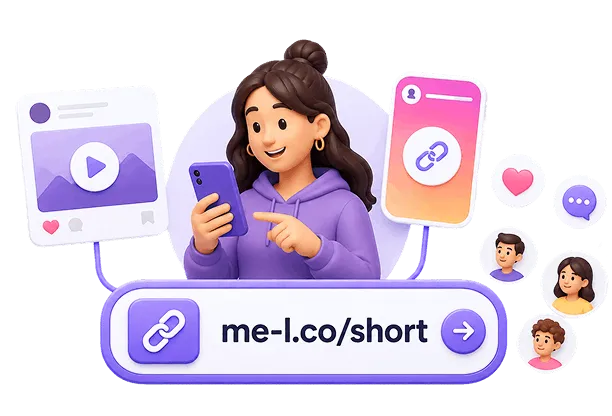
Social Media
Social media posts often have limited space or benefit from clean-looking links.
Instead of displaying a complicated URL, you can share a short link such as:
https://short.example/shop
This makes the destination easier to recognize and share.
Email Campaigns
Short links can make promotional emails look cleaner.
For example, an email button can lead to a short URL connected to a specific campaign landing page. If tracking is enabled, you can also measure how visitors interact with the link.
For more information, see the Link Tracking page at /link-tracking.
Printed Materials
A long URL can be inconvenient when printed on flyers, posters, business cards, menus, or event materials.
A short link is easier for people to type manually if they cannot scan a QR code.
For example:
short.example/menu
is much easier to enter than a long URL containing several parameters.
QR Codes
Short URLs can also be useful when creating QR codes.
A shorter destination URL can produce a simpler QR code structure, which may be easier to scan, especially when the code needs to be printed at a small size.
If you are creating QR codes for marketing materials, a short link can provide a convenient destination that you can manage separately.
Marketing Campaigns
Short links can be used to organize links for different campaigns.
For example, you might create separate links for:
- Printed flyers
- Online advertisements
- Partner promotions
Each link can lead to the same landing page while helping you identify where visitors came from when tracking is available.
Are Short Links Trackable?
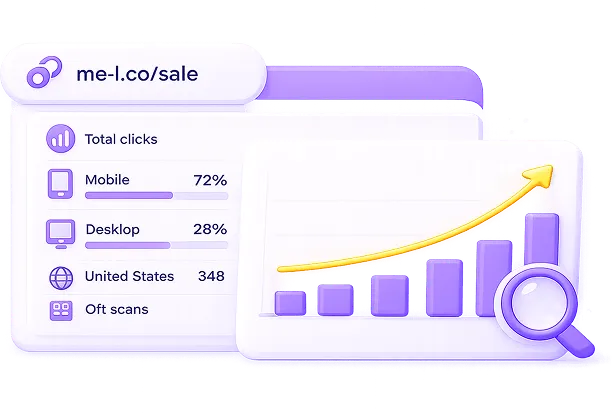
Yes, short links can be trackable, but tracking depends on the URL-shortening service and the features available for the link.
A tracking-enabled short link can provide information such as:
- number of clicks;
- click dates and times;
- traffic sources;
- device information;
- geographic information;
- campaign performance.
For example, a business promoting the same product on Instagram and through an email newsletter could create separate short links:
Instagram: https://me-l.co/product-social
Email: https://me-l.co/product-email
Both links can redirect to the same product page, while analytics can help compare their performance.
Can Short Links Be Edited?
Some short-link services allow you to edit the destination URL after creating a short link.
This is known as an editable short link.
For example, you might create:
https://me-l.co/summer
and initially connect it to:
https://example.com/summer-sale
Later, you could change the destination to:
https://example.com/new-offer
If the short-link service supports editable links, the public short URL can remain the same.
This can be particularly useful for:
- printed materials;
- social media profiles;
- recurring promotions;
- event campaigns;
- business cards;
- QR codes.

How to Create a Short Link
Creating a short link with ME-Link is designed to be a quick process.
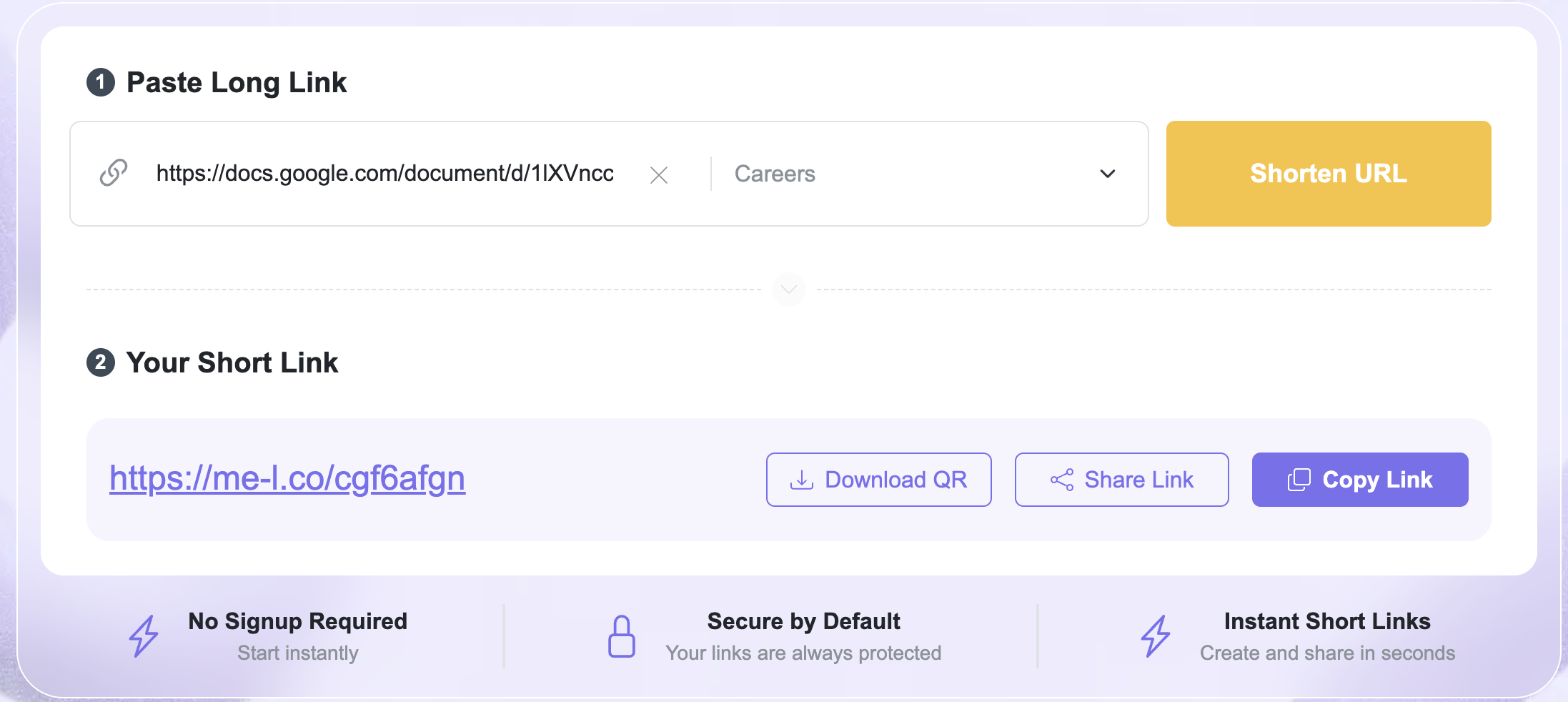
The main short-link interface guides you through two simple sections: Paste Long Link and Your Short Link.
Step 1: Paste Your Long Link
Start by opening the ME-Link URL-shortening interface. In the Paste Long Link field, enter the URL you want to shorten.
For example: https://example.com/products/summer-collection
The field also includes Content Category (Optional). If you want to organize your link by content type, you can select a category. Since the category is optional, you can also create a short link without selecting one.
Step 2: Click “Shorten URL”
After entering your destination URL, click Shorten URL. ME-Link generates a short version of the address.
For example: https://me-l.co/cf8bc
The interface then displays it in the Your Short Link section.
Step 3: Copy Your Short Link
Once your short link is generated, you can use the Copy Link option to copy it.
You can then paste the link into:
- social media;
- SMS;
- email;
- websites;
- advertisements;
- documents;
- printed materials.
This makes it easy to move from creating the link to actually using it.
Step 4: Share Your Short Link
The interface also provides a Share Link option.
This is useful when you want to share the generated link without manually copying and pasting it into another application.
Step 5: Download a QR Code
ME-Link also provides a Download QR option alongside the generated short link.
This means you can create a short link and then download a QR code for the same destination directly from the interface.
For example:
Long URL → ME-Link Short Link → Download QR → Add QR code to a poster, menu, flyer, or other material
This is particularly useful for campaigns that combine online and offline promotion.

Why Use ME-Link Instead of Simply Sharing the Original URL?
You do not need to shorten every URL.
A short link is most useful when the original URL is long, difficult to remember, visually cluttered, or needs additional management.
Consider these two addresses:
https://example.com/contact
and:
https://example.com/products/summer-collection?utm_source=facebook&utm_medium=social&utm_campaign=august
The first URL is already short and readable.
The second could benefit from shortening.
ME-Link also adds useful actions around the generated link, including Copy Link, Share Link, and Download QR. This means the workflow doesn't stop at generating the shortened URL—you can immediately prepare it for sharing or offline use.
Frequently Asked Questions
There is usually no practical difference. Both terms describe a compact URL that redirects users to a longer destination URL. "Short link" is commonly used when discussing links created with a URL-shortening service.