What Is a Short Link? A Simple Guide
Create your first short link with ME-Link


A short link is a shortened version of a long URL that is easier to share, remember, and use. Instead of sending a long web address with multiple parameters, you can create a compact link that redirects visitors to the original page.
Short links are useful for social media, email campaigns, printed materials, QR codes, advertisements, and other situations where a clean URL matters. Depending on the tool you use, a short link can also provide tracking and editing options.

What Is a Short Link?
A short link is a compact URL that redirects users to another web page.
For example, an original URL might look like this:
https://example.com/products/summer-sale?utm_source=instagram&utm_medium=social&utm_campaign=summer2026
A shortened version could look like:
https://short.example/summer
The short URL is easier to type, copy, share, and display.
A short link does not usually replace the original page. Instead, it works as a redirect. When someone clicks the short URL, the short-link service sends them to the destination URL.
Short links are especially useful when the original URL is long, contains tracking parameters, or would look cluttered in a marketing message.
How Does a Short Link Work?
A short link works through a redirect.
When you create a short link, the URL shortener generates a unique short URL and connects it to your original destination.
The process is simple:
- You enter the original URL.
- The URL shortener creates a short version.
- The short URL is stored together with the destination URL.
- Someone clicks the short link.
- The service redirects the visitor to the original page.
For example:
Original URL: https://example.com/blog/how-to-create-a-website-for-your-business
Short link: https://short.example/business-website
When a visitor opens the short link, they are redirected to the original article.
This happens quickly, so visitors usually do not need to do anything differently.

Short Link vs. Long URL
The main difference is the length and structure of the URL.
A long URL is not necessarily a problem. If the address is already short and readable, there may be no reason to shorten it.
For example:
https://example.com/contact
is already simple and easy to share.
But a URL with multiple parameters can become difficult to read:
https://example.com/products/category?source=newsletter&campaign=summer-sale&product=123
A short link can make this address much easier to use in customer-facing content.
When Should You Use Short Links?
Short links are useful whenever a long URL makes sharing or communication less convenient.
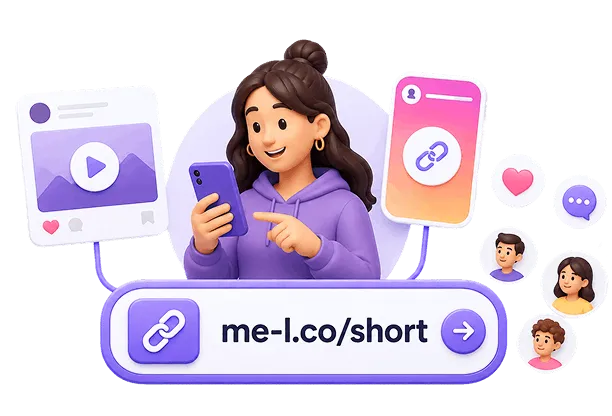
Social Media
Social media posts often have limited space or benefit from clean-looking links.
Instead of displaying a complicated URL, you can share a short link such as:
https://short.example/shop
This makes the destination easier to recognize and share.
Email Campaigns
Short links can make promotional emails look cleaner.
For example, an email button can lead to a short URL connected to a specific campaign landing page. If tracking is enabled, you can also measure how visitors interact with the link.
For more information, see the Link Tracking page at /link-tracking.
Printed Materials
A long URL can be inconvenient when printed on flyers, posters, business cards, menus, or event materials.
A short link is easier for people to type manually if they cannot scan a QR code.
For example:
short.example/menu
is much easier to enter than a long URL containing several parameters.
QR Codes
Short URLs can also be useful when creating QR codes.
A shorter destination URL can produce a simpler QR code structure, which may be easier to scan, especially when the code needs to be printed at a small size.
If you are creating QR codes for marketing materials, a short link can provide a convenient destination that you can manage separately.
Marketing Campaigns
Short links can be used to organize links for different campaigns.
For example, you might create separate links for:
- Printed flyers
- Online advertisements
- Partner promotions
Each link can lead to the same landing page while helping you identify where visitors came from when tracking is available.
Are Short Links Trackable?
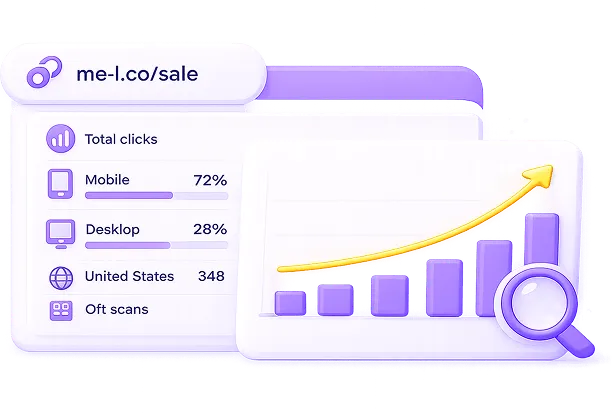
Yes, short links can be trackable, but tracking depends on the URL-shortening service and the features available for the link.
A tracking-enabled short link can provide information such as:
- number of clicks;
- click dates and times;
- traffic sources;
- device information;
- geographic information;
- campaign performance.
For example, a business promoting the same product on Instagram and through an email newsletter could create separate short links:
Instagram: https://me-l.co/product-social
Email: https://me-l.co/product-email
Both links can redirect to the same product page, while analytics can help compare their performance.
Can Short Links Be Edited?
Some short-link services allow you to edit the destination URL after creating a short link.
This is known as an editable short link.
For example, you might create:
https://me-l.co/summer
and initially connect it to:
https://example.com/summer-sale
Later, you could change the destination to:
https://example.com/new-offer
If the short-link service supports editable links, the public short URL can remain the same.
This can be particularly useful for:
- printed materials;
- social media profiles;
- recurring promotions;
- event campaigns;
- business cards;
- QR codes.

How to Create a Short Link
Creating a short link with ME-Link is designed to be a quick process.
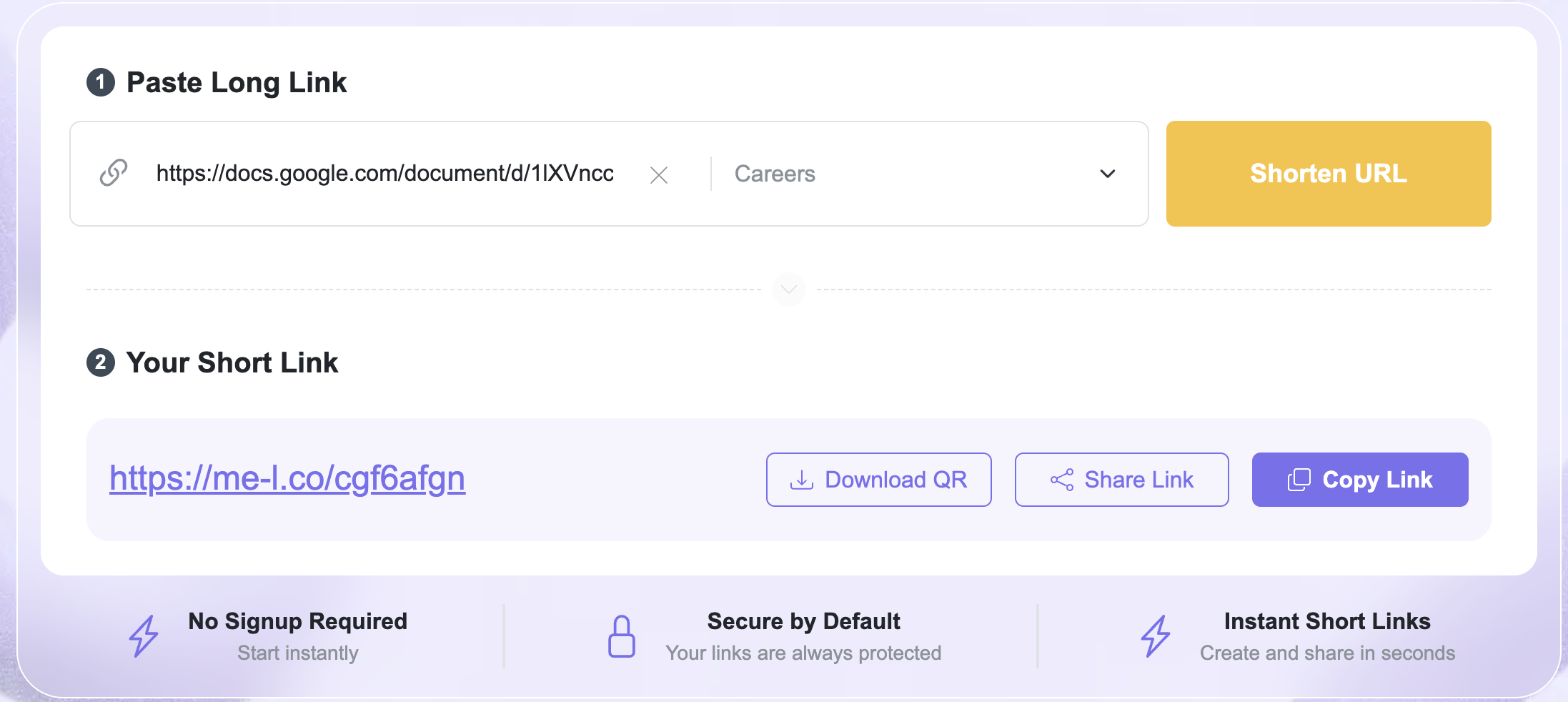
The main short-link interface guides you through two simple sections: Paste Long Link and Your Short Link.
Step 1: Paste Your Long Link
Start by opening the ME-Link URL-shortening interface. In the Paste Long Link field, enter the URL you want to shorten.
For example: https://example.com/products/summer-collection
The field also includes Content Category (Optional). If you want to organize your link by content type, you can select a category. Since the category is optional, you can also create a short link without selecting one.
Step 2: Click “Shorten URL”
After entering your destination URL, click Shorten URL. ME-Link generates a short version of the address.
For example: https://me-l.co/cf8bc
The interface then displays it in the Your Short Link section.
Step 3: Copy Your Short Link
Once your short link is generated, you can use the Copy Link option to copy it.
You can then paste the link into:
- social media;
- SMS;
- email;
- websites;
- advertisements;
- documents;
- printed materials.
This makes it easy to move from creating the link to actually using it.
Step 4: Share Your Short Link
The interface also provides a Share Link option.
This is useful when you want to share the generated link without manually copying and pasting it into another application.
Step 5: Download a QR Code
ME-Link also provides a Download QR option alongside the generated short link.
This means you can create a short link and then download a QR code for the same destination directly from the interface.
For example:
Long URL → ME-Link Short Link → Download QR → Add QR code to a poster, menu, flyer, or other material
This is particularly useful for campaigns that combine online and offline promotion.

Why Use ME-Link Instead of Simply Sharing the Original URL?
You do not need to shorten every URL.
A short link is most useful when the original URL is long, difficult to remember, visually cluttered, or needs additional management.
Consider these two addresses:
https://example.com/contact
and:
https://example.com/products/summer-collection?utm_source=facebook&utm_medium=social&utm_campaign=august
The first URL is already short and readable.
The second could benefit from shortening.
ME-Link also adds useful actions around the generated link, including Copy Link, Share Link, and Download QR. This means the workflow doesn't stop at generating the shortened URL—you can immediately prepare it for sharing or offline use.
Frequently Asked Questions
There is usually no practical difference. Both terms describe a compact URL that redirects users to a longer destination URL. "Short link" is commonly used when discussing links created with a URL-shortening service.