How to Track Link Clicks
Track your link clicks with ME-Short-Link


Link click tracking shows how people interact with your links after they are shared. Instead of simply knowing that a link exists, you can see how many people clicked it, when they clicked, and, depending on the tracking tool, where and how they accessed it.
This information can help you understand which campaigns, channels, and links generate the most traffic. With ME-Short-Link, you can use link analytics to monitor short-link performance and make better decisions about your campaigns.
What Is Link Click Tracking?
Link click tracking is the process of recording and analyzing interactions with a URL.
When someone clicks a trackable short link, the click can be recorded by the URL-shortening service before the visitor is redirected to the destination page.
For example, suppose you promote the same product through three channels:
- A printed flyer
You can create separate short links for each channel:
All four links can lead to the same product page, while their analytics can help you compare how each promotion performs.
Instead of guessing which channel generates the most interest, you can use click data to evaluate the results.
What Data Can You Track?
The exact information available depends on the link-tracking service and its analytics features.
Common link analytics can include:
- total clicks;
- unique visitors or clicks, when supported;
- date and time of clicks;
- country;
- device type;
- browser;
- operating system;
- traffic source;
- campaign activity.
Here is a simple overview:

You don't need to analyze every available metric for every campaign. Start with the information that answers your main question.
For example, if you want to know whether an Instagram promotion worked, clicks by source may be more useful than browser information.
Clicks by Country and Device
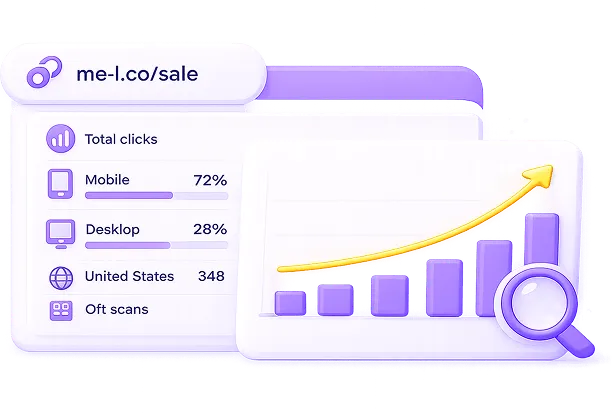
Location and device data can provide additional context for your link clicks.

Clicks by country
Country data can show where people are accessing your links.
For example, an international business might discover that a campaign receives clicks from:
- France
- Germany
- Poland
- Ukraine
- the United States
This information can help you understand whether your content is reaching the geographic audience you expected.
It can also help when comparing campaigns targeted at different regions.
Clicks by device
Device information can show whether visitors access your links from mobile devices, desktops, or other supported devices.
For example, if most clicks come from mobile devices, your destination page should provide a smooth mobile experience.
This can be particularly important for links shared through:
- Instagram;
- messaging apps;
- email on mobile devices;
- QR codes;
- mobile advertisements.
Link analytics should not replace other website analytics, but they can provide a useful view of what happens when people interact with your short links.
QR Activity and Link Clicks
Short links and QR codes are often used together.
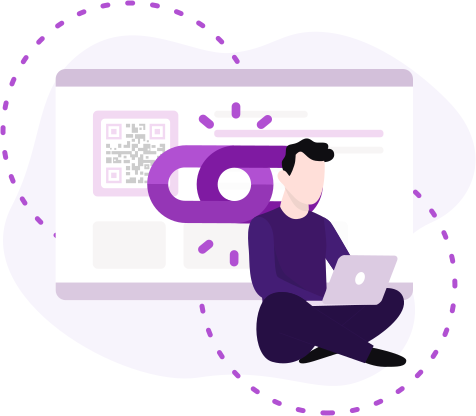
A QR code can contain a short URL, allowing someone to scan it with a smartphone and open the destination page.
For example, a restaurant could place a QR code on a table that leads to:
short.example/menu
The same approach can be used for:
- event posters;
- product packaging;
- business cards;
- restaurant menus;
- flyers;
- conference materials;
- outdoor advertising.
When the QR code uses a trackable short link, clicks generated through the QR code can provide useful information about activity.
For example, a business could create separate QR-based links for different locations:
- Location A: short.example/menu-a — track the number of clicks
- Location B: short.example/menu-b — track the number of clicks
- Location C: short.example/menu-c — track the number of clicks
This makes it easier to compare which locations or materials generate the most engagement.
If you want to analyze QR activity separately from other link traffic, use dedicated short links for each QR code rather than using exactly the same URL everywhere.
This makes it easier to compare which locations or materials generate the most engagement.
If you want to analyze QR activity separately from other link traffic, use dedicated short links for each QR code rather than using exactly the same URL everywhere.
How to Use Analytics for Campaigns
Link tracking becomes more useful when you connect it to a specific campaign goal.
Before creating your links, decide what you want to measure.
1. Define the campaign
Start with a clear goal.
For example:
Increase registrations for an online webinar.
2. Create Separate Links
Create different short links for each channel you plan to use. For example:
- Instagram: short.example/webinar-instagram
- Email: short.example/webinar-email
- LinkedIn: short.example/webinar-linkedin
- QR Code: short.example/webinar-qr
Each link sends visitors to the same registration page, while allowing you to track which channel generates the most clicks.
3. Share the links
Use each short link only in its intended channel.
This creates a clearer relationship between the link and the campaign source.

4. Review the Analytics
After the campaign has received enough traffic, compare the results.
For example:
- Instagram: 420 clicks — 42% of total clicks
- Email: 310 clicks — 31% of total clicks
- LinkedIn: 180 clicks — 18% of total clicks
- QR Code: 90 clicks — 9% of total clicks
- Total: 1,000 clicks — 100%
The data shows that Instagram generated the most clicks in this example.
However, clicks alone don't tell you everything. A campaign with fewer clicks may generate more registrations or sales. For this reason, consider link analytics alongside conversion data from your website or other analytics tools.
5. Use the results for your next campaign
Once you know which links receive the most activity, you can use that information to plan future campaigns.
For example, you might:
- invest more effort in high-performing channels;
- test different messages;
- change the timing of promotions;
- create separate regional campaigns;
- improve mobile landing pages;
- compare QR code placements.
The goal is not simply to collect numbers. The goal is to use those numbers to make better campaign decisions.
When to Export Analytics
You don't necessarily need to export analytics after every click.
Exporting data is more useful when you need to save, share, compare, or analyze information outside the short-link dashboard.
Export analytics when you need to:
- Create a campaign report: If you're preparing a monthly or quarterly marketing report, an export can give you a record of your link performance.
- Share results with a team: An exported file can make it easier to share campaign data with marketing, sales, or management teams.
- Compare multiple campaigns: If you run several campaigns over time, exporting the data can help you compare results across different periods.
- Keep historical records: You may want to keep campaign results after a promotion has ended for future reference.
- Perform additional analysis: If you need calculations or visualizations that aren't available in the dashboard, you can export the data and analyze it using a spreadsheet or analytics tool.
For active campaigns, it's often better to review analytics regularly rather than waiting until the campaign ends. This gives you an opportunity to identify problems or adjust your strategy while the campaign is still running.

Practical Example: Tracking a Product Campaign
Imagine an online store launches a new product and promotes it across social media, email, and printed materials.
The store creates three short links:
- Social media: short.example/new-product-social
- Email: short.example/new-product-email
- Printed materials: short.example/new-product-print
All three links point to the same product page.
After one week, the store reviews the analytics:
- Social media: 650 clicks — strongest source of traffic
- Email: 430 clicks — good engagement from subscribers
- Printed materials: 120 clicks — smaller but measurable traffic
The store can now compare the performance of each channel.
If most clicks come from mobile devices, the team can also check whether the product page works well on smartphones.
If the printed campaign generates fewer clicks, the business might test a different QR code placement or call to action rather than immediately abandoning the channel.
This is the main benefit of link tracking: you can replace assumptions with measurable data.
Link Tracking vs. Website Analytics
Link tracking and website analytics provide different types of information.
Link tracking focuses on what happens when someone interacts with a specific link. Website analytics can provide a broader view of what visitors do after arriving at your website.
Website analytics:
- Measures website traffic and visitor behavior
- Helps analyze pages and user journeys
- Tracks conversions and interactions
Link tracking:
- Measures clicks on specific links
- Helps compare individual short links and campaign sources
- Works well for QR codes, printed campaigns, and promotional links
Using both can give you a more complete picture.
For example, link tracking can show that 500 people clicked a campaign link, while website analytics can show how many of those visitors registered, purchased something, or completed another action.
Frequently Asked Questions
A click counts an interaction with the link, while unique visitor metrics attempt to identify distinct visitors or users. The exact definition depends on the analytics system and how it identifies visitors.