How to Use Short Links in Email Campaigns
Short links can make email campaigns cleaner while giving you more control over shared URLs. You can use them for newsletters, promotional campaigns, onboarding emails, customer updates, and recurring email templates.
With ME-Short-Link, you can create short URLs, track link activity, use UTM parameters for campaigns, and update destinations when needed.
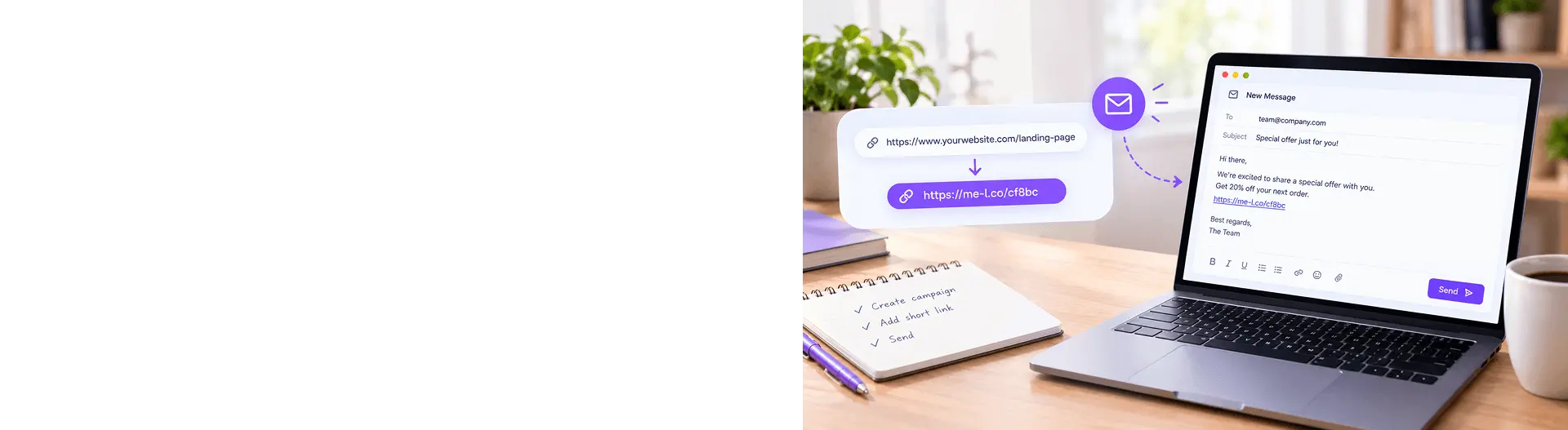
Email campaigns often contain several links to products, landing pages, offers, forms, or resources. Long URLs can make emails look cluttered, especially when they include tracking parameters or other URL details.
Short links provide a cleaner way to share these destinations while also making it easier to track clicks, update destinations, and organize links across different email campaigns.
In this guide, you'll learn how to use short links in newsletters, promotional emails, onboarding messages, and customer updates.
Why Short Links Help in Email
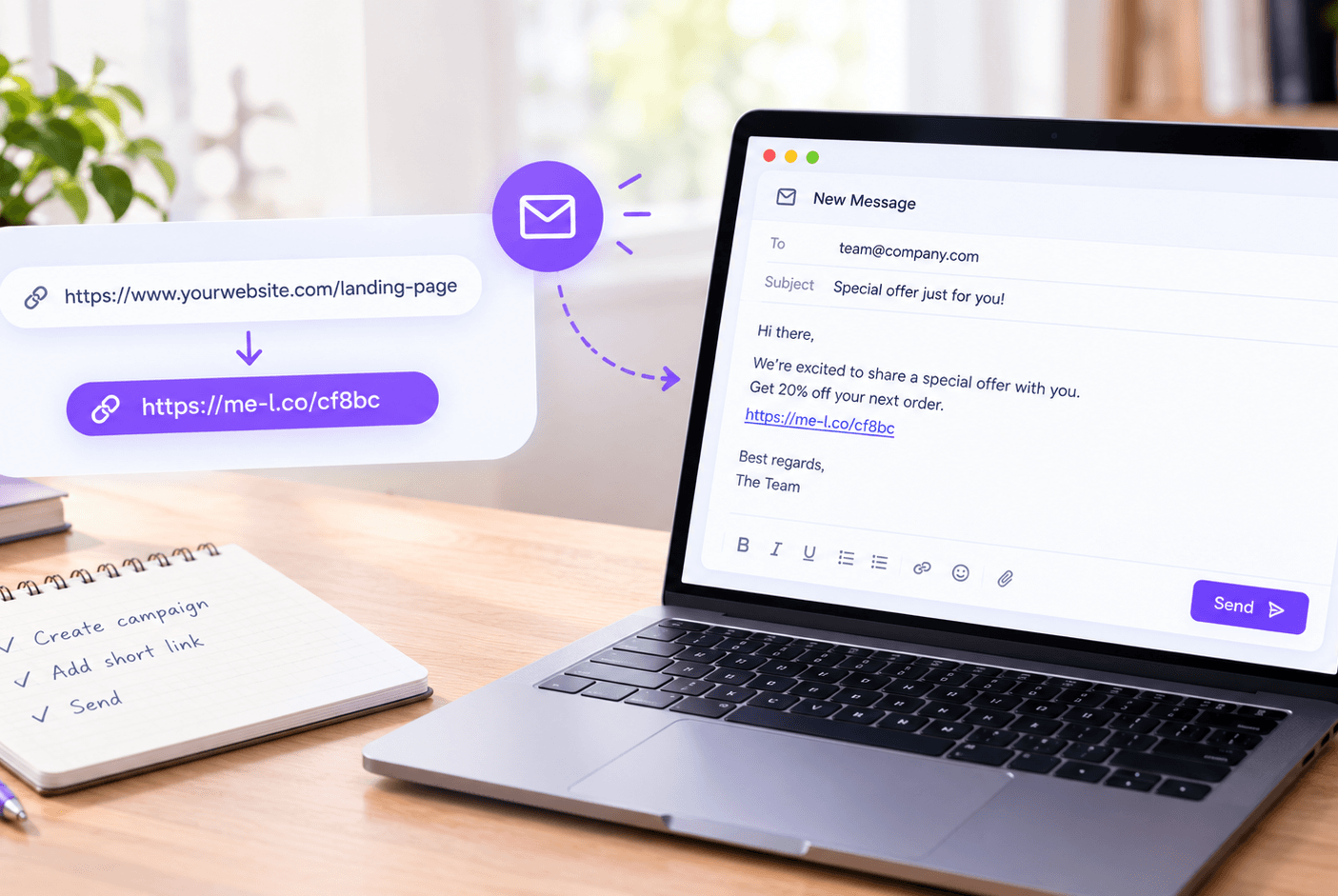
A short link turns a long web address into a compact URL that is easier to read and share.
For example, instead of: https://example.com/products/summer-collection?utm_source=email&utm_medium=newsletter&utm_campaign=summer_sale
you can use a short link such as: me-l.co/summer
This can make an email easier to scan and keep long tracking parameters out of the visible link.
Short links can be useful for email:
- Newsletter links
- Product promotions
- Special offers
- Event registrations
- Blog articles
- Customer surveys
- Onboarding emails
- Support resources
- Download pages
- Booking pages
One Email, Multiple Short Links
You can also create separate short links for different destinations or calls to action.
For example, a newsletter might include:
- me-l.co/new-product
- me-l.co/blog
- me-l.co/offer
Each link can lead to a different page while keeping the email visually clean.
You can also create separate short links for the same destination when you want to distinguish different email placements or campaigns.
Short Link Examples for Newsletters
Newsletters often contain several links, so keeping URLs short can improve readability.
For example, an online store could use:
- New collection: me-l.co/new
- Best sellers: me-l.co/bestsellers
- Special offer: me-l.co/offer
Instead of displaying long URLs, readers see concise links that are easier to recognize.
Short links can also be useful for different types of newsletter content.
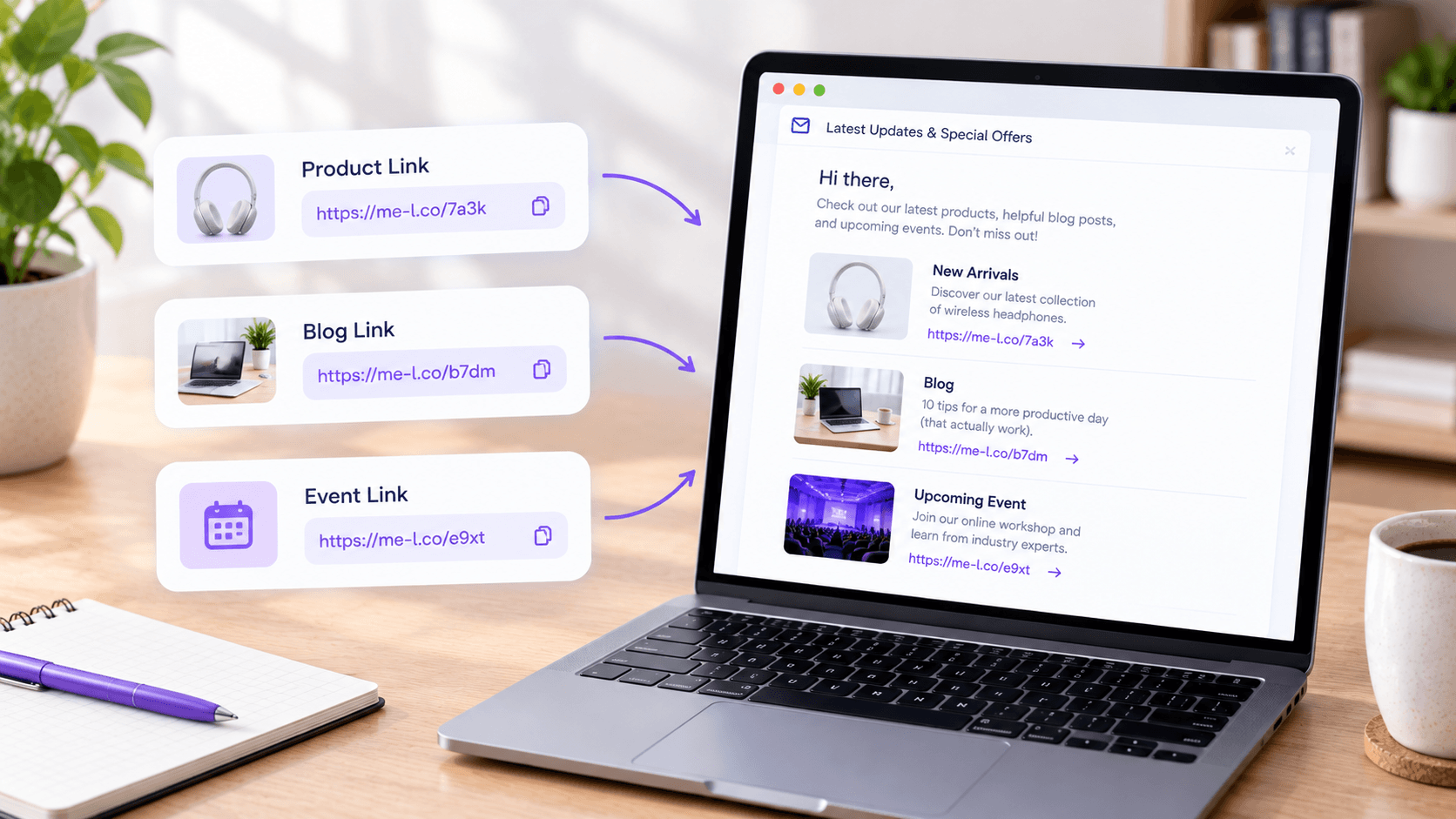
Product Links
A product email could include: me-l.co/product
The link can send subscribers directly to the product page.
Blog Links
For an article newsletter: me-l.co/article
This provides a simple link that can be reused in email content without displaying a long URL.
Event Links
For an event announcement: me-l.co/event
The link can lead to registration, ticket sales, or event information
Campaign Tracking with UTM
UTM parameters help identify where clicks come from and which email campaign generated the traffic. When combined with short links, they let you keep the visible URL clean while still collecting campaign data.
|
UTM Parameter |
Example |
What It Identifies |
|
utm_source |
newsletter |
The traffic source, such as a newsletter or email list |
|
utm_medium |
|
The marketing channel |
|
utm_campaign |
summer_sale |
The specific campaign |
|
utm_content |
cta_button |
A specific link, button, or content variation within the email |
|
utm_term |
summer_shoes |
An optional term used to distinguish specific promotions or targeting |
For example, an email campaign could use:
- utm_source=newsletter
- utm_medium=email
- utm_campaign=summer_sale
- utm_content=cta_button
The full destination URL may become quite long when several parameters are added. A short link can provide a cleaner URL for sharing in the email while still directing recipients to the tracked destination.
How to Edit a Short Link After Sending an Email
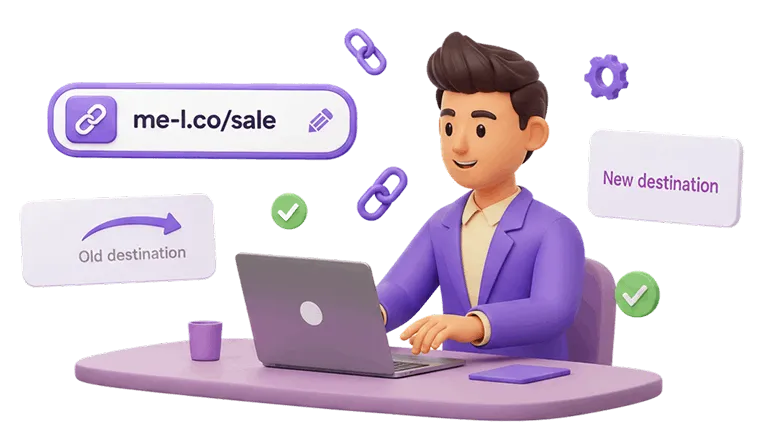
One advantage of an editable short link is that you can change its destination without changing the short URL.
This is especially useful for email campaigns that have already been sent.
For example, suppose your email contains: me-l.co/offer
Initially, it leads to: https://example.com/summer-sale
Later, the promotion ends and you want the same link to lead to: https://example.com/current-offer
You can update the destination while keeping the original short link.
This means you don't have to change the URL everywhere it has already been shared.
Why This Matters for Email
Emails can remain in inboxes for months. Some recipients may open an old newsletter long after the original campaign has ended.
An editable short link can help you avoid sending readers to an expired page.
It can be useful for:
- Seasonal promotions
- Product launches
- Event registration
- Booking pages
- Limited-time offers
- Customer support resources
- Frequently reused email templates
For example, a monthly newsletter could keep the same short link while its destination changes each month.
How to Analyze Clicks from Email
Creating a short link is only part of the process. Tracking its performance can help you understand how recipients interact with your emails. With link tracking, you can monitor activity associated with a short link and use the data to compare campaigns.
For example, you could create:
- me-l.co/june-newsletter
- me-l.co/july-newsletter
- me-l.co/august-newsletter
Comparing their activity can help you identify which campaigns generated more link clicks.
With Link Tracking, you can use short links to collect information about link activity and understand how your shared URLs perform.

Track Different Links for Different Calls to Action
You can also use separate links for different actions in the same email.
For example:
- Shop the collection: me-l.co/shop
- Read the guide: me-l.co/guide
- Get the offer: me-l.co/offer
This lets you analyze activity for each link instead of treating every click in the email as the same interaction.
Best Practices for Using Short Links in Email
1. Keep Short Links Readable
Use short links that are easy to recognize.
For example: me-l.co/summer-sale
is easier to understand than a random combination of characters.
A descriptive short link can also help recipients understand where the link is expected to lead.
2. Use One Link for One Clear Purpose
Avoid creating multiple links that all perform the same function unless you need to track their placements separately.
For example, a promotional email could use one primary link for the offer: me-l.co/offer
This keeps the campaign organized.
3. Use UTM Parameters for Campaign Tracking
If you need to distinguish email traffic from other channels, add appropriate UTM parameters.
Keep your naming consistent across campaigns.
For example:
- utm_source=newsletter
- utm_medium=email
- utm_campaign=product_launch
Consistent naming makes campaign data easier to understand.
4. Test Every Link Before Sending
Always click your short links before sending an email.
Check that:
- The link opens the correct page
- The destination works on mobile
- The campaign parameters are correct
- The short link does not contain a typo
- The destination is still available
A quick test can prevent broken links from reaching your entire mailing list.
5. Use Editable Links for Reusable Campaigns
If an email template will be reused, consider using an editable short link.
For example, a recurring newsletter can use: me-l.co/latest
The destination can then be updated whenever a new article, offer, or product needs to be promoted.
6. Monitor Link Activity
After sending an email, check the activity associated with your short links.
This can help you understand which links receive attention and provide useful information for future campaigns.

Practical Example: A Product Launch Email
Imagine an online store is launching a new product.
The email contains three main actions:
- Learn about the product: me-l.co/product
- View the offer: me-l.co/offer
- Shop now: me-l.co/shop
The campaign can then use UTM parameters to identify the email as the traffic source.
For example:
- utm_source=newsletter
- utm_medium=email
- utm_campaign=new_product
The marketer can monitor link activity after sending the campaign and compare engagement between the different calls to action.
If the offer page changes later, the destination of the relevant short link can also be updated without changing the URL used in the email.
Frequently Asked Questions
Yes. Short links can be used for product pages, blog posts, offers, events, forms, and other destinations included in newsletters.


Was This Article Helpful?
Click on a star to rate it!
Thank you for your vote!

Average Rating: 5/5 Votes: 1
Be the first to rate this post!

Proficient background in project planning, execution, and continuous improvement. Experienced in analyzing ideas and forecasting project success, defining requirements and timelines, and managing communication across cross-functional teams. Skilled in creating and maintaining project documentation, automating processes, and making data-driven decisions in critical situations.
View LinkedIn ProfileRelated Posts




Latest Posts
How to Use Short Links in SMS Campaigns